
pengenalan
This manual provides instructions for the proper use and maintenance of your AW B990BL Neckband Wireless Bluetooth Earphones. Please read this manual thoroughly before using the product to ensure optimal performance and longevity.
The AW B990BL Neckband Wireless Bluetooth Earphones offer a convenient audio solution with a neckband design. Featuring Bluetooth V4.2 connectivity, these earphones provide up to 6 hours of talk or music time on a 1-hour charge. They are designed for wide compatibility with various devices, offering a reliable wireless experience.
Kandungan Pakej
- AW B990BL Neckband Wireless Bluetooth Earphones
- Kabel Pengecas USB
- Petua Telinga (pelbagai saiz)
- Manual Pengguna

Image: The AW B990BL Neckband Wireless Bluetooth Earphones, showcasing the neckband design, earbuds, and inline control panel.
Persediaan
1. Mengecas Fon Telinga
- Connect the micro-USB end of the charging cable to the charging port on the earphone's control unit.
- Sambungkan hujung USB-A kabel pengecas kepada sumber kuasa USB (cth., port USB komputer, penyesuai dinding).
- The indicator light will illuminate during charging. Once fully charged (approximately 1 hour), the indicator light will change or turn off.
- Putuskan sambungan kabel pengecas setelah pengecasan selesai.
Nota: Pastikan fon telinga dicas sepenuhnya sebelum digunakan untuk prestasi bateri yang optimum.
2. Berpasangan Bluetooth
- Pastikan fon telinga dimatikan.
- Press and hold the Multi-function button (usually the center button on the control unit) for approximately 5-7 seconds until the indicator light flashes red and blue alternately. This indicates pairing mode.
- Pada peranti anda (telefon pintar, tablet, dll.), dayakan Bluetooth dan cari peranti yang tersedia.
- Select "B990BL" from the list of found devices.
- Once successfully paired, the indicator light will flash blue slowly, and you may hear a confirmation tone.
- Jika digesa untuk kata laluan, masukkan "0000".
Nota: Fon telinga akan cuba menyambung semula secara automatik ke peranti yang terakhir dipasangkan apabila dihidupkan.
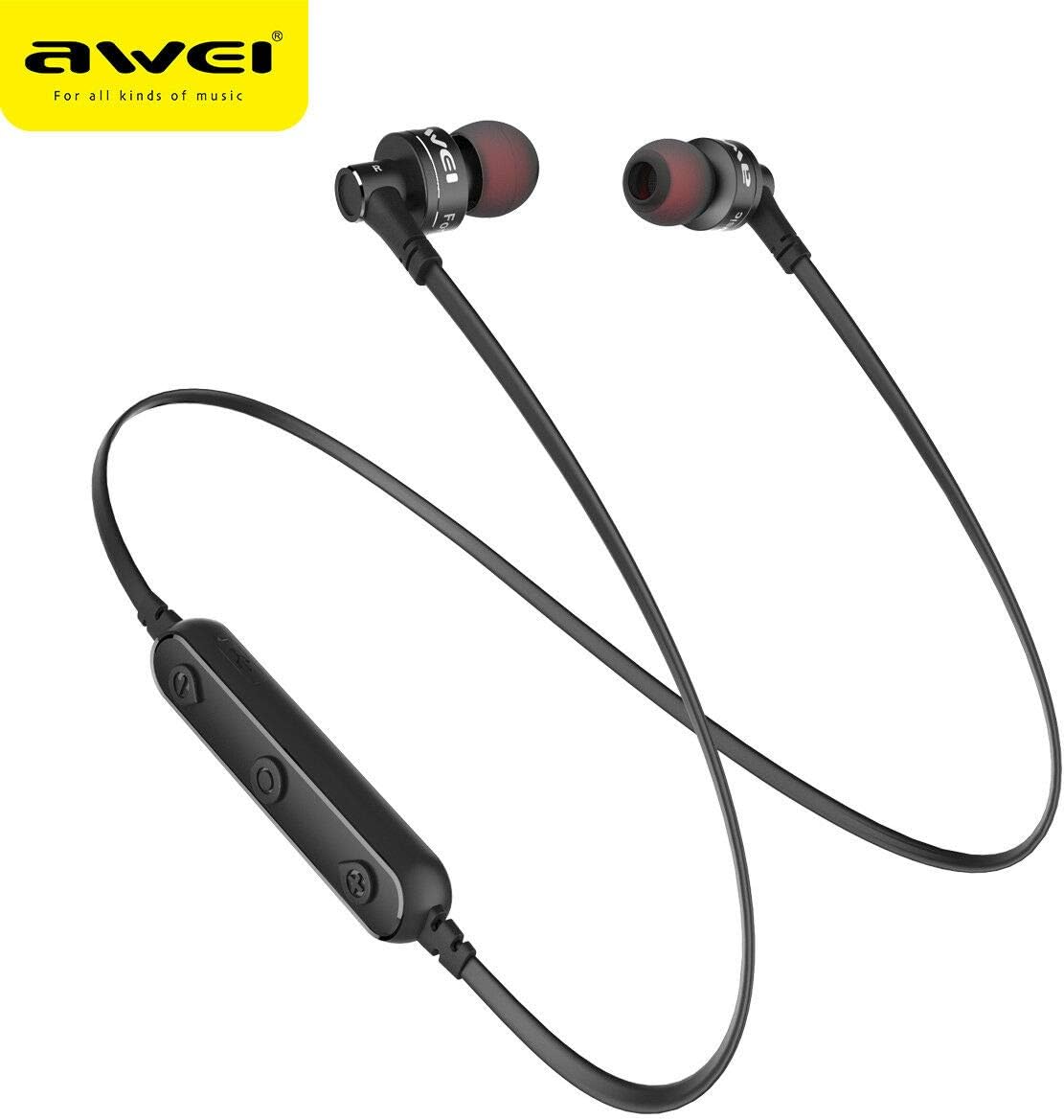
Imej: Dari dekat view of the AW B990BL earphones, highlighting the inline control panel with its buttons and charging port.
Arahan Operasi
Fungsi Asas
- Hidupkan kuasa: Tekan dan tahan butang Berbilang fungsi selama 3 saat.
- Matikan: Tekan dan tahan butang Berbilang fungsi selama 3 saat.
- Main/Jeda: Tekan butang Pelbagai fungsi sekali.
- Kelantangan: Tekan butang "+".
- Perlahankan suara: Tekan butang "-".
- Lagu Seterusnya: Tekan dan tahan butang "+".
- Trek Sebelumnya: Tekan dan tahan butang "-".
Pengurusan Panggilan
- Jawab Panggilan: Tekan butang Pelbagai fungsi sekali.
- Tamatkan Panggilan: Tekan butang Berbilang fungsi sekali semasa panggilan.
- Tolak Panggilan: Tekan dan tahan butang Berbilang fungsi selama 2 saat.
- Dail Semula Nombor Terakhir: Tekan dua kali butang Berbilang fungsi.
Penyelenggaraan
- Pastikan fon telinga kering. Elakkan pendedahan kepada suhu, kelembapan atau bahan menghakis yang melampau.
- Clean the earphones regularly with a soft, dry cloth. Do not use harsh chemicals or abrasive cleaners.
- Simpan fon telinga di tempat yang bersih dan kering apabila tidak digunakan.
- Elakkan daripada menjatuhkan atau meletakkan fon telinga kepada hentaman kuat.
- Do not attempt to disassemble or modify the earphones, as this will void the warranty and may cause damage.
Menyelesaikan masalah
- Tidak boleh berpasangan dengan peranti:
- Ensure the earphones are in pairing mode (red and blue indicator light flashing alternately).
- Pastikan Bluetooth didayakan pada peranti anda dan ia berada dalam jarak 10 meter dari fon telinga.
- Turn off and restart both the earphones and your device, then attempt pairing again.
- Kosongkan sambungan Bluetooth sebelumnya pada peranti anda jika perlu.
- Tiada bunyi atau kelantangan rendah:
- Periksa tahap kelantangan pada kedua-dua fon telinga dan peranti anda yang disambungkan.
- Pastikan fon telinga disambungkan dengan betul ke peranti anda.
- Try playing different audio sources to rule out an issue with the media file.
- Fon telinga tidak dicas:
- Ensure the charging cable is securely connected to both the earphones and the power source.
- Cuba kabel pengecas USB atau sumber kuasa yang berbeza.
- Periksa port pengecasan untuk sebarang serpihan atau kerosakan.
Spesifikasi
| Ciri | Perincian |
|---|---|
| Nama Model | B990BL |
| Versi Bluetooth | V4.2 |
| Masa Mengecas | 1 jam |
| Masa Berbual | 6 jam |
| Masa Muzik | 6 jam |
| Teknologi Ketersambungan | Tanpa wayar |
| Sensitiviti | 96 dB |
| Dimensi Produk | 4 x 10 x 16.5 cm |
| Berat badan | 4.54 g |
| Pengeluar | Awei |
Waranti dan Sokongan
For warranty information or technical support, please refer to the documentation provided with your purchase or contact the retailer where the product was acquired. Keep your proof of purchase for warranty claims.