
pengenalan
Thank you for choosing the Gator Frameworks GFW-AV-LCD-15 Adjustable Quadpod LCD/LED TV Monitor Stand. This manual provides essential information for the safe and efficient setup, operation, and maintenance of your new stand. Please read these instructions thoroughly before assembly and use.
Maklumat Keselamatan
- Pastikan semua komponen ada dan tidak rosak sebelum dipasang.
- Jangan melebihi kapasiti berat maksimum 100 paun (45.36 kg).
- Ensure the stand is placed on a stable, level surface.
- Always tighten all knobs and fasteners securely after making adjustments.
- Use caution when adjusting height, especially with a display mounted. It is recommended to have assistance.
- The red rings on the feet are designed to enhance visibility and prevent tripping in low-light conditions.
Kandungan Pakej
Verify that all parts are included before proceeding with assembly:
- Quad-Leg Base Assembly
- Tiang Sokongan Utama
- Universal VESA Mounting Plate
- VESA Extension Arms (if required for larger patterns)
- Kit Perkakasan Pemasangan (pelbagai skru, pencuci, spacer)
- Cable Organization Clip
Persediaan dan Perhimpunan
Follow these steps to assemble your Gator Frameworks TV Monitor Stand:
- Unfold the Quad-Leg Base: Carefully spread the four legs of the base until they are fully extended and stable. Ensure the central locking mechanism is engaged.
- Pasangkan Tiang Sokongan Utama: Insert the main support pole into the top of the quad-leg base. Secure it by tightening the twist knob located on the base.
- Assemble VESA Mounting Plate: Attach the universal VESA mounting plate to the top of the main support pole using the provided bolts and tools. Ensure it is firmly secured.
- Mount VESA Extension Arms (if needed): For larger displays, attach the VESA extension arms to the main VESA plate to match your TV's hole pattern (100x100mm to 640x400mm).
- Pasangkan Kurungan VESA pada TV: Secure the VESA brackets (and extension arms if used) to the back of your LCD/LED TV using the appropriate screws and spacers from the hardware kit. Ensure these are tightened securely.
- Pasang TV ke Pendirian: With assistance, carefully lift your TV and align the VESA brackets on the TV with the mounting plate on the stand. Slide the TV into place and secure it using the locking screws or mechanisms provided on the mounting plate.
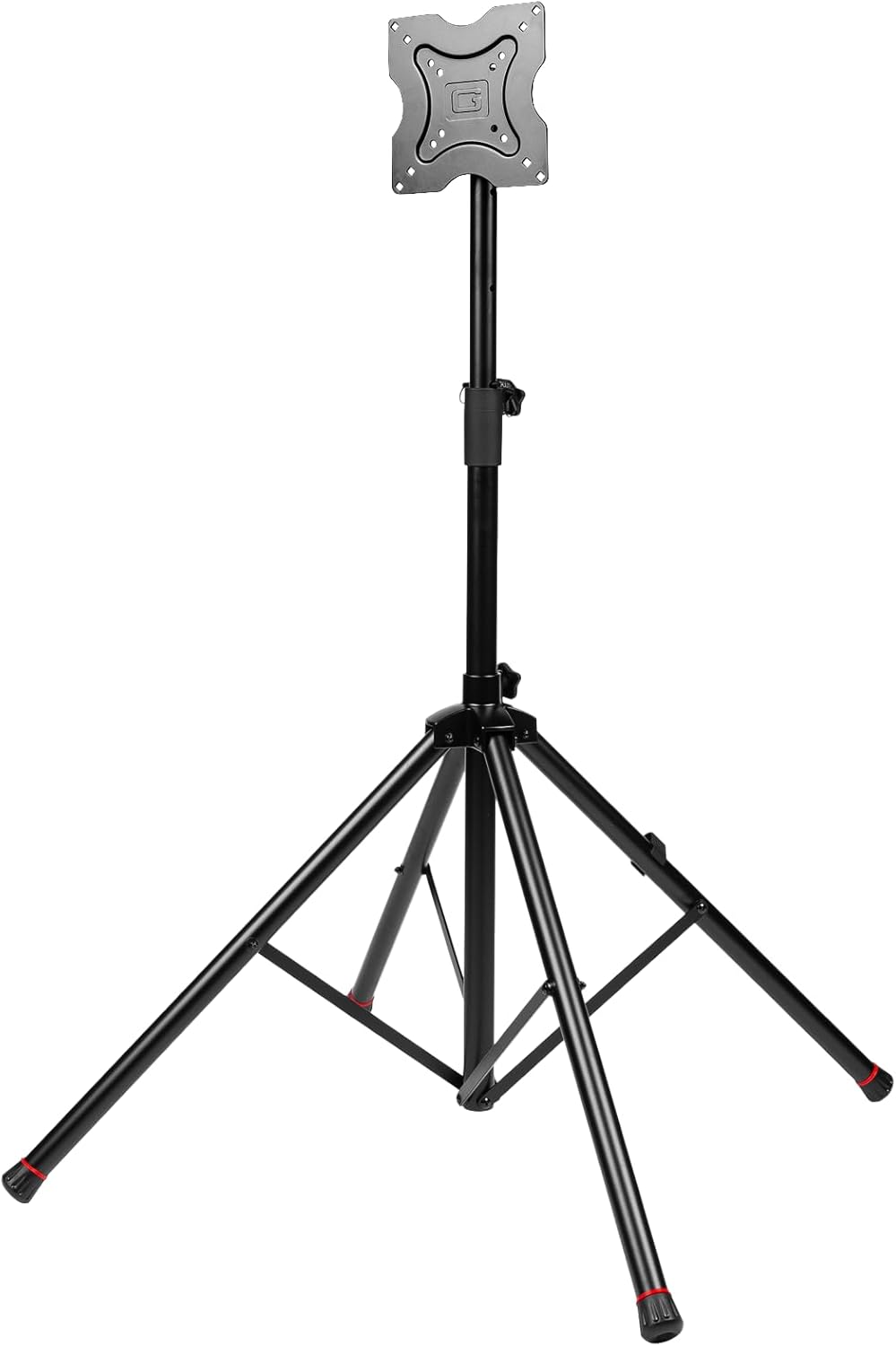
Figure 1: Fully assembled Gator Frameworks GFW-AV-LCD-15 stand without a display.

Figure 2: Detail of the universal VESA mounting plate.

Figure 3: VESA extension arms for adapting to various display sizes.
Arahan Operasi
Your Gator Frameworks stand offers flexible display options:
- Pelarasan Ketinggian: Loosen the twist knob on the main support pole. Carefully raise or lower the display to the desired height (40.5” to 72”). Once at the desired height, insert the safety pin through the designated hole in the pole and retighten the twist knob securely.
- Orientasi Skrin: The VESA mount allows for both horizontal (landscape) and vertical (portrait) screen orientations. Adjust the display as needed before securing.
- Pengurusan Kabel: Use the included cable organization clip to neatly route power and video cables along the stand's pole, ensuring a clean and professional appearance.
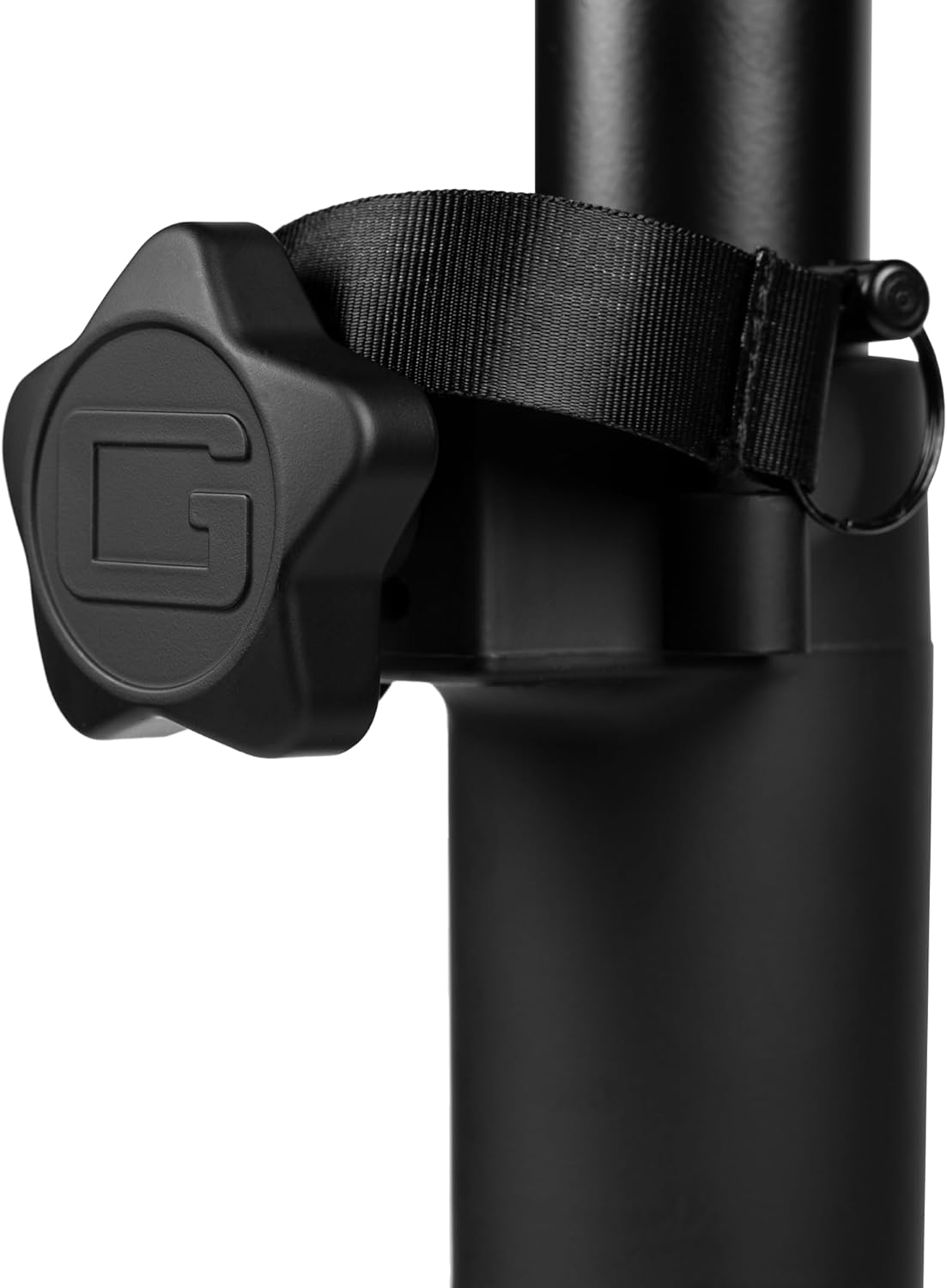
Figure 4: Detail of the twist knob for height adjustment.
Video 1: This video demonstrates the features and usage of Gator Frameworks Quad-Pod Video Display Stands, including setup and adjustment.
Penyelenggaraan
- Pembersihan: Lap ke bawah dirian dengan lembut, damp kain. Elakkan pembersih atau pelarut yang melelas yang boleh merosakkan kemasan.
- Pemeriksaan Berkala: Periodically check all knobs, bolts, and connections to ensure they are tight and secure. Inspect the legs and pole for any signs of wear or damage.
- Storan: When not in use, the stand can be folded for compact storage. Ensure the display is removed before folding.

Figure 5: The stand can be folded for convenient storage and transport.
Menyelesaikan masalah
- Ketidakstabilan pendirian: Ensure all four legs are fully extended and resting evenly on the floor. Verify that the twist knob on the base is tightened.
- Kesukaran Melaraskan Ketinggian: Loosen the twist knob completely. Ensure the safety pin is fully removed before attempting to adjust. If the pole is stiff, check for any debris or obstructions.
- TV Not Secure on Mount: Double-check that all VESA screws are correctly installed and tightened. Ensure the locking mechanism on the mounting plate is engaged.
Spesifikasi
| Nombor Model | GFW-AV-LCD-15 |
| Jenama | Gator Frameworks |
| Dimensi Produk | 40.5 x 5.8 x 5.8 inci (102.87 x 14.73 x 14.73 cm) |
| Berat Barang | 14.8 paun (6.71 kg) |
| bahan | Keluli Aloi |
| Peranti Serasi | Monitor, Television |
| Max Screen Size Supported | Sehingga 65 inci |
| Kapasiti Berat Maks | 100 paun (45.36 kg) |
| Julat Ketinggian Boleh Laras | 40.5” to 72” (1092mm – 1854mm) |
| Keserasian VESA | 100x100mm hingga 640x400mm |
Waranti dan Sokongan
For specific warranty information regarding your Gator Frameworks GFW-AV-LCD-15 stand, please refer to the documentation provided with your purchase or visit the official Gator Frameworks website. For technical support, troubleshooting assistance, or replacement parts, please contact Gator Cases customer service directly.