
pengenalan
This manual provides detailed instructions for the TECWARE Phantom 87 Key RGB Mechanical Gaming Keyboard. Please read this manual thoroughly before using the product to ensure proper operation and to maximize your experience.
Maklumat Keselamatan
- Jangan dedahkan papan kekunci kepada cecair atau kelembapan berlebihan.
- Elakkan suhu yang melampau.
- Jangan cuba membuka atau mengubah suai papan kekunci. Ini mungkin membatalkan jaminan anda.
- Jauhkan daripada kanak-kanak.
- Gunakan hanya dengan peranti dan sumber kuasa yang serasi.
Kandungan Pakej
Sahkan bahawa semua item terdapat dalam pakej anda:
- TECWARE Phantom 87 Key RGB Mechanical Gaming Keyboard
- 4x Spare Mechanical Switches (Outemu Red)
- 1x Penarik Suis
- 1x Penarik Papan Kekunci
- 1x Manual Pengguna

Figure 1: TECWARE Phantom 87 Key RGB Mechanical Gaming Keyboard with key features such as low latency, 16.8M RGB colors, gaming-oriented design, full N-key rollover, and durable fiberglass PCB.
Persediaan
1. Menyambung Papan Kekunci
- Locate the USB-A cable attached to your TECWARE Phantom keyboard.
- Plug the USB-A connector into an available USB port on your computer.
- The keyboard will automatically be detected and drivers will install (Windows/macOS).
2. Pemasangan Perisian (Pilihan)
For advanced customization, including per-key RGB lighting, macro recording, and user profiles, download the TECWARE software from the official TECWARE webtapak. Ikut arahan pada skrin untuk pemasangan.

Figure 2: The TECWARE software allows for custom per-key RGB lighting, 18 lighting effects control, macro recording and assignment, and up to 3 user profiles, along with brightness and speed adjustments.
Arahan Operasi
Fungsi Asas
- Menaip: The keyboard features Outemu Red linear switches for a smooth and quiet typing experience.
- Pergantian Kunci N: All key presses are registered simultaneously, preventing ghosting during rapid input.
- Kunci Windows: Use the dedicated Windows Lock key (often Fn + Win key) to disable the Windows key during gaming to prevent accidental interruptions.
Kawalan Pencahayaan RGB
The Phantom keyboard offers 16.8 million RGB colors and 18 pre-set lighting effects. These can be controlled directly on the keyboard or through the TECWARE software.
- Menukar Mod Pencahayaan: Use the Fn key combined with specific function keys (refer to your keyboard's keycaps for symbols) to cycle through the 18 pre-set lighting modes.
- Adjusting Brightness/Speed: Use Fn + Arrow keys (or other designated keys) to adjust the brightness and speed of the lighting effects.
- Penyesuaian: For per-key lighting and advanced effects, use the TECWARE software.
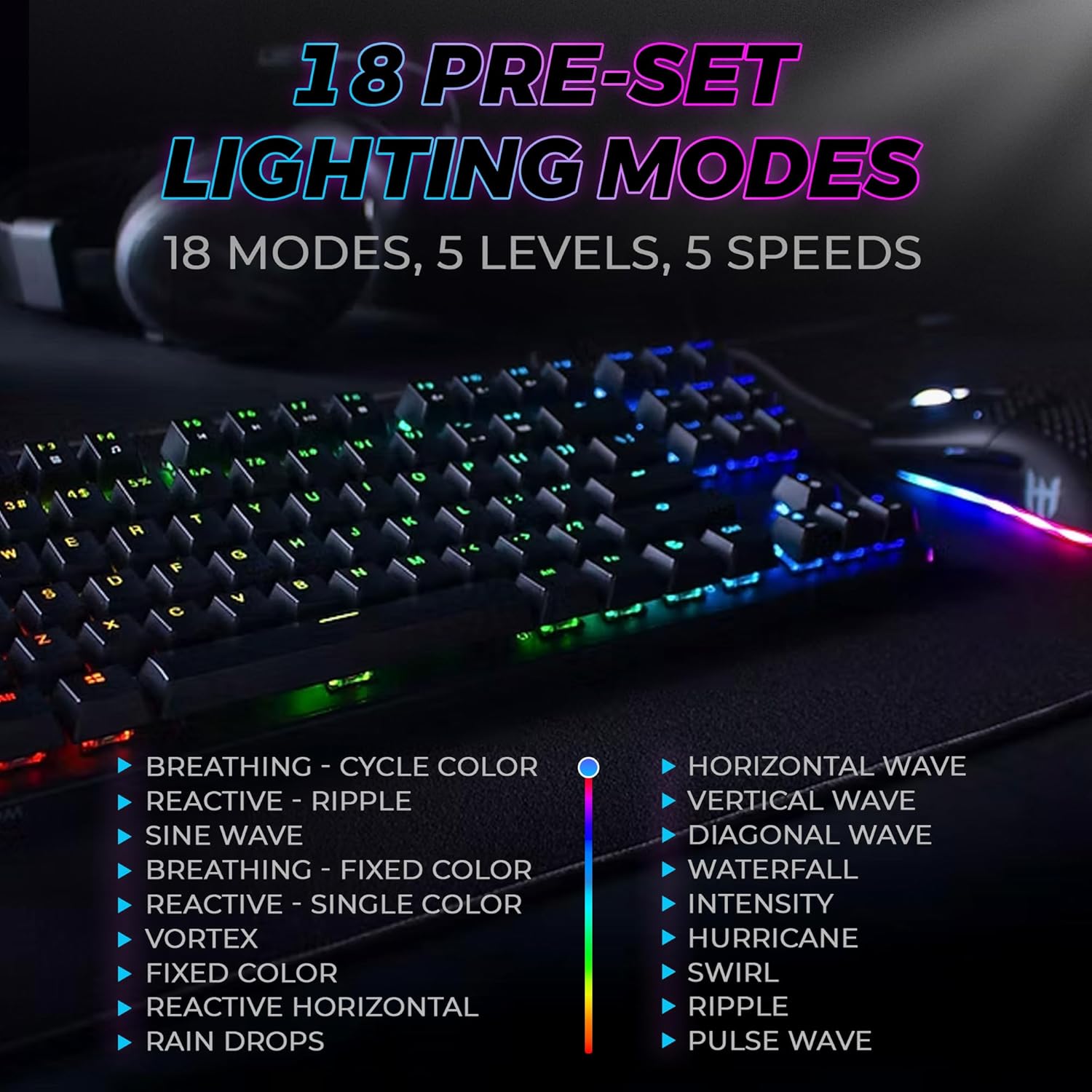
Figure 3: The keyboard features 18 pre-set lighting modes with 5 levels of brightness and 5 levels of speed, including effects like Breathing, Ripple, Sine Wave, Vortex, Waterfall, and Pulse Wave.
Kekunci Multimedia
Access multimedia controls by pressing the Fn key in combination with the F-keys (F1-F12). The specific functions are typically indicated by icons on the keycaps.
- Example: Fn + F7 (Play/Pause), Fn + F8 (Stop), Fn + F9 (Mute).
Video 1: Official TECWARE branded video showcasing various products, including the Phantom keyboard, highlighting its features and design philosophy.
Penyelenggaraan
Pembersihan
- Putuskan sambungan papan kekunci daripada komputer anda sebelum membersihkan.
- Gunakan kain lembut dan kering untuk mengelap penutup kekunci dan casis.
- For deeper cleaning, use the provided keycap puller to remove keycaps and compressed air to clear debris from under the keys.
Penggantian Suis
The TECWARE Phantom keyboard features hot-swappable Outemu mechanical switches, allowing for easy replacement without soldering.
- Menggunakan penarik penutup kekunci yang disediakan, tanggalkan penutup kekunci yang diingini dengan perlahan.
- Use the provided switch puller to carefully grip the switch and pull it straight up to remove it.
- Sejajarkan pin suis baharu dengan lubang pada PCB.
- Tekan suis baharu dengan lembut ke tempatnya sehingga ia berbunyi klik dengan selamat.
- Pasang semula penutup kekunci.
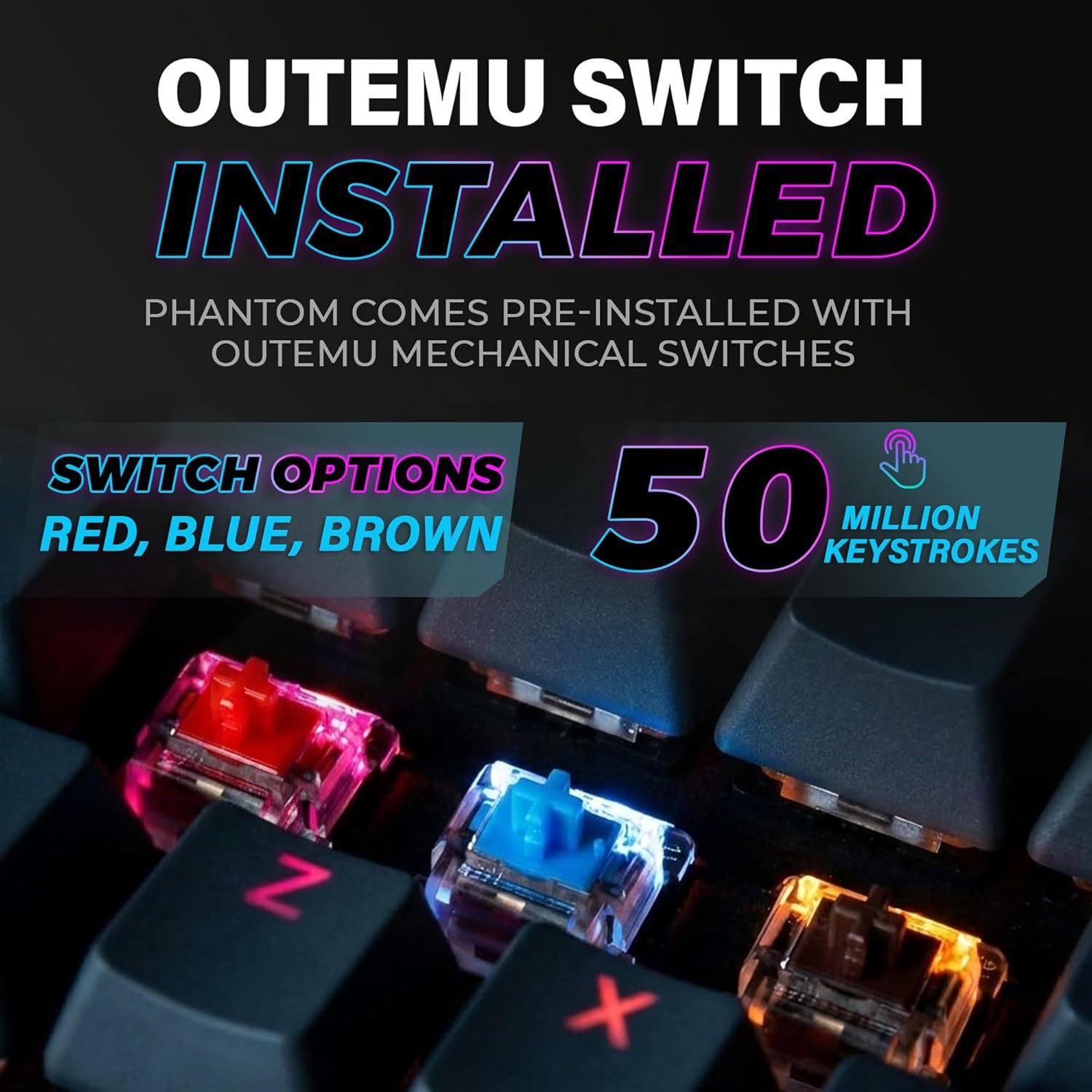
Figure 4: The keyboard comes with pre-installed Outemu switches, available in Red, Blue, and Brown options, rated for 50 million keystrokes.

Figure 5: An Outemu Red linear switch, detailing its pre-travel of 2.00mm, operating force of 45 gf/CN, and total travel of 4.00mm.
Menyelesaikan masalah
| Isu | Penyelesaian yang Mungkin |
|---|---|
| Papan kekunci tidak bertindak balas | Ensure the USB cable is securely connected to both the keyboard and the computer. Try a different USB port or computer. |
| Pencahayaan RGB tidak berfungsi | Check if the lighting is turned off or set to minimum brightness using the Fn key combinations. Reinstall the TECWARE software if using custom profiles. |
| Kekunci tertentu tidak berfungsi | If you have hot-swappable switches, try replacing the faulty switch with one of the spare switches provided. Ensure the switch is properly seated. |
| Keys feel inconsistent | Ensure keycaps are fully pressed down. Clean under the keycaps for any debris. |
Video 2: Official TECWARE Phantom video demonstrating various features and functionalities of the keyboard.
Spesifikasi
| Ciri | Perincian |
|---|---|
| Nombor Model | TWKB-P87ZORD |
| Jenis Suis | Outemu Red Mechanical (Linear) |
| Kiraan Kunci | 87 Kekunci |
| Pencahayaan RGB | 16.8 Million Colors, 18 Pre-set Modes |
| Kadar Mengundi | 1000Hz |
| N-Key Rollover | Peralihan N-Key Penuh |
| Ketersambungan | USB-A berwayar |
| PCB | Dual-layer Fiberglass PCB |
| Dimensi (L x W x H) | 14.21 x 5.24 x 1.61 inci |
| Berat badan | 2.53 paun |
Waranti & Sokongan
TECWARE products are designed for durability and performance. For warranty information, technical support, or to download the latest software and drivers, please visit the official TECWARE webtapak atau hubungi perkhidmatan pelanggan mereka. Simpan resit pembelian anda sebagai bukti pembelian untuk tuntutan waranti.
Sumber Dalam Talian:
- Official TECWARE Webtapak: www.tecware.co
- Halaman Sokongan Produk: TECWARE Amazon Store


