
1. Pengenalan
This manual provides essential information for the installation, operation, and maintenance of your XFX Radeon RX 570 RS Black Edition graphics card. Please read this manual thoroughly before installation to ensure proper setup and optimal performance. The XFX Radeon RX 570 RS Black Edition is a high-performance graphics card featuring an AMD RX 570 chipset, 8GB GDDR5 memory, and XFX's Double Dissipation cooling design, optimized for gaming and demanding graphical tasks.
2. Ciri-ciri Produk
- Chipset: AMD RX 570
- Ingatan: 8GB GDDR5
- BIOS Berganda: Supports both gaming and cryptocurrency mining profiles.
- penyejukan: XFX Double Dissipation cooling design for efficient heat management.
- Di-overclock: Factory overclocked for enhanced performance out of the box.
- VR Sedia: Designed for virtual reality experiences.
- Output Paparan: 3x DisplayPort, 1x HDMI, 1x DVI for versatile monitor connectivity.
3. Persediaan & Pemasangan
Before installing the graphics card, ensure your computer's power is off and unplugged from the wall outlet. It is recommended to wear an anti-static wrist strap to prevent damage from static electricity.
- Sediakan Sistem Anda: Open your computer case and locate an available PCI Express x16 slot on your motherboard.
- Tanggalkan Penutup Slot: Remove the metal slot covers from the back of your computer case corresponding to the PCI Express slot.
- Pasang Kad Grafik: Carefully align the graphics card with the PCI Express x16 slot. Press down firmly and evenly until the card is securely seated. Ensure the retention clip on the motherboard clicks into place.
- Selamatkan Kad: Use screws to secure the graphics card to the computer case at the bracket.
- Sambungkan Kuasa: Connect the appropriate PCIe power connectors from your power supply unit (PSU) to the graphics card. This model typically requires one 8-pin PCIe power connector. Ensure all connections are firm.
- Tutup Kes & Sambungkan Paparan: Close your computer case. Connect your display monitor to one of the graphics card's output ports (DisplayPort, HDMI, or DVI).
- Pasang Pemacu: Power on your computer. Once the operating system loads, install the latest AMD Radeon drivers from the official XFX or AMD webtapak. Ikut arahan pada skrin untuk menyelesaikan pemasangan pemacu.

Figure 1: XFX Radeon RX 570 RS Black Edition Graphics Card (Front View)
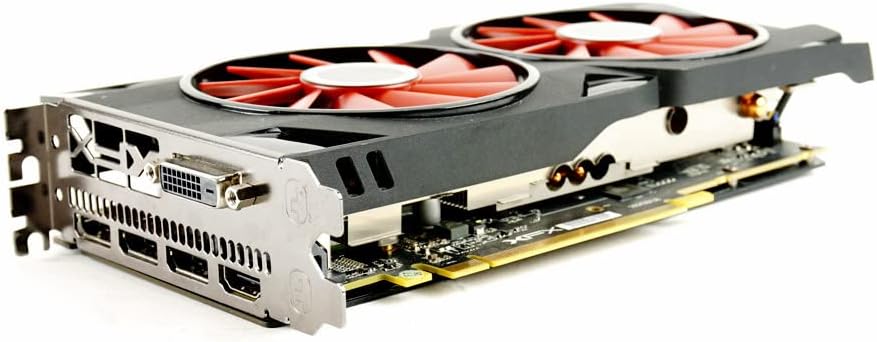
Rajah 2: Bersudut view of the graphics card showing the dual fans and heatsink.
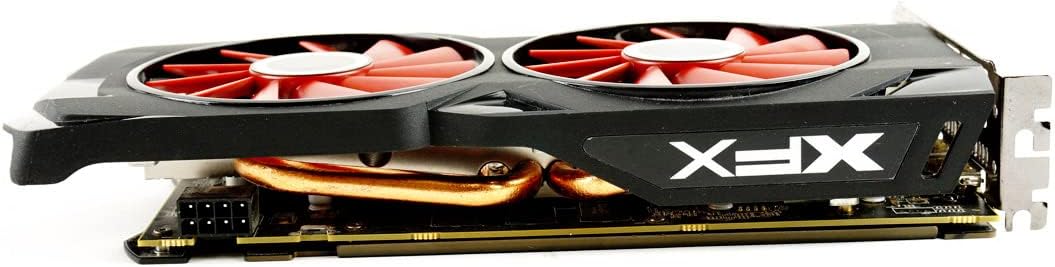
Rajah 3: Sisi view of the graphics card, highlighting the power connector.

Rajah 4: Belakang view of the graphics card showing the DisplayPort, HDMI, and DVI outputs.
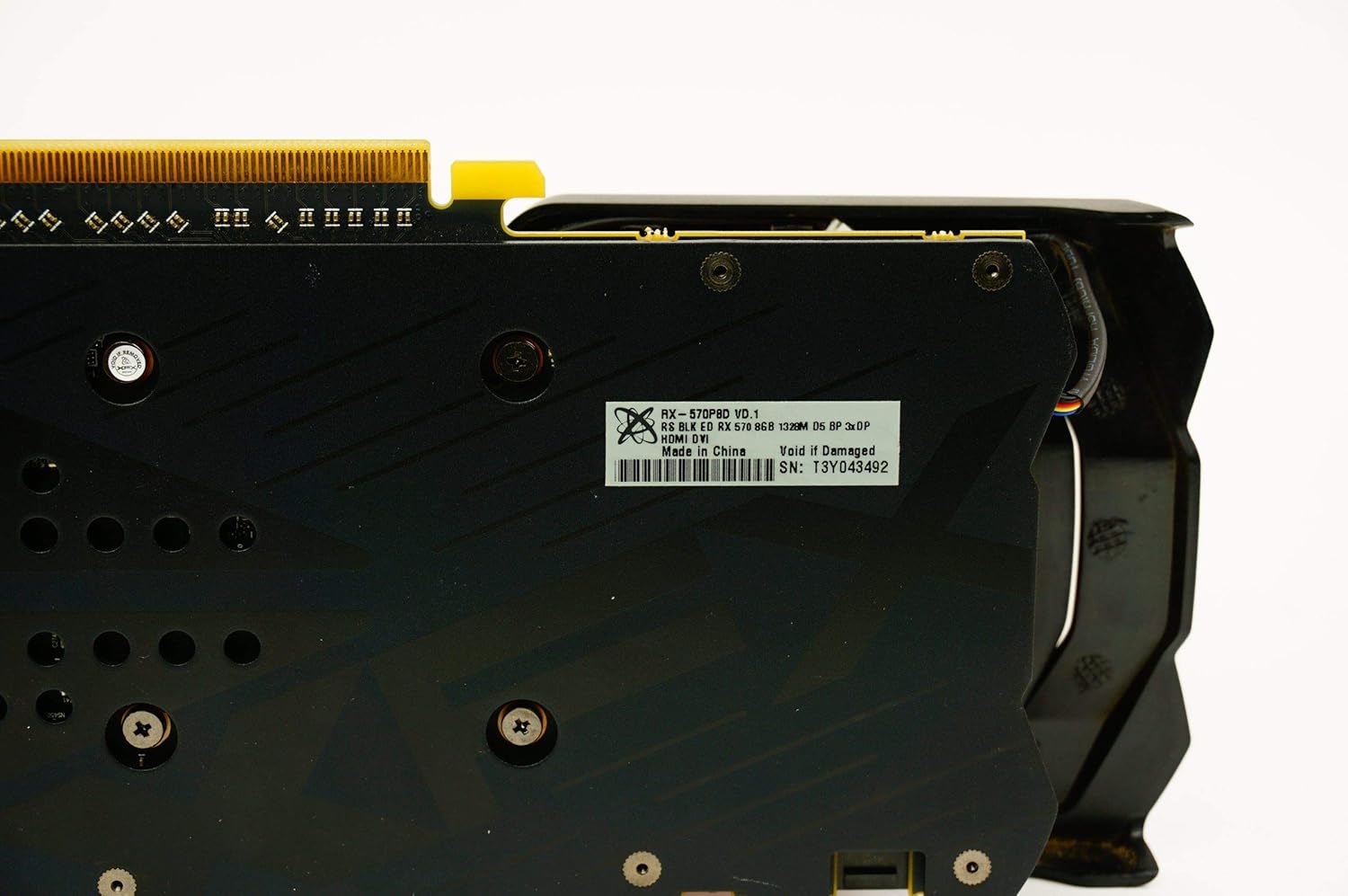
Rajah 5: Pelapik belakang view of the graphics card, showing the XFX logo and ventilation.
4. Arahan Operasi
Once the graphics card is installed and drivers are updated, your system is ready for use. For optimal performance in games and applications, ensure your operating system and graphics drivers are always up-to-date. You can typically find the latest drivers on the official AMD website. Utilize the AMD Radeon Software Adrenalin Edition for fine-tuning performance, managing display settings, and accessing features like Radeon Chill, Radeon Anti-Lag, and Radeon Boost.
5. Penyelenggaraan
Regular maintenance helps prolong the life and performance of your graphics card.
- Penyingkiran habuk: Periodically clean dust from the fans and heatsink using compressed air. Ensure the computer is powered off and unplugged before cleaning. Hold the fan blades gently to prevent them from spinning too fast during cleaning.
- Kemas Kini Pemandu: Keep your graphics drivers updated to ensure compatibility and optimal performance with new games and software.
- Pemantauan Suhu: Use monitoring software (e.g., AMD Radeon Software) to keep an eye on the card's temperature, especially during heavy loads. Ensure adequate airflow within your PC case.
6. Penyelesaian masalah
Jika anda menghadapi masalah dengan kad grafik anda, rujuk langkah penyelesaian masalah biasa berikut:
- Tiada Paparan/Skrin Hitam:
- Pastikan kabel paparan disambungkan dengan selamat pada kad grafik dan monitor.
- Verify that the graphics card is fully seated in the PCI Express slot.
- Check that all PCIe power connectors are properly attached to the graphics card.
- Uji dengan kabel paparan atau monitor yang berbeza jika boleh.
- Isu/Kemalangan Pemandu:
- Perform a clean installation of the latest graphics drivers. Use a driver uninstaller utility (like DDU) to remove old drivers before installing new ones.
- Pastikan sistem pengendalian anda dikemas kini sepenuhnya.
- Terlalu panas:
- Bersihkan habuk daripada kipas kad grafik dan heatsink.
- Ensure your PC case has good airflow with properly configured intake and exhaust fans.
- Monitor temperatures with software to confirm if overheating is the issue.
- Poor Performance in Games:
- Ensure graphics drivers are up-to-date.
- Semak tetapan grafik dalam permainan dan kurangkannya jika perlu.
- Verify that your system meets the game's minimum requirements.
- Ensure the graphics card is receiving adequate power from the PSU.
7. Spesifikasi
| Ciri | Spesifikasi |
|---|---|
| Nama Model | XFX Radeon RX 570 RS Black Edition |
| Nombor Model Item | RX-570P8DBD6 |
| Pemproses bersama Grafik | AMD Radeon RX 570 |
| Pengilang Pemproses Grafik | AMD |
| Saiz RAM Grafik | 8 GB |
| Jenis RAM Grafik | GDDR5 |
| Kelajuan Jam Memori | 7000 MHz |
| Graphics Description | AMD Radeon RX 570 with 8GB GDDR5 memory and a core clock speed of 1328MHz |
| Antara Muka Keluaran Video | 3x DisplayPort, 1x HDMI, 1x DVI |
| Display Maximum Resolution | 4096 x 2160 Piksel |
| Antara Muka Kad Grafik | PCI Express |
| Bilangan Peminat | 2 |
| Peranti Serasi | Desktop |
| Dimensi Produk | 24.31 x 3.99 x 12.4 cm |
| Berat Barang | 680 g |
8. Waranti & Sokongan
The XFX Radeon RX 570 RS Black Edition graphics card comes with a Waranti 3 tahun. For warranty claims, technical support, or further assistance, please visit the official XFX webtapak atau hubungi perkhidmatan pelanggan mereka. Simpan bukti pembelian anda untuk pengesahan waranti.


