
Kren EE-5622
Crane EE-5622 Digital LED Display Tower Fan User Manual
Model: EE-5622
pengenalan
This manual provides detailed instructions for the safe and efficient use of your Crane EE-5622 Digital LED Display Tower Fan. Please read all instructions carefully before operation and retain this manual for future reference.

Image: Crane EE-5622 Tower Fan with its packaging, highlighting key features like digital LED display, 12-hour timer, 70-degree oscillation, and 3 adjustable speed settings.
Arahan Keselamatan Penting
- Always place the fan on a firm, level surface.
- Jangan kendalikan kipas dengan kord atau palam yang rosak.
- Jauhkan kipas daripada air atau cecair lain.
- Ensure the fan is unplugged before cleaning or maintenance.
- Jangan masukkan jari atau objek asing ke dalam sebarang bukaan.
- Kipas ini untuk kegunaan dalaman sahaja.
- Supervise children when the fan is in use.
Kandungan Pakej
Sahkan bahawa semua item terdapat dalam pakej:
- 1 x Crane EE-5622 Tower Fan
- 1 x Wireless Remote Control (batteries included)
- 1 x Manual Pengguna (dokumen ini)
Persediaan
- Membongkar: Tanggalkan kipas dan semua aksesori daripada pembungkusan dengan berhati-hati.
- penempatan: Place the fan on a stable, flat surface, ensuring there is adequate space around it for air circulation. Avoid placing it near curtains or objects that could obstruct airflow.
- Sambungan Kuasa: Palamkan kord kuasa ke soket elektrik standard.

Imej: Penuh view of the Crane EE-5622 Tower Fan, showing its base and power cord connection point.
Arahan Operasi
The Crane EE-5622 Tower Fan can be operated using the control panel on top of the unit or the wireless remote control.
Panel Kawalan
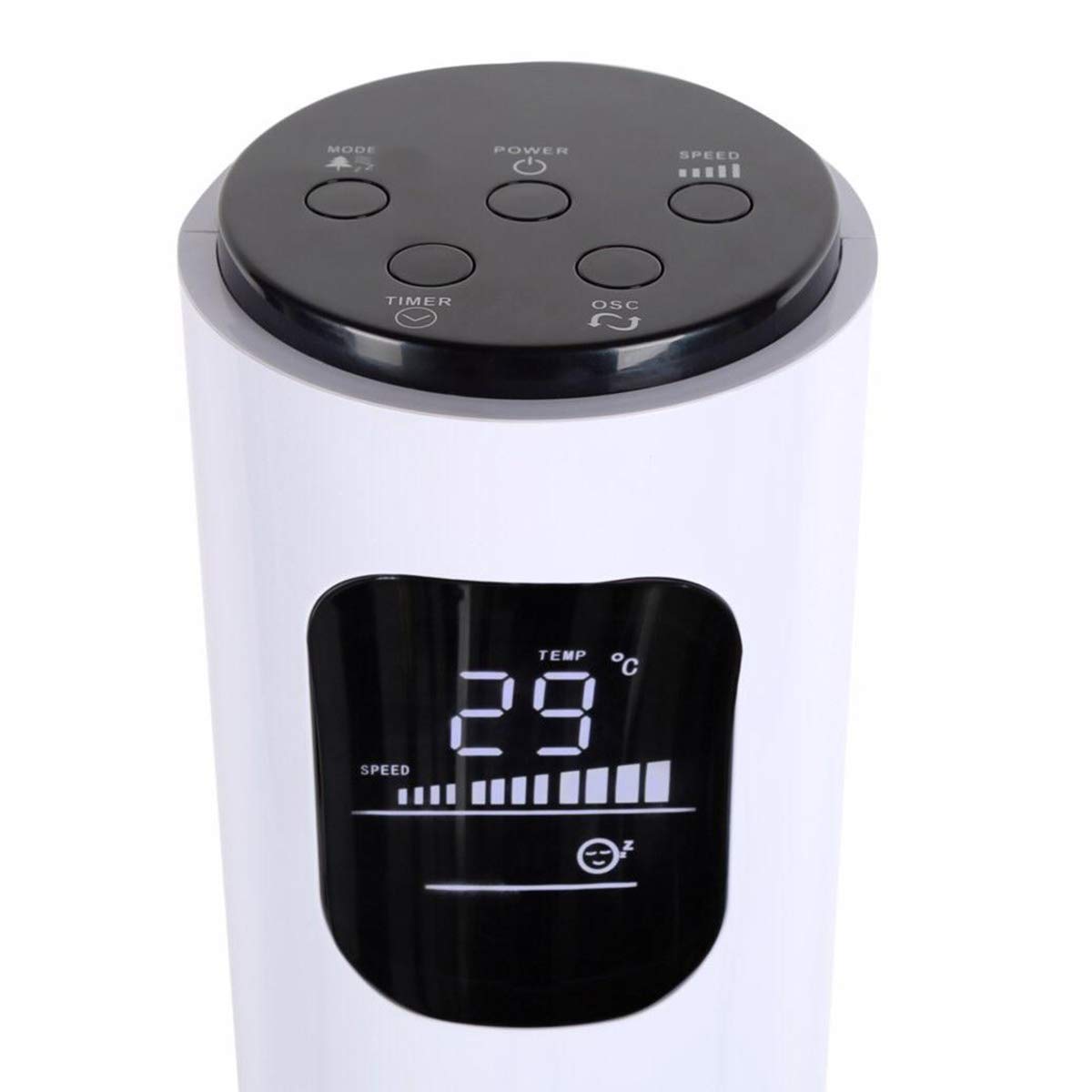
Image: Close-up of the fan's top control panel and digital LED display, showing buttons for Power, Speed, Oscillation, Timer, and Mode.
- Butang kuasa (⏻): Tekan untuk menghidupkan atau mematikan kipas.
- Butang Kelajuan (█████): Press to cycle through 3 speed settings (Low, Medium, High). The current speed is indicated on the LED display.
- Butang Ayunan (↻): Tekan untuk mengaktifkan atau menyahaktifkan fungsi ayunan 70°.
- Butang Pemasa (⏱): Press to set the auto-off timer from 1 to 12 hours. Each press increases the timer by one hour.
- Butang Mod (☼): Press to cycle through different operating modes:
- Mod Biasa: Aliran udara berterusan pada kelajuan yang dipilih.
- Mod Angin Semulajadi: Simulates natural wind by varying fan speed.
- Mod tidur: Mengurangkan kelajuan kipas secara beransur-ansur dari semasa ke semasa untuk operasi senyap semasa tidur.
Kawalan Jauh Tanpa Wayar
The remote control provides convenient operation from a distance. Ensure the remote is pointed towards the fan's receiver.
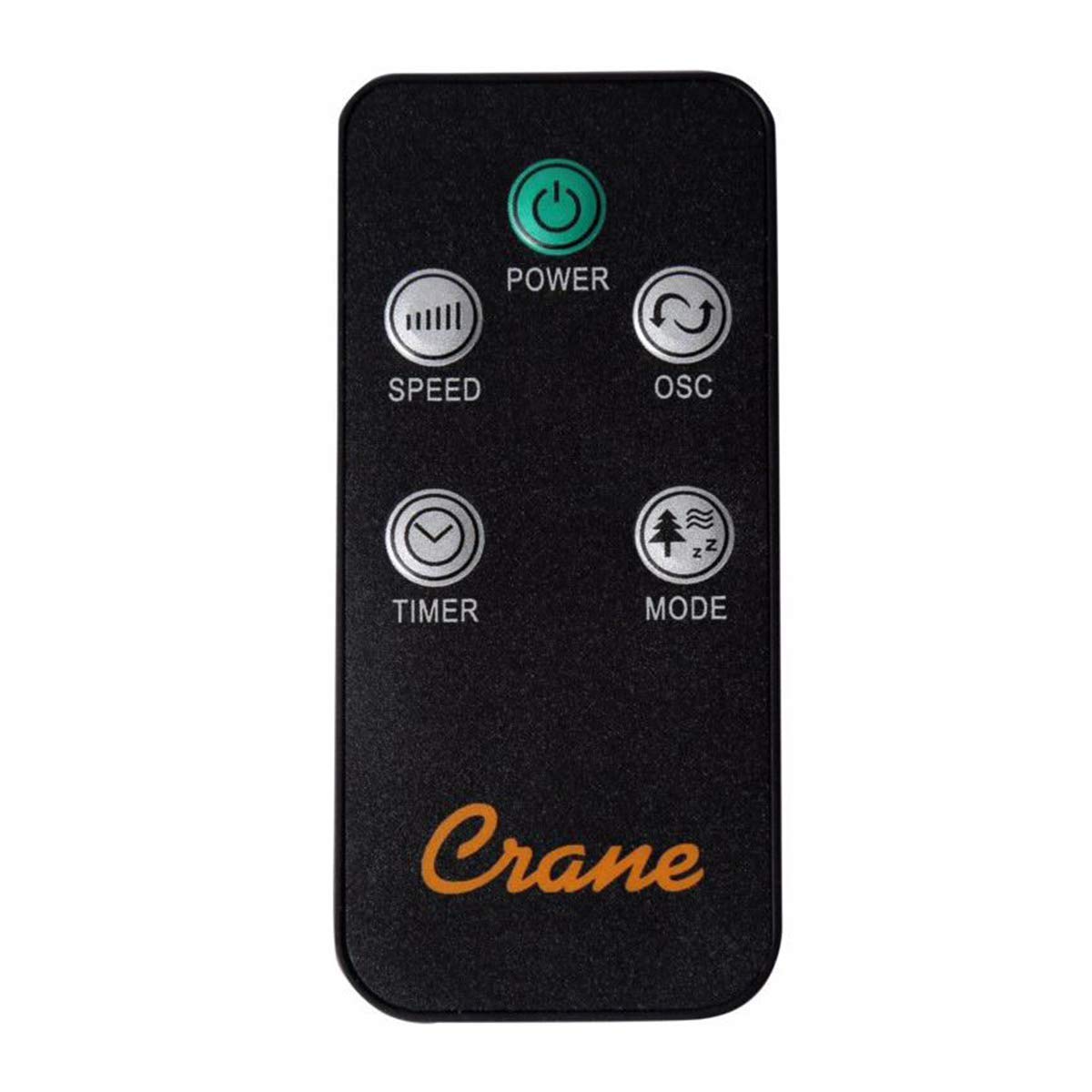
Image: The wireless remote control for the Crane EE-5622 Tower Fan, showing buttons for Power, Speed, Oscillation, Timer, and Mode.
The remote control features the same buttons as the control panel for Power, Speed, Oscillation, Timer, and Mode. It requires batteries (included).

Imej: Atas view of the Crane EE-5622 Tower Fan, illustrating the integrated slot for storing the remote control.
Penyelenggaraan
Penyelenggaraan tetap memastikan prestasi optimum dan jangka hayat kipas anda.
- Pembersihan: Sentiasa cabut plag kipas sebelum membersihkan. Gunakan pembersih lembutamp cloth to wipe the exterior surfaces. Do not use abrasive cleaners or allow water to drip into the fan's interior.
- Penyingkiran habuk: Use a vacuum cleaner with a brush attachment or compressed air to remove dust from the air intake and exhaust grilles.
- Storan: If storing the fan for an extended period, clean it thoroughly, place it back in its original packaging, and store it in a cool, dry place.
Menyelesaikan masalah
| Masalah | Kemungkinan Punca | Penyelesaian |
|---|---|---|
| Kipas tidak dihidupkan. | Tiada bekalan kuasa; Kord kuasa tidak dipasang; Butang kuasa tidak ditekan. | Periksa soket kuasa; Pastikan kord kuasa dipasang dengan kukuh; Tekan butang Kuasa. |
| Aliran udara yang lemah. | Fan speed set too low; Air intake/exhaust blocked; Dust accumulation. | Increase fan speed; Clear any obstructions; Clean the fan grilles. |
| Kipas bising. | Fan not on a level surface; Foreign object inside; Dust accumulation. | Place fan on a flat, stable surface; Unplug and check for obstructions; Clean the fan. |
| Alat kawalan jauh tidak berfungsi. | Batteries depleted; Obstruction between remote and fan; Remote not pointed correctly. | Replace remote control batteries; Remove obstructions; Point remote directly at the fan's receiver. |
Spesifikasi
| Jenama | Kren |
| Nombor Model | EE-5622 |
| Sumber Kuasa | AC Powered (Remote Control: Battery Powered) |
| Wattage | 45 Watt |
| Bilangan Kelajuan | 3 |
| Sudut Ayunan | 70° |
| Pemasa | 1 hingga 12 Jam |
| Ketinggian | Kira-kira 115 cm (44 inci) |
| Berat Barang | 5.1 paun |
| Kaedah Kawalan | Alat Kawalan Jauh, Butang Pada Unit |
| Ciri Khas | Digital LED Display, Room Temperature Display, Natural Breeze Mode, Sleep Mode, Auto Shut-off |
| bahan | Acrylonitrile Butadiene Styrene (ABS), Plastic Blades |
| Penggunaan Dalaman/Luar | Penggunaan Dalaman Sahaja |
Waranti dan Sokongan
For warranty information or technical support, please refer to the warranty card included with your product or contact Crane customer service directly. Contact details are typically available on the manufacturer's official webtapak atau pembungkusan produk.
Note: Customer reviews indicate potential challenges with service support. It is recommended to retain your purchase receipt for warranty claims.
Ask a question about this manual
Ask about setup, troubleshooting, compatibility, parts, safety, or missing instructions. Manuals+ will review the question and use this page’s manual context to help answer it.