
1. Pengenalan
The HyperX Cloud Flight is a wireless gaming headset designed for extended use and immersive audio experiences. It features a robust 2.4GHz wireless connection, a long-lasting battery, and comfortable memory foam earcups. This manual provides essential information for setting up, operating, and maintaining your headset.
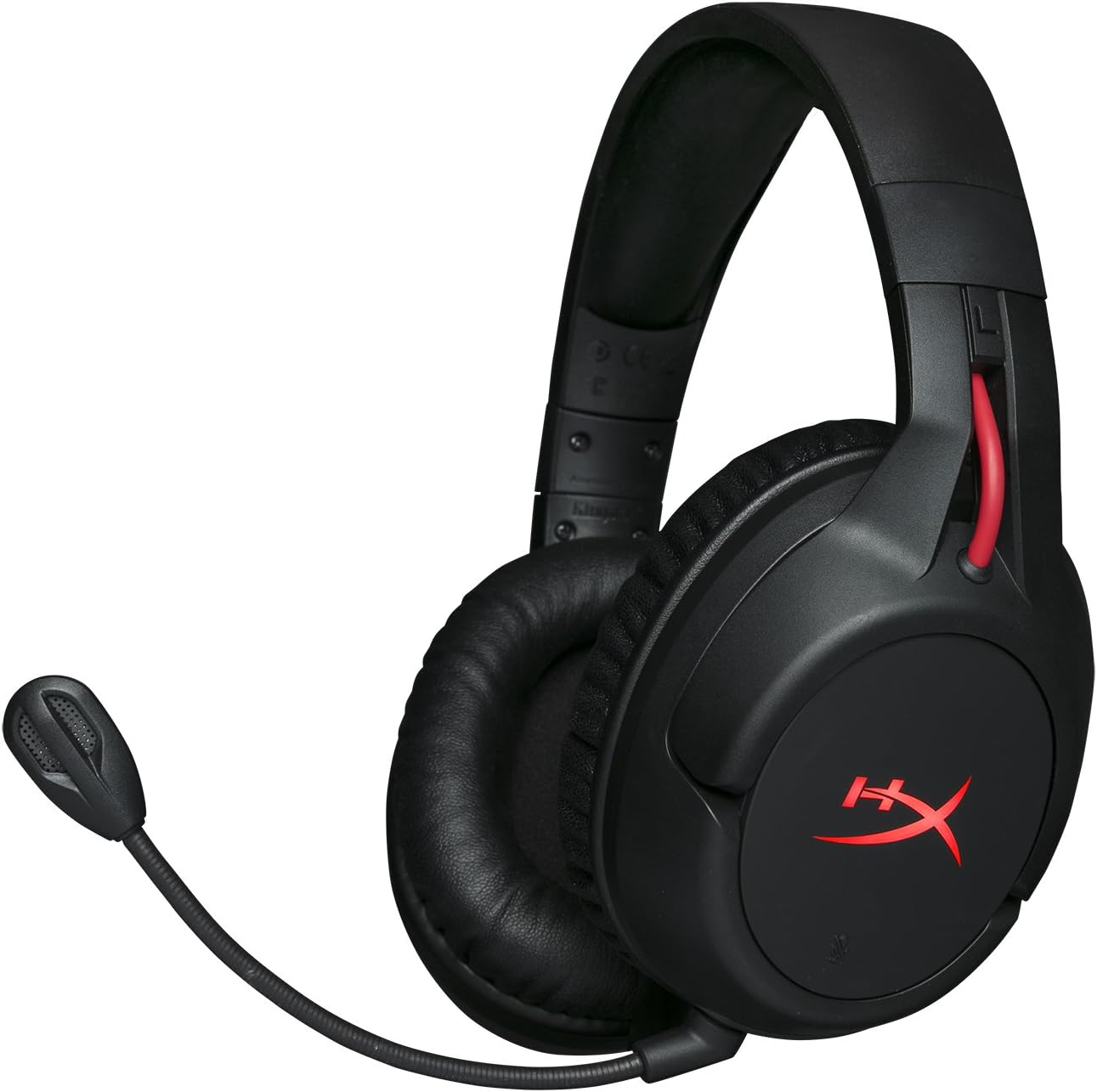
Figure 1.1: HyperX Cloud Flight Wireless Gaming Headset.
2. Kandungan Pakej
Pastikan semua item ada dalam pakej:
- HyperX Cloud Flight Headset
- Mikrofon Pembatal Bunyi boleh tanggal
- Kabel Pengecas USB
- USB Adapter Tanpa Wayar
- Manual Pengguna

Figure 2.1: Included components of the HyperX Cloud Flight headset.
3. Ciri-ciri Produk
- Gaming-Grade Wireless: Utilizes a stable 2.4GHz wireless connection for reliable audio transmission.
- Jangka Hayat Bateri: Up to 30 hours of battery life with LED lights off, allowing for prolonged gaming sessions.
- Signature HyperX Comfort: Features comfortable memory foam earcups and a durable, adjustable steel slider for a secure and pleasant fit.
- Keserasian Pelbagai Platform: Compatible with PC, PlayStation 4, and PlayStation 5.
- Cawan Telinga Berputar: Ear cups rotate 90 degrees for comfortable resting around your neck and feature LED lighting effects.
- Intuitive On-Board Controls: Convenient controls for LED effects, microphone mute, power, and volume are located on the ear cups.
- Detachable Noise-Cancelling Microphone: Ensures clear communication and can be removed when not needed. The microphone functions only in wireless mode and is compatible with PC and PS4.
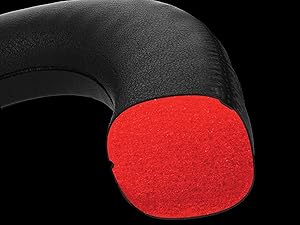
Figure 3.1: Headset designed for comfort during extended use.

Figure 3.2: Durable steel slider for adjustability and longevity.
4. Arahan Persediaan
- Caskan Alat dengar: Before first use, fully charge the headset using the provided USB charging cable. Connect the micro-USB end to the headset and the USB-A end to a powered USB port.
- Connect USB Wireless Adapter: Insert the USB wireless adapter into an available USB port on your PC, PS4, or PS5.
- Hidupkan Alat dengar: Press and hold the power button on the left earcup for 3-5 seconds until the LED indicator lights up. The headset will automatically pair with the USB adapter.
- Lampirkan Mikrofon: Insert the detachable noise-cancelling microphone into the port on the left earcup. Ensure it clicks securely into place.
- Adjust Settings (PC/PS4/PS5):
- PC: Go to Sound Settings and select "HyperX Cloud Flight" as the default playback and recording device.
- PS4/PS5: Go to Sound/Audio Devices settings and ensure "HyperX Cloud Flight" is selected for both input and output.
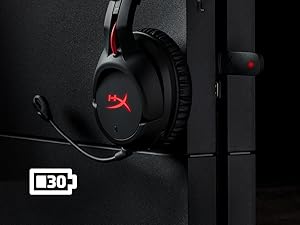
Figure 4.1: Connecting the USB adapter to a console for wireless operation.
5. Arahan Operasi
- Hidupkan/Mati Kuasa: Press and hold the power button on the left earcup for 3-5 seconds.
- Kawalan Kelantangan: Use the volume wheel located on the bottom of the right earcup to adjust audio output.
- Redam Mikrofon: Press the button on the left earcup to mute/unmute the microphone. An audible indicator will confirm the status.
- Kesan LED: Briefly press the power button to cycle through LED lighting effects (Solid LED, Breathing LED, LED Off).
- Chat Mixer (PC/PS4): The headset features a chat mixer on the left earcup. The front button prioritizes game volume, while the rear button prioritizes chat volume.
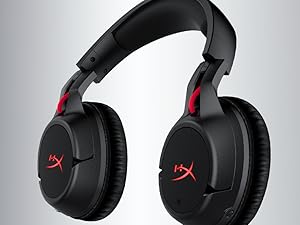
Figure 5.1: On-board controls for volume and microphone mute.
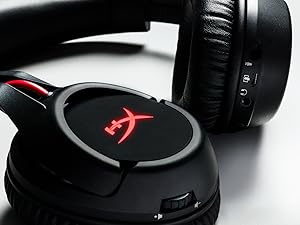
Figure 5.2: Detachable microphone for clear voice communication.
6. Pengecasan dan Hayat Bateri
The HyperX Cloud Flight headset offers impressive battery performance:
- LED Mati: Sehingga 30 jam
- LED pernafasan: Sehingga 18 jam
- LED pepejal: Sehingga 13 jam
Battery life is tested at 50% headset volume. Audible indicators will notify you of low battery status. Use the provided USB charging cable to recharge the headset.
Video 6.1: Produk Tamatview tunjuk casing features including battery life.
7. Penyelenggaraan dan Penjagaan
- Store the headset in a clean, dry place when not in use.
- Clean earcups and headband with a soft, damp kain. Elakkan bahan kimia yang keras.
- Do not expose the headset to extreme temperatures or direct sunlight.
- Elakkan daripada menjatuhkan atau meletakkan set kepala kepada kesan yang kuat.
8. Penyelesaian masalah
- No Audio/Microphone:
- Pastikan set kepala dihidupkan dan dicas sepenuhnya.
- Verify the USB wireless adapter is securely connected to your device.
- Check your device's sound settings to ensure "HyperX Cloud Flight" is selected as the default audio input/output.
- Confirm the microphone is properly attached and not muted.
- Poor Wireless Connection:
- Ensure the headset is within the 20-meter wireless range of the USB adapter.
- Minimize obstructions between the headset and the adapter.
- Avoid interference from other 2.4GHz devices.
- Fon Kepala Tidak Mengecas:
- Verify the USB charging cable is correctly connected to both the headset and a powered USB port.
- Cuba port USB atau kabel pengecasan yang berbeza.
9. Spesifikasi
| Ciri | Perincian |
|---|---|
| Nama Model | Cloud Flight |
| Teknologi Ketersambungan | Tanpa Wayar (2.4GHz) |
| Julat Tanpa Wayar | Sehingga 20 meter |
| Peranti Serasi | PC, PS4, PS5 |
| Pemandu | Dinamik, 50mm dengan magnet neodymium |
| Jenis Fon Kepala | Circumaural, Tertutup belakang |
| Respons Kekerapan | 20Hz - 20,000Hz |
| Impedans | 32 ohm |
| Tahap Tekanan Bunyi | 106 dBSPL/mW at 1kHz |
| THD | <2% |
| Berat Fon Kepala | 300g (315g with mic) |
| Elemen Mikrofon | Mikrofon kondenser electret |
| Corak Kutub Mikrofon | Membatalkan kebisingan |
| Respons Kekerapan Mikrofon | 100Hz - 7000Hz |
| Kepekaan Mikrofon | -45dBV (0dB=1V/Pa, 1kHz) |
| Battery Life (LED off) | 30 jam |
| Battery Life (Breathing LED) | 18 jam |
| Battery Life (Solid LED) | 13 jam |
| bahan | Memory Foam, Premium Leatherette, Steel |
| Dimensi Item (LxWxH) | 7.48 x 3.43 x 7.36 inci |
| UPC | 196188048207 |
10. Waranti dan Sokongan
The HyperX Cloud Flight headset typically comes with a 2-year manufacturer's warranty. For technical support, warranty claims, or additional product information, please visit the official HyperX support webtapak atau hubungi perkhidmatan pelanggan mereka.
Anda boleh mendapatkan lebih banyak maklumat dan sumber sokongan di HyperX Store on Amazon.