
1. Produk Lebihview
This manual provides essential information for the safe and efficient operation of your Onida 43UIR 4K UHD LED TV. Please read it thoroughly before using the television and retain it for future reference.
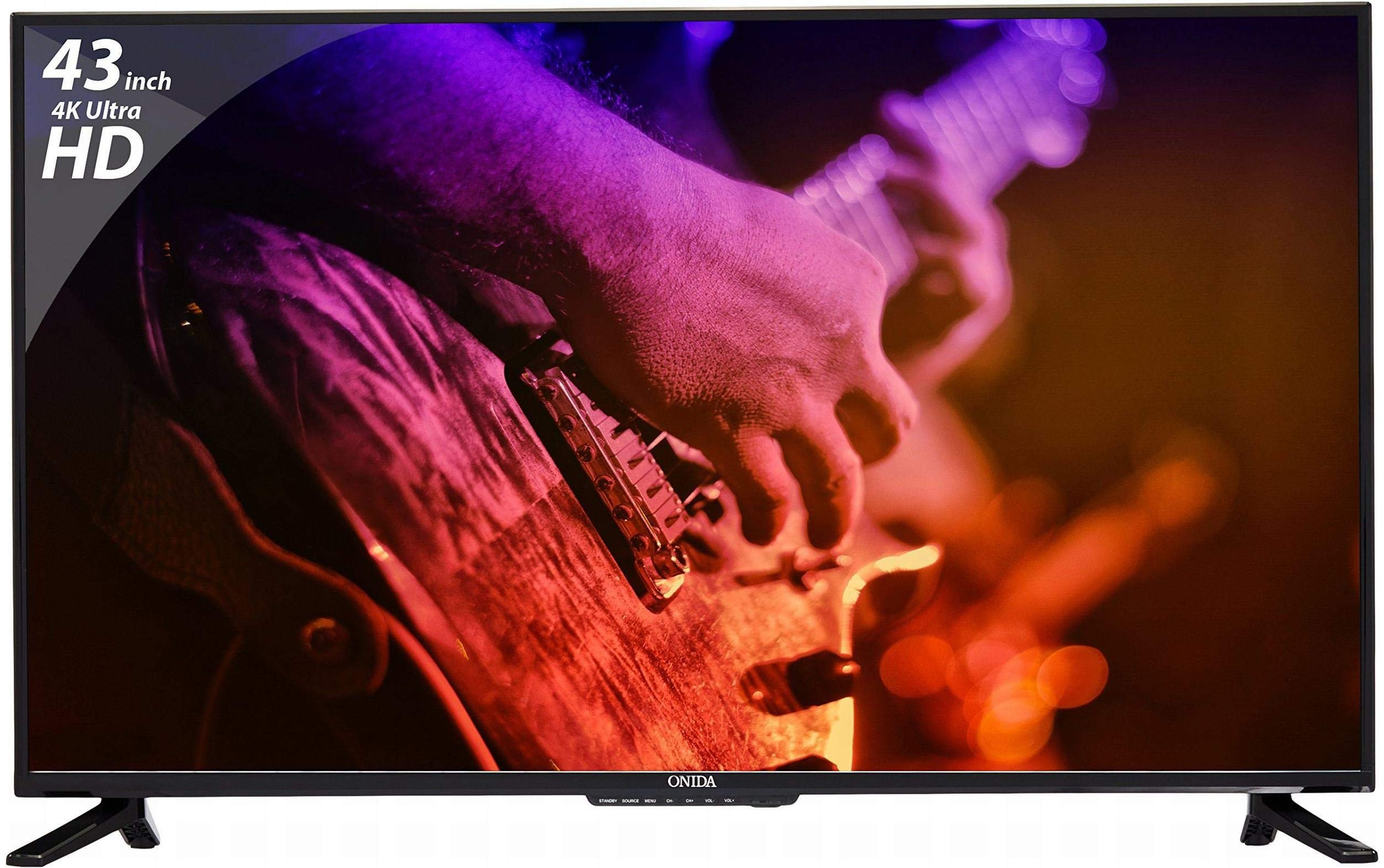
Depan view of the Onida 43UIR 4K UHD LED TV, showcasing paparannya dan bezel tipis.
Ciri-ciri Utama:
- paparan: 42.5 Inches (108 cm) 4K Ultra HD (3840 x 2160) LED display with 60 Hz refresh rate and ADS Panel.
- Bunyi: 500 Watts PMPO audio output with built-in speakers.
- Ketersambungan: 3 HDMI ports, 2 USB ports, 1 VGA port, Ethernet, Wi-Fi.
- Ciri Pintar: Android 5.1.1 (Lollipop) operating system, built-in Wi-Fi, ARM A7 Quad Core Processor, 8 GB internal memory, 1 GB RAM.
- Pemasangan: Supports Table Top Stand and Wall Mount (VESA 200 x 200 mm).
2. Apa yang ada di dalam Kotak
Carefully unpack the box and ensure all items are present and undamaged. If any items are missing or damaged, contact customer support immediately.
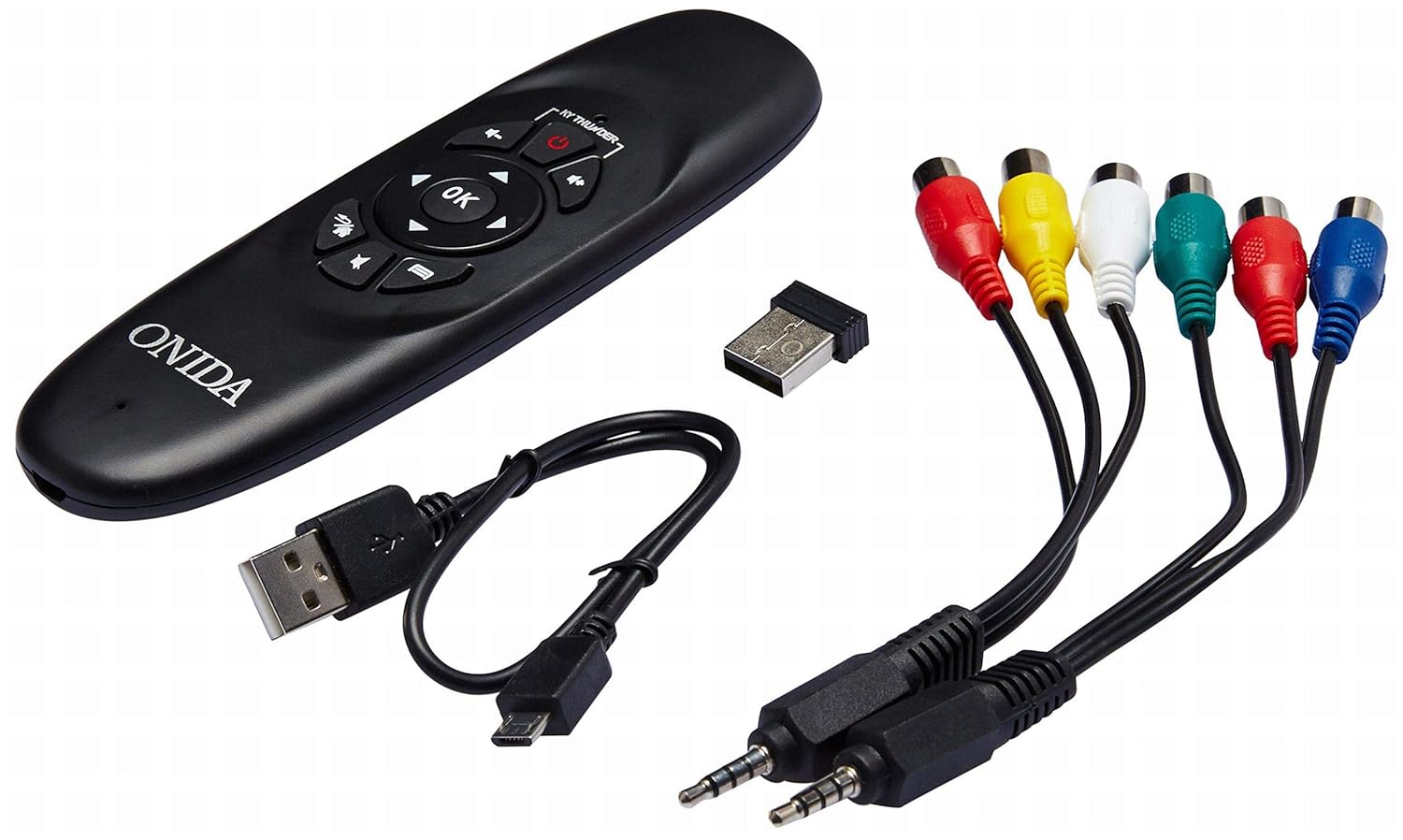
Included accessories: remote control, USB dongle, and various connection cables.
Kandungan Pakej:
- 1 x Onida 4K UHD LED TV (Model: 43UIR)
- 1 x Table Top Stand (with screws)
- 1 x Wall Mount Bracket (optional, may be included)
- 1 x Alat Kawalan Jauh
- 1 x Manual Pengguna
- 1 x Kad Waranti
- Kabel Kuasa
Video demonstrating the key features and contents of the Onida 43UIR TV package.
3. Panduan Persediaan
3.1. Memilih Lokasi
Place the TV on a stable, flat surface or mount it on a wall using a compatible VESA 200 x 200 mm bracket. Ensure adequate ventilation around the TV.
3.2. Memasang Penyangga (jika berkenaan)
- Letakkan TV menghadap ke bawah dengan berhati-hati pada permukaan yang lembut dan bersih untuk mengelakkan kerosakan skrin.
- Align the stand bases with the mounting holes on the bottom of the TV.
- Secure the stand bases using the provided screws.
3.3. Wall Mounting (optional)
If wall mounting, refer to the instructions provided with your wall mount bracket. Ensure the bracket is compatible with VESA 200 x 200 mm standards and can support the weight of the TV.

Pro sampinganfile of the Onida 43UIR TV, illustrating its slim design and stand attachment points.
3.4. Kuasa Penyambung
Plug the power cable into the TV's power input, then into a suitable wall outlet (220 VAC 50 Hz). Do not power on the TV until all connections are made.
4. Ketersambungan
The Onida 43UIR TV offers multiple ports for connecting external devices.

Terperinci view of the rear input/output ports on the Onida 43UIR TV.
- Port HDMI (x3): Connect set-top boxes, Blu-Ray players, gaming consoles, and other HDMI-enabled devices.
- Port USB (x2): Connect USB hard drives, flash drives, and other USB devices for media playback.
- VGA Port (x1): Connect a laptop or PC for use as a monitor.
- Pelabuhan Ethernet: Untuk sambungan internet berwayar.
- Wi-Fi: Sambungan tanpa wayar terbina dalam untuk akses internet.
- Input Audio: HDMI, USB.
- Output Audio: Stereo (Built-in Speakers).
5. Ciri Pintar
Your Onida 43UIR TV is a Smart TV running on Android 5.1.1 (Lollipop), offering a range of intelligent functionalities.
- Sistem pengendalian: Android 5.1.1 (Lollipop) provides access to various apps and services.
- Pemproses: ARM A7 Quad Core Processor for smooth performance.
- Ingatan: 8 GB internal storage and 1 GB RAM.
- Wi-Fi terbina dalam: Connect to your home network wirelessly for streaming, browsing, and app downloads.
- Gedung Play: Access and download a wide array of applications.
- Pencerminan Skrin: Miracast technology allows mirroring content from compatible mobile devices to the TV.
6. Arahan Operasi
6.1. Alat Kawalan Jauh
The included remote control allows you to navigate the TV's menus and functions. Insert two AAA batteries (not included) into the remote control, ensuring correct polarity.
The remote control for the Onida 43UIR TV, used for navigation and control.
6.2. Operasi Asas
- Hidupkan/Mati Kuasa: Tekan butang kuasa pada alat kawalan jauh atau TV.
- Sumber Input: Use the "Source" button to select between HDMI, USB, VGA, and other inputs.
- Kawalan Kelantangan: Use the "Vol +" and "Vol -" buttons.
- Navigasi: Use the arrow keys and "OK" button to navigate menus.
- Fungsi TV Pintar: Access the home screen to launch apps, browse the internet, or use screen mirroring.
7. Penyelenggaraan
Proper care ensures the longevity of your Onida TV.
- Membersihkan Skrin: Gunakan kain lembut dan bebas lin yang direka khusus untuk elektronik. Jangan gunakan bahan kimia yang keras atau bahan yang melelas.
- Membersihkan Casing: Lap dengan lembut, damp cloth. Avoid direct contact with water.
- Pengudaraan: Pastikan bukaan pengudaraan tidak disekat untuk mengelakkan terlalu panas.
- Matikan: Sentiasa matikan TV dan cabut plagnya dari soket kuasa sebelum membersihkan atau jika ia tidak akan digunakan untuk tempoh yang lama.
8. Penyelesaian masalah
Rujuk bahagian ini untuk penyelesaian kepada isu biasa.
| Masalah | Kemungkinan Punca | Penyelesaian |
|---|---|---|
| Tiada kuasa | Power cable disconnected, no power from outlet. | Check power cable connection. Test outlet with another device. |
| Tiada gambar, tetapi bunyi hadir | Incorrect input source selected, faulty cable. | Press "Source" button to select correct input. Check HDMI/VGA cable connections. |
| Tiada bunyi, tetapi ada gambar | Kelantangan diredam atau terlalu rendah, isu sistem audio luaran. | Nyahbisukan kelantangan atau tingkatkan tahap. Periksa sambungan ke peranti audio luaran. |
| Ciri TV pintar tidak berfungsi | Tiada sambungan internet, ralat aplikasi. | Check Wi-Fi/Ethernet connection. Restart the TV. Clear app cache or reinstall. |
9. Spesifikasi
| Ciri | Perincian |
|---|---|
| Model | 43UIR |
| Saiz Skrin | 42.5 Inci (108 cm) |
| Teknologi Paparan | LED, Edge LED Backlight, ADS Panel |
| Resolusi | 3840 x 2160 (4K UHD) |
| Kadar Segar Semula | 60 Hz |
| Nisbah Aspek | 16:9 |
| Viewsudut | 178 Darjah |
| Output Audio | 500 Watts PMPO, Stereo, Built-in Speakers |
| Sistem Operasi | Android 5.1.1 (Lollipop) |
| Pemproses | ARM A7 Kuad Teras |
| Memori Dalaman | 8 GB |
| RAM | 1 GB |
| Ketersambungan | 3x HDMI, 2x USB, 1x VGA, Ethernet, Wi-Fi |
| Teknologi Tanpa Wayar | Wi-Fi, Miracast |
| Jenis Pemasangan | Wall Mount (VESA 200 x 200 mm), Table Top |
| Bekalan Kuasa | 220 VAC 50 Hz |
| warna | Hitam |
10. Waranti dan Sokongan
Your Onida 43UIR 4K UHD LED TV comes with a standard manufacturer's warranty. Please refer to the included Warranty Card for specific terms and conditions.
- Tempoh Waranti: 1 tahun dari tarikh pembelian.
- Sokongan Pelanggan: For service or support, please contact Onida customer care.
- Sumber Dalam Talian: Lawati Onida Store on Amazon untuk maklumat dan sokongan produk tambahan.