
pengenalan
Terima kasih kerana membeliasing the OttLite Creative Curve LED Desk Lamp. l iniamp is designed to provide clear, natural daylight illumination for various tasks, including reading, crafting, and office work. It features four brightness levels, a flexible neck for adjustable lighting, and a convenient USB charging port. Please read this manual thoroughly before use to ensure proper operation and maintenance.
Arahan Keselamatan
- Sentiasa pastikan lamp diletakkan di atas permukaan yang stabil dan rata untuk mengelakkannya daripada terbalik.
- Jangan dedahkan lamp kepada air atau kelembapan berlebihan.
- Use only the provided power adapter. Using an incorrect adapter may damage the lamp atau menimbulkan risiko keselamatan.
- Jangan cuba membuka atau mengubah suai lampRujuk semua servis kepada kakitangan yang berkelayakan.
- Simpan lamp jauh dari sumber haba dan cahaya matahari langsung.
- Cabut plag lamp daripada salur keluar kuasa sebelum dibersihkan atau apabila tidak digunakan untuk tempoh yang lama.
- Avoid looking directly into the LED light source for prolonged periods, as it may cause eye strain.
Kandungan Pakej
Sila semak pakej untuk item berikut:
- OttLite Creative Curve LED Desk Lamp (Model A30WGC)
- Penyesuai Kuasa
- Manual Arahan (dokumen ini)
Persediaan
- Buka bungkusan Lamp: Keluarkan semua komponen dari pembungkusan dengan berhati-hati.
- Letakkan Lamp: Letakkan lamp on a stable, flat surface where you intend to use it. Ensure the base (5.25 inches) has adequate space.
- Sambungkan Kuasa: Insert the power adapter plug into the power input port located on the back of the lamp base. Plug the other end of the power adapter into a standard electrical outlet.
- Laraskan Ketinggian: The flexible neck allows you to adjust the lamp's height from 11.25 inches to 23.75 inches. Position the light head to your desired angle for optimal illumination.

Arahan Operasi
Kuasa Hidup/Mati dan Pelarasan Kecerahan
Lamp mempunyai kawalan sensitif sentuhan untuk pengendalian yang mudah.
- Untuk Menghidupkan: Sentuh perlahan ikon kuasa pada lamp asas. lamp akan dihidupkan pada tetapan kecerahan terendah.
- Untuk Menyelaraskan Kecerahan: Continue to lightly touch the power icon to cycle through the four available brightness levels.
- Untuk Mematikan: After cycling through all four brightness levels, touch the power icon one more time to turn the lamp dimatikan.
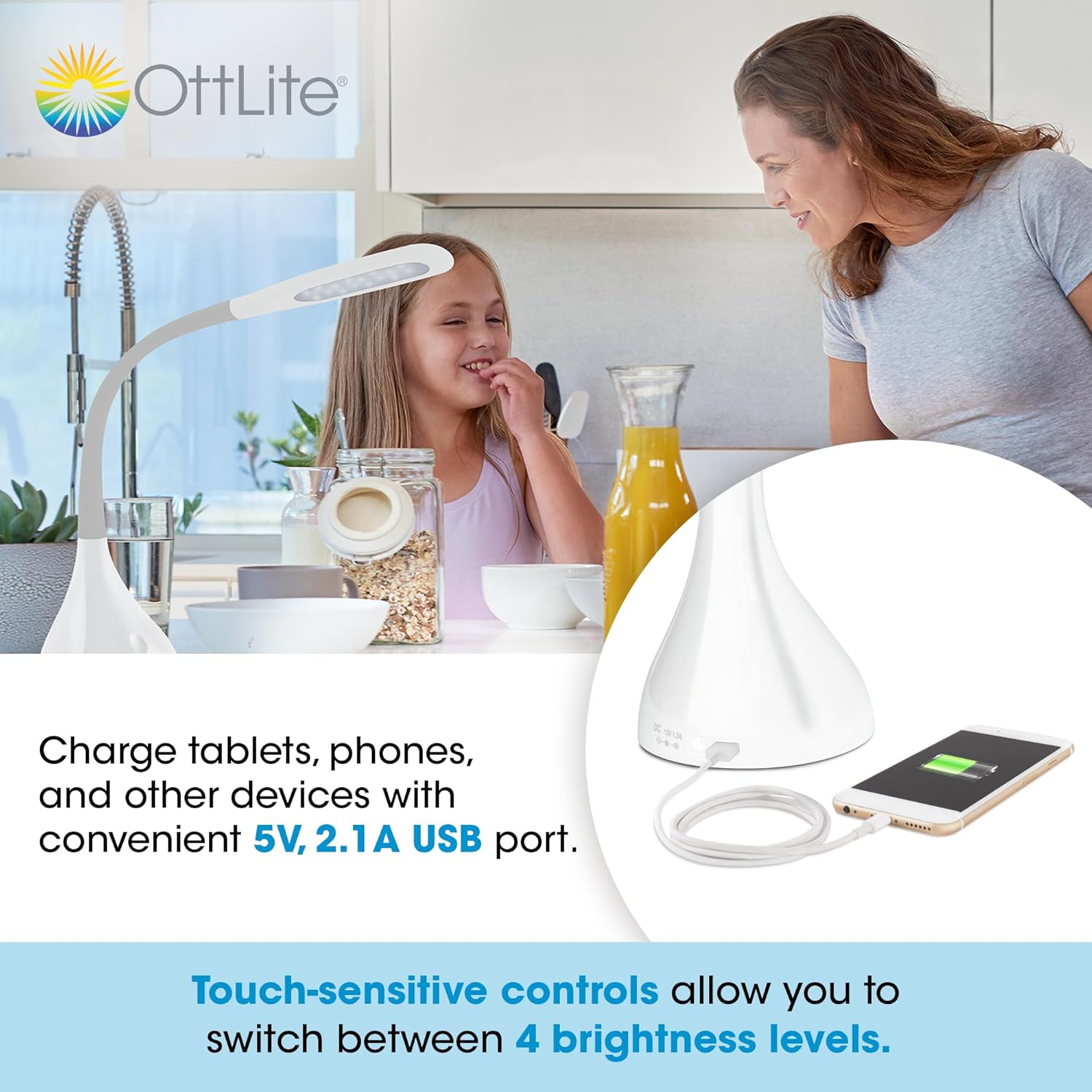
Menggunakan Port Pengecasan USB
Lamp is equipped with a 5V, 2.1A USB charging port located on the base, allowing you to charge compatible devices such as smartphones and tablets.
- Sambungkan Peranti: Plug your device's USB charging cable into the USB port on the lamp asas.
- mengecas: Your device will begin charging automatically. The USB port functions whether the lamp light is on or off, as long as the lamp dipalamkan ke salur keluar kuasa.
Optimal Lighting for Tasks
The OttLite Creative Curve LED Desk Lamp is designed to deliver natural daylight indoors, which helps reduce eyestrain and allows you to see fine print and colors clearly and comfortably with low glare.


Penyelenggaraan
- Pembersihan: Pastikan lamp is unplugged before cleaning. Use a soft, dry cloth to wipe the lamp's surfaces. Do not use abrasive cleaners or solvents, as they may damage the finish.
- Jangka hayat LED: The energy-efficient LEDs in this lamp are designed to last up to 40,000 hours under normal use, requiring no replacement.
Menyelesaikan masalah
| Masalah | Kemungkinan Punca | Penyelesaian |
|---|---|---|
| Lamp tidak menyala. | Not plugged in, power outlet issue, or power adapter fault. | Pastikan penyesuai kuasa dipasang dengan selamat pada kedua-dua lamp and a working electrical outlet. Try a different outlet. |
| Port pengecasan USB tidak berfungsi. | Lamp not powered, device cable issue, or device incompatibility. | Pastikan lamp is plugged into a power outlet. Try a different USB cable or device to confirm the issue is not with the cable or device. |
| Cahaya berkelip atau tidak konsisten. | Unstable power connection or internal component issue. | Check all power connections. If the problem persists, discontinue use and contact customer support. |
Spesifikasi
- model: A30WGC
- Pengeluar: Ottlight Technologies
- Dimensi (L x W x H): 13.34 x 13.34 x 28.58 cm (5.25 x 5.25 x 11.25 inci)
- Tinggi boleh laras: 11.25 - 23.75 inci
- Berat: 1.4 kg (3.09 lbs)
- Sumber Cahaya: LED bersepadu
- Tahap Kecerahan: 4
- Lumen Maks: Sehingga 375 lumen
- Port Pengecasan USB: 5V, 2.1A
- Bahan asas: Getah
- Jenis Selesai: lancar
Waranti dan Sokongan
This OttLite product is covered by a limited warranty. For detailed warranty information, please refer to the warranty card included with your purchase or visit the official OttLite website. If you encounter any issues or require technical assistance, please contact OttLite customer support through their official channels.
OttLite Official Webtapak: www.ottlite.com