
1. Pengenalan
This manual provides essential instructions for the proper use and care of your Casio Enticer Analog Dial Watch, Model MTP-1384BUL. Please read this manual thoroughly to ensure optimal performance and longevity of your timepiece.
Kandungan Pakej
- Casio Enticer Analog Dial Watch (MTP-1384BUL)
- Manual Arahan
- Kad Waranti

Imej 1.1: Depan view of the Casio Enticer Analog Dial Watch.

Image 1.2: Casio Enticer Analog Dial Watch on a wrist.
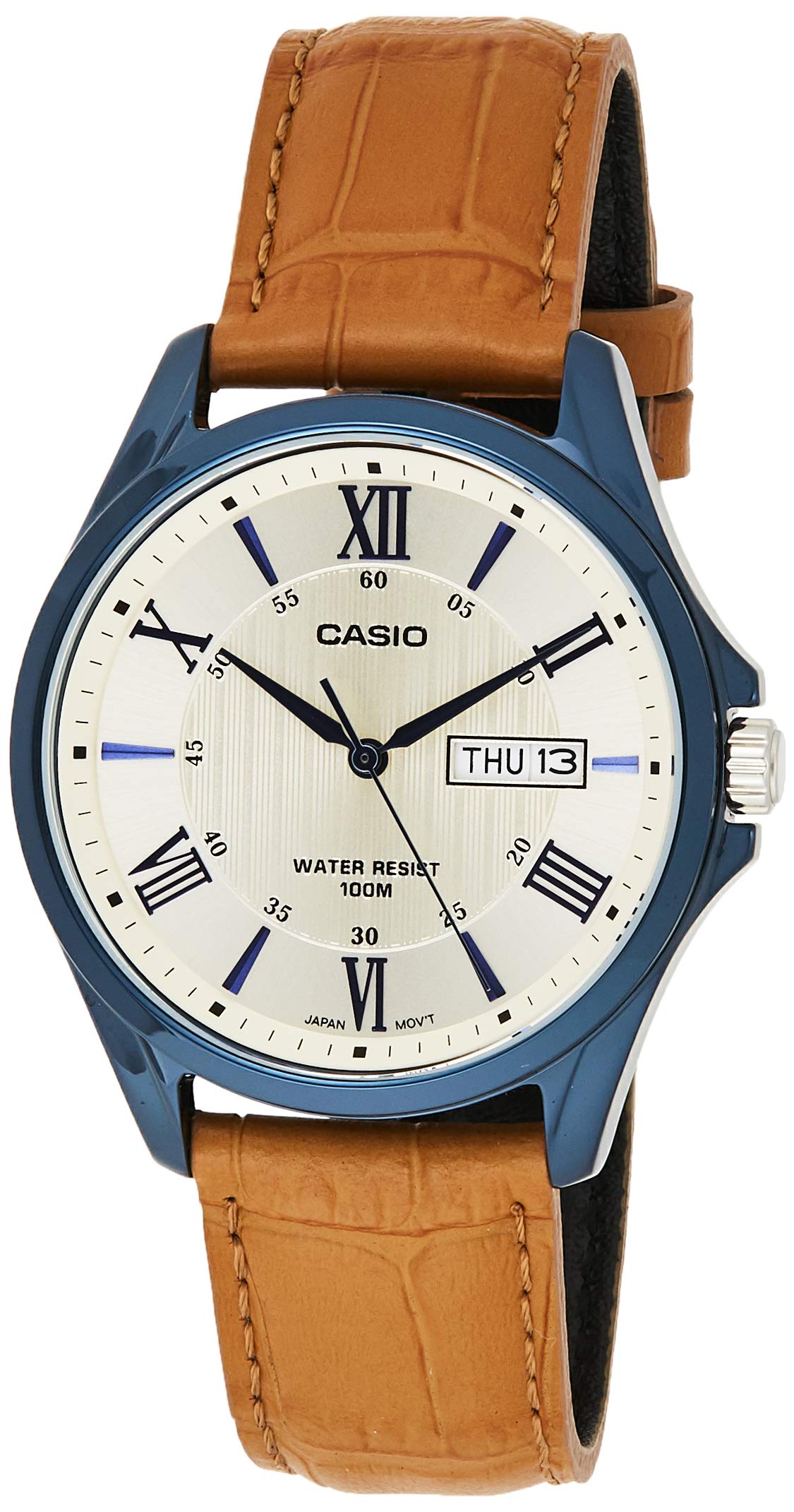
Image 1.3: Retail packaging for the Casio Enticer Analog Dial Watch.
2. Persediaan
Menetapkan Masa
- Tarik mahkota ke klik kedua.
- Putar mahkota untuk menggerakkan jarum jam dan minit ke masa yang dikehendaki.
- Tolak mahkota kembali ke kedudukan normal untuk mula mencatat masa.

Imej 2.1: Sisi view of the watch showing the crown.
Setting the Date and Day
- Tarik mahkota ke klik pertama.
- Rotate the crown to set the desired date and day. Rotating in one direction adjusts the date, and the other direction adjusts the day.
- Tolak mahkota kembali ke kedudukan normal.
Nota: Avoid setting the date and day between 9:00 PM and 1:00 AM, as this may interfere with the automatic date change mechanism.
3. Mengendalikan Jam Tangan
Penjagaan masa
The watch features analog timekeeping with three hands (hour, minute, second) for precise display of time.
Day and Date Display
The watch automatically updates the day and date display. Ensure these are set correctly during initial setup.
Tahan Air
This watch is designed with 100-meter water resistance. This means it is suitable for everyday use and can withstand splashes, rain, and even swimming. However, it is not recommended for diving or prolonged underwater activities. Do not operate the crown while the watch is wet or submerged.
4. Penyelenggaraan
Membersihkan Jam Tangan
- Wipe the watch case and band with a soft, dry cloth to remove dirt and moisture.
- For the leather band, avoid excessive moisture and direct sunlight to prevent damage and discoloration.
Penggantian Bateri
The approximate battery life is 3 years on an SR920SW battery. When the watch stops or the second hand moves erratically, it indicates a low battery. Battery replacement should be performed by an authorized Casio service center to ensure proper sealing and water resistance.

Imej 4.1: Belakang view of the watch, showing the case back and strap.
5. Penyelesaian masalah
Tonton Not Running
- Check if the crown is pushed in completely to the normal position.
- If the watch still does not run, the battery may need replacement. Refer to the 'Battery Replacement' section.
Masa atau Tarikh Salah
- Follow the 'Setting the Time' and 'Setting the Date and Day' instructions to readjust.
- Ensure the crown is pushed back in after adjustment.
6. Spesifikasi
| Ciri | Penerangan |
|---|---|
| Nombor Model | MTP-1384BUL (A1225) |
| Bahan Sarung / Bezel | Keluli Tahan Karat |
| Bahan Band | Kulit Tulen |
| kaca | Kaca Mineral |
| Tahan Air | 100 Meter (10 ATM) |
| Jenis Paparan | Analog (3 hands: hour, minute, second) |
| Jenis Pergerakan | Kuarza |
| Ketepatan | ±20 saat sebulan |
| lebih kurang Hayat Bateri | 3 years on SR920SW |
| Case Size (H×W×D) | 47 × 41 × 10 mm |
| Jumlah Berat | 53 g |
| Jenis Penutupan | gesper |
7. Waranti dan Sokongan
Maklumat Waranti
Your Casio Enticer Analog Dial Watch comes with a 2-year manufacturer warranty from the date of purchase. An additional 6 months warranty is provided for products registered online.
To avail warranty, produce the original bill copy/invoice at an authorized Casio service center. The warranty card and stamp are not mandatory for online purchases.
Pendaftaran Produk
Daftar produk anda dalam talian di https://register.casio.in/ to receive an additional 6 months warranty.
Sokongan Pelanggan
For any service-related inquiries or feedback, please contact Casio India Customer Care:
- Nombor Talian Bantuan: 011-66999200
- e-mel: casiocare@casio.co.in