
1. Pengenalan
Welcome to the Philco Electronic Bread Maker user manual. This appliance is designed to simplify the bread-making process, allowing you to create a variety of delicious breads, cakes, jams, and more with minimal effort. Please read this manual carefully before using the appliance to ensure safe and efficient operation and to fully understand its features.
2. Arahan Keselamatan Penting
Apabila menggunakan peralatan elektrik, langkah berjaga-jaga keselamatan asas hendaklah sentiasa diikuti untuk mengurangkan risiko kebakaran, renjatan elektrik dan kecederaan kepada orang, termasuk yang berikut:
- Jangan sentuh permukaan panas. Gunakan pemegang atau tombol.
- Untuk melindungi daripada renjatan elektrik, jangan rendam kord, palam atau perkakas dalam air atau cecair lain.
- Pengawasan rapi diperlukan apabila sebarang perkakas digunakan oleh atau berhampiran kanak-kanak.
- Cabut plag dari soket apabila tidak digunakan dan sebelum membersihkan. Biarkan sejuk sebelum memakai atau menanggalkan bahagian.
- Jangan kendalikan sebarang perkakas dengan kord atau palam yang rosak atau selepas perkakas tidak berfungsi atau rosak dalam apa jua cara.
- Penggunaan lampiran aksesori yang tidak disyorkan oleh pengilang perkakas boleh menyebabkan kecederaan.
- Jangan gunakan di luar rumah.
- Jangan biarkan kord tergantung di tepi meja atau kaunter atau menyentuh permukaan panas.
- Jangan letakkan pada atau berhampiran gas panas atau penunu elektrik, atau dalam ketuhar yang dipanaskan.
- Berhati-hati yang melampau mesti digunakan apabila menggerakkan perkakas yang mengandungi minyak panas atau cecair panas lain.
- Untuk memutuskan sambungan, matikan mana-mana kawalan kepada "mati", kemudian tanggalkan palam daripada alur keluar dinding.
- Jangan gunakan perkakas untuk kegunaan selain daripada yang dimaksudkan.

Image: Safety certification logos (INMETRO OCP 0040 and SGS) indicating compliance with safety standards.
3. Produk Lebihview
Familiarize yourself with the components of your Philco Electronic Bread Maker.
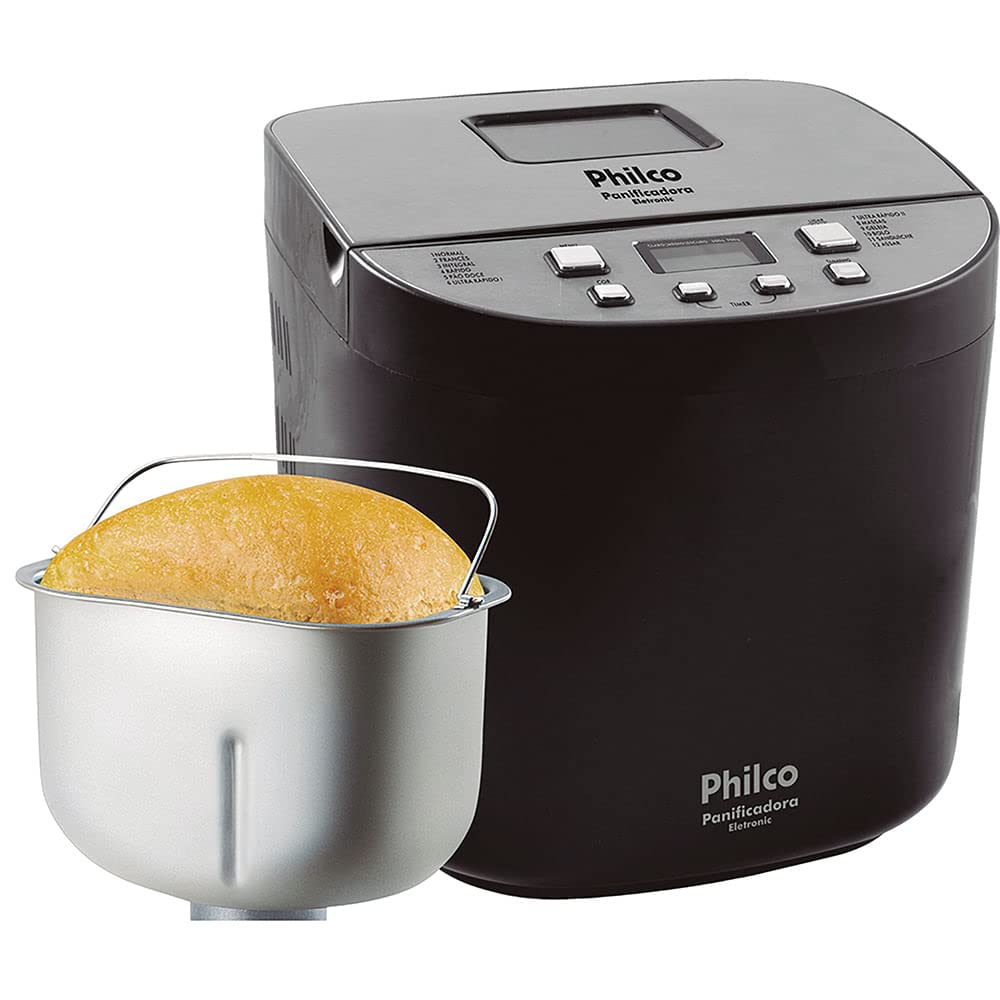
Imej: Depan view of the Philco Electronic Bread Maker, showing the main unit, control panel, and viewtetingkap masuk.
Panel Kawalan
The control panel allows you to select programs, adjust settings, and start/stop the bread maker.
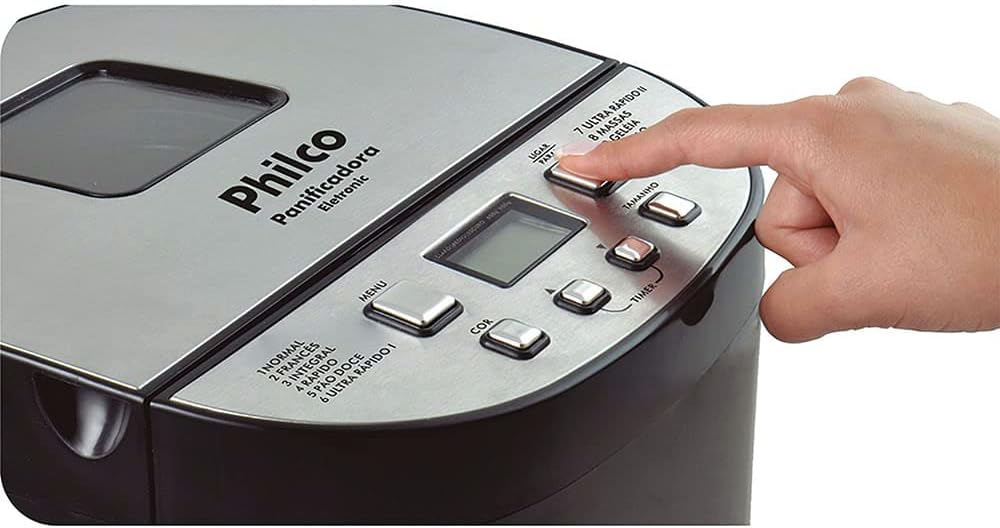
Image: Close-up of the bread maker's control panel, highlighting buttons for MENU, COLOR, TIMER, SIZE, and POWER, along with the digital display.
- Butang MENU: Selects one of the 12 available programs.
- Butang WARNA: Adjusts the crust color (Light, Medium, Dark).
- TIMER Buttons (+/-): Sets the delay timer for deferred baking.
- SIZE Button: Selects the loaf size (450g, 600g, 900g, 1200g).
- Butang kuasa: Starts or stops the selected program.
- Paparan LCD: Shows program number, time remaining, and selected settings.
4. Persediaan dan Penggunaan Pertama
4.1 Membongkar
Carefully remove the bread maker and all accessories from the packaging. Retain the packaging for future storage or transport. Check that all parts are present and undamaged.
4.2 Pembersihan Awal
Before first use, clean the bread pan, kneading paddle, and measuring accessories with warm, soapy water. Rinse thoroughly and dry completely. Wipe the exterior of the appliance with a damp kain.
4.3 Penempatan
Place the bread maker on a stable, flat, heat-resistant surface, away from direct sunlight and heat sources. Ensure there is adequate ventilation around the appliance.
5. Arahan Operasi
5.1 Menambah Bahan
Always add liquid ingredients first, followed by dry ingredients. Yeast should be added last, placed in a small indentation on top of the flour, away from liquids and salt.

Image: A hand pouring dry ingredients, likely flour, into the bread maker's non-stick pan.
5.2 Pemilihan Program
Tekan ke MENU button repeatedly to cycle through the 12 available programs. The selected program number will be displayed on the LCD screen.
Program Tersedia:
- BIASA: For basic bread recipes.
- PERANCIS: For light bread with a crispy crust.
- GANDUM SELURUH: For whole wheat bread, typically requiring a longer kneading time.
- CEPAT: For quick bread baking, suitable for smaller loaves.
- SWEET BREAD: For breads with high sugar and fat content.
- ULTRA FAST I: Untuk membakar roti yang lebih kecil dengan cepat.
- ULTRA FAST II: Untuk membakar roti yang lebih besar dengan cepat.
- doh: Prepares dough for rolls, pizza, or pastries without baking.
- JAM: Untuk membuat jem dan marmalade buatan sendiri.
- KEK: Untuk membakar kek dan roti cepat.
- SANDWIC: For light, fluffy sandwich bread.
- Panggang: Untuk membakar doh yang telah disediakan atau untuk masa pembakar tambahan.
5.3 Crust Color Selection
After selecting a program, press the WARNA button to choose your desired crust color: Light, Medium, or Dark.
5.4 Loaf Size Selection
Tekan ke SAIZ button to select the desired loaf weight: 450g, 600g, 900g, or 1200g. Ensure your recipe quantities match the selected loaf size.
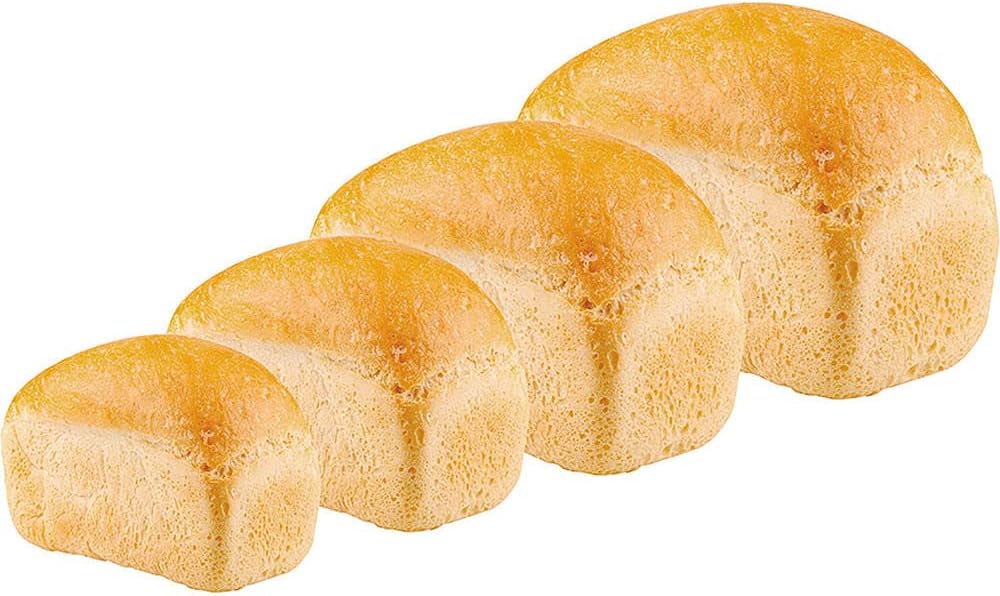
Image: Four baked loaves of bread, demonstrating the different size options available from the bread maker.
5.5 Fungsi Pemasa Kelewatan
The timer function allows you to delay the start of the baking process by up to 13 hours. After selecting the program, crust color, and loaf size, use the PEMASA buttons (+/-) to set the desired delay time. The display will show the total time until the bread is ready.
5.6 Fungsi Kekalkan Panas
After the baking cycle is complete, the bread maker will automatically switch to a 60-minute keep-warm function. This keeps your bread warm until you are ready to remove it.
5.7 Bermula dan Berhenti
Tekan ke KUASA button to start the selected program. To stop a program, press and hold the KUASA butang selama beberapa saat.
5.8 Removing the Bread
Once the program is complete and the keep-warm cycle has finished (or you have manually stopped it), unplug the appliance. Carefully remove the bread pan using oven mitts, as it will be hot. Invert the pan to release the bread. If the kneading paddle remains in the bread, remove it carefully with a non-metallic utensil.

Image: A hand carefully lifting a freshly baked loaf of bread out of the bread maker's non-stick pan using the pan's handle.
6. Penjagaan dan Penyelenggaraan
6.1 Cleaning the Bread Pan and Kneading Paddle
After each use, allow the bread pan and kneading paddle to cool completely. Fill the pan with warm, soapy water and let it soak for 10-15 minutes to loosen any stuck-on dough. Use a soft sponge or cloth to clean. Do not use abrasive cleaners or metal utensils, as this can damage the non-stick coating. Rinse and dry thoroughly.
6.2 Membersihkan Bahagian Luar
Lap bahagian luar pembuat roti dengan lembut, damp cloth. Do not immerse the appliance in water or spray it with liquids. Ensure no water enters the ventilation openings.
6.3 Penyimpanan
Ensure the appliance is clean, dry, and completely cool before storing. Store it in a dry place, away from direct sunlight and out of reach of children.
7. Penyelesaian masalah
Jika anda menghadapi masalah dengan pembuat roti anda, rujuk masalah dan penyelesaian biasa berikut:
| Masalah | Kemungkinan Punca | Penyelesaian |
|---|---|---|
| Roti tidak naik | Expired yeast, incorrect water temperature, too much salt/sugar. | Check yeast expiration, use lukewarm water, ensure correct ingredient measurements. |
| Roti terlalu pekat | Too much flour, not enough liquid, incorrect program. | Measure ingredients precisely, ensure proper liquid-to-flour ratio, select appropriate program. |
| Uli dayung tersangkut dalam roti | Kejadian biasa. | Allow bread to cool slightly, then carefully remove the paddle with a non-metallic utensil. |
| Perkakas tidak dihidupkan | Tidak dipasang, kuasa outage, saluran keluar yang rosak. | Check power cord connection, test outlet with another appliance, ensure power supply. |
| Asap atau bau terbakar | Food residue on heating element, internal malfunction. | Unplug immediately. Allow to cool and clean thoroughly. If problem persists, contact support. |
8. Spesifikasi
| Ciri | Spesifikasi |
|---|---|
| Model | Eletronic 12 Programs 700W (Part No. 054301004) |
| Jenama | PHILCO |
| kuasa | 700W |
| Voltage | 110V |
| Bilangan Program | 12 |
| Loaf Sizes | 450g, 600g, 900g, 1200g |
| Crust Colors | Terang, Sederhana, Gelap |
| Pemasa Kelewatan | Sehingga 13 jam |
| Fungsi Kekal Panas | 60 minit |
| bahan | Keluli Tahan Karat (luaran) |
| warna | Hitam |
| Berat Produk | 5.66 kg (5660 Gram) |
| ASIN | B076HVLX2G |
9. Waranti dan Sokongan
Your Philco Electronic Bread Maker is covered by a manufacturer's warranty. Please refer to the warranty card included with your purchase for specific terms and conditions. For technical support, service, or replacement parts, please contact Philco customer service through their official webtapak atau maklumat hubungan yang diberikan dalam dokumentasi produk anda.