
1. Pengenalan
This manual provides essential information for the installation, operation, and maintenance of your AMD Radeon Pro WX 9100 Graphics Card. Please read this manual thoroughly before installing and using the product to ensure optimal performance and safety.
The AMD Radeon Pro WX 9100 is a high-performance graphics card designed for professional workstations, offering 16 GB of HBM2 memory and advanced features for demanding visual computing tasks, including VR and multi-display setups.
2. Maklumat Keselamatan
Patuhi langkah berjaga-jaga keselamatan berikut untuk mengelakkan kerosakan pada produk atau kecederaan pada diri anda:
- Sentiasa putuskan kuasa dari komputer anda sebelum memasang atau menanggalkan sebarang komponen.
- Pakai tali pergelangan tangan anti-statik untuk mengelakkan kerosakan nyahcas elektrostatik (ESD) pada komponen sensitif.
- Handle the graphics card by its edges to avoid touching the gold connectors or components.
- Ensure adequate ventilation within your computer case to prevent overheating.
- Jangan dedahkan kad grafik kepada kelembapan atau suhu yang melampau.
3. Kandungan Pakej
Sahkan bahawa semua item terdapat dalam pakej:
- AMD Radeon Pro WX 9100 Graphics Card
- 4 Mini-DisplayPort to DisplayPort adapters
- 1 Mini-DisplayPort to HDMI 1.4 passive adapter
- 1 Mini-DisplayPort to DVI passive adapter
- 1 "flat" board retention bracket for OEM chassis
- 1 "Bent" board retention bracket for OEM chassis
- 1 3D stereo sync cable
4. Produk Lebihview
The AMD Radeon Pro WX 9100 is engineered for professional applications requiring high graphical fidelity and computational power. Key features include:
- 16GB HBM2 Memory: Provides high bandwidth for large datasets and complex models.
- PCIe 3.0 x16 Interface: Ensures high-speed data transfer with the motherboard.
- Designed for VR: Optimized for virtual reality content creation and experiences.
- Sokongan Berbilang Paparan: Capable of driving up to six high-resolution displays.

Rajah 1: Depan view of the AMD Radeon Pro WX 9100 Graphics Card, showing the blue shroud and fan.
5. Persediaan dan Pemasangan
5.1 Keperluan Sistem
- Available PCIe 3.0 x16 slot.
- Sufficient power supply with required PCIe power connectors. Refer to your system's power supply documentation for compatibility.
- Compatible operating system (Windows, macOS, Linux).
5.2 Pemasangan Fizikal
- Sediakan sistem anda: Matikan komputer anda dan putuskan sambungan semua kabel. Buka bekas komputer.
- Cari slot PCIe: Kenal pasti slot PCIe 3.0 x16 yang tersedia pada papan induk anda.
- Remove slot cover: Remove the metal slot cover(s) from the back of your computer case corresponding to the PCIe slot.
- Insert graphics card: Selaraskan kad grafik dengan slot PCIe dengan berhati-hati dan tekan ke bawah dengan kuat sehingga ia terpasang dengan selamat. Pastikan klip pengekalan terkunci pada tempatnya.
- Selamatkan kad: Pasangkan kad grafik pada bekas komputer menggunakan skru atau mekanisme pengekalan.
- Sambungkan kuasa: Connect the necessary PCIe power cables from your power supply to the graphics card. The Radeon Pro WX 9100 typically requires external power connectors.
- Close case and reconnect: Tutup bekas komputer anda dan sambung semula semua kabel.
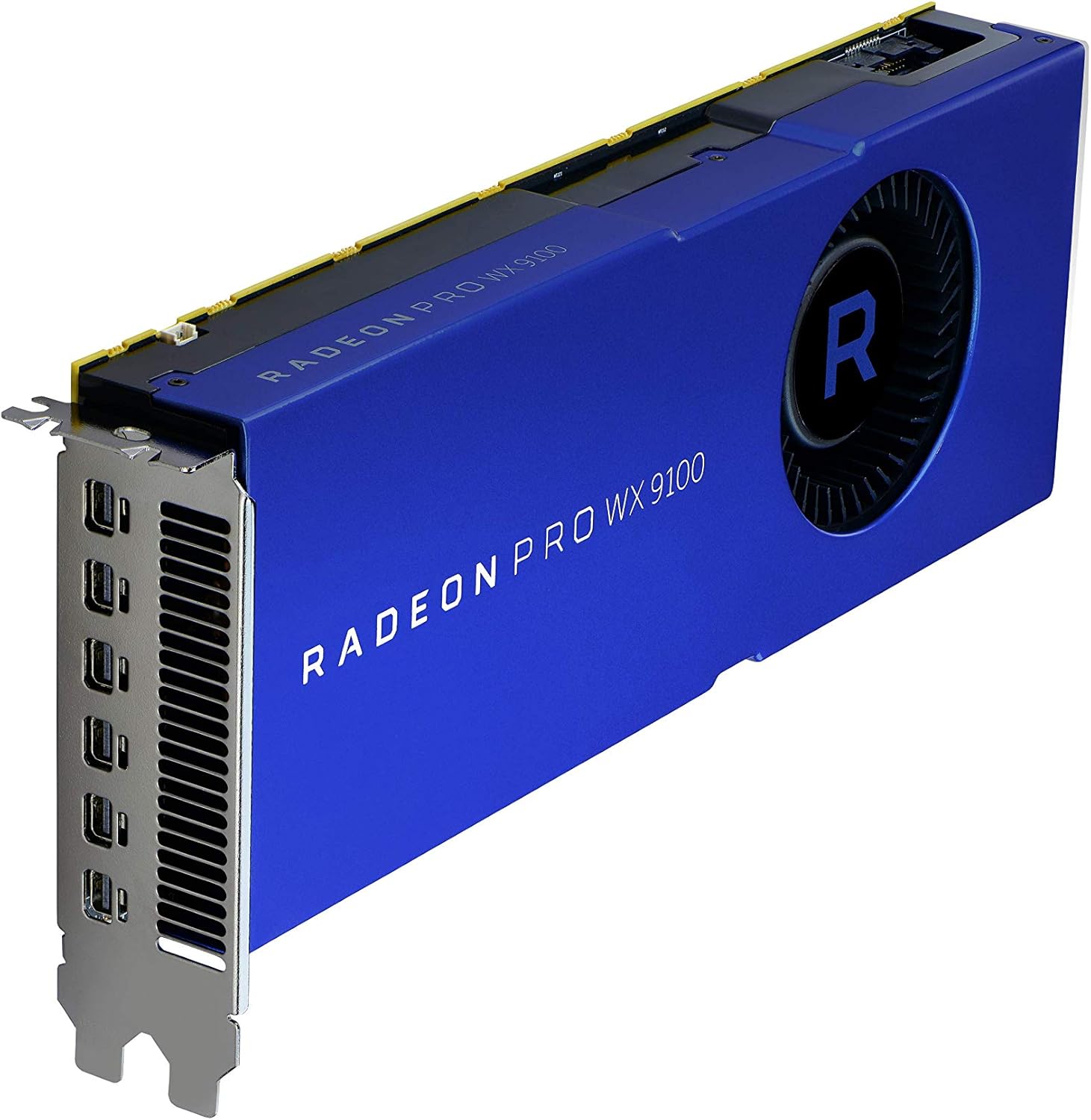
Rajah 2: Bersudut view of the graphics card, highlighting the multiple Mini-DisplayPort outputs.
5.3 Pemasangan Pemandu
After physical installation, power on your computer. The operating system may automatically detect the new hardware. For optimal performance and full functionality, install the latest drivers:
- Lawati AMD rasmi webtapak: www.amd.com/support
- Navigate to the "Drivers & Support" section.
- Select "Graphics" and then locate the "Radeon Pro WX 9100" model.
- Download the appropriate driver package for your operating system.
- Jalankan pemasang dan ikut arahan pada skrin. Mula semula sistem mungkin diperlukan.
6. Mengendalikan Kad Grafik
6.1 Menyambungkan Paparan
The AMD Radeon Pro WX 9100 features multiple Mini-DisplayPort outputs. Use the provided adapters to connect your monitors. It supports resolutions up to 7680x4320.
- Connect Mini-DisplayPort to DisplayPort, HDMI, or DVI using the included adapters.
- For optimal performance with high-resolution displays (e.g., 4K, 5K, 8K), ensure you use high-quality, certified cables and adapters.
- The card can drive up to six displays simultaneously. Configure display settings through your operating system's display settings or the AMD Radeon Pro Software.
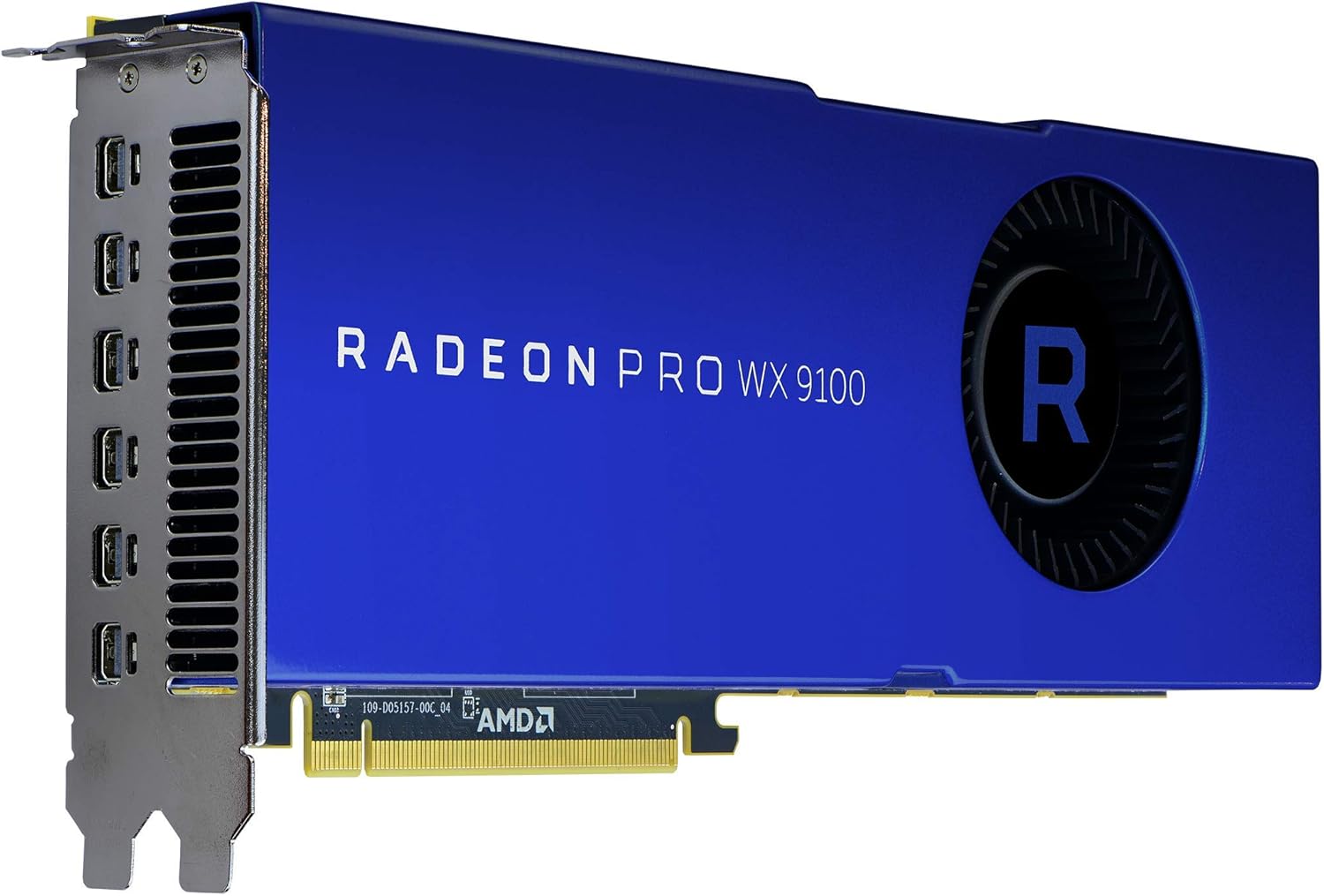
Rajah 3: Belakang view of the graphics card, showing the cooling fan and power input connectors.
6.2 Perisian AMD Radeon Pro
The AMD Radeon Pro Software suite provides advanced controls for your graphics card, including:
- Kemas Kini Pemandu: Keep your drivers current for performance and stability.
- Konfigurasi Paparan: Manage multi-display setups, resolutions, and refresh rates.
- Aplikasi Profiles: Optimize settings for specific professional applications.
- Pemantauan Prestasi: Monitor GPU usage, temperature, and fan speed.
7. Penyelenggaraan
Regular maintenance helps ensure the longevity and performance of your graphics card:
- Penyingkiran habuk: Periodically clean dust from the fan and heatsink using compressed air. Ensure the computer is powered off and unplugged before cleaning.
- Kemas Kini Pemandu: Pastikan pemacu grafik anda dikemas kini untuk mendapat manfaat daripada penambahbaikan prestasi dan pembetulan pepijat.
- Aliran Udara Sistem: Ensure your computer case has good airflow to prevent heat buildup, which can affect card performance and lifespan.
8. Penyelesaian masalah
Jika anda menghadapi masalah, rujuk langkah penyelesaian masalah biasa berikut:
| Masalah | Kemungkinan Punca | Penyelesaian |
|---|---|---|
| Tiada output paparan | Incorrect cable connection, card not seated properly, power cables not connected. | Check all display and power cable connections. Reseat the graphics card in its PCIe slot. Ensure monitor input is set correctly. |
| Ketidakstabilan atau ranap sistem | Outdated drivers, insufficient power supply, overheating. | Update graphics drivers. Verify your power supply meets the card's requirements. Check system temperatures and ensure adequate cooling. |
| Overheating during heavy load | Poor case airflow, dust buildup on heatsink/fan, aggressive overclocking (if applicable). | Improve case ventilation. Clean dust from the card's fan and heatsink. Ensure fan profiles are set appropriately via AMD Radeon Pro Software. |
| Display issues (flickering, artifacts) | Faulty display cable, driver issues, monitor incompatibility. | Try a different display cable. Reinstall or update graphics drivers. Test with a different monitor if possible. |
9. Spesifikasi
| Ciri | Perincian |
|---|---|
| Nombor Model | 100-505957 |
| Pemproses bersama Grafik | AMD Radeon Pro WX 9100 |
| Saiz RAM Kad Grafik | 16 GB HBM2 |
| Kelajuan Memori | 945 MHz |
| Resolusi Skrin Maks | 7680x4320 |
| Antara Muka Keluaran Video | DisplayPort (via Mini-DisplayPort) |
| Berat Barang | 12.3 auns (lebih kurang 348 gram) |
| Dimensi Produk (LxWxH) | 2.87 x 11.5 x 9.49 inci |
| Pengeluar | AMD |
| Tarikh Mula-mula Tersedia | 9 Oktober 2017 |
10. Waranti dan Sokongan
The AMD Radeon Pro WX 9100 Graphics Card is backed by AMD's 3-year manufacturer's warranty. For warranty claims or technical support, please contact AMD directly.
Sokongan AMD Webtapak: For the latest drivers, FAQs, and support resources, visit www.amd.com/support.
Sila sediakan nombor model produk anda (100-505957) dan maklumat pembelian semasa menghubungi sokongan.


