
1. Pengenalan
The Blaupunkt IRD 30c is a versatile internet radio designed to provide a wide range of audio entertainment. It features Internet Radio, DAB+, and FM reception, allowing access to over 18,000 internet radio stations and 12,000 podcasts worldwide, alongside traditional digital and analog broadcasts. With its WLAN connectivity, color display, and remote control, it offers intuitive operation and a rich listening experience. The device also includes an AUX input for connecting external audio sources, an alarm clock, and a sleep function, making it suitable for various environments like the living room, kitchen, or bedroom.
2. Maklumat Keselamatan
- Baca semua arahan dengan teliti sebelum menggunakan peranti.
- Simpan manual untuk rujukan masa hadapan.
- Jangan dedahkan peranti kepada hujan, lembapan atau suhu yang melampau.
- Pastikan pengudaraan yang betul untuk mengelakkan terlalu panas.
- Hanya gunakan penyesuai kuasa yang disediakan.
- Jangan cuba membuka atau membaiki peranti sendiri. Rujuk semua servis kepada kakitangan yang berkelayakan.
- Jauhkan daripada kanak-kanak.
3. Kandungan Pakej
Sila pastikan semua item ada dalam pakej:
- Blaupunkt IRD 30c Internet Radio Unit
- Alat Kawalan Jauh
- Penyesuai Kuasa
- Manual Pengguna

4. Produk Lebihview
Familiarize yourself with the various parts of your Blaupunkt IRD 30c Internet Radio.
4.1 Panel Depan
The front panel features the color display, the main control knob (for navigation and selection), and several function buttons (MENU, FAV, HOME).

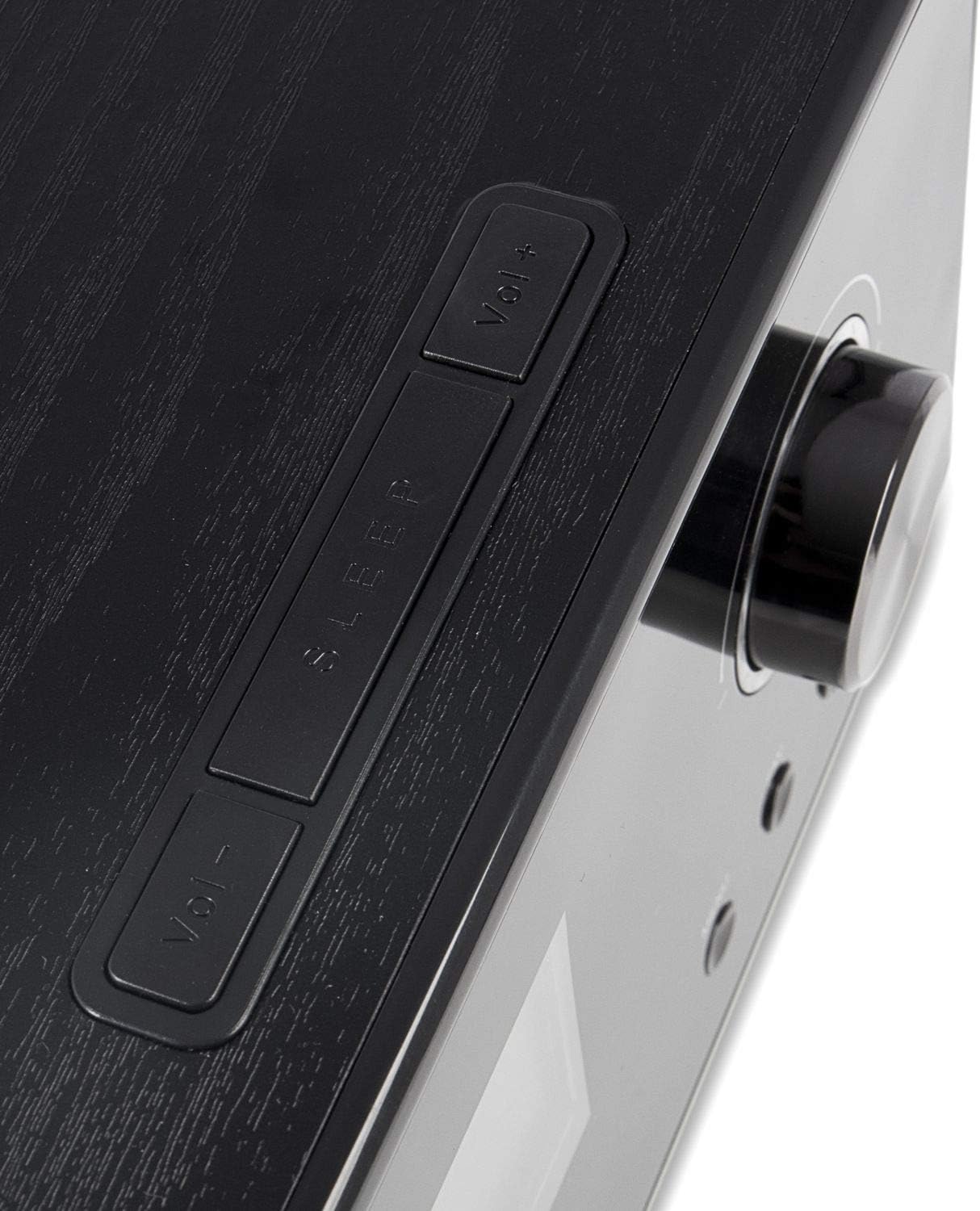
4.2 Panel Atas
The top panel includes additional control buttons, such as Volume Up/Down and Sleep.
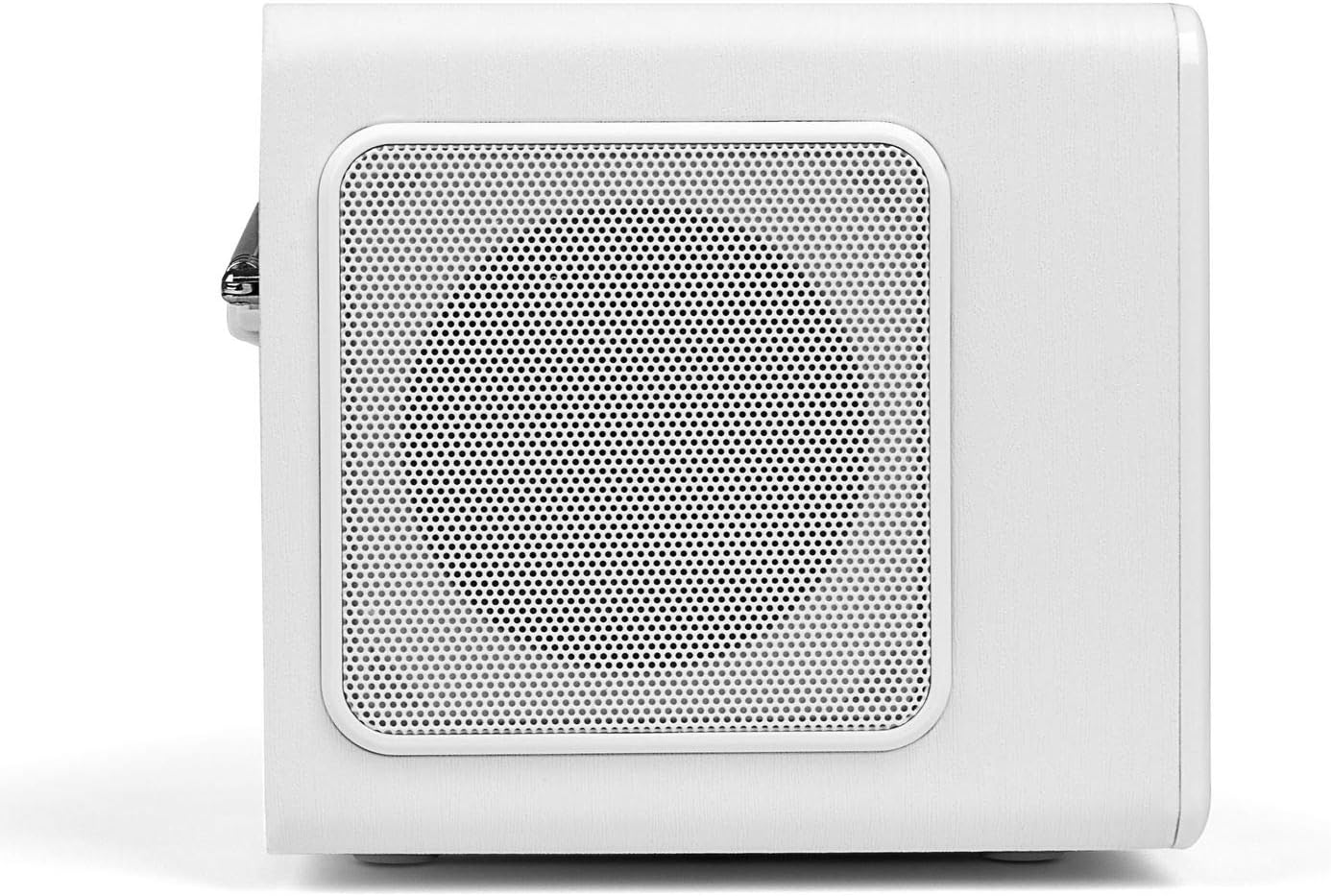
4.3 Panel Sisi
The side panels feature integrated speakers for stereo sound output.
4.4 Panel Belakang
The rear panel houses the telescopic antenna, power input, Line Out, and AUX input ports.

5. Persediaan
Follow these steps to set up your Blaupunkt IRD 30c Internet Radio for the first time.
- Buka bungkusan Peranti: Keluarkan semua komponen dari pembungkusan dengan berhati-hati.
- Sambungkan Kuasa: Plug the power adapter into the DC 12V input on the rear of the radio, then connect it to a power outlet.
- Panjangkan Antena: Fully extend the telescopic antenna for optimal DAB+ and FM reception.
- Kuasa Awal Hidup: The radio will power on automatically or require a press of the power button.
- Network Setup (WLAN): Follow the on-screen prompts to connect to your Wi-Fi network. You will need your network name (SSID) and password.
- Masa dan Tarikh: The device will usually synchronize time and date automatically via the internet.
Watch the following video for a visual guide on unboxing and initial setup:
Video 5.1: Unboxing and basic setup of the Blaupunkt IRD 30c Internet Radio, demonstrating power connection, antenna extension, and initial menu navigation.
6. Arahan Operasi
6.1 Radio Internet
Access thousands of stations and podcasts from around the world.
- Tekan ke RUMAH button to navigate to the main menu.
- Select "Internet Radio" using the control knob and press to confirm.
- You can browse stations by location, genre, or use the search function.
- To save a favorite station, tune into the desired station and press the FAV button. Follow the on-screen instructions to store it.
6.2 DAB+ Digital Radio
Nikmati siaran radio digital berkualiti tinggi.
- Tekan ke MENU button and select "DAB Radio".
- Perform a "Full Scan" to find all available DAB+ stations in your area.
- Use the control knob to scroll through the station list and select your desired station.
6.3 Radio FM
Ikuti siaran FM analog tradisional.
- Tekan ke MENU butang dan pilih "Radio FM".
- You can perform an automatic scan or manually tune to a frequency using the control knob.
- For best reception, ensure the telescopic antenna is fully extended.
6.4 Input AUX
Connect external audio devices like smartphones or MP3 players.
- Connect your external device to the AUX IN port on the rear of the radio using a 3.5mm audio cable.
- Tekan ke MENU button and select "AUX In" mode.
- Kawal main balik daripada peranti luaran anda.
6.5 Alarm Clock and Sleep Function
Use the radio as an alarm clock or set a sleep timer.
- penggera: Access the alarm settings via the main menu to set up to two independent alarms with customizable sources (buzzer, internet radio, DAB+, FM).
- Pemasa Tidur: Tekan ke TIDUR button on the top panel or remote control to set a timer (e.g., 15, 30, 60 minutes) after which the radio will automatically turn off.
6.6 Sound Customization (Equalizer)
Laraskan output audio mengikut pilihan anda.
The IRD 30c features an equalizer with preset genres (e.g., Rock, Pop, Classical, HipHop) and a custom setting to adjust bass and treble levels. Access the equalizer settings through the menu or directly via the remote control.
7. Penyelenggaraan
To ensure the longevity and optimal performance of your Blaupunkt IRD 30c, follow these maintenance guidelines:
- Pembersihan: Gunakan kain lembut dan kering untuk membersihkan bahagian luar radio. Jangan gunakan pembersih, lilin atau pelarut yang kasar.
- habuk: Regularly dust the speaker grilles and control areas to prevent accumulation.
- penempatan: Place the radio on a stable, flat surface away from direct sunlight, heat sources, and excessive moisture.
- Antena: Handle the telescopic antenna with care to avoid bending or breaking.
8. Penyelesaian masalah
Jika anda menghadapi masalah dengan radio anda, rujuk masalah dan penyelesaian biasa berikut:
| Masalah | Kemungkinan Punca | Penyelesaian |
|---|---|---|
| Tiada kuasa | Penyesuai kuasa tidak disambungkan atau alur keluar rosak. | Check power connections and try a different outlet. Ensure the power button is pressed correctly. |
| No internet radio reception | WLAN connection issue, weak signal, or incorrect network settings. | Verify your Wi-Fi password. Check router status. Move the radio closer to the router or use a Wi-Fi extender. Reconfigure network settings. |
| Penerimaan DAB+/FM yang lemah | Antena tidak dilanjutkan, isyarat lemah, atau gangguan. | Panjangkan sepenuhnya antena teleskopik. Letakkan semula radio. Lakukan imbasan stesen baharu. |
| Tiada bunyi daripada input AUX | Incorrect mode selected, cable issue, or external device volume. | Ensure "AUX In" mode is selected. Check the 3.5mm audio cable connection. Increase volume on both the radio and the external device. |
| Alat kawalan jauh tidak berfungsi | Dead batteries, obstruction, or remote not pointed at sensor. | Replace batteries. Remove any obstructions between the remote and the radio. Ensure direct line of sight. |
| Blue ring light around control knob is too bright/distracting | This is a design feature and cannot be permanently turned off. | The light typically illuminates for a few seconds after interaction and turns off in standby. Consider placement if used in a dark room like a bedroom. |
9. Spesifikasi
| Ciri | Perincian |
|---|---|
| Jenama | BLAUPUNKT |
| Model | IRD 30 C |
| Teknologi Ketersambungan | AUX, WLAN (802.11 b/g/n) |
| Teknologi Penala | Digital (FM, DAB+) |
| Kumpulan Radio yang Disokong | Internet Radio, FM, DAB+ |
| Sumber Kuasa | Elektrik Bertali |
| Kuasa Output Audio | 2 x 7 Watts RMS (14 Watts total) |
| Paparan | Color Display (dimmable) |
| Antara Muka Perkakasan | 3.5mm Audio (AUX In, Line Out) |
| Berat Barang | 3.09 Paun (lebih kurang 1.4 kg) |
| Dimensi (lebih kurang) | Height: 13 cm, Depth: 12.9 cm, Width: 21.2 cm |
| Ciri-ciri | Alarm Clock, Sleep Function, Equalizer, Remote Control |
10. Waranti dan Sokongan
For warranty information and customer support, please refer to the documentation included with your product or visit the official Blaupunkt webtapak. Simpan bukti pembelian anda untuk sebarang tuntutan waranti.
If you require technical assistance or have questions not covered in this manual, please contact Blaupunkt customer service.