
Apple MQT52ZM/A
Apple iPhone X Silicone Case User Manual
Model: MQT52ZM/A
pengenalan
This manual provides instructions for the proper use and care of your Apple iPhone X Silicone Case. Designed specifically for the iPhone X, this case offers protection and enhances grip while maintaining the device's sleek profile.
Produk Selesaiview

Rajah 1: Depan view of the Apple iPhone X Silicone Case in red, showing the camera cutout and Apple logo.
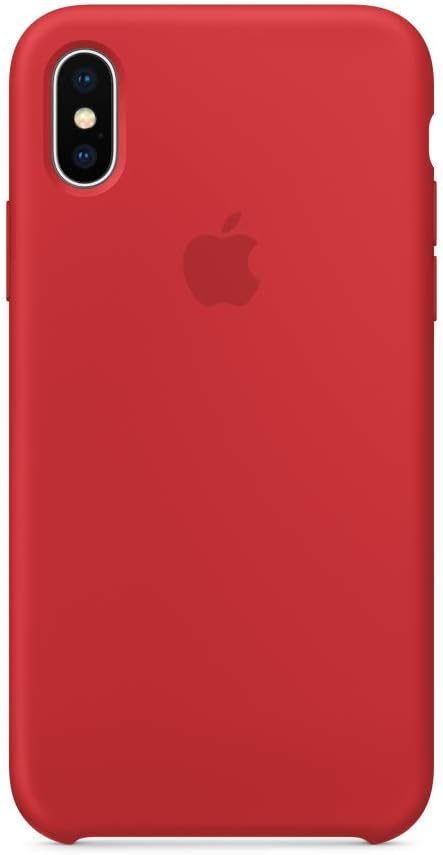
Rajah 2: Belakang view of the Apple iPhone X Silicone Case in red, highlighting the smooth silicone texture.
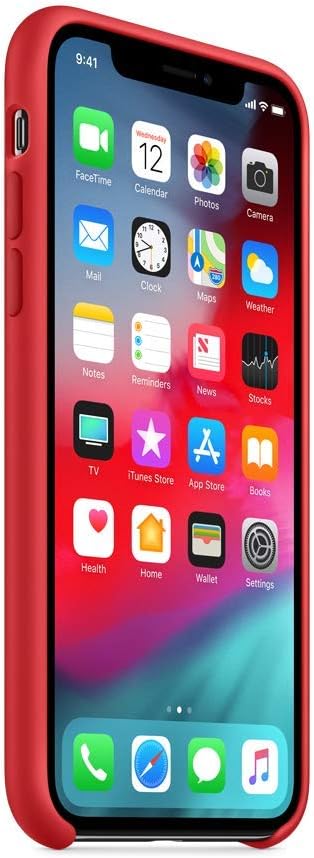
Rajah 3: Sisi view of an iPhone X with the red silicone case installed, showing button access and port cutouts.
The Apple iPhone X Silicone Case is crafted from a soft-touch silicone material, providing a comfortable grip and protection against scratches and drops. It features precise cutouts for the camera, ports, and buttons, ensuring full functionality of your device.
Persediaan
- Clean your iPhone X: Before installing the case, ensure your iPhone X is clean and free of dust or debris. Use a soft, lint-free cloth to wipe down the device.
- Align the case: Hold the case with the camera cutout facing the top-left corner of your iPhone X.
- Insert the top edge: Gently slide the top edge of your iPhone X into the top of the silicone case, ensuring the camera aligns with the cutout.
- Tekan dengan kuat: Apply gentle pressure around the edges of the case, working your way down, until your iPhone X is fully seated within the case. Ensure all corners are securely covered.
Beroperasi
Once installed, the silicone case allows full access to all iPhone X features:
- Butang: The case features integrated button covers for the volume and side buttons, providing tactile feedback.
- Pelabuhan: Precision cutouts at the bottom allow unobstructed access to the Lightning port and speakers.
- Pengecasan Tanpa Wayar: The case is designed to be compatible with wireless charging. You do not need to remove the case to charge your iPhone X wirelessly.
- kamera: The camera cutout ensures the camera and flash function without obstruction.
Penyelenggaraan
To keep your Apple iPhone X Silicone Case in optimal condition:
- Pembersihan: Lap bekas dengan kerap dengan lembut, damp kain. Untuk kesan degil, larutan sabun lembut boleh digunakan, diikuti dengan mengelap dengan kain bersih,amp cloth and air drying. Avoid harsh chemicals or abrasive cleaners.
- Storan: Apabila tidak digunakan, simpan bekas di tempat yang sejuk dan kering, jauh daripada cahaya matahari langsung dan suhu yang melampau.
- Elakkan Objek Tajam: Prevent contact with sharp objects that could scratch or puncture the silicone material.
Menyelesaikan masalah
Isu dan penyelesaian biasa:
| Isu | Kemungkinan Punca | Penyelesaian |
|---|---|---|
| Case feels loose or doesn't fit properly. | Incorrect installation or case is not fully seated. | Remove the case and re-install, ensuring all edges and corners are securely fitted. Verify it is the correct case for iPhone X. |
| Buttons are stiff or unresponsive. | Dust or debris under the case, or improper alignment. | Remove the case, clean your iPhone X and the inside of the case, then re-install carefully. |
| Discoloration or staining on the case. | Exposure to dyes, oils, or prolonged sunlight. | Clean with a mild soap solution and a soft cloth. Some stains may be permanent depending on the substance. |
Spesifikasi
- model: MQT52ZM/A
- Peranti Serasi: Apple iPhone X
- Bahan: silikon
- warna: merah
- Dimensi: Kira-kira 16.51 x 8.38 x 1.27 cm (6.5 x 3.3 x 0.5 inci)
- Berat: Kira-kira 1 g (0.002 paun)
- Pengeluar: Komputer Apple
Waranti dan Sokongan
For information regarding warranty coverage and support for your Apple product, please refer to the official Apple website or contact Apple Support directly. Keep your proof of purchase for warranty claims.
Sokongan Apple Webtapak: support.apple.com