
1. Pengenalan
The Benetech GM610 is a portable digital wood moisture meter designed for quick and accurate measurement of moisture content in various wood types. It also provides environmental temperature and humidity readings. This manual provides detailed instructions for the proper use, setup, operation, and maintenance of your device to ensure optimal performance and longevity.
2. Ciri-ciri Produk
- Adjustable for 4 different wood species groups.
- Data hold function to lock readings.
- Automatic temperature compensation for varying environmental conditions.
- Review function for maximum moisture reading.
- Backlight on/off switch for improved visibility.
- Utilizes CPU technology for precise measurements.
- Powered by 2 AAA batteries with a battery icon indicator on the display.
- Paparan LCD yang besar untuk kebolehbacaan yang jelas.
- Automatic power-off after 120 seconds of inactivity; manual power-off is also available.
- Mampu mengukur kelembapan dan suhu persekitaran.
3. Produk Lebihview

Rajah 1: Depan view of the Benetech GM610 Wood Moisture Meter with the protective cap removed, displaying the LCD screen and control buttons.

Figure 2: The Benetech GM610 Wood Moisture Meter held in hand, demonstrating the illuminated LCD display with current readings.
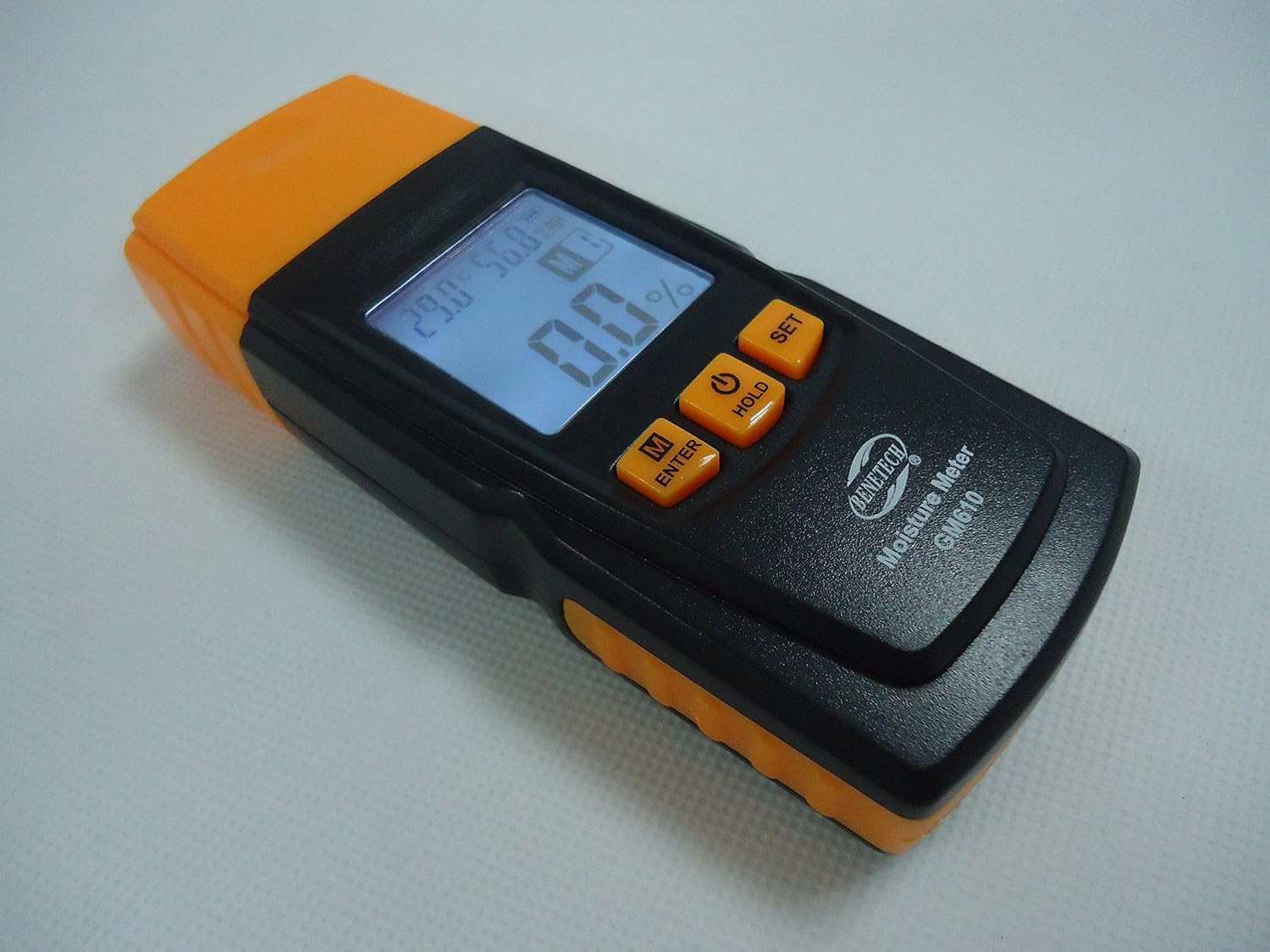
Rajah 3: Sebuah bersudut view of the Benetech GM610, showing the top measurement pins and the side profile daripada peranti itu.

Figure 4: The Benetech GM610 Wood Moisture Meter presented in its open retail packaging, with the orange protective cap positioned next to it.
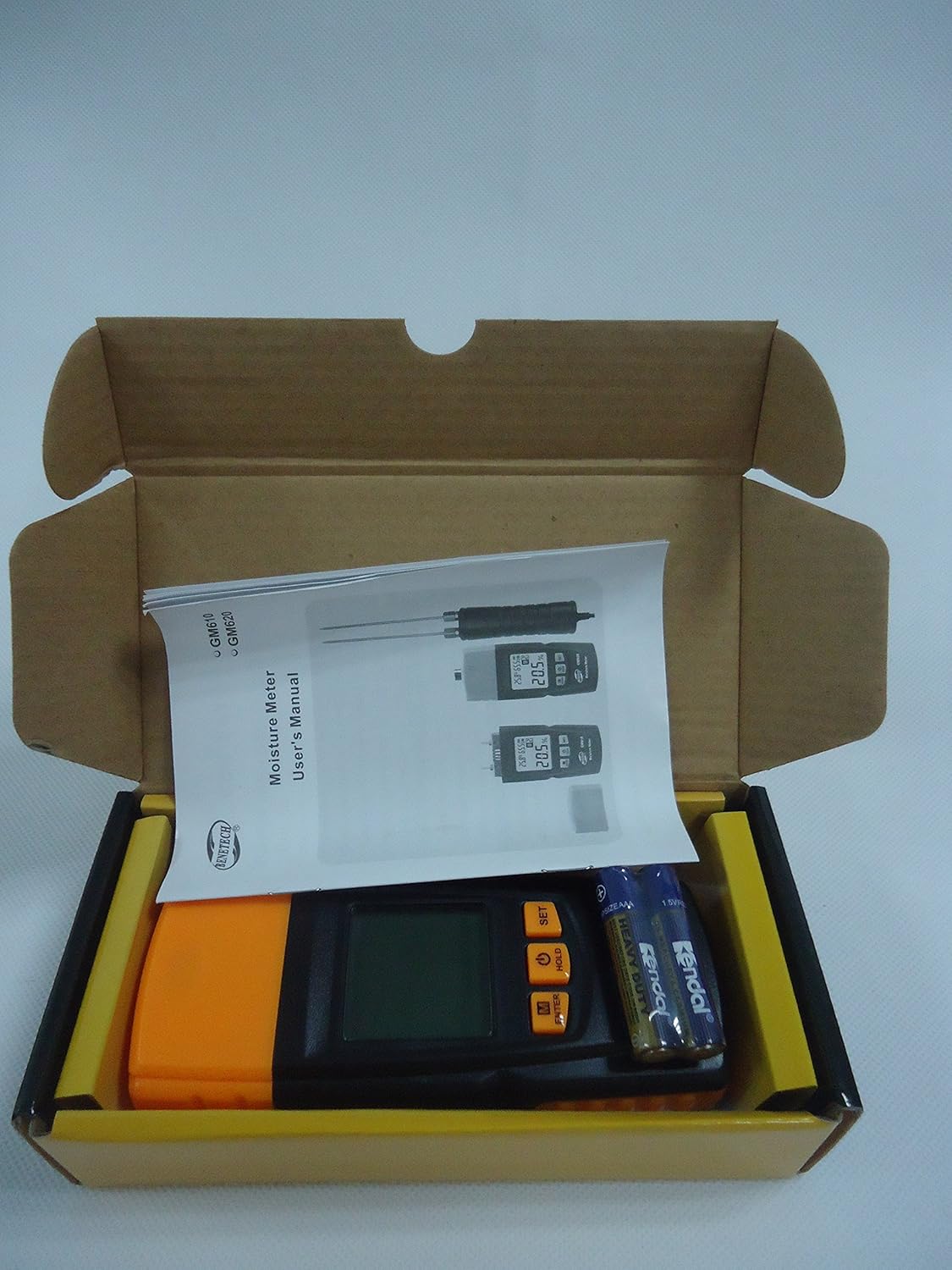
Figure 5: Contents of the Benetech GM610 package, including the moisture meter, user manual, and AAA batteries.
4. Persediaan
4.1 Pemasangan Bateri
- Cari penutup petak bateri di bahagian belakang peranti.
- Luncurkan atau buka klip penutup untuk membuka petak.
- Masukkan dua (2) bateri AAA 1.5V, pastikan kekutuban (+/-) betul.
- Gantikan penutup petak bateri dengan selamat.
Note: Batteries are typically not included and must be purchased separately.
5. Arahan Operasi
5.1 Hidupkan/Mati Kuasa
- Untuk menghidupkan peranti, tekan butang TAHAN button (power symbol).
- To manually power off the device, press and hold the TAHAN butang selama lebih kurang 2 saat.
- The device will automatically power off after 120 seconds of inactivity to conserve battery life.
5.2 Measuring Wood Moisture
- Tanggalkan penutup pelindung dari pin ukuran.
- Gently push the measurement pins into the wood surface to be tested. Ensure both pins are fully inserted and make good contact with the wood.
- The moisture content percentage akan dipaparkan pada skrin LCD.
- After measurement, carefully withdraw the pins and replace the protective cap.
5.3 Memilih Kumpulan Spesies Kayu
The GM610 allows adjustment for 4 different wood species groups to ensure accurate readings. Refer to the wood species chart (usually provided in a separate document or on the device itself) to determine the correct group for your wood type.
- Tekan ke M/ENTER button to cycle through the wood species groups (M1, M2, M3, M4).
- Select the group that corresponds to the wood you are measuring.
5.4 Fungsi Pegangan Data
Untuk membekukan bacaan semasa pada paparan:
- While a measurement is being taken, briefly press the TAHAN button. The reading will be held on the screen.
- Tekan ke TAHAN butang sekali lagi untuk melepaskan bacaan dan menyambung semula pengukuran langsung.
5.5 Kawalan Lampu Latar
To turn the display backlight on or off:
- Tekan ke SET button to toggle the backlight.
5.6 Pengukuran Alam Sekitar
The device also displays the ambient temperature and relative humidity on the upper part of the LCD screen.
- The temperature unit (Celsius or Fahrenheit) can typically be switched by pressing and holding the SET button (refer to specific device instructions if this differs).
6. Penyelenggaraan
6.1 Pembersihan
- Lap peranti dengan kain lembut dan kering.
- Jangan gunakan pembersih atau pelarut yang melelas.
- Ensure the measurement pins are clean and free of debris after each use.
6.2 Penyimpanan
- Always replace the protective cap over the measurement pins when not in use to prevent damage and injury.
- Simpan peranti di tempat yang sejuk dan kering, jauh dari cahaya matahari langsung dan suhu yang melampau.
- Jika menyimpan untuk tempoh yang lama, keluarkan bateri untuk mengelakkan kebocoran.
6.3 Penggantian Bateri
When the battery indicator on the LCD shows low power, replace the batteries as described in the Setup section (4.1 Battery Installation).
7. Penyelesaian masalah
| Masalah | Kemungkinan Punca | Penyelesaian |
|---|---|---|
| Peranti tidak dihidupkan. | Bateri rendah atau mati; pemasangan bateri yang salah. | Gantikan bateri dengan yang baharu, memastikan kekutuban yang betul. |
| Inaccurate moisture readings. | Incorrect wood species group selected; pins not fully inserted; pins dirty or damaged. | Verify wood species group; ensure pins are fully inserted; clean or inspect pins for damage. |
| Paparan malap atau berkelip. | Kuasa bateri rendah. | Gantikan bateri. |
| Auto-off function not working. | Device is actively being used or buttons pressed. | Ensure no interaction for 120 seconds. If issue persists, contact support. |
8. Spesifikasi
| Parameter | Nilai |
|---|---|
| Julat Pengukuran Kelembapan | 2% to 70% (specific ranges for wood types: 2~40%/50%/60%/70%) |
| Ralat Pengukuran Kelembapan | ±1% |
| Julat Suhu | -10 ℃ hingga 60 ℃ (14℉ hingga 140℉) |
| Julat Kelembapan | 20% RH hingga 90% RH |
| Bekalan Kuasa | 2 x 1.5V bateri AAA |
| Matikan Automatik | Selepas 120 saat tidak aktif |
| Berat badan | 107.7g (tidak termasuk bateri) |
| Dimensi | 135.6mm x 55mm x 29.4mm |
9. Waranti dan Sokongan
This Benetech GM610 Wood Moisture Meter is covered by a standard manufacturer's warranty against defects in materials and workmanship. Please refer to your purchase documentation for specific warranty terms and duration.
For technical support, troubleshooting assistance, or warranty claims, please contact the retailer or manufacturer directly using the contact information provided at the time of purchase.