
Enermax EMT750EWT
Enermax MaxTytan 750W Power Supply User Manual
Model: EMT750EWT
1. Pengenalan
The Enermax MaxTytan 750W power supply is an 80 PLUS Titanium certified, full modular unit designed for high-performance computing systems. It features advanced technologies such as Dust Free Rotation (DFR) for fan self-cleaning and smart semi-fanless control for quiet operation. This manual provides essential information for proper installation, operation, and maintenance of your power supply.
2. Maklumat Keselamatan
Please read and understand all safety warnings before installing or operating the power supply. Failure to do so may result in personal injury or damage to the product or system components.
- Pastikan bekalan kuasa diputuskan dari alur keluar AC sebelum pemasangan atau penyelenggaraan.
- Jangan buka bekalan kuasa casing. vol tinggitages terdapat di dalam, walaupun apabila diputuskan.
- Pasang bekalan kuasa di kawasan yang mempunyai pengudaraan yang baik.
- Use only the modular cables provided with the power supply. Using incompatible cables may cause damage.
- Elakkan daripada mendedahkan bekalan kuasa kepada kelembapan atau suhu yang melampau.
3. Kandungan Pakej
Sahkan bahawa semua item terdapat dalam pakej:
- Enermax MaxTytan 750W Power Supply
- Set Kabel Modular
- Kord Kuasa AC
- Skru Pemasangan
- Cable Ties / Velcro Straps
- Manual Pengguna

Figure 3.1: Enermax MaxTytan 750W Power Supply and all included accessories, including modular cables, power cord, and documentation.
4. Persediaan dan Pemasangan
Follow these steps to properly install your Enermax MaxTytan power supply into your computer system.
4.1. Pemasangan Fizikal
- Pastikan casing komputer anda serasi dengan bekalan kuasa faktor bentuk ATX.
- Mount the power supply into the designated PSU bay in your computer case, typically at the bottom or top rear. Secure it with the provided mounting screws.
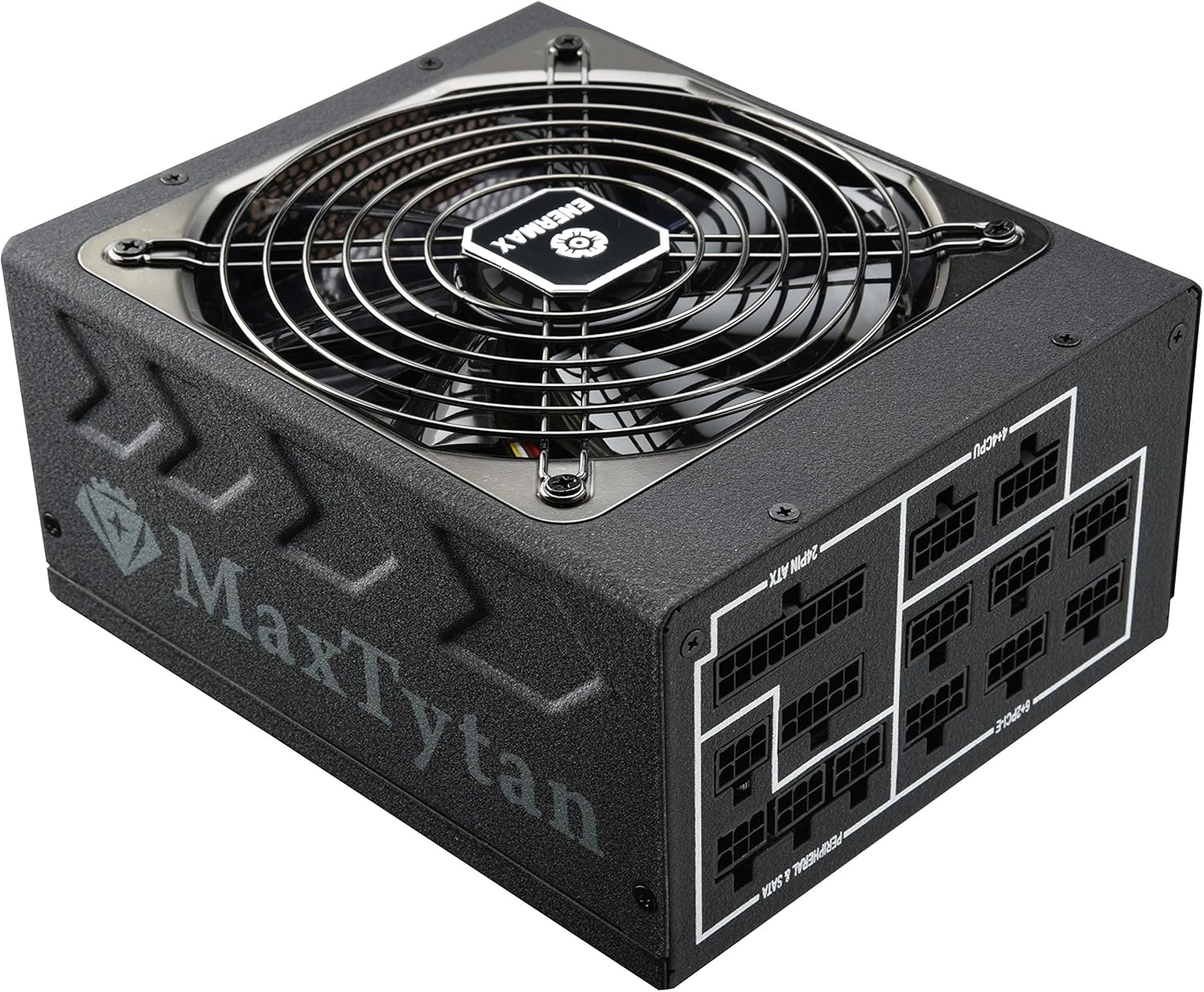
Rajah 4.1: Bahagian hadapan view of the Enermax MaxTytan 750W Power Supply, showing the fan grill and the MaxTytan branding.
4.2. Sambungan Kabel
The MaxTytan 750W is a full modular power supply, allowing you to connect only the necessary cables for your system, improving airflow and cable management.
- Connect the 24-pin ATX motherboard cable to the power supply and your motherboard.
- Connect the 4+4 pin CPU (EPS) cable(s) to the power supply and your motherboard's CPU power connector(s).
- Connect the 6+2 pin PCIe cables to the power supply and your graphics card(s).
- Connect SATA power cables to your storage drives (SSDs, HDDs) and peripheral power cables to other components as needed.
- Pastikan semua sambungan kukuh dan selamat.
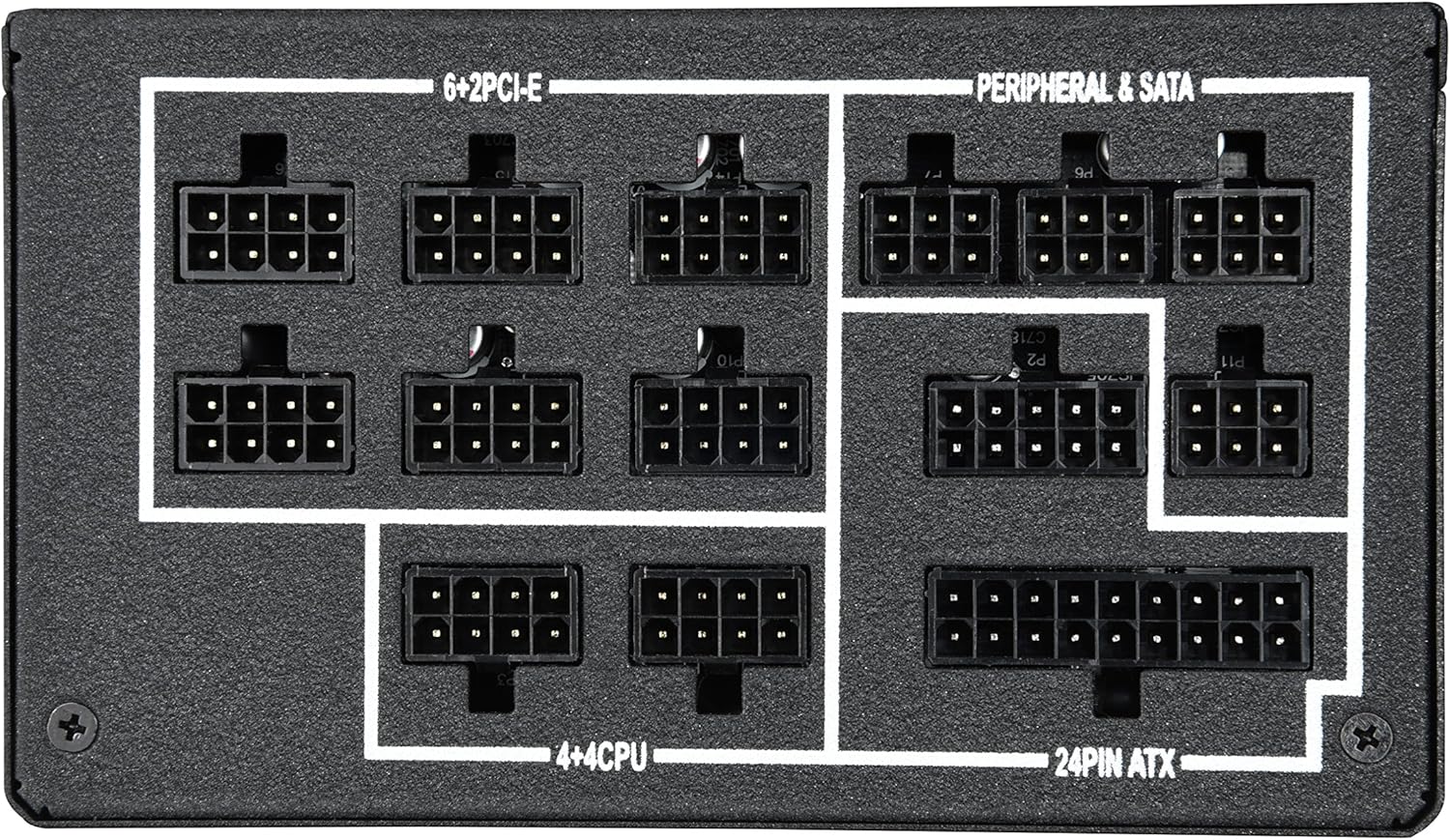
Rajah 4.2: Jarak dekat view of the modular cable connection ports on the power supply, clearly labeled for 24-pin ATX, 4+4 CPU, 6+2 PCIe, and Peripheral & SATA connections.
The included SLEEMAX cables are individually sleeved with premium fabric, providing durability and a smooth, soft texture for easy routing and improved aesthetics.
5. Arahan Operasi
5.1. Hidupkan/Mati Kuasa
After all connections are made, connect the AC power cord to the power supply and a wall outlet. Flip the main power switch on the back of the power supply to the 'ON' position. You can then power on your computer system.
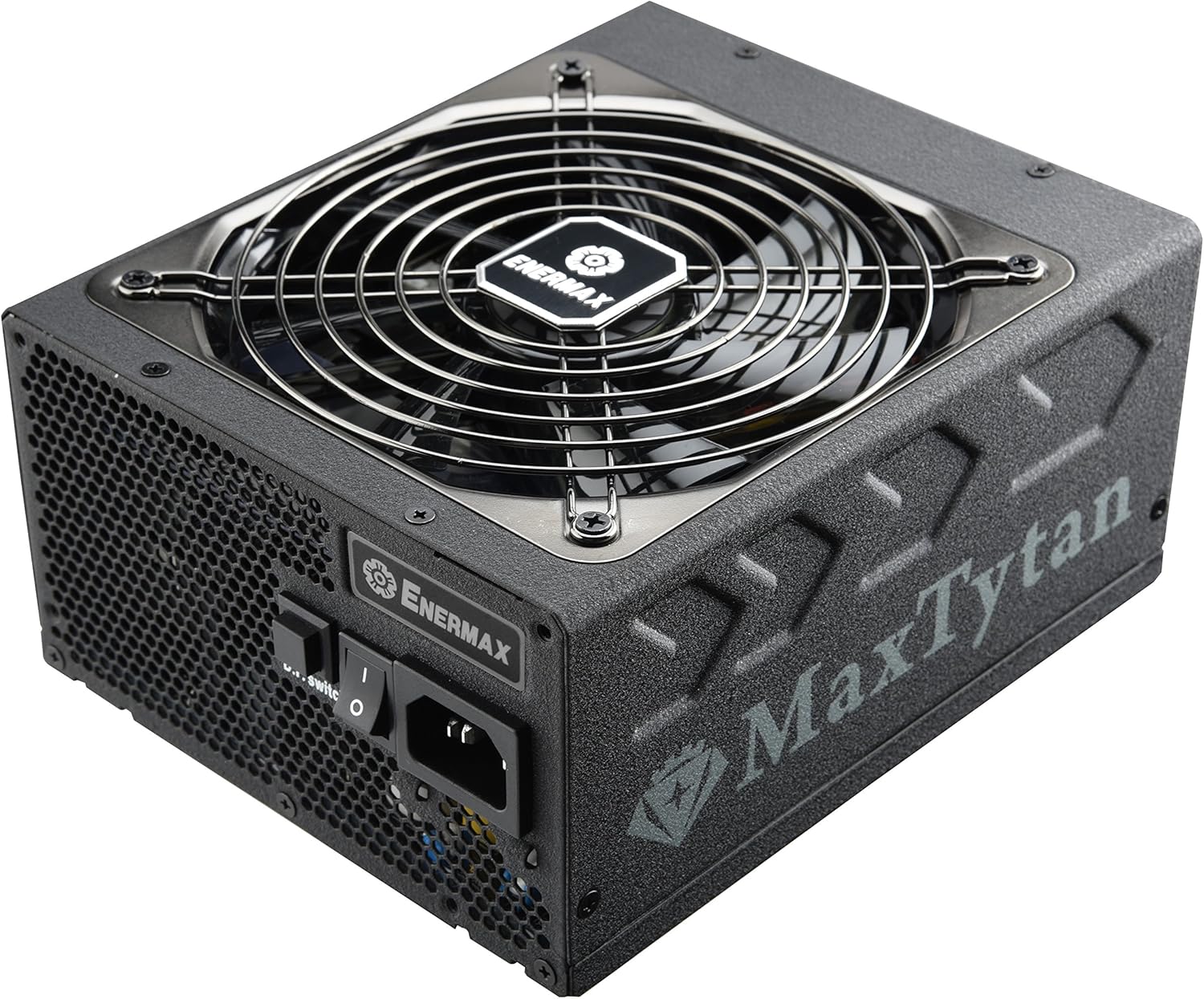
Rajah 5.1: Belakang view of the power supply, highlighting the main power switch and the D.F. switch for Dust Free Rotation technology.
5.2. Smart Semi-fanless Control
The MaxTytan 750W features a smart semi-fanless control function. The fan remains off for silent operation when the system load is below 55% (approximately 412W at 25°C ambient temperature). Once the load surpasses this threshold, the fan will automatically start spinning to maintain optimal cooling.
5.3. Dust Free Rotation (DFR) Technology
The unique Dust Free Rotation (DFR) technology helps to prevent dust accumulation inside the power supply. Upon startup, the PSU fan performs a self-cleaning spin in reverse for 10 seconds to blow away accumulated dust. Additionally, the dedicated D.F. switch on the rear of the power supply allows users to activate this DFR technology manually at any time during operation.
Video 5.1: An official Enermax video demonstrating the features of the MaxTytan Power Supply, including its 80 PLUS Titanium efficiency, smart semi-fanless control, and the Dust Free Rotation (DFR) technology activated by the D.F. switch.
6. Penyelenggaraan
Penyelenggaraan tetap membantu memastikan jangka hayat dan prestasi optimum bekalan kuasa anda.
- Penyingkiran habuk: Utilize the DFR technology regularly by pressing the D.F. switch to clear dust from the fan and internal components. For stubborn dust, gently use compressed air while the unit is powered off and disconnected.
- Pemeriksaan Kabel: Periksa semua sambungan kabel modular secara berkala untuk memastikan ia terpasang dengan selamat.
- Pengudaraan: Ensure that the power supply's intake and exhaust vents are not obstructed to allow for proper airflow.
7. Penyelesaian masalah
Jika anda menghadapi masalah dengan bekalan kuasa anda, rujuk langkah penyelesaian masalah biasa berikut:
- Tiada Kuasa:
- Periksa sama ada kord kuasa AC disambungkan dengan selamat ke kedua-dua bekalan kuasa dan alur keluar dinding.
- Pastikan suis kuasa utama pada PSU berada dalam kedudukan 'ON'.
- Verify that all modular cables are correctly connected to the power supply and system components.
- Uji alur keluar dinding dengan peranti lain untuk mengesahkan ia mempunyai kuasa.
- Kipas Tidak Berpusing:
- The MaxTytan features semi-fanless operation. The fan will not spin if the system load is below 55%. This is normal behavior.
- If the system load is high and the fan is still not spinning, try activating the DFR function using the D.F. switch.
- Ketidakstabilan/Ranap Sistem:
- Ensure your power supply wattage mencukupi untuk semua komponen sistem anda.
- Check all power connections for looseness.
- If issues persist, consult a qualified technician or contact Enermax support.
8. Spesifikasi
Key specifications for the Enermax MaxTytan 750W Power Supply:
| Ciri | Penerangan |
|---|---|
| Jenama | Enermax |
| Nama Model | MaxTytan |
| Nombor Model Item | EMT750EWT |
| Output Wattage | 750 Watt |
| Pensijilan Kecekapan | 80 PLUS Titanium |
| Faktor Bentuk | ATX |
| Kaedah Penyejukan | Udara |
| Dimensi (LxWxH) | 7 x 6 x 3.5 inci |
| Berat badan | 10 paun |
| Kapasitor | 100% 105°C Japanese electrolytic capacitors |
| kipas | 13.9cm Twister Bearing Fan |
| Litar Perlindungan | OCP, OVP, UVP, OTP, OPP, SCP, SIP |
9. Waranti dan Sokongan
The Enermax MaxTytan 750W Power Supply comes with a 10-year warranty, ensuring long-term reliability and peace of mind. For technical support, warranty claims, or further assistance, please visit the official Enermax webtapak atau hubungi bahagian perkhidmatan pelanggan mereka.
Anda boleh mendapatkan lebih banyak maklumat dan sumber sokongan di Enermax Store on Amazon.
Dokumen Berkaitan - EMT750EWT
 |
Manual Pengguna Bekalan Kuasa ENERMAX Revolution DF 750W Panduan komprehensif untuk unit bekalan kuasa PC ENERMAX Revolution DF 750W (ERF750EWT), yang memperincikan ciri-ciri canggihnya, spesifikasi teknikal, prosedur pemasangan dan langkah berjaga-jaga keselamatan untuk prestasi dan kebolehpercayaan yang optimum. |
 |
Manual Pengguna dan Spesifikasi Unit Bekalan Kuasa ENERMAX MaxTytan 750W/800W Panduan komprehensif untuk unit bekalan kuasa ENERMAX MaxTytan 750W dan 800W, meliputi keserasian, pemasangan, keselamatan, spesifikasi dan maklumat waranti. |
 |
Manual Pengguna, Spesifikasi dan Panduan Keselamatan Bekalan Kuasa ENERMAX REVOLUTION III Manual pengguna yang komprehensif untuk bekalan kuasa siri ENERMAX REVOLUTION III. Meliputi pemasangan, senarai komponen, spesifikasi, ciri perlindungan, Soalan Lazim, langkah berjaga-jaga keselamatan dan maklumat jaminan. Termasuk sokongan berbilang bahasa. |
 |
Manual Pengguna Bekalan Kuasa ENERMAX Revolution DF 12 Manual ini menyediakan panduan komprehensif untuk unit bekalan kuasa siri ENERMAX Revolution DF 12, merangkumi ciri produk, pemasangan, spesifikasi, langkah berjaga-jaga keselamatan dan penyelesaian masalah. Ia menyokong pelbagai bahasa untuk kemudahan pengguna. |
 |
Manual Unit Bekalan Kuasa Enermax Revolution DF2 80 PLUS Emas Manual pengguna untuk siri Enermax Revolution DF2 80 PLUS Gold, unit bekalan kuasa ATX modular sepenuhnya yang diperakui. Menyediakan spesifikasi terperinci, ciri, arahan pemasangan dan petua penyelesaian masalah untuk kuasa PC yang boleh dipercayai. |
 |
ENERMAX Cyberbron III Switching Power Supply User Manual Comprehensive user manual for the ENERMAX Cyberbron III series switching power supplies, covering product introduction, installation, specifications, protection features, safety guidelines, and warranty information. Includes details on components, connections, and technical data. |
Ask a question about this manual
Ask about setup, troubleshooting, compatibility, parts, safety, or missing instructions. Manuals+ will review the question and use this page’s manual context to help answer it.