
1. Pengenalan
Thank you for choosing the Solight LED Desk Lamp WO46. This versatile lamp combines modern design with practical features, including a dimmable LED light, an integrated display showing time, date, alarm, and temperature. This manual provides essential information for the safe and efficient use of your new desk lamp.
2. Arahan Keselamatan
- Baca semua arahan dengan teliti sebelum digunakan dan simpan untuk rujukan pada masa hadapan.
- Pastikan bekalan kuasa voltage sepadan dengan keperluan yang dinyatakan pada produk.
- Jangan dedahkan lamp kepada air atau kelembapan berlebihan.
- Avoid disassembling or modifying the lampRujuk semua servis kepada kakitangan yang berkelayakan.
- Simpan lamp jauh dari sumber haba dan cahaya matahari langsung.
- Bersihkan lamp only with a soft, dry cloth. Do not use abrasive cleaners or solvents.
- Produk ini direka untuk kegunaan dalaman sahaja.
3. Kandungan Pakej
Sila semak pakej untuk item berikut:
- Solight LED Desk Lamp WO46
- Kabel Kuasa
- Manual Pengguna (dokumen ini)
4. Produk Lebihview
The Solight LED Desk Lamp WO46 features a flexible arm, an integrated LED light panel, and a multi-functional display on its base. The base also houses the touch-sensitive controls.

Figure 1: Solight LED Desk Lamp WO46 in folded position, displaying time, date, and temperature on its integrated screen.

Figure 2: Solight LED Desk Lamp WO46 with its arm extended, highlighting the LED light panel and the functional display.
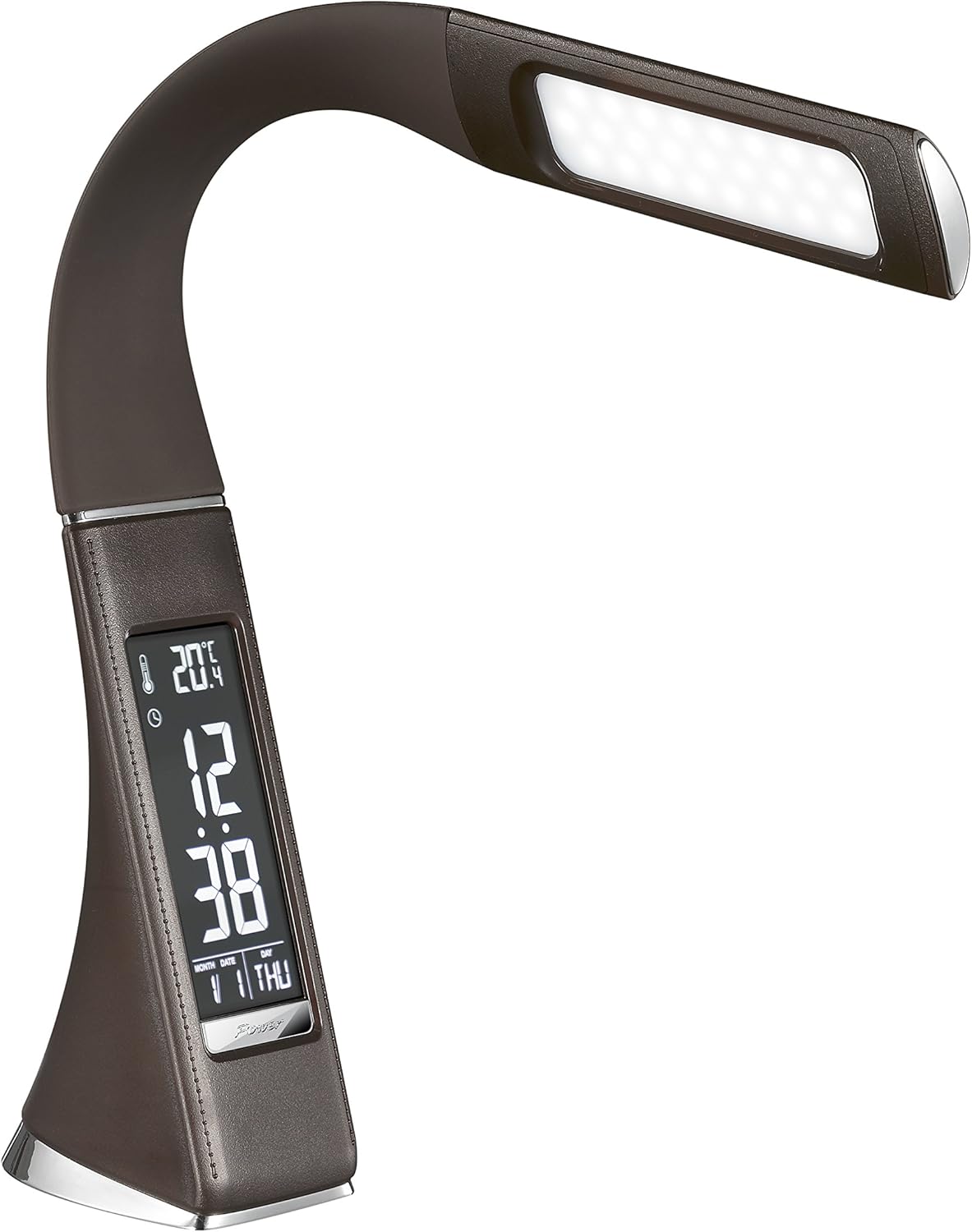
Rajah 3: Bersudut view of the Solight LED Desk Lamp WO46, extended, emphasizing its sleek design and the display panel.
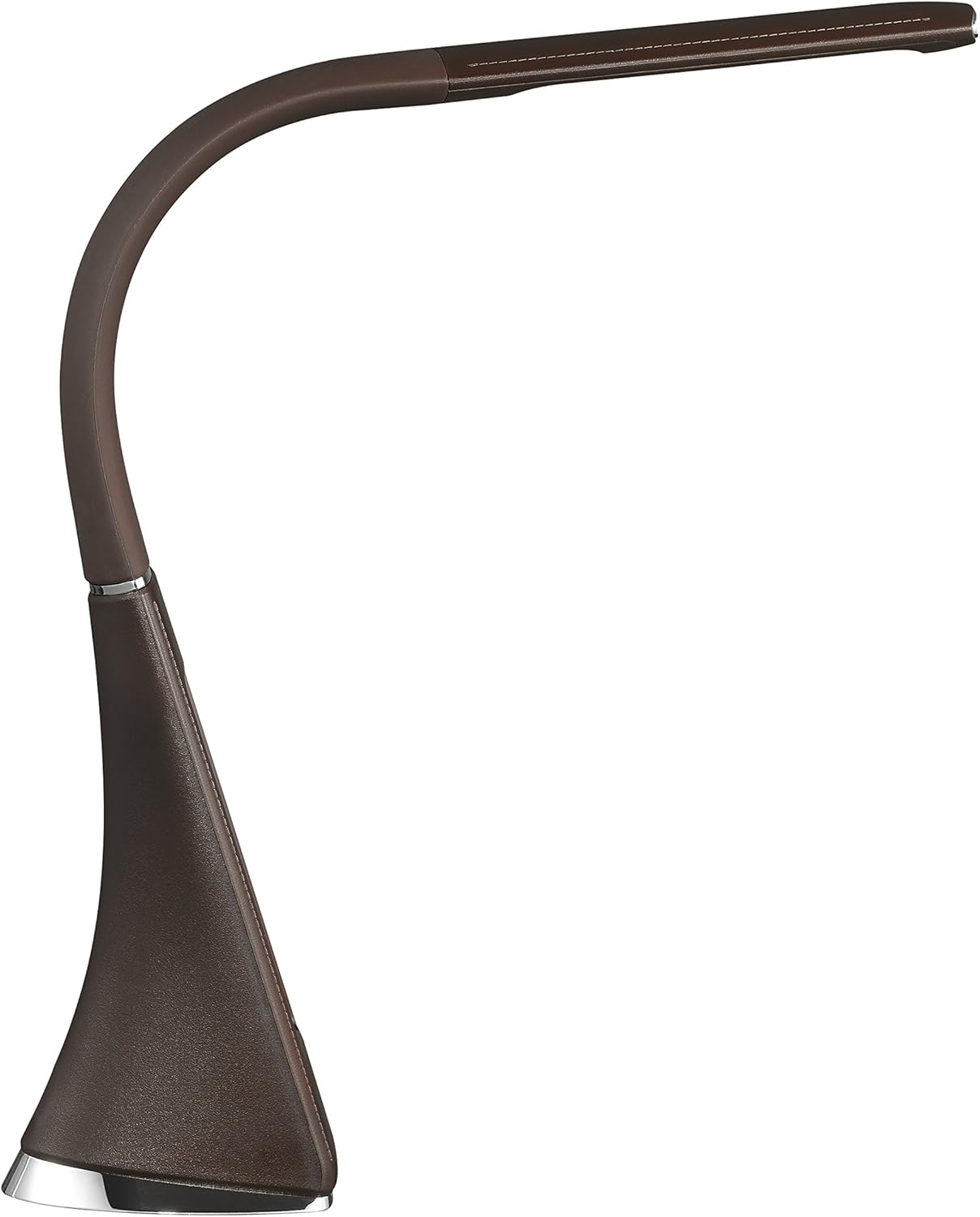
Rajah 4: Pro sampinganfile of the Solight LED Desk Lamp WO46, extended, illustrating the flexibility of its arm and the slim design of the light panel.

Rajah 5: Belakang view of the Solight LED Desk Lamp WO46, extended, indicating the power input port located at the back of the lamppangkalan.
5. Persediaan
- Bongkar: Keluarkan semua komponen dari pembungkusan dengan berhati-hati.
- penempatan: Letakkan lamp on a stable, flat surface. The non-slip base ensures stability.
- Sambungkan Kuasa: Insert the power cable into the DC input port at the back of the lamp's base, then plug the adapter into a standard electrical outlet.
- Laraskan Kedudukan: Gently adjust the flexible arm to your desired lighting angle.
6. Arahan Operasi
6.1 Kawalan Cahaya
- Hidupkan/Mati Kuasa: Press the touch-sensitive power button on the base to turn the lamp hidup atau mati.
- Pelarasan Kecerahan: Dengan lamp on, press and hold the power button to cycle through the three available brightness levels. Release the button at your desired brightness.
6.2 Fungsi Paparan
The integrated display shows time, date, day of the week, temperature, and alarm status. Specific buttons on the base (e.g., 'Mode', 'Set', 'Up', 'Down' - refer to physical markings on your lamp if available) are used to navigate and set these functions.
- Menetapkan Masa dan Tarikh:
- Press the 'Mode' button until the time display flashes.
- Use the 'Up' and 'Down' buttons to adjust the hour, then press 'Set' to confirm and move to minutes.
- Ulang selama beberapa minit, tahun, bulan dan hari.
- Press 'Mode' to exit setting mode.
- Menetapkan Penggera:
- Press the 'Mode' button repeatedly until the alarm icon appears and the alarm time flashes.
- Use 'Up' and 'Down' to set the alarm hour, then 'Set' to confirm and move to minutes.
- Press 'Mode' to activate/deactivate the alarm. An alarm icon will indicate if it's active.
- Paparan suhu: Lamp automatically displays the ambient temperature. No user adjustment is typically required for this function.
7. Penyelenggaraan
- Pembersihan: Putuskan sambungan lamp daripada bekalan kuasa sebelum dibersihkan. Lap lamp's surface with a soft, dry, lint-free cloth. Do not use liquid cleaners or sprays.
- Storan: Jika menyimpan lamp Untuk tempoh yang lama, pastikan ia bersih dan kering. Simpan di tempat yang sejuk dan kering, jauh daripada cahaya matahari langsung.
8. Penyelesaian masalah
| Masalah | Kemungkinan Punca | Penyelesaian |
|---|---|---|
| Lamp tidak menyala. | Tiada bekalan kuasa. | Check if the power cable is securely connected to the lamp and the electrical outlet. Ensure the outlet is functional. |
| Display is blank or incorrect. | Power interruption or incorrect settings. | Ensure continuous power. Reset time and date settings as per Section 6.2. |
| Cahaya berkelip-kelip. | Bekalan kuasa tidak stabil. | Cuba pasangkan lamp into a different electrical outlet. |
| Penggera tidak berbunyi. | Penggera tidak diaktifkan atau ditetapkan dengan tidak betul. | Verify that the alarm is set and activated (alarm icon visible) as per Section 6.2. |
9. Spesifikasi
| Ciri | Perincian |
|---|---|
| Nombor Model | WO46-H |
| Dimensi (L x W x H) | 5.5 x 9 x 50 cm |
| Berat badan | 599 g (1.32 paun) |
| bahan | PS (Polystyrene) |
| Jenis Selesai | Leather look |
| Jenis Sumber Cahaya | LED |
| Bilangan Mentol | 3 |
| Fluks Bercahaya | 300 lm |
| kuasa | 1.5 Watt |
| Voltage | 230 Volt |
| Purata Jangka Hayat | 30,000 Jam |
| Penarafan IP | IP20 |
| Tukar Gaya | Butang Tekan |
| Label Tenaga | A+ |
10. Waranti dan Sokongan
Solight products are designed and manufactured to the highest quality standards. For information regarding warranty coverage, technical support, or spare parts availability, please refer to the documentation provided with your purchase or visit the official Solight webtapak. Sila simpan bukti pembelian anda untuk sebarang tuntutan waranti.