
TruVoice HD700 (MONO)
Manual Pengguna Alat Dengar Pejabat/Pusat Panggilan Premium TruVoice HD-700
Model: HD700 (MONO) | Brand: TruVoice
pengenalan
The TruVoice HD-700 Premium Office/Call Center Headset is designed to provide clear, high-definition audio and comfortable wear for extended periods. Featuring a noise-canceling microphone and a durable, lightweight design, this headset is ideal for professional communication environments such as call centers, offices, and home workspaces. Its Quick Disconnect (QD) feature offers versatility, allowing the headset to be used with various devices by simply swapping out the adapter cable.
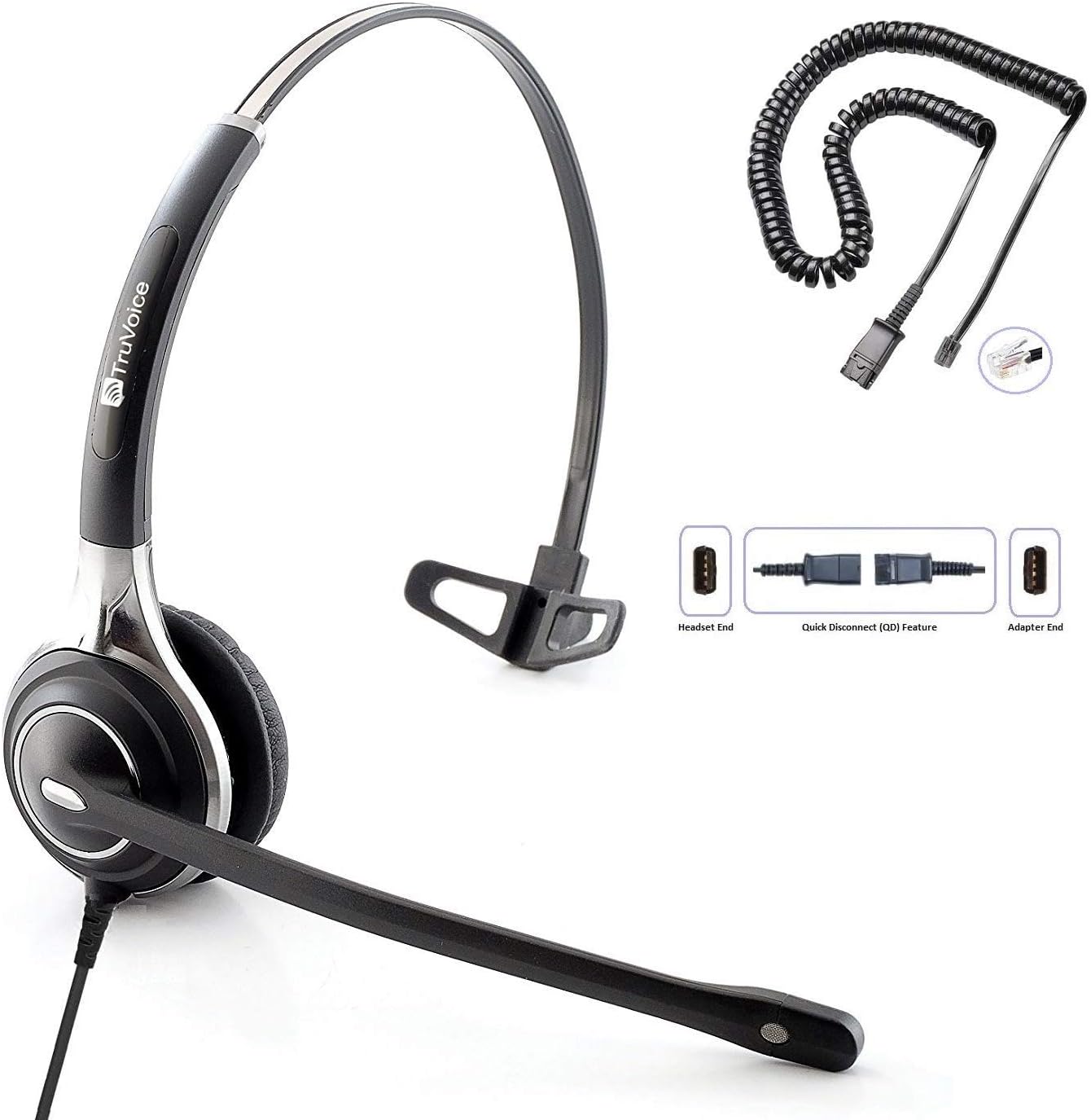
Image: TruVoice HD-700 Headset with its Quick Disconnect cable and an additional coiled cable.
Apa yang ada dalam Kotak
- Headset with attached cable
- U10P Adapter Cable (Quick Disconnect)
- Kusyen Telinga (prapasang)
Panduan Persediaan
Connecting the Headset Cable to Your Phone
To begin, locate the headset port on your telephone. This port is typically found at the bottom or side of the phone and is often marked with a headset icon. Insert the U10P Adapter Cable (the coiled cable with the RJ9 connector) firmly into this port until it clicks into place.

Imej: Jarak dekat view of a telephone's rear panel, showing the headset cable being plugged into the designated headset port, often indicated by a headset logo.
Connecting the Headset to the Cable
Once the U10P Adapter Cable is connected to your phone, connect the headset's Quick Disconnect (QD) end to the corresponding QD end of the adapter cable. Ensure the connection is secure and clicks into place. This Quick Disconnect feature allows you to easily detach your headset from the phone without interrupting your call or needing to remove the adapter cable from the phone.

Image: A visual representation of the Quick Disconnect (QD) feature, showing how the headset cable connects to the adapter cable.
Video Persediaan Rasmi
Video: A step-by-step guide demonstrating the setup process for the TruVoice Headset with Quick Disconnect.
Arahan Operasi
Membuat dan Menerima Panggilan
Once your headset is connected, your phone is ready to make and receive calls. To answer or end calls, simply press the button marked with a headset icon on your telephone. If your telephone does not have a dedicated headset key, in most cases, a button can be programmed to function as the headset key. Consult your telephone's user manual or IT department for programming instructions.
Ciri-ciri Utama
- Ultra Noise Canceling & HD Audio: High-quality noise-canceling microphone with a flexible 270-degree rotational boom. Speakers include acoustic shock protection and HD Audio Sound, providing a perfect solution for call centers, offices, or homeworkers.
- Lightweight / Comfort: Features a die-cast aluminum frame for strength and durability, with a stylish and modern design. Includes super soft leatherette ear cushions for maximized all-day wearing comfort.
- Quick Disconnect Feature: Allows users to detach the headset from the adapter cable, enabling movement away from the desk without losing the call. This feature also allows the headset to be used with other desk phones, computers, softphones, or cell phones by simply swapping out the bottom cable.

Image: Close-up of the noise-canceling microphone, highlighting its ability to provide clear conversations.

Image: Graphic illustrating high-definition sound quality, emphasizing clear audio output.
Keserasian
The included U10P Adapter is compatible with any TruVoice or Plantronics quick disconnect (QD) phone, and a wide range of desk phones from various manufacturers. Below is a list of some compatible models:

Image: A detailed list of compatible phone models for the TruVoice HD-700 headset.
| Pengeluar | Model yang Serasi |
|---|---|
| Polycom / Poly | EDGE Series, VVX50, VVX101, VVX150, VVX201, VVX250, VVX300, VVX350, VVX301, VVX310, VVX311, VVX400, VVX401, VVX410, VVX411, VVX450, VVX500, VVX501, VVX600, VVX601, IP301, IP335, IP331, IP335, IP560, IP550, CX300, CX500, CX600, CX700, 485 |
| Mitel | 5212, 5312, 5320, 5320e, 5330, 5330e, 5340, 5340e, 5410, 5420, 550, 5540, 6867i, 6869i, 6910, 6920, 6930, 8528, IP420, IP420G, IP480, IP485G |
| Avaya | 6402D, 6408D+, 6416D+M, 6424D+M, 8403, 8410D, 8434DX, 4406D+, 4412D+, 4424D+, 4424LD+, 1408, 1416, 2410, 2420, 4610, 4610SW, 4612, 4620, 4620SW, 4621, 4621SW, 4622, 4622SW, 4625, 4625W, 4630, 4630SW, 5410, 5420, 5610, 5620, 5621, 5625, 9404, 9406, 9408, 9504, 9508, DT1, DT3, DT5, QE4610 |
| Shoretel | 100, 212, 212K, IP230, 230, 265, 530, 560, 560G, 565, 565G, 655, 420, 480, 480G, 485, 485G |
| Aastra | 6757i, 6731i, 6739i, 6755i, 6867i, 6869i |
| Nortel | T7316, T7316e, T7208 |
| Other Compatible Brands | Toshiba DKT, Panasonic, ESI, Fanvil, Digium, Adtran, Ascom, Audiocodes, Altigen, Allworx, Comdial, Intertel |
Spesifikasi Teknikal
| Ciri | Perincian |
|---|---|
| Nama Model | Headset With U10P |
| Teknologi Ketersambungan | berwayar |
| Jack Fon Kepala | 3.5 mm Jack (for headset, connects to QD cable) |
| Julat Umur (Perihalan) | Dewasa |
| bahan | aluminium |
| Peranti Serasi | Telefon Meja |
| Jenis Kawalan | Volume Control (via phone or inline controls if present on specific adapter) |
| Ciri Kabel | Detachable (Quick Disconnect) |
| Julat Kekerapan | 20 Hz - 20,000 Hz |
| Kaedah Kawalan | Remote (via phone or adapter) |
| Bilangan Item | 1 (headset unit) |
| Jenis Pemacu Audio | Pemandu Dinamik |
| Bentuk alat dengar | On-Ear (Mono) |
| Berat Barang | 9.2 auns |
| Kawalan Bunyi | Passive Noise Cancellation (for microphone) |
Penyelenggaraan dan Penjagaan
To ensure the longevity and optimal performance of your TruVoice HD-700 headset, follow these maintenance guidelines:
- Pembersihan: Gently wipe the headset and ear cushions with a soft, dry cloth. For deeper cleaning, a slightly damp cloth with mild soap can be used, but ensure no moisture enters the speaker or microphone components.
- Storan: Store the headset in a clean, dry place away from extreme temperatures and direct sunlight. Avoid tangling the cables.
- Pengendalian: Do not pull on the cables to disconnect the headset. Always use the Quick Disconnect feature or grasp the connectors firmly. Avoid dropping the headset or subjecting it to strong impacts.
Menyelesaikan masalah
No Sound from Headset / Cannot Hear Caller
- Ensure the headset is securely connected to the Quick Disconnect cable, and the cable is firmly plugged into the phone's headset port.
- Check the volume settings on your telephone. Increase the headset volume if necessary.
- Verify that the headset button on your phone is activated (usually indicated by an illuminated light).
Microphone Not Working / Caller Cannot Hear You
- Ensure the microphone boom is positioned correctly, approximately one inch from your mouth.
- Check if the microphone mute function is activated on your phone or adapter (if applicable).
- Confirm all cable connections are secure.
Kualiti Audio Statik atau Kurang
- Check for loose connections at both the headset and phone ends.
- Ensure the cables are not damaged or kinked.
- Test the headset with another compatible phone if possible to rule out phone-specific issues.
Waranti dan Sokongan
TruVoice products are designed for durability and performance. For specific warranty information, please refer to the documentation included with your purchase or visit the official TruVoice website. If you encounter any issues not covered in this manual or require further assistance, please contact TruVoice customer support. You can also refer to the official User Guide PDF for additional details: TruVoice HD-700 User Guide (PDF).
Ask a question about this manual
Ask about setup, troubleshooting, compatibility, parts, safety, or missing instructions. Manuals+ will review the question and use this page’s manual context to help answer it.