
1. Pengenalan
Terima kasih kerana membeliasing the SYMA X5UW FPV RC Drone. This quadcopter is designed for beginners and features a 720P HD Wi-Fi camera for live video streaming. Please read this manual thoroughly before operating the drone to ensure safe and correct usage. Keep this manual for future reference.
2. Garis Panduan Keselamatan
- Cadangan Umur: This product is suitable for users aged 14 years and above. Adult supervision is recommended for younger users.
- Persekitaran Penerbangan: Kendalikan dron di kawasan terbuka dan jelas, jauh dari manusia, haiwan, bangunan dan talian elektrik. Elakkan terbang dalam angin kencang atau keadaan cuaca buruk.
- Keselamatan Bateri: Use only the specified battery and charger. Do not overcharge or short-circuit batteries. Discontinue use if batteries show signs of damage or swelling.
- Keselamatan Kipas: Keep hands, face, and loose clothing away from rotating propellers. Always ensure propellers are securely attached before flight.
- Pendedahan Air: The drone is not waterproof. Avoid contact with water or moisture.
- Garis Penglihatan Visual: Sentiasa mengekalkan garis penglihatan visual dengan dron semasa penerbangan.
3. Kandungan Pakej
Sila semak kandungan pakej semasa membuka kotak:
- SYMA X5UW FPV RC Drone
- Alat Kawalan Jauh
- 720P HD Wi-Fi Camera
- Drone Battery (500 mAh)
- Kabel Pengecas USB
- Spare Propellers (4 pcs)
- Propeller Guards (4 pcs)
- Pemutar skru
- Manual Pengguna
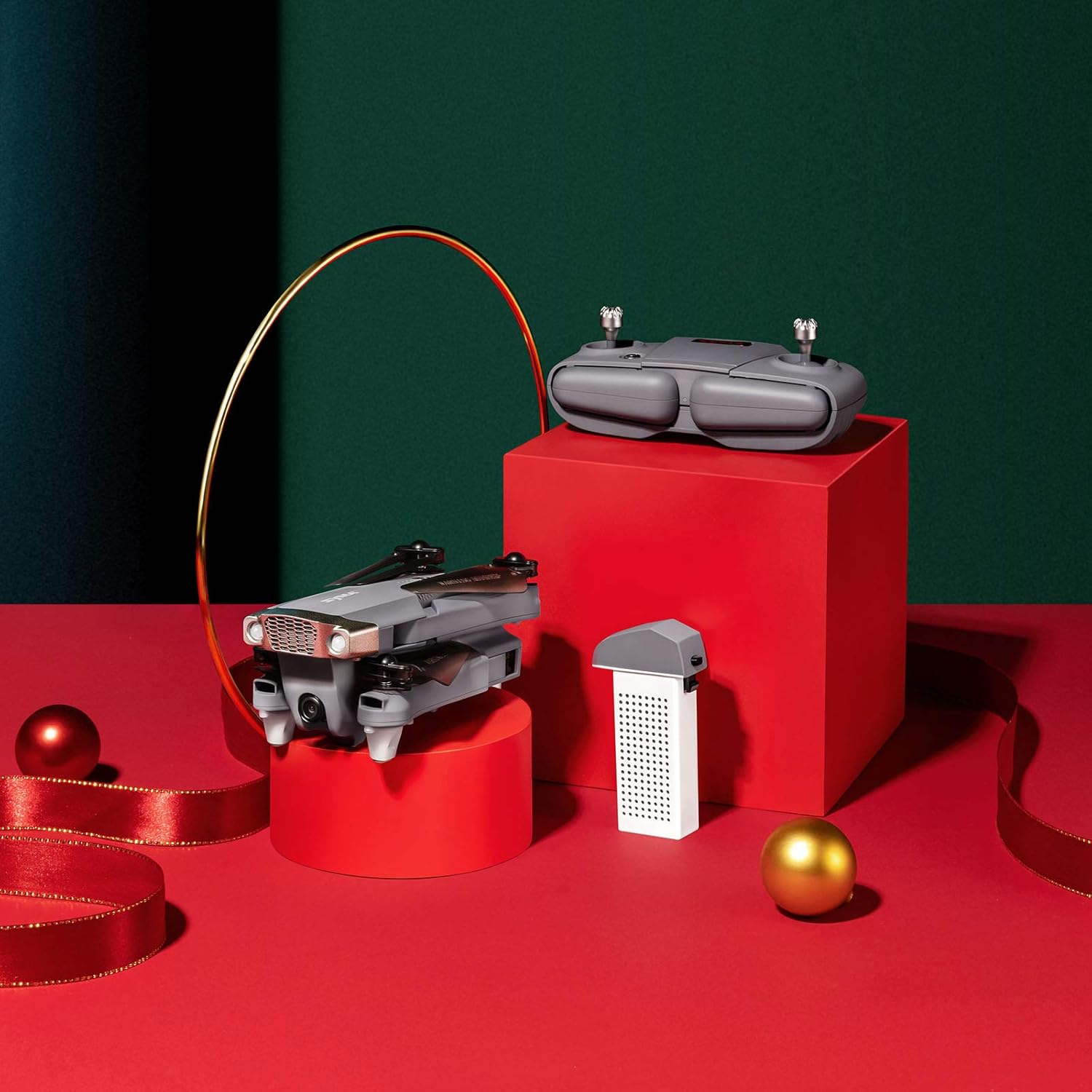
Image: SYMA X5UW Drone, remote control, and battery components.
4. Persediaan
4.1. Pemasangan dan Pengecasan Bateri
- Bateri Drone: Insert the provided 500 mAh battery into the drone's battery compartment. Ensure it clicks into place.
- mengecas: Connect the drone battery to the USB charging cable, then plug the USB cable into a USB power adapter (not included). The indicator light on the USB cable will turn off when charging is complete. Charging time is approximately 60-90 minutes.
- Bateri Alat Kawalan Jauh: Open the battery compartment on the back of the remote controller and insert 4 x AA batteries (not included), observing correct polarity. Close the compartment.
4.2. Propeller and Guard Installation
- Attach the propeller guards to the drone's motor arms using the provided screws and screwdriver.
- Ensure propellers are correctly matched to their respective motor shafts (A and B propellers). Press them firmly onto the shafts.
4.3. Camera Attachment
- Locate the camera mounting slot on the underside of the drone.
- Slide the 720P HD Wi-Fi camera into the slot until it is securely fastened.
- Connect the camera's power cable to the drone's camera port.
4.4. Muat Turun Aplikasi dan Sambungan Wi-Fi
- Download the official SYMA FPV app from your smartphone's app store (iOS or Android).
- Turn on the drone and wait for its Wi-Fi signal to appear on your smartphone's Wi-Fi settings.
- Connect to the drone's Wi-Fi network (usually named "SYMA-X5UW-XXXX").
- Open the SYMA FPV app to view the live camera feed and access flight controls.
5. Arahan Operasi
5.1. Memasangkan Dron dan Alat Kawalan Jauh
- Letakkan drone di permukaan rata dan rata.
- Turn on the drone. The indicator lights will flash.
- Hidupkan alat kawalan jauh.
- Tolak kayu bedik kiri (pendikit) sepenuhnya ke atas, kemudian sepenuhnya ke bawah. Lampu penunjuk dron akan menyala pekat, menunjukkan pasangan yang berjaya.
5.2. Penentukuran
After pairing, perform a gyroscope calibration:
- With the drone on a flat surface, push both joysticks to the bottom-right corner simultaneously for 2-3 seconds.
- The drone's lights will flash rapidly and then become solid, indicating successful calibration.
5.3. Berlepas dan Mendarat
- Berlepas Manual: After pairing and calibration, push the left joystick (throttle) slowly upwards to make the drone ascend.
- Pelepasan/Pendaratan Satu Kunci: Press the one-key take-off/landing button on the remote (refer to remote diagram in manual) to automatically take off or land.
5.4. Kawalan Asas Penerbangan
- Kayu Joy Kiri (Pendikit): Atas/Bawah untuk ketinggian, Kiri/Kanan untuk putaran (yaw).
- Kayu Joy Kanan (Arah): Up/Down for forward/backward flight, Left/Right for left/right sideward flight.

Image: The SYMA X5UW drone in stable flight, with a pilot in the background operating the remote control.
5.5. Ciri Lanjutan
- Tahan Ketinggian: The drone maintains a stable altitude automatically after releasing the throttle stick.
- Mod Tanpa Kepala: Press the headless mode button. In this mode, the drone's orientation is relative to the pilot, regardless of the drone's front direction. Press again to exit.
- Balik 360°: Fly the drone to a height of at least 3 meters. Press the 360° flip button, then push the right joystick in the desired flip direction.
5.6. Camera Operation (FPV)
- Video Langsung: Once connected to the drone's Wi-Fi via the SYMA FPV app, the live video feed will appear on your smartphone screen.
- Rakaman Foto/Video: Use the dedicated buttons within the SYMA FPV app to take photos or start/stop video recording. Files are saved to your smartphone.
6. Penyelenggaraan
- Pembersihan: Use a soft, dry cloth to clean the drone. Avoid using solvents or harsh chemicals.
- Penggantian Kipas: If propellers are damaged, replace them with new ones, ensuring correct A/B matching.
- Penjagaan Bateri: Store batteries in a cool, dry place. Do not leave batteries fully charged or fully discharged for extended periods. Charge them to about 50% for storage.
- Storan: When not in use, store the drone and remote in a dry environment, away from direct sunlight and extreme temperatures.
7. Penyelesaian masalah
| Masalah | Kemungkinan Punca | Penyelesaian |
|---|---|---|
| Drone tidak bertindak balas kepada alat kawalan jauh. | Not paired or low battery. | Re-pair the drone and remote. Charge drone and replace remote batteries. |
| Drone hanyut semasa penerbangan. | Not calibrated or trim settings incorrect. | Perform gyroscope calibration. Adjust trim buttons on the remote. |
| Camera feed is not visible on phone. | Wi-Fi not connected or app issue. | Pastikan telefon disambungkan ke Wi-Fi dron. Mulakan semula aplikasi dan dron. |
| Drone lights flash rapidly and cannot take off. | Low drone battery. | Charge the drone battery fully. |
| Baling-baling tidak berputar. | Motors blocked or drone not armed. | Check for obstructions. Ensure drone is paired and calibrated. |
8. Spesifikasi
| Ciri | Perincian |
|---|---|
| Jenama | SYMA |
| Model | X5UW |
| Tahap Kemahiran | pemula |
| Resolusi Tangkapan Video | 720p |
| Resolusi Keluaran Video | 1920x1080 piksel |
| Teknologi Komunikasi Tanpa Wayar | Wi-Fi |
| Kapasiti Bateri | 500 Miliamp jam |
| Julat Maksimum | 300 Meter |
| Jenis Kawalan | Alat Kawalan Jauh |
| Berat Barang | 4.54 g |
| Julat Umur (Perihalan) | 168 bulan (14 tahun ke atas) |
| UPC | 717880003426 |
| Nombor Bahagian | DoDoelephRCDroneEX5UW-B-US |
9. Maklumat Waranti
SYMA products are covered by a limited warranty against manufacturing defects. Please retain your proof of purchase for warranty claims. The warranty period and terms may vary by region. For detailed warranty information, please contact SYMA customer support.
10. Sokongan Pelanggan
If you encounter any issues or have questions regarding your SYMA X5UW drone, please contact our customer support team:
- Telefon (AS): +1 (718) 312-0558
- E-mel (AS): usa@symatoy.com
Our support team is available to assist you with technical questions, troubleshooting, and parts replacement.

Image: SYMA Customer Support representatives ready to assist.