
pengenalan
Thank you for choosing the PERLESMITH Full Motion TV Wall Mount. This manual provides essential information for the safe and correct installation, operation, and maintenance of your new TV wall mount. Please read these instructions thoroughly before installation and retain them for future reference.
Maklumat Keselamatan
AMARAN: Failure to read and follow all instructions may result in personal injury, property damage, or voiding of warranty. Improper installation can lead to serious injury or damage.
- Pastikan permukaan pelekap dapat menyokong berat gabungan pelekap dan paparan dengan selamat.
- Jangan melebihi kapasiti berat maksimum 20 kg (44 lbs).
- Dudukan ini direka bentuk untuk TV antara 13 dan 42 inci.
- Verify VESA compatibility (75x75mm, 100x100mm, 200x100mm, 200x200mm) before installation.
- Install only on solid wood studs, concrete walls, or brick walls. JANGAN mount onto drywall alone, hollow walls, or soft walls.
- Gunakan peralatan keselamatan yang sesuai semasa pemasangan, termasuk pelindung mata.
- Always use two people for lifting and positioning the TV.
- Check all connections and fasteners regularly to ensure they remain secure.
Kandungan Pakej
Before installation, please verify that all components are present and undamaged. If any parts are missing or defective, contact PERLESMITH customer service.
- Pemasangan Pemasangan Dinding TV
- Kit Perkakasan Pemasangan (pelbagai skru, sauh, pencuci, spacer)
- Templat Pemasangan
- Manual Arahan
Persediaan dan Pemasangan
The PERLESMITH TV wall mount is designed for quick and straightforward installation. Follow these steps carefully.
1. Check TV Compatibility and Wall Type
Ensure your TV's size (13-42 inches), weight (max 20kg), and VESA pattern (75x75, 100x100, 200x100, 200x200mm) are compatible with this mount. Identify your wall type (wood stud, concrete, or brick) to use the correct hardware.

This image illustrates the VESA compatibility (75x75, 100x100, 200x100, 200x200mm) and the maximum weight capacity of 20kg for the PERLESMITH TV wall mount. It also shows a TV mounted in a corner, indicating flexible placement options.
2. Pasangkan Pendakap TV pada TV
Carefully place your TV face down on a soft, clean surface. Attach the TV brackets to the back of your TV using the appropriate screws and spacers from the hardware kit. Ensure the brackets are securely fastened and centered.
3. Mount Wall Plate to Wall
Using the provided template, mark the drilling locations on your wall. Drill pilot holes according to the instructions for your specific wall type. Securely fasten the wall plate to the wall using the appropriate anchors and screws. Ensure the wall plate is level and firmly attached.
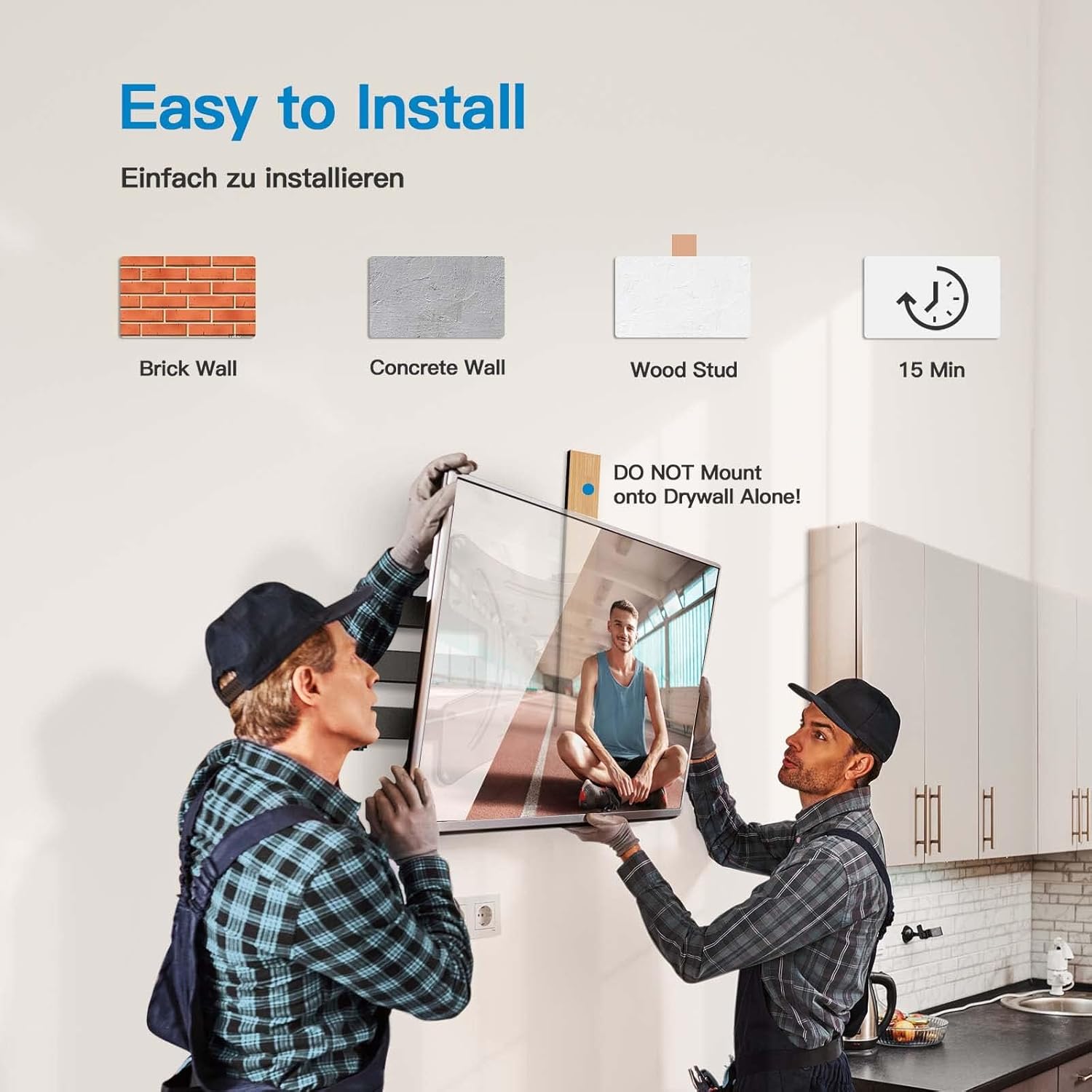
This image demonstrates the ease of installation, showing two individuals mounting a TV. It highlights compatibility with brick, concrete, and wood stud walls, and indicates a typical installation time of 15 minutes. A warning against mounting on drywall alone is also present.
4. Gantungkan TV pada Plat Dinding
With assistance, carefully lift the TV with the attached brackets and hook it onto the wall plate. Ensure the TV is securely seated on the mount. Tighten any safety screws or locking mechanisms to prevent accidental dislodgement.
Arahan Operasi
Your PERLESMITH Full Motion TV Wall Mount offers flexible viewpilihan ing setelah dipasang.
Melaraskan Sudut Pusing
The mount allows for a swivel of up to 90 degrees left or right. Gently push or pull the TV to achieve your desired viewing angle. This flexibility helps eliminate glare and provides optimal viewdari pelbagai posisi di dalam bilik.

This image demonstrates the 'Viewing Flexibility' of the mount, showing how the TV can swivel up to ±90 degrees to adjust the viewsudut ing.
Melaraskan Sudut Kecondongan
The mount can be tilted 5 degrees upwards and 15 degrees downwards. This feature helps reduce neck and eye strain by allowing you to find the most comfortable viewing position and minimize reflections.

This image highlights 'Comfortable Viewing' by illustrating the tilt function of the mount, allowing for +5 degrees upward tilt and -15 degrees downward tilt to optimize the viewsudut ing.
Extending and Retracting
The mount can extend up to 362mm (14.25 inches) from the wall and retract to a minimum distance of 69mm (2.7 inches). This allows for space-saving when retracted and provides greater flexibility for viewing or accessing cables when extended.

This image demonstrates the 'Extend and Retract' feature, showing the mount extending up to 362mm from the wall and retracting to a compact position, with a minimum distance of 40mm (note: product description states 69mm, image shows 40mm, using description value in text).
Penyelenggaraan
Penyelenggaraan berkala memastikan ketahanan dan operasi pemasangan TV di dinding anda yang selamat.
- Periodically check all screws and bolts to ensure they are tight and secure.
- Inspect the mount for any signs of wear, damage, or corrosion.
- Bersihkan pelekap dengan kain lembut dan kering. Elakkan pembersih atau pelarut yang melelas.
- Do not hang additional items on the mount or TV.
Menyelesaikan masalah
If you encounter issues with your TV wall mount, refer to the following common problems and solutions.
- TV tidak tahap: Check the wall plate installation for levelness. Some mounts allow for minor post-installation leveling adjustments.
- Gunung berasa longgar: Re-tighten all mounting screws on both the wall plate and the TV brackets. Ensure the wall anchors are properly installed for your wall type.
- Kesukaran menyesuaikan pergerakan: Check for any overtightened bolts on the articulating arms. Some joints may have adjustable tension screws.
- Bahagian yang hilang: Contact PERLESMITH customer support for replacement parts. Do not attempt to use non-approved parts.
Spesifikasi
| Nombor Model | PSSFK1-E |
| Jenama | PERLESMITH |
| Saiz TV yang Serasi | 13 - 42 inches (33cm - 106cm) |
| Kapasiti Berat Maksimum | 20 kg (44 lbs) |
| Keserasian VESA | 75x75mm, 100x100mm, 200x100mm, 200x200mm |
| Sudut Kecondongan | +5° / -15° |
| Sudut Pusing | ±90° |
| Sambungan daripada Wall | 69mm (retracted) to 362mm (extended) |
| bahan | Keluli Aloi |
| Jenis Pemasangan | Lekap di dinding |
| Peranti Serasi | Monitor, Television |
Waranti dan Sokongan
PERLESMITH stands behind the quality of its products. For warranty information, technical support, or assistance with installation, please contact PERLESMITH customer service through the retailer where you purchased the product or visit the official PERLESMITH webtapak.
Sila simpan bukti pembelian anda untuk tuntutan waranti.