
1. Pengenalan
This manual provides essential information for the safe and efficient operation of your Vestel ST49U01 49-inch Full HD LED Digital Signage Flat Panel. Please read this manual thoroughly before using the product and retain it for future reference. This display is designed for professional digital signage applications, offering a vibrant Full HD resolution and versatile connectivity options.
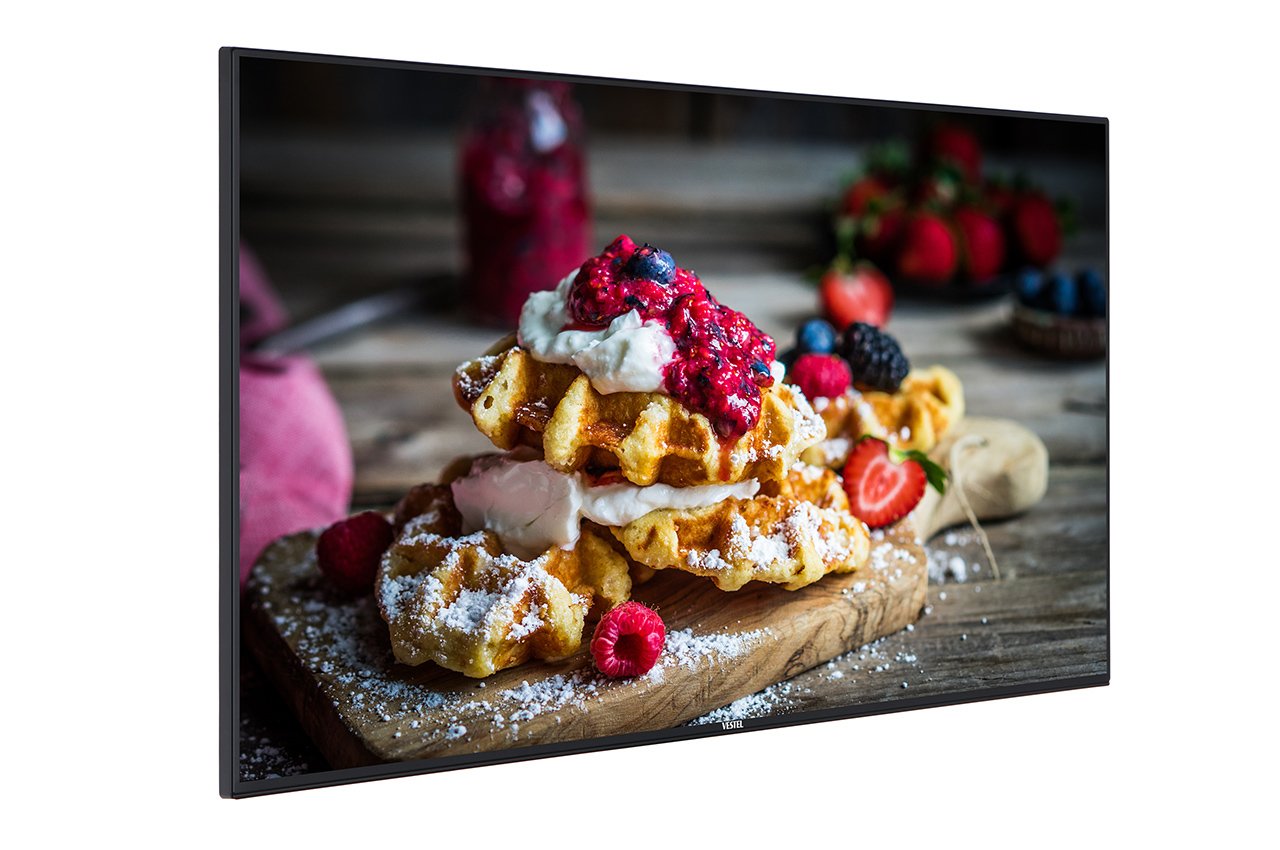
Figure 1: Vestel ST49U01 Digital Signage Flat Panel. This image shows the front view of the 49-inch display, highlighting its slim bezel and large screen area suitable for various digital signage content.
2. Arahan Keselamatan
Untuk memastikan operasi yang selamat dan mencegah kerosakan, patuhi langkah berjaga-jaga keselamatan berikut:
- Sumber Kuasa: Sambungkan paparan hanya kepada salur keluar kuasa yang dibumikan dengan vol yang betultage seperti yang ditunjukkan pada label produk.
- Pengudaraan: Do not block ventilation openings. Ensure adequate space around the display for proper airflow to prevent overheating.
- Pendedahan Cecair: Keep the display away from liquids. Do not expose it to rain or moisture.
- Pembersihan: Unplug the display before cleaning. Use a soft, dry cloth. Avoid liquid cleaners or aerosol sprays.
- Pemasangan: Use appropriate mounting hardware and follow installation instructions carefully. Ensure the mounting surface can support the display's weight.
- Servis: Jangan cuba servis produk ini sendiri. Rujuk semua perkhidmatan kepada pegawai perkhidmatan yang berkelayakan.
- Suhu: Operate the display within the specified temperature range. Avoid extreme heat or cold.
3. Kandungan Pakej
Sahkan bahawa semua item terdapat dalam pakej:
- Vestel ST49U01 Digital Signage Flat Panel
- Kabel Kuasa
- Kawalan Jauh dengan Bateri
- Panduan Mula Pantas
- Kad Waranti
- Kabel HDMI (mungkin berbeza mengikut wilayah)
Nota: If any items are missing or damaged, contact your retailer or Vestel customer support immediately.
4. Persediaan
4.1 Membongkar
- Keluarkan paparan dari bungkusannya dengan berhati-hati.
- Letakkan paparan menghadap ke bawah pada permukaan yang lembut dan bersih untuk mengelakkan skrin tercalar.
4.2 Memasang Paparan
The Vestel ST49U01 supports VESA mounting standards for wall mounts or stands. Refer to the specific instructions provided with your mounting kit.
- Ensure the mounting bracket is compatible with the display's VESA pattern (e.g., 400x400mm).
- Use screws of appropriate length and diameter to secure the bracket to the display.
- Mount the display securely to a sturdy wall or stand, ensuring it is level and stable.
4.3 Menyambung Peranti
Connect your input sources and network cables to the appropriate ports on the display's rear panel.
- HDMI: Connect an HDMI cable from your media player or computer to one of the display's HDMI ports. The display has 2 HDMI ports.
- Ethernet: For wired network connectivity, connect an Ethernet cable to the LAN port.
- USB: For local content playback or firmware updates, insert a USB storage device into the USB port.
- Kuasa: Connect the power cable to the display's power input and then to a grounded electrical outlet.
4.4 Hidupkan Kuasa Awal
- Pastikan semua sambungan selamat.
- Tekan butang kuasa pada paparan atau alat kawalan jauh.
- Follow the on-screen prompts for initial setup, including language selection, time zone, and network configuration.
5. Mengendalikan Paparan
5.1 Kawalan Asas
The display can be controlled using the physical buttons on the unit or the included remote control.
- Butang Kuasa: Menghidupkan atau mematikan paparan.
- Butang Input/Sumber: Cycles through available input sources (HDMI1, HDMI2, USB, etc.).
- Butang Menu: Mengakses menu paparan pada skrin (OSD).
- Butang Navigasi: Used to navigate through OSD menu options.
- Butang Kelantangan: Adjusts the audio volume (if speakers are connected or built-in).
5.2 Menu Paparan Pada Skrin (OSD).
The OSD menu allows you to configure various display settings:
- Tekan ke Menu button on the remote control or display.
- Use the navigation buttons to select categories such as Gambar, Bunyi, Rangkaian, Sistem, dan Signage Settings.
- Tekan OK or the right navigation button to enter a sub-menu.
- Adjust settings using the navigation buttons and confirm with OK.
- Tekan Keluar or Menu sekali lagi untuk menutup OSD.
5.3 Ciri-ciri Papan Tanda Digital
The ST49U01 is designed for digital signage. Key features include:
- Penjadualan Kandungan: Set schedules for content playback via the internal media player or connected external sources.
- Pengurusan Rangkaian: Configure network settings (wired Ethernet or Wi-Fi) to manage content remotely.
- Main balik USB: Mainkan media files terus dari peranti storan USB.
- Input Source Management: Automatically switch between input sources based on schedule or signal detection.
6. Penyelenggaraan
6.1 Membersihkan Paparan
- Turn off the display and unplug the power cable.
- Lap skrin perlahan-lahan dengan kain lembut yang tidak berbulu. Untuk tanda degil, sedikit dampen the cloth with water or a specialized screen cleaner (non-ammonia based).
- Wipe the frame and back panel with a dry, soft cloth.
- Do not spray cleaners directly onto the screen or into ventilation openings.
6.2 Penjagaan Am
- Elakkan meletakkan objek berat pada paparan.
- Do not expose the display to direct sunlight for extended periods.
- Pastikan pengudaraan yang betul untuk mengelakkan pembentukan haba.
7. Penyelesaian masalah
Sebelum menghubungi sokongan pelanggan, cuba penyelesaian berikut untuk isu biasa:
| Masalah | Kemungkinan Punca | Penyelesaian |
|---|---|---|
| Tiada kuasa | Power cable not connected; Power outlet faulty; Display off | Check power cable connection; Try a different outlet; Press the power button |
| Tiada isyarat | Incorrect input source selected; Input cable loose or faulty; Source device off | Select correct input source; Check/replace input cable; Ensure source device is on |
| Gambar diherotkan atau tidak jelas | Resolution mismatch; Cable quality; Source device issue | Adjust source device resolution to 1920x1080; Use a high-quality HDMI cable; Test with another source device |
| Isu sambungan rangkaian | Ethernet cable loose; Wi-Fi password incorrect; Router/modem issue | Check Ethernet cable; Re-enter Wi-Fi password; Restart router/modem |
If the problem persists after trying these solutions, contact Vestel customer support.
8. Spesifikasi
| Ciri | Perincian |
|---|---|
| Jenama | Vestel |
| Nombor Model | ST49U01 |
| Saiz Skrin | 49 Inci (124.5 cm) |
| Teknologi Paparan | LED |
| Resolusi | 1920 x 1080 (HD Penuh) |
| Resolusi Paparan Maks | 1920 x 1080 Piksel |
| Nisbah Aspek | 16:9 |
| Masa Tindak Balas | 6 milisaat |
| Viewsudut | 170 Darjah |
| Teknologi Ketersambungan | Ethernet |
| Kesambungan Perkakasan | USB, HDMI (2 ports) |
| Berat Barang | 35.05 Paun (lebih kurang 15.9 kg) |
| ASIN | B07489H8R5 |
| Kod Artikel Antarabangsa | 03700410340761 |
9. Waranti dan Sokongan
For warranty information, please refer to the warranty card included in your product package or visit the official Vestel webtapak. Simpan bukti pembelian anda untuk tuntutan waranti.
For technical support, service, or replacement parts, please contact Vestel customer service through their official channels. Contact details can typically be found on the Vestel webtapak atau dalam dokumentasi produk anda.