
1. Pengenalan
This manual provides detailed instructions for the installation, operation, and maintenance of your Amcrest AGPS18E16P-AT-190M 18-Port PoE+ Gigabit Ethernet Switch. This managed switch is designed for efficient network management, offering Power over Ethernet (PoE+) capabilities for various network devices such as IP cameras, wireless access points, and VoIP phones. Please read this manual thoroughly before using the device to ensure proper setup and functionality.
Video: An official Amcrest video providing an overview of the product's reliability and security features, demonstrating its application in various settings.
2. Ciri-ciri Produk
The Amcrest AGPS18E16P-AT-190M switch offers a robust set of features for demanding network environments:
- 18-Port POE+ 802.3at Desktop Power Ethernet Switch with 16-Port POE+ and Gigabit Uplink (10/100/1000mbps).
- Supports maximum 30W power (POE+ 802.3at) and 10/100mbps to each POE port.
- 190W total power available to all POE ports.
- 10/100/1000mbps Gigabit Ethernet Uplink and SFP Optical Fiber Uplink.
- Enterprise-level managed switch capability.
- Rack-mountable design for flexible installation.
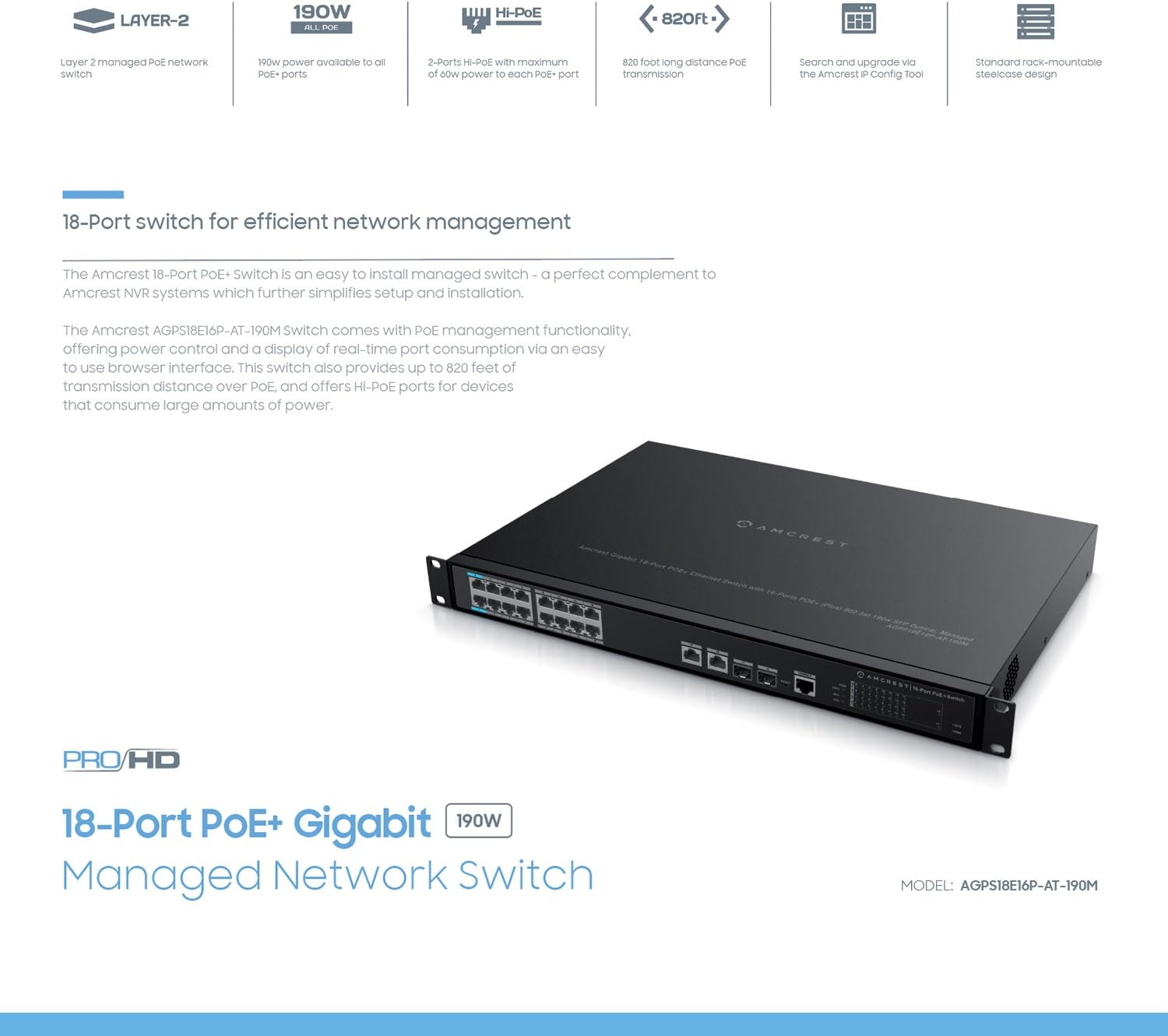
Imej: Diagram highlighting key features of the Amcrest 18-Port PoE+ Switch, including 190W power, Hi-PoE, 820ft long distance PoE transmission, and rack-mountable design.
3. Kandungan Pakej
Sila sahkan bahawa semua item terdapat dalam pakej anda:
- Amcrest AGPS18E16P-AT-190M 18-Port PoE+ Gigabit Ethernet Switch
- Kord Kuasa
- Rackmount Ears (with screws)
- Panduan Pengguna (dokumen ini)
4. Penerangan Fizikal
Familiarize yourself with the ports and indicators on the switch.
Panel Depan
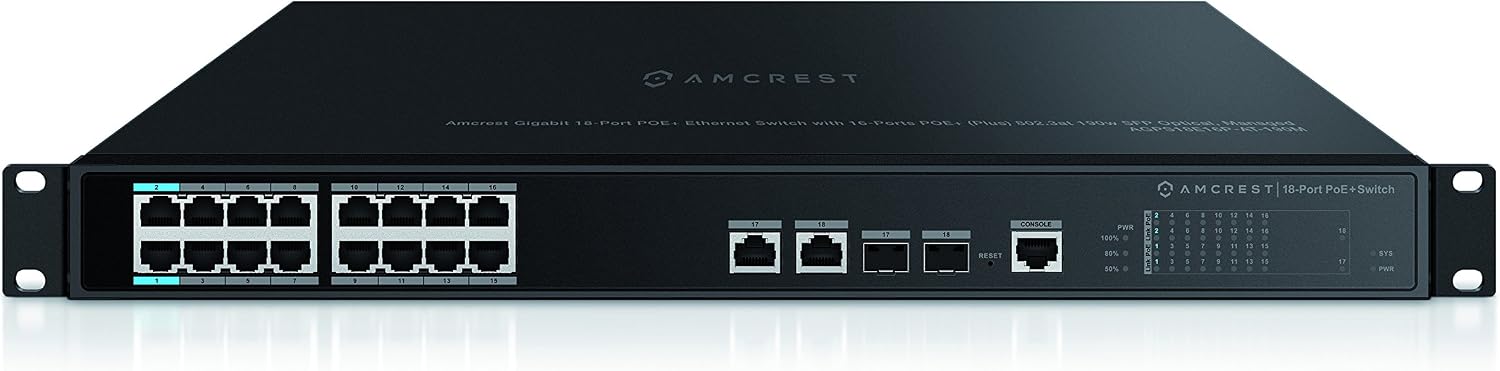
Imej: Depan view of the Amcrest 18-Port PoE+ Switch. This image shows the 16 PoE+ ports, 2 Gigabit uplink ports, 2 SFP ports, console port, reset button, and LED indicators.
- PoE+ Ports (1-16): 10/100Mbps ports supporting 802.3at/af PoE+.
- Gigabit Uplink Ports (17-18): 10/100/1000Mbps Ethernet ports for connecting to a core network or other switches.
- Port SFP (17-18): Shared with Gigabit Uplink ports, these slots are for SFP fiber optic modules for long-distance connections.
- Pelabuhan Konsol: For command-line interface (CLI) management.
- Butang Tetapkan Semula: Digunakan untuk memulihkan tetapan lalai kilang.
- Penunjuk LED: Provide status for Power (PWR), System (SYS), Link/Act, and PoE status for each port.
Imej: Close-up image of the ports on the Amcrest 18-Port PoE+ Switch, providing a clearer view of the Ethernet and SFP connections.
Dimensi

Imej: Terperinci view of the Amcrest 18-Port PoE+ Switch showing its dimensions (17.3 inches wide, 1.7 inches high) and a clear layout of all ports and indicators.
5. Persediaan
Follow these steps to set up your Amcrest PoE+ switch:
- Pemasangan: The switch is rack-mountable. Attach the included rackmount ears to the sides of the switch using the provided screws. Secure the switch into a standard 19-inch equipment rack. Ensure adequate ventilation around the switch.
- Sambungan Kuasa: Connect the power cord to the AC power inlet on the rear panel of the switch and then to a grounded electrical outlet.
- Jaringan rangkaian:
- Peranti PoE: Connect your PoE-compatible devices (e.g., IP cameras, access points) to ports 1-16 using standard Ethernet cables. The switch will automatically detect and provide power to these devices.
- Pelabuhan Uplink: Connect the Gigabit uplink ports (17 or 18) to your router, NVR, or main network switch using an Ethernet cable.
- Modul SFP: If using fiber optic connections, insert compatible SFP modules into the SFP slots (shared with ports 17-18) and connect fiber optic cables.
- Konfigurasi Awal: For managed features, connect a computer to any non-PoE port or a Gigabit uplink port. The switch typically has a default IP address (refer to the included quick start guide or Amcrest support for the specific default IP and login credentials). Access the webantara muka pengurusan berasaskan web browser to configure advanced settings.

Imej: Illustrative image showing various network devices, such as IP cameras and access points, connected to the Amcrest PoE+ Switch, demonstrating its application in a network setup.
6. Arahan Operasi
Menghidupkan/Mematikan
Once the power cord is connected, the switch will power on automatically. The PWR LED indicator will illuminate. To power off, disconnect the power cord from the electrical outlet.
Penunjuk LED
- PWR: Solid green when the switch is powered on.
- SYS: Indicates system status (e.g., solid for normal operation, blinking for activity).
- Pautan/Akta (setiap port): Solid green when a device is connected and a link is established. Blinking green indicates data activity.
- PoE (setiap port): Solid green when PoE power is being supplied to a connected device.
Managed Features
As a managed switch, the AGPS18E16P-AT-190M offers advanced configuration options via its web-based interface. These include:
- VLAN configuration for network segmentation.
- Quality of Service (QoS) settings to prioritize network traffic.
- Port Aggregation (LACP) for increased bandwidth and redundancy.
- PoE management, including power scheduling and monitoring.
- System logs and diagnostics.
Refer to the switch's online documentation or Amcrest support for detailed instructions on configuring these advanced features.
7. Penyelenggaraan
Proper maintenance ensures the longevity and optimal performance of your switch:
- Pembersihan: Bersihkan bahagian luar suis secara berkala dengan kain lembut dan kering. Jangan gunakan pembersih cecair atau aerosol. Pastikan bukaan pengudaraan bebas daripada habuk dan halangan.
- Kemas kini Firmware: Periodically check the Amcrest official website for available firmware updates. Applying updates can improve performance, add features, and address security vulnerabilities. Follow the instructions provided with the firmware update carefully.
- Keadaan Persekitaran: Operate the switch within its specified temperature and humidity ranges. Avoid exposing the switch to direct sunlight, excessive heat, or moisture.
8. Penyelesaian masalah
If you encounter issues with your switch, refer to the following common problems and solutions:
- Tiada Kuasa:
- Pastikan kord kuasa disambungkan dengan selamat pada suis dan soket elektrik yang berfungsi.
- Sahkan alur keluar kuasa berfungsi dengan memasang peranti lain.
- Tiada Pautan/Kesambungan:
- Check that Ethernet cables are securely connected to both the switch port and the connected device.
- Pastikan peranti yang disambungkan dihidupkan dan berfungsi dengan betul.
- Try a different Ethernet cable or port.
- For SFP connections, ensure the SFP module is correctly inserted and compatible.
- PoE Not Delivering Power:
- Verify the connected device is PoE-compatible (802.3at/af).
- Check the PoE LED for the specific port; if it's off, power is not being supplied.
- Ensure the total power consumption of all PoE devices does not exceed the switch's 190W budget.
- Akses ke web management interface to check PoE settings and status for the port.
- Kelajuan Rangkaian Perlahan:
- Periksa kabel atau sambungan yang rosak.
- Ensure connected devices are operating at their expected speeds (e.g., 100Mbps devices on 10/100 ports).
- Review QoS settings in the management interface if traffic prioritization is configured.
- Menetapkan semula Suis: If issues persist, you may need to reset the switch to factory default settings. With the switch powered on, use a paperclip or similar pointed object to press and hold the Reset button for approximately 5-10 seconds until the LEDs flash. The switch will then reboot with default settings.
9. Spesifikasi
Detailed technical specifications for the Amcrest AGPS18E16P-AT-190M switch:
| Ciri | Spesifikasi |
|---|---|
| Jenama | Amcrest |
| Nombor Model | AGPS18E16P-AT-190M |
| Bilangan Pelabuhan | 18 (16 PoE+, 2 Gigabit Uplink/SFP) |
| Standard PoE | IEEE 802.3at/af |
| Kuasa PoE Maks setiap Port | 30W |
| Jumlah Belanjawan Kuasa PoE | 190W |
| Kelajuan Port Ethernet | 10/100Mbps (PoE+ ports), 10/100/1000Mbps (Uplink ports) |
| Antara Muka Pautan | Gigabit Ethernet, SFP |
| Jenis Suis | Terurus |
| Bahan Kes | logam |
| Rak boleh dilekap | ya |
| Bekalan Kuasa | AC 100-240V |
| Dimensi (W x H x D) | 17.3 x 1.7 x [Depth not specified, typical for 1U rackmount] inches |
| Kelembapan Operasi | 10% - 90% RH (tanpa pemeluwapan) |
| Waranti | 1 Tahun |
10. Waranti dan Sokongan
The Amcrest AGPS18E16P-AT-190M switch comes with a Waranti 1 Tahun dari tarikh pembelian. Waranti ini melindungi kecacatan pada bahan dan mutu kerja di bawah penggunaan biasa.
For technical support, warranty claims, or additional product information, please contact Amcrest customer service through their official website or the contact information provided with your purchase. Ensure you have your product model number (AGPS18E16P-AT-190M) and proof of purchase available when contacting support.
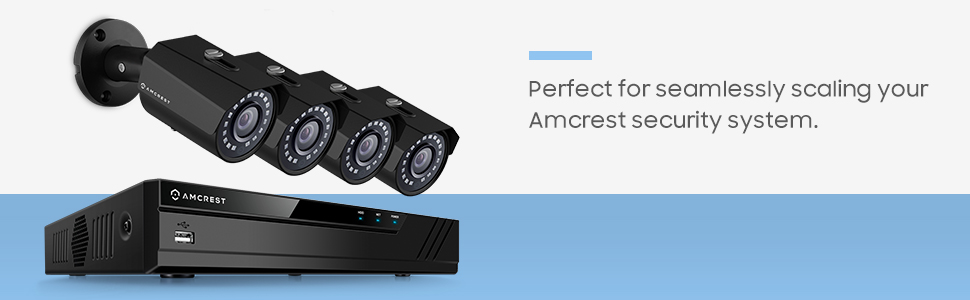
Imej: An image depicting the Amcrest PoE+ Switch as part of a larger security system, connecting multiple surveillance cameras.