
1. Pengenalan
This manual provides essential information for the safe and efficient operation of your AUNA Pro Streetstar 12 Portable PA System. Please read these instructions thoroughly before use and retain them for future reference.
2. Maklumat Keselamatan Penting
- Pastikan bekalan kuasa sepadan dengan voltage keperluan peranti.
- Jangan dedahkan unit kepada hujan atau lembapan untuk mengelakkan kebakaran atau kejutan elektrik.
- Elakkan meletakkan unit berhampiran sumber haba atau di bawah cahaya matahari langsung.
- Jangan menyekat bukaan pengudaraan.
- Hanya gunakan lampiran/aksesori yang ditentukan oleh pengilang.
- Putuskan sambungan kord kuasa semasa ribut petir atau apabila tidak digunakan untuk tempoh yang lama.
- Rujuk semua servis kepada kakitangan perkhidmatan yang berkelayakan.
3. Kandungan Pakej
Sahkan bahawa semua item yang disenaraikan di bawah disertakan dalam pakej anda:
- 1 x PA System Unit
- 1 x Kabel Kuasa
- 2 x Mikrofon Wayarles UHF
- 1 x Alat Kawalan Jauh
- User Manual (English/German)
4. Produk Lebihview dan Ciri
The AUNA Pro Streetstar 12 is a versatile portable PA system designed for various events, offering robust sound and convenient features.
Ciri-ciri Utama:
- Ketersambungan: Bluetooth for wireless streaming, USB port, SD card slot, 3.5mm AUX jack, 6.3mm jack input, RCA Line input.
- mudah alih: Equipped with an extendable 100 cm trolley handle and robust ABS housing for easy transport.
- Mikrofon tanpa wayar: Two UHF wireless microphones with stable radio frequency and high range (up to 100m) for clear vocal transmission.
- Hayat Bateri: Powerful 7.2 Ah battery provides approximately 7 hours of continuous operation, with a charge status display. Can also be powered via mains.
- Kualiti Bunyi: Bass reflex construction for enhanced bass, 12-inch subwoofer, and 2.5-inch tweeter for full sound spectrum.
- Kawalan: Large 4-line LED display for ID3 tags (MP3 info), full-function remote control, 2-band equalizer, mute function.
- Tambahan: Exchangeable wire antenna, Line-Out for connecting another active speaker.
produk Views:
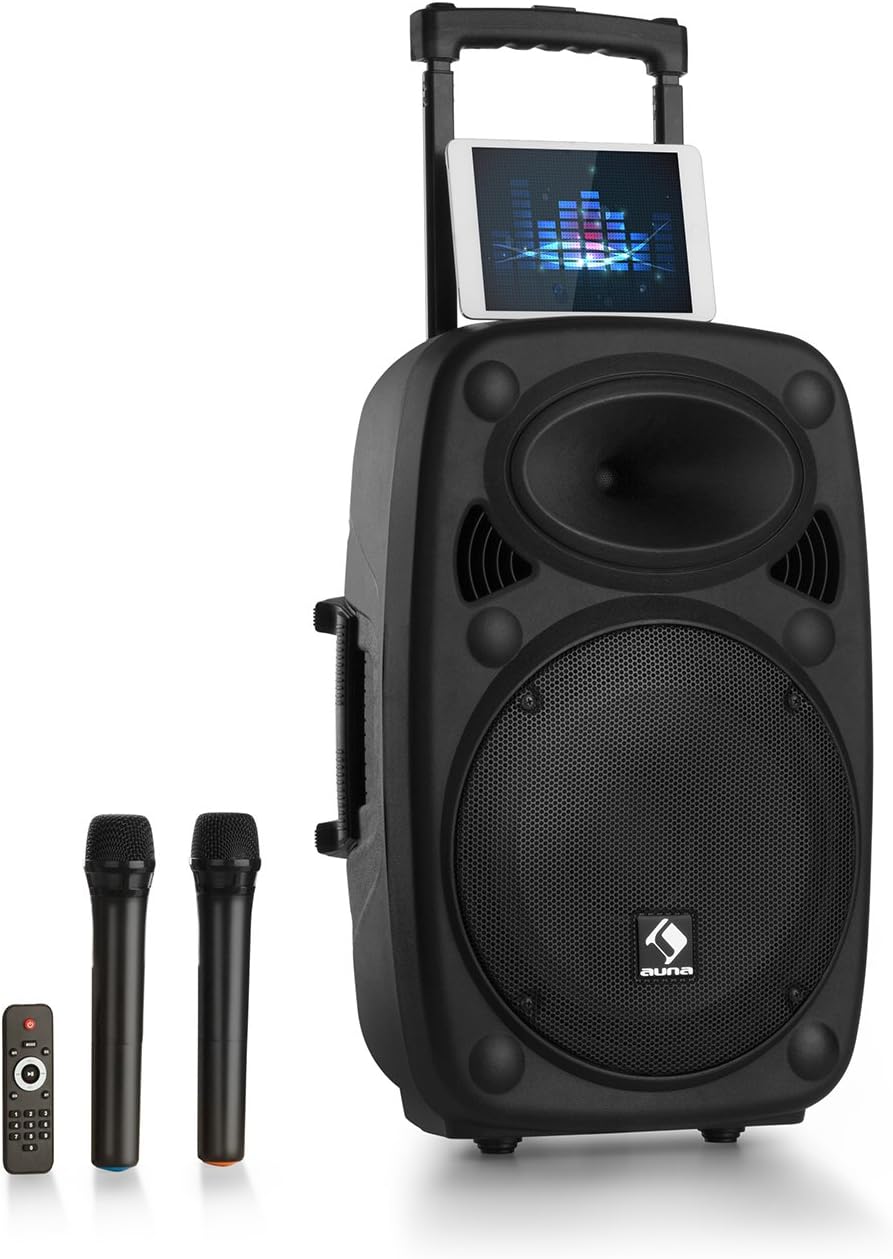
Figure 1: AUNA Pro Streetstar 12 Portable PA System with included wireless microphones and remote control.

Rajah 2: Terperinci view of the control panel, showing various inputs and adjustment knobs.
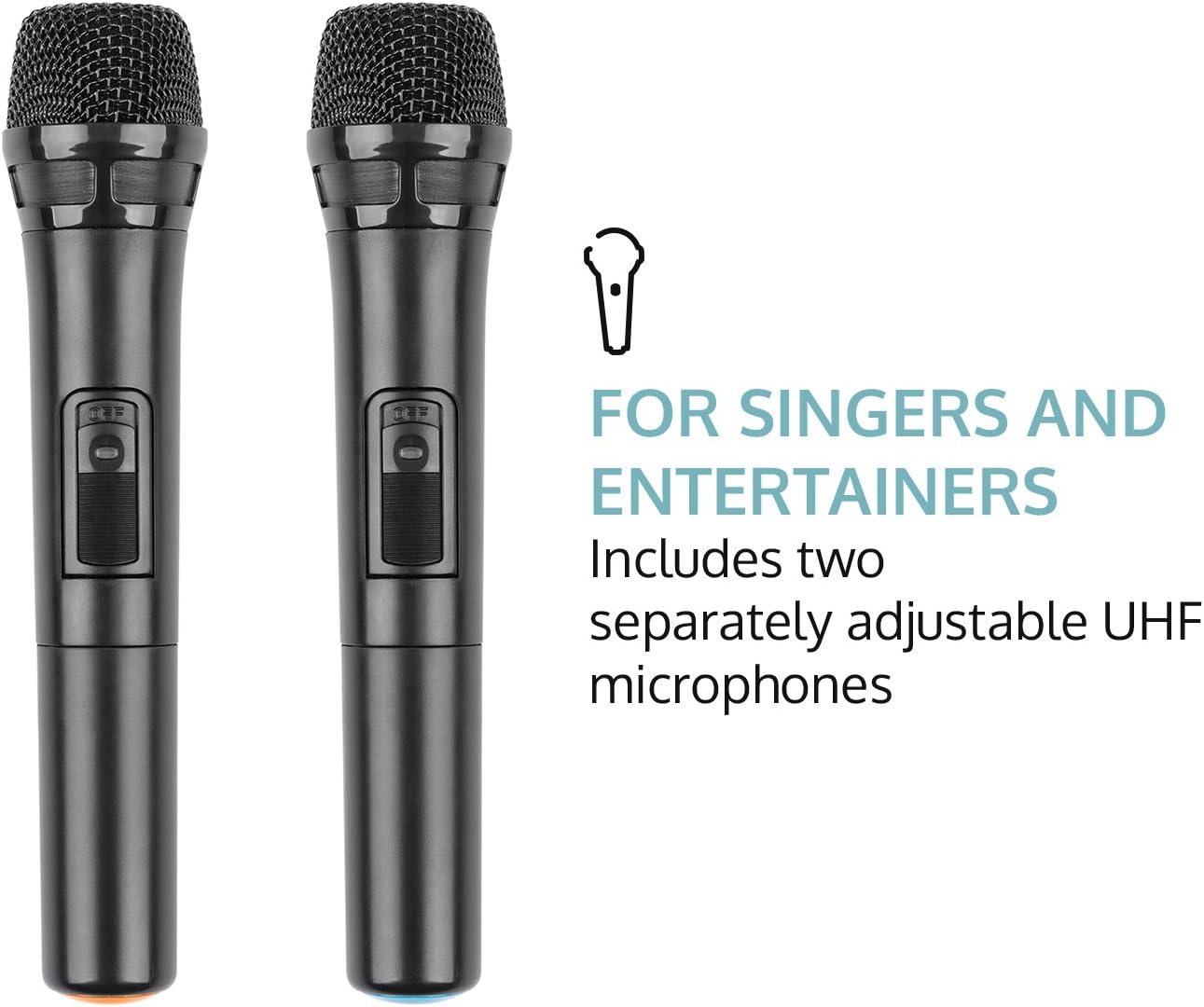
Figure 3: The two UHF wireless microphones included with the system.
5. Persediaan
- Membongkar: Keluarkan semua komponen dari pembungkusan dengan berhati-hati. Simpan pembungkusan untuk pengangkutan atau penyimpanan masa hadapan.
- Sambungan Kuasa: Connect the PA system to a suitable power outlet using the provided power cable. Ensure the voltage sepadan dengan keperluan peranti.
- Caj Permulaan: For optimal battery life, fully charge the unit before its first use. The battery status indicator will show charging progress.
- Persediaan Mikrofon: Insert batteries into the wireless microphones (2 x AAA batteries per microphone, not included). Power on the microphones.
- Antena: Extend the telescopic antenna for improved wireless microphone reception.
6. Arahan Operasi
6.1. Hidupkan/Mati Kuasa
Locate the power switch on the control panel. Flip the switch to the "ON" position to power on the unit. Flip to "OFF" to power down.
6.2. Sambungan Bluetooth
- Power on the AUNA Pro Streetstar 12. The unit will automatically enter Bluetooth pairing mode, indicated on the LED display.
- Pada telefon pintar, tablet atau peranti lain yang didayakan Bluetooth anda, navigasi ke tetapan Bluetooth.
- Cari untuk available devices and select "AUNA Streetstar 12" (or similar name).
- Once connected, a confirmation sound will be heard from the PA system.
- Anda kini boleh menstrim audio secara wayarles daripada peranti anda.
6.3. Main semula USB/Kad SD
- Insert a USB drive or SD card containing MP3 audio files ke dalam slot masing-masing pada panel kawalan.
- The system will automatically detect the media and begin playback.
- Use the "PREV", "NEXT", "PLAY/PAUSE" buttons on the control panel or remote control to manage playback.
- The LED display will show ID3 tag information for compatible MP3 files.
6.4. AUX/Line Input
- Connect external audio sources (e.g., CD player, Hi-Fi system) to the 3.5mm AUX jack or RCA Line input using appropriate cables.
- Select the corresponding input mode on the PA system (usually by pressing a "MODE" button if available, or it may auto-detect).
6.5. UHF Wireless Microphones
- Ensure batteries are correctly inserted into both wireless microphones.
- Power on each microphone using its dedicated switch. They should automatically connect to the PA system.
- Adjust the microphone volume using the "MIC VOL" knob on the control panel.
- Use the "ECHO" knob to add echo effects to the microphone output.
- The system also features a 6.3mm jack input for an additional wired microphone or instrument.
6.6. Pelarasan Bunyi
- Jumlah Induk: Use the large "MASTER" knob to control the overall output volume.
- Penyama: Adjust the "BASS" and "TREBLE" knobs to fine-tune the audio output to your preference.
- Redam: The remote control includes a mute function to instantly silence the audio.
6.7. Kesan Cahaya
The PA system features integrated LED lighting. Use the "LED" switch on the control panel to turn the lights on or off.
7. Mengecas Bateri
- Connect the power cable to the PA system and a mains outlet.
- The battery status indicator on the control panel will show the charging status.
- A full charge provides approximately 7 hours of operation.
- It is recommended to fully charge the battery before each extended use.
8. Penyelenggaraan
- Pembersihan: Gunakan kain lembut dan kering untuk membersihkan bahagian luar unit. Jangan gunakan pembersih atau pelarut yang melelas.
- Storan: When not in use, store the PA system in a cool, dry place, away from direct sunlight and extreme temperatures.
- Penjagaan Bateri: Jika menyimpan untuk tempoh yang lama, cas bateri setiap 3-6 bulan untuk mengekalkan kesihatannya.
9. Penyelesaian masalah
| Masalah | Kemungkinan Punca | Penyelesaian |
|---|---|---|
| Tiada kuasa | Power cable not connected; Battery depleted; Power switch off. | Check power cable connection; Charge the battery; Ensure power switch is ON. |
| Tiada keluaran bunyi | Volume too low; Incorrect input mode selected; Device not connected via Bluetooth/AUX. | Increase master volume; Select correct input mode; Re-establish Bluetooth/AUX connection. |
| Mikrofon tidak berfungsi | Microphone batteries depleted; Microphone not powered on; Microphone volume too low. | Replace microphone batteries; Power on microphone; Increase MIC VOL. |
| Kegagalan berpasangan Bluetooth | Device too far; Interference; PA system not in pairing mode. | Move device closer; Reduce interference; Restart PA system to enter pairing mode. |
10. Spesifikasi Teknikal
- Jenama: AUNA
- Nombor Model: PAS4-Streetstar 12
- Kuasa: 200 Watts (RMS) / 800W (Peak)
- Jenis pembesar suara: Tweeter, 12-inch Subwoofer
- SPL: 112 dB
- Teknologi Ketersambungan: AUX, Bluetooth, RCA, USB
- Sambungan: 1 x USB port, 1 x SD card slot, 1 x 3.5mm AUX jack, 1 x 6.3mm jack, 1 x RCA Line input
- Jenis Mikrofon: UHF Wireless (2 included)
- Bateri: 7.2 Ah / 12 V
- Tempoh Bateri: lebih kurang 7 jam
- Bekalan Kuasa: 220-240 V~ | 50/60 Hz (mains) or 7.2 Ah / 12 V battery
- Dimensi (LxHxD): Lebih kurang 37.5 x 59.5 x 37 cm
- Berat: lebih kurang 13.5 kg
- warna: Hitam
- Ciri Khas: Easy to use, extendable trolley handle, robust ABS housing, bass reflex construction.
11. Waranti dan Sokongan
For warranty information, technical support, or service inquiries, please refer to the documentation provided at the time of purchase or contact AUNA customer service directly. Keep your proof of purchase for any warranty claims.