
1. Pengenalan
Terima kasih kerana membeliasing the Auna Dr. Bang Portable Bluetooth Speaker. This manual provides essential information for the safe and efficient operation of your device. Please read it thoroughly before use and retain it for future reference.
The Auna Dr. Bang is a versatile portable speaker featuring Bluetooth connectivity, USB and AUX inputs, and integrated LED lighting, designed for various audio playback scenarios.
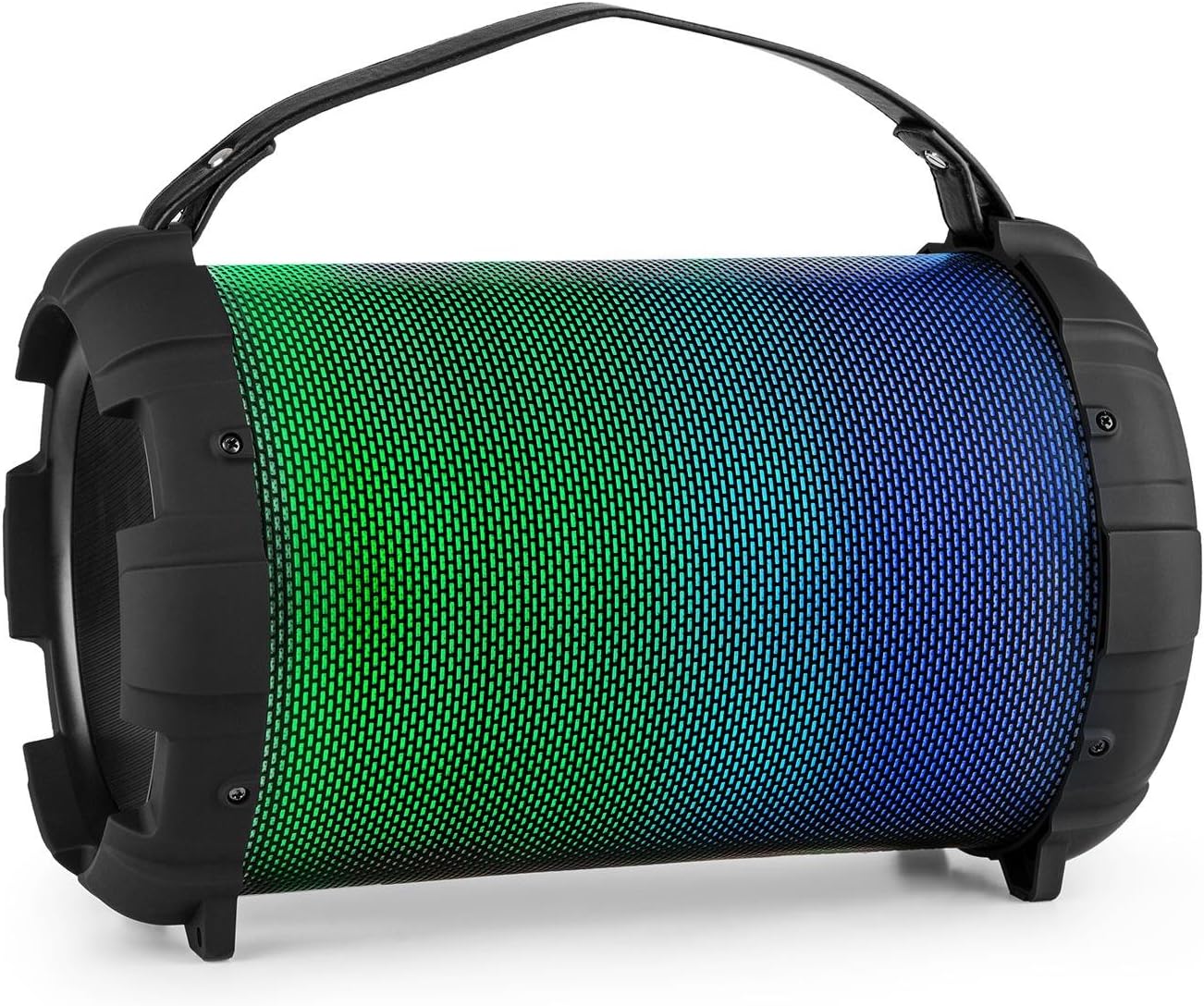
Image: The Auna Dr. Bang portable speaker, showcasing its cylindrical design and vibrant green and blue LED illumination on the front grille.
2. Arahan Keselamatan
- Baca semua arahan sebelum mengendalikan peranti.
- Jauhkan peranti daripada air, kelembapan dan suhu yang melampau.
- Jangan cuba membuka atau membaiki peranti sendiri. Rujuk semua servis kepada kakitangan yang berkelayakan.
- Use only the specified charging cable and power adapter (not included).
- Elakkan pendedahan berpanjangan kepada paras volum tinggi untuk mengelakkan kerosakan pendengaran.
- Pastikan pengudaraan yang betul di sekeliling pembesar suara semasa operasi.
- Buang peranti dan baterinya secara bertanggungjawab mengikut peraturan tempatan.
3. Produk Lebihview
Familiarize yourself with the various parts and controls of your Auna Dr. Bang speaker.

Imej: Terperinci view of the speaker's control panel, showing buttons for mode, track control, play/pause, microphone inputs, volume, echo, AUX in, USB port, and DC 5V charging port.
Susun atur Panel Kawalan:
- M/F Button: Mode/Function selection (Bluetooth, USB, AUX).
- Butang Lagu Sebelumnya: Tekan sebentar untuk trek sebelumnya, tekan lama untuk menurunkan kelantangan.
- Butang Main/Jeda: Mainkan atau jeda audio.
- Butang Laluan Seterusnya: Tekan sebentar untuk trek seterusnya, tekan lama untuk meningkatkan kelantangan.
- Paparan led: Menunjukkan mod dan status semasa.
- Port USB: Untuk main balik pemacu kilat USB.
- AUX DI: Input audio 3.5mm.
- DC 5V: Port pengecasan.
- Suis ON / OFF: Power on/off the speaker.
- Input MIC 1: 6.3mm microphone input 1.
- Input MIC 2: 6.3mm microphone input 2.
- MIC ECHO Knob: Adjust microphone echo effect.
- Tombol MIC VOL: Laraskan kelantangan mikrofon.
4. Persediaan
4.1. Mengisi Speaker
Before first use, fully charge the speaker. Connect the provided USB charging cable to the DC 5V port on the speaker and the other end to a compatible USB power adapter (not included) or a computer's USB port.
- The LED indicator will illuminate during charging.
- Masa pengecasan mungkin berbeza-beza.
- Putuskan sambungan pengecas setelah dicas sepenuhnya untuk menjimatkan hayat bateri.

Image: Close-up of the USB charging cable and a 3.5mm AUX cable, illustrating the connectivity options for the speaker.
4.2. Menghidupkan/Mematikan
Untuk menghidupkan pembesar suara, luncurkan Suis HIDUP/MATI to the "ON" position. The LED display will light up, indicating the current mode. To power off, slide the switch to the "OFF" position.
5. Arahan Operasi
5.1. Berpasangan Bluetooth
- Power on the speaker. It will automatically enter Bluetooth pairing mode, indicated by "BLUE" flashing on the LED display.
- Dayakan Bluetooth pada peranti mudah alih anda (telefon pintar, tablet, dll.).
- Cari untuk available Bluetooth devices and select "Auna Dr. Bang" from the list.
- Once paired, the speaker will emit a confirmation tone, and "BLUE" will stop flashing.
- Anda kini boleh memainkan audio daripada peranti anda melalui pembesar suara.
Note: The speaker will attempt to reconnect to the last paired device automatically when powered on.
5.2. Main semula USB
- Insert a USB flash drive (formatted to FAT32) containing MP3 audio files ke dalam port USB.
- The speaker will automatically switch to USB mode and begin playing audio. If not, press the M/F Button untuk memilih mod USB.
- Gunakan Trek Sebelumnya dan Trek Seterusnya butang untuk menavigasi trek.
- Gunakan Main/Jeda butang untuk mengawal main balik.
5.3. Input AUX
- Sambungkan satu hujung kabel audio 3.5mm (tidak disertakan) ke port AUX IN pada pembesar suara.
- Connect the other end to the audio output of your external device (e.g., MP3 player, laptop).
- Tekan ke M/F Button untuk memilih mod AUX.
- Kawal main balik audio dan kelantangan daripada peranti luaran anda.
5.4. Penggunaan Mikrofon
- Connect a microphone (not included) to either the MIC 1 or MIC 2 input.
- Laraskan kelantangan mikrofon menggunakan Tombol MIC VOL.
- Laraskan kesan gema menggunakan Tombol MIC ECHO.
- You can use the microphones simultaneously with music playback from Bluetooth, USB, or AUX modes.
5.5. Mod Lampu LED
The speaker features integrated LED lights that can change color. Specific controls for LED modes are not detailed on the control panel image, but typically these speakers cycle through modes automatically or via a dedicated button (if present and not labeled). Observe the speaker for automatic light changes or consult the manufacturer's website for advanced light control if available.

Image: The Auna Dr. Bang speaker with its front grille illuminated in shades of purple and red, demonstrating its dynamic LED lighting feature.
6. Penyelenggaraan
6.1. Pembersihan
- Lap bahagian luar pembesar suara dengan kain lembut dan kering.
- Jangan gunakan pembersih yang melelas, lilin atau pelarut.
- Elakkan mendapatkan kelembapan ke dalam mana-mana bukaan.
6.2. Penyimpanan
- Simpan pembesar suara di tempat yang sejuk dan kering jauh dari cahaya matahari langsung dan suhu yang melampau.
- If storing for an extended period, charge the battery periodically (e.g., every 3-6 months) to maintain its health.
7. Penyelesaian masalah
| Masalah | Kemungkinan Punca | Penyelesaian |
|---|---|---|
| Tiada kuasa | Bateri habis; Suis kuasa dimatikan. | Charge the speaker; Ensure the ON/OFF switch is in the "ON" position. |
| Tiada bunyi | Volume too low; Incorrect mode selected; Device not paired (Bluetooth); Cable not connected (AUX). | Increase speaker and device volume; Press M/F button to select correct mode; Re-pair Bluetooth device; Check AUX cable connection. |
| Bluetooth tidak bersambung | Pembesar suara tidak dalam mod berpasangan; Peranti terlalu jauh; Gangguan. | Ensure speaker is in Bluetooth mode and "BLUE" is flashing; Move device closer to speaker; Turn off other Bluetooth devices. |
| Mikrofon tidak berfungsi | Microphone not connected; MIC VOL knob too low; Microphone faulty. | Ensure microphone is securely plugged into MIC 1 or MIC 2; Increase MIC VOL; Test with another microphone if possible. |
8. Spesifikasi
| Jenama: | AUNA |
| model: | BTS16-Dr. Bang LED V2 |
| Dimensi: | 22 x 31.5 x 22 cm |
| Berat: | 2.8 kg |
| Kuasa Output: | 40 Watt |
| Teknologi Ketersambungan: | Tambahan, Bluetooth, USB |
| Teknologi Komunikasi Tanpa Wayar: | Bluetooth |
| Sumber Kuasa: | DC & Bateri |
| Battery Nominal Power: | 2600 mAh |
| warna: | Black - Multicolor LED |
9. Waranti & Sokongan
For warranty information and technical support, please refer to the documentation provided with your purchase or visit the official Auna webtapak. Simpan bukti pembelian anda untuk sebarang tuntutan waranti.
Auna Official Store: Visit Auna Store on Amazon