
1. Pengenalan
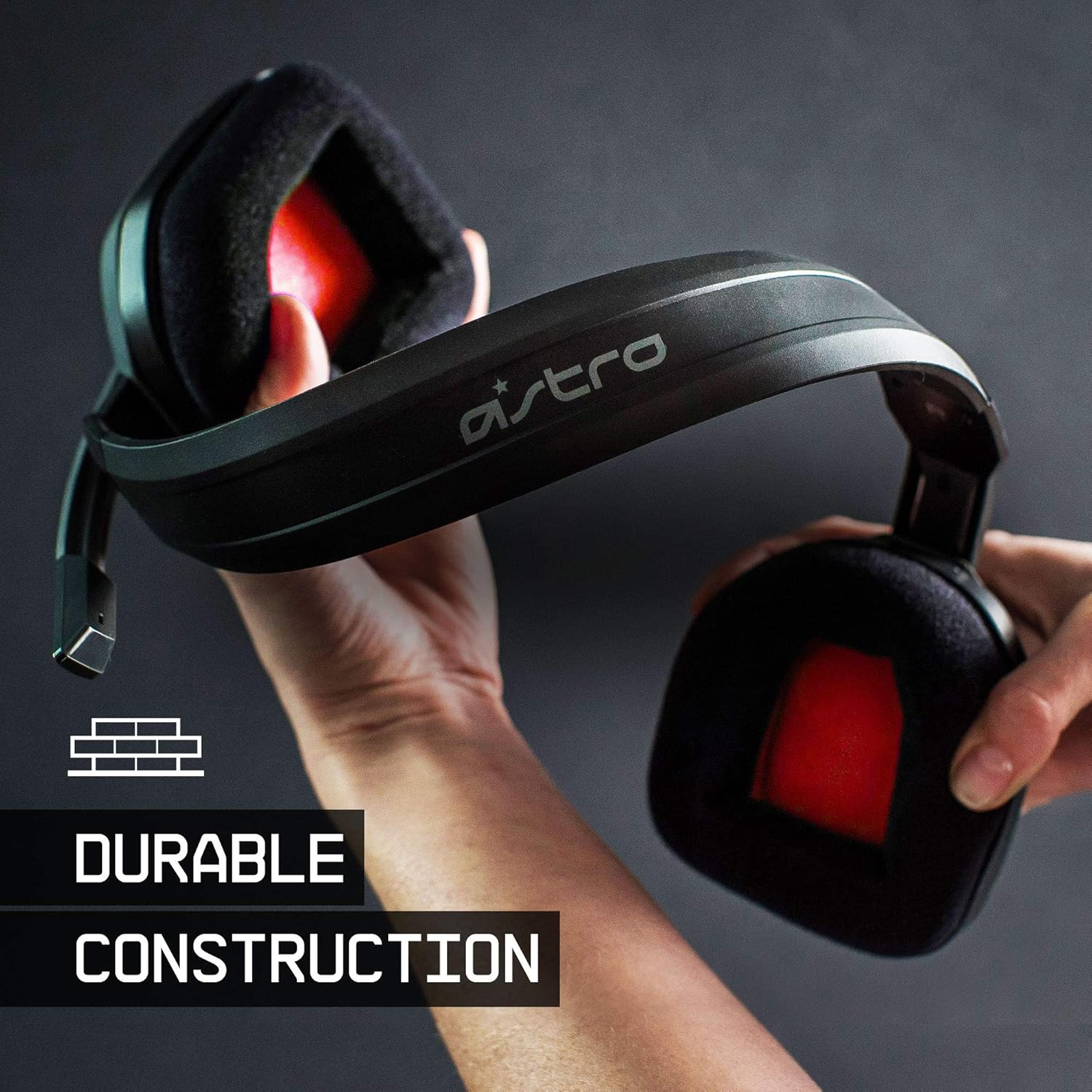
The ASTRO Gaming A10 Headset is engineered for gaming, offering durable construction and extended comfort for prolonged use. It features ASTRO Audio for clear and precise sound, an omnidirectional microphone with flip-up mute functionality, and in-line volume control for a comprehensive audio experience.
2. Apa yang ada di dalam Kotak
Upon unboxing your ASTRO Gaming A10 Headset, you should find the following components:
- ASTRO Gaming A10 Headset
- A10 Volume Cable (3.5mm jack)

3. Ciri-ciri Produk
- Ketahanan: The A10 Headset is constructed with a durable headband made of anodized aluminum and a damage-resistant polycarbonate blend, designed to withstand rigorous use.
- Keselesaan: Featuring extended comfort memory foam ear-cushions, the headset is designed to minimize fatigue during long gaming sessions.
- Komunikasi: An omnidirectional microphone with flip-up mute functionality and in-line volume control ensures clear communication with teammates.
- Kualiti Bunyi: Tuned with ASTRO Audio, the A10 delivers immersive and accurate audio, providing low latency and precise voice communication.
- Keserasian: The headset is compatible with multiple platforms including PS5, PC/MAC, XBOX SERIES X|S, NINTENDO SWITCH, VR, and streaming devices.



4. Arahan Persediaan
- Connect the A10 Volume Cable: Insert the smaller end of the A10 Volume Cable into the 3.5mm port located on the left earcup of the ASTRO A10 Headset. Ensure it is securely connected.
- Sambung ke Peranti: Plug the larger end of the A10 Volume Cable into the 3.5mm headphone jack on your gaming controller (e.g., Xbox, PlayStation), PC, Mac, Nintendo Switch, or other compatible device.
- Laraskan Kelantangan: Use the in-line volume control wheel on the A10 Volume Cable to adjust the audio level to your preference.
- Kedudukan Mikrofon: Lower the microphone boom arm to activate the microphone. Position it appropriately for clear voice capture.

5. Arahan Operasi
Penggunaan Mikrofon (Flip-to-Mute)
The ASTRO A10 Headset features a convenient flip-to-mute microphone. To activate the microphone, simply lower the boom arm into the speaking position. To mute the microphone, flip the boom arm upwards until it clicks into the vertical position. This action instantly mutes your voice input.
Kawalan Kelantangan
Adjust the audio volume using the in-line control wheel located on the A10 Volume Cable. Rotate the wheel upwards to increase volume and downwards to decrease volume.
6. Keserasian
The ASTRO Gaming A10 Headset is designed for broad compatibility across various gaming and media platforms:
- PlayStation 5 (PS5)
- PlayStation 4 (PS4)
- Xbox Series X|S
- Xbox One
- Nintendo Switch
- PC
- Mac
- VR devices
- Peranti penstriman
- Most mobile phones and tablets with a 3.5mm jack

7. Penyelenggaraan
- Pembersihan: Gunakan kain lembut dan kering untuk membersihkan set kepala. Elakkan menggunakan bahan kimia yang keras atau bahan yang melelas.
- Storan: Simpan alat dengar di tempat yang sejuk dan kering jauh dari cahaya matahari langsung dan suhu yang melampau.
- Penjagaan Kabel: Elakkan selekoh tajam atau tarikan berlebihan pada kabel untuk mengelakkan kerosakan.
- Kusyen Telinga: Periksa kusyen telinga secara berkala untuk haus dan lusuh. Kusyen gantian mungkin boleh didapati daripada pengilang.
8. Penyelesaian masalah
- No Audio / Low Audio:
- Ensure the 3.5mm cable is fully inserted into both the headset and the device.
- Check the in-line volume control and ensure it is turned up.
- Verify that the audio output settings on your device are correctly configured for the headset.
- Uji set kepala dengan peranti lain untuk menolak isu khusus peranti.
- Mikrofon Tidak Berfungsi:
- Ensure the microphone boom arm is fully lowered into the speaking position (not flipped up for mute).
- Check the microphone input settings on your device to ensure the headset microphone is selected and not muted.
- Uji mikrofon dengan aplikasi atau peranti lain.
- Static or Distorted Audio:
- Ensure the 3.5mm cable connections are secure and free from debris.
- Try using a different 3.5mm cable if available, to rule out a faulty cable.
- Reduce the volume on your device or headset if the audio is clipping.
9. Spesifikasi
| Ciri | Perincian |
|---|---|
| Jenama | Permainan ASTRO |
| Nama Model | ASTRO Gaming A10 |
| Nombor Model | 939-001508 |
| Teknologi Ketersambungan | berwayar |
| Bicu Fon Kepala | Jack 3.5 mm |
| Berat Barang | 12.35 Auns |
| Julat Kekerapan | 20 Hz - 20 kHz |
| Jenis Pemacu Audio | Pemandu Dinamik |
| Bahan Kepungan | aluminium |
| Ciri-ciri Tambahan | Microphone Included, Volume Control |
| Peranti Serasi | PS5, PC/MAC, XBOX SERIES X|S, NINTENDO SWITCH, VR, STREAMING, most mobile phones, tablets |
10. Waranti dan Sokongan
The ASTRO Gaming A10 Headset comes with a Waranti pengilang selama 2 tahun. For warranty claims, technical support, or additional product information, please visit the official ASTRO Gaming webtapak atau hubungi perkhidmatan pelanggan mereka secara langsung.
11. Video Produk
ASTRO A10 Experience
Video: Tayangan video rasmicasing the overall experience and key aspects of the ASTRO A10 Headset. This video provides a visual overview tentang reka bentuk dan fungsi produk.