
pengenalan
The YOUTHINK Power Monitor XD-01136 is designed to help you understand and manage your electricity consumption. This device accurately measures various electrical parameters, including power (Watts), energy (KWh), voltage, current, frequency, and power factor. By monitoring your appliance usage, you can identify energy-intensive devices and optimize your electricity costs. This manual provides comprehensive instructions for the safe and effective use of your power monitor.

Image: YOUTHINK Power Monitor XD-01136, front view showing the LCD screen and buttons.
Maklumat Keselamatan
Please read and understand all safety instructions before using the device. Failure to follow these instructions may result in electric shock, fire, or damage to the product.
- Jangan buka atau ubah suai peranti.
- Jangan dedahkan peranti kepada air atau suhu yang melampau.
- Pastikan peranti digunakan dalam volum yang ditetapkantage and current limits (refer to Specifications section).
- Do not plug in appliances that exceed the maximum rated power of 1650W to avoid overload.
- Jauhkan daripada kanak-kanak.
- Gunakan hanya dalam persekitaran dalaman yang kering.
Ciri-ciri Produk
The YOUTHINK Power Monitor XD-01136 offers several key features for comprehensive energy monitoring:
- Versatile Measurement: Measures and displays CO2 emissions (CO2/KG), power (W), energy (KWh), voltage/hertz, ampere/hertz, power factor, minimum power, and maximum power.
- 8 Mod Paparan: Easily switch between 8 different display modes to view pelbagai parameter.
- Paparan LCD dengan Lampu Latar: Features a large, easy-to-read LCD screen with a blue backlight for clear visibility, even in low light conditions. The backlight automatically turns off after 15 seconds but can be reactivated by pressing any button.
- Perlindungan Lebihan: If the connected load exceeds 1650W, the LCD will display "OVERLOAD" with an audible warning, and the device will automatically disconnect power to prevent damage.
- Pengekalan Data: Automatically saves the last recorded data even when unplugged or during a power outage, ensuring no loss of information.
- Pengiraan Kos Tenaga: Allows you to input your electricity cost per KWh to calculate the total cost of appliance usage.
Persediaan
- Membongkar: Carefully remove the power monitor from its packaging.
- Initial Reset (Recommended): Before first use, it is recommended to perform a full reset. Locate the small "RESET" button (often recessed) on the front panel. Use a small, pointed object (like a paperclip) to press and hold the "RESET" button for approximately 3 seconds until the display clears or resets. This ensures all functions operate correctly.
- Pasangkan: Plug the YOUTHINK Power Monitor directly into a standard wall outlet.
- Sambung Perkakas: Plug the appliance you wish to monitor into the socket on the front of the power monitor.

Image: The power monitor shown connected to a wall outlet, with various appliances like a computer, TV, washing machine, and microwave oven depicted as being monitored.
Arahan Operasi
The power monitor features four buttons: FUNGSI, KOS, UP, dan TURUN.
Mod Paparan
Tekan ke FUNGSI button repeatedly to cycle through the 8 different display modes:
- Mod 1: Paparan Masa/Watt/Kos - Shows elapsed time, current power consumption in Watts, and accumulated cost.
- Mod 2: Paparan Masa/Harga - Shows elapsed time and the set price per KWh.
- Mod 3: Masa/Jilidtage/Paparan Frekuensi - Shows elapsed time, current voltage (V), and frequency (Hz).
- Mod 4: Paparan Masa/Semasa/Faktor Kuasa - Shows elapsed time, current (A), and power factor.
- Mod 5: Paparan Masa/Kuasa Maksimum - Shows elapsed time and the highest recorded power consumption (Hi).
- Mod 6: Paparan Masa/Kuasa Minimum - Shows elapsed time and the lowest recorded power consumption (Lo).
- Mode 7: KWh Display - Shows total accumulated energy consumption in Kilowatt-hours (KWh).
- Mode 8: CO2 Emissions Display - Shows calculated CO2 emissions.

Image: Visual representation of the 7 main display modes, illustrating what information is shown in each mode.
Setting Electricity Cost
To accurately calculate energy costs, you need to input your local electricity rate:
- Tekan dan tahan butang KOS button for approximately 3 seconds. The cost setting will become active, and the display will flash.
- Gunakan FUNGSI button to select the digit you wish to change.
- Gunakan UP dan TURUN buttons to adjust the value of the selected digit.
- Repeat steps 2 and 3 until your desired cost per KWh is entered.
- Tekan ke KOS butang sekali lagi untuk mengesahkan dan menyimpan tetapan.
Nota: If you encounter issues setting the cost, perform an initial reset as described in the Setup section. This often resolves functionality issues.
Amaran Lebihan
The device is equipped with an overload protection feature. If the total power drawn by the connected appliance exceeds 1650W, the LCD will display "OVERLOAD" and emit an audible warning sound. The device will then automatically cut off power to the connected appliance to prevent damage to both the monitor and the appliance.
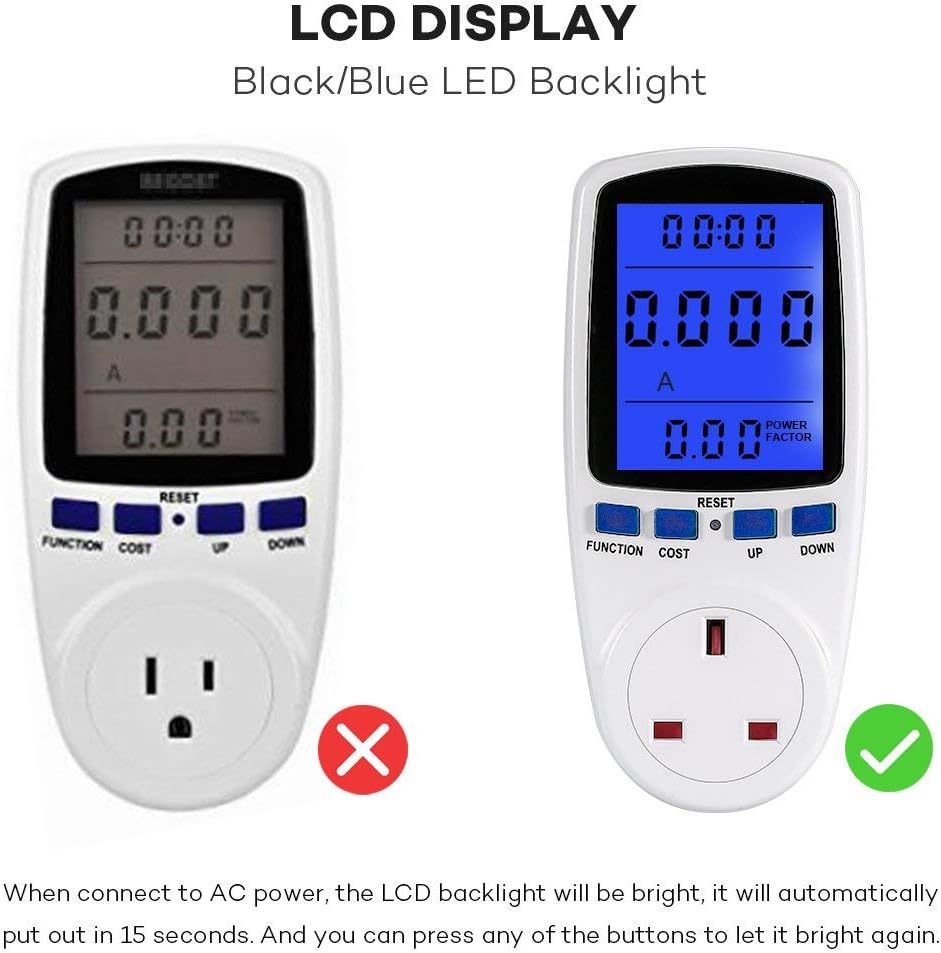
Image: The power monitor's LCD screen showing an "OVERLOAD" message and a warning bell icon, indicating that the connected appliance has exceeded the safe power limit.
Lampu Latar LCD
The blue LCD backlight activates automatically when connected to AC power. It will turn off after approximately 15 seconds of inactivity. To reactivate the backlight, simply press any button.
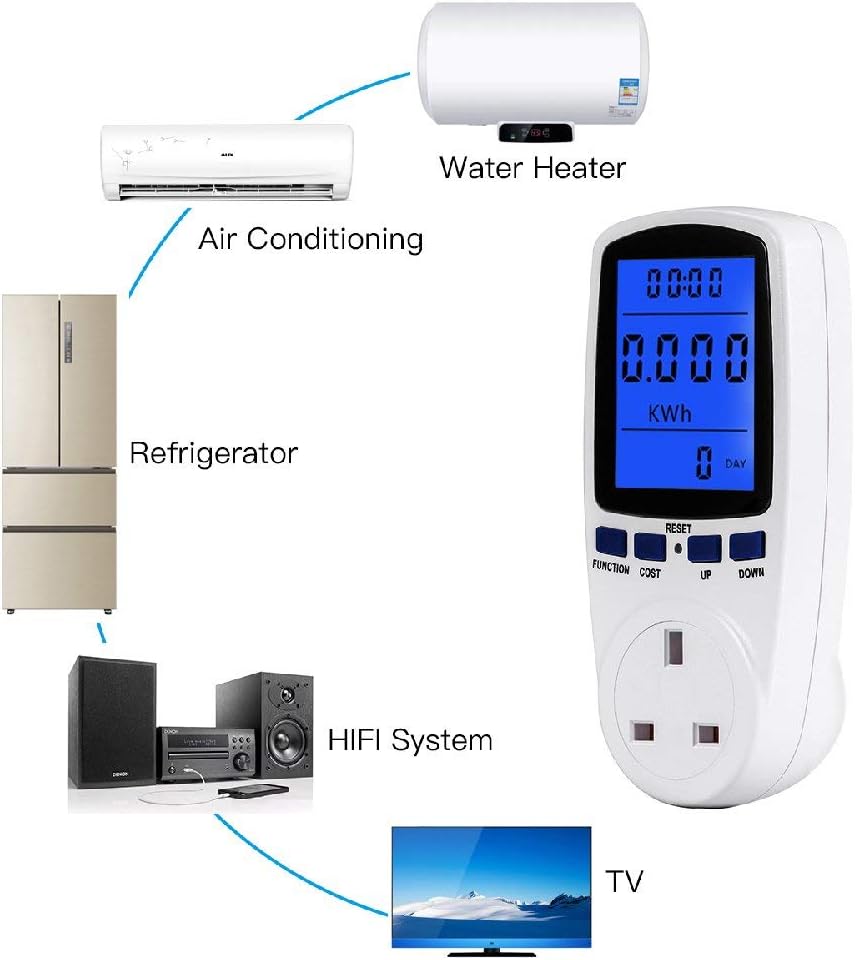
Image: A side-by-side comparison showing the power monitor's LCD screen without backlight (left) and with the blue LED backlight activated (right), highlighting improved readability.
Penyelenggaraan
- Pembersihan: Lap peranti dengan kain lembut dan kering. Jangan gunakan pembersih atau pelarut yang melelas.
- Storan: Simpan peranti di tempat yang sejuk dan kering jauh dari cahaya matahari langsung dan kelembapan apabila tidak digunakan.
- Bateri: The device includes an internal battery for data retention. This battery is not user-replaceable.
Menyelesaikan masalah
| Masalah | Kemungkinan Punca | Penyelesaian |
|---|---|---|
| Paparan kosong atau tidak bertindak balas. | No power, or device needs reset. | Ensure the monitor is securely plugged into a live outlet. Perform a full reset by pressing the "RESET" button for 3 seconds. |
| Cannot set electricity cost. | Software glitch or incorrect procedure. | Perform a full reset. Then, follow the "Setting Electricity Cost" instructions carefully. |
| "OVERLOAD" message appears. | Connected appliance exceeds 1650W. | Unplug the appliance immediately. Do not connect appliances with power consumption above 1650W. |
| Readings seem inaccurate. | Device needs reset, or appliance is faulty. | Perform a full reset. Test with a known appliance. If issues persist, contact support. |
| LCD backlight turns off too quickly. | Operasi biasa. | The backlight is designed to turn off after 15 seconds of inactivity to save power. Press any button to reactivate it. |
Spesifikasi
| Parameter | Nilai |
|---|---|
| Nombor Model | XD-01136 |
| Pengeluar | ceyo |
| bahan | Flame-retardant PP Plastic |
| Dimensi Produk (L x W x H) | 15.49 x 4.57 x 7.11 cm (6.1 x 1.8 x 2.8 inci) |
| Berat Produk | 195.04 gram |
| Vol Operasitage | 230V AC |
| Paparan Kekerapan | 50Hz |
| Lebar Voltage Julat | 200V - 250V |
| Operating Current (Max) | 13A |
| Wattage Julat Paparan | 0W - 2900W |
| Julat Paparan Semasa | 0.0A - 13.0A |
| Julat Paparan Harga | 0.00€/KWH - 99.99€/KWH |
| Total KWh and Cost Display | 0.000KWh - 9999KWh, 0.00€ - 9999€ |
| Bateri Termasuk | Yes (internal, non-replaceable) |

Image: The back of the YOUTHINK Power Monitor, displaying detailed technical specifications and physical dimensions.
Waranti dan Sokongan
For warranty information or technical support, please refer to the product packaging or contact the retailer from whom you purchased the device. Keep your proof of purchase for any warranty claims.