
pengenalan
Welcome to your new Targus Compact Wireless Mouse. This manual provides essential information for proper setup, operation, and maintenance of your device. Please read these instructions carefully before use.
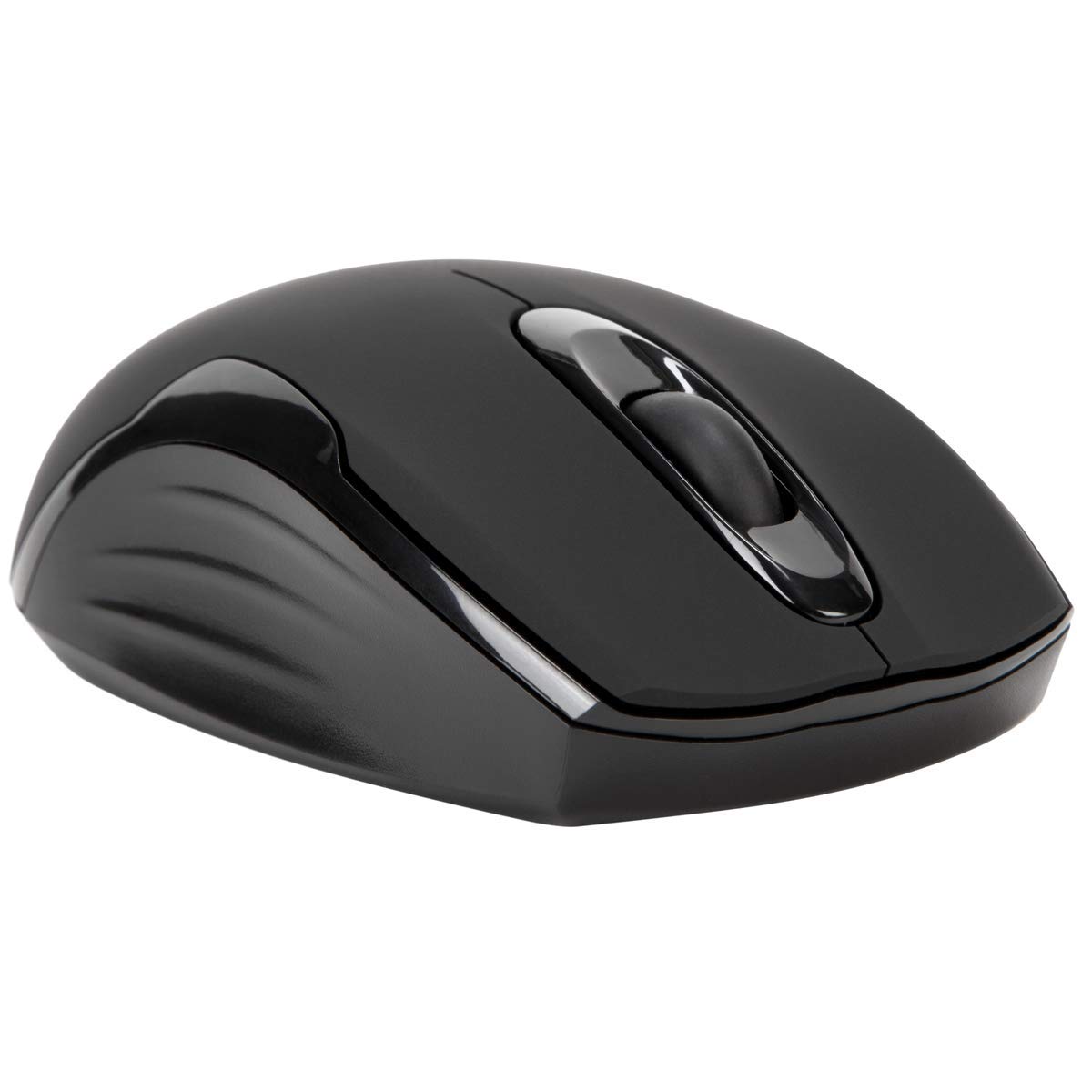
Kandungan Pakej
- Targus Compact Wireless Mouse
- Penerima USB
- 1 x Bateri AA
- Manual Arahan (dokumen ini)
Persediaan
1. Pasang Bateri
Locate the battery compartment on the underside of the mouse. Insert the provided 1 x AA battery, ensuring correct polarity (+/-). Close the battery compartment cover securely.

2. Connect USB Receiver
Remove the USB receiver from its storage compartment, typically located near the battery. Plug the USB receiver into an available USB port on your computer.


3. Hidupkan kuasa
Turn on the mouse using the power switch, usually located on the underside. The mouse should automatically connect to the receiver, and you can begin using it.
Operasi
Fungsi Asas
- Klik Kiri: Use for primary selection, opening items, and activating functions.
- Klik kanan: Access contextual menus and additional options.
- Roda Tatal: Navigasi dokumen dan web pages vertically. Pressing the scroll wheel typically functions as a middle-click.
Blue Trace Technology
The Targus Compact Wireless Mouse features Blue Trace Technology, which allows it to track accurately on a wider variety of surfaces compared to standard optical mice, including glass, granite, and wood.
Sensitiviti DPI
The mouse is equipped with a 1,600 DPI (Dots Per Inch) optical sensor, providing a precise and responsive cursor movement for various tasks.
Penyelenggaraan
Penggantian Bateri
When the mouse performance degrades or if it stops responding, it may be time to replace the AA battery. The average battery life is approximately 6 months, but this can vary based on usage.
Pembersihan
Untuk membersihkan tetikus, gunakan kain lembut dan kering. Untuk kotoran degil, gunakan sedikit kainamp cloth can be used, ensuring no moisture enters the internal components. Avoid using harsh chemicals, solvents, or abrasive cleaners, as these can damage the mouse's surface or internal parts.
Storan Penerima USB
For convenient transport or storage, the USB receiver can be securely stored inside a dedicated compartment within the mouse itself. This helps prevent loss of the small receiver.
Menyelesaikan masalah
Tetikus Tidak Membalas
- Ensure the mouse is powered on using the switch on its underside.
- Periksa paras bateri dan gantikan bateri AA jika perlu.
- Verify that the USB receiver is securely plugged into a working USB port on your computer.
- Cuba palamkan penerima USB ke port USB lain pada komputer anda.
- Restart your computer to refresh the connection.
Pergerakan Kursor Tidak Menentu
- Bersihkan penderia optik di bahagian bawah tetikus dengan kain lembut dan kering.
- Ensure the surface you are using the mouse on is clean, flat, and suitable for optical tracking. Avoid highly reflective or transparent surfaces.
- Move the mouse closer to the USB receiver to reduce potential wireless interference.
Isu Ketersambungan
The mouse uses 2.4 GHz wireless technology designed for stable connection. If you experience persistent connectivity issues, try to minimize other wireless devices operating in close proximity that might cause interference.
Spesifikasi
| Jenama | Targus |
| Nama Model | AMW575TT |
| Teknologi Ketersambungan | USB (Wireless 2.4 GHz) |
| Pengesanan Pergerakan | Optical (Blue Trace Technology) |
| Kuantiti Butang | 3 |
| Orientasi Tangan | Ambidextrous |
| Peranti Serasi | Universal (Windows® 10/8.1/8/7/Vista/XP/2000, Mac OS® X 10.6-10.12.4) |
| Sumber Kuasa | Battery Powered (1 AAA battery required, included) |
| Mouse Maximum Sensitivity | 1600 Dots per Inch (DPI) |
| Julat Tanpa Wayar | 33.0 kaki (10 meter) |
| Purata Hayat Bateri | 6 bulan |
| Berat Barang | 0.14 paun |
| Dimensi Item (L x W) | 4.4" L x 2.3" W |
| Bahan Kepungan | plastik |
| Ciri-ciri Tambahan | 128-bit AES-CCM encryption |
Waranti & Sokongan
Maklumat Waranti
This Targus product is covered by a Waranti Pengeluar 1 tahun. Please retain your proof of purchase for any warranty claims. The warranty covers defects in materials and workmanship under normal use.
Sokongan Pelanggan
For further assistance, technical support, or to inquire about warranty services, please visit the official Targus website or contact their customer service department. Contact information can typically be found on the Targus webtapak.
Nota: Amaran Proposisi 65: Produk ini mungkin mengandungi bahan kimia yang diketahui oleh Negeri California untuk menyebabkan kanser dan kecacatan kelahiran atau bahaya pembiakan lain.