
1. Produk Lebihview
The Atlanta 1882-19 is a compact, radio-controlled digital alarm clock designed for ease of use. It features an easy-to-read LCD display that shows the current time, date, and temperature. The clock automatically adjusts its time based on the DCF77 atomic clock radio signal, including automatic daylight saving time changes. It includes a convenient snooze function and a blue backlight for visibility in low light conditions.
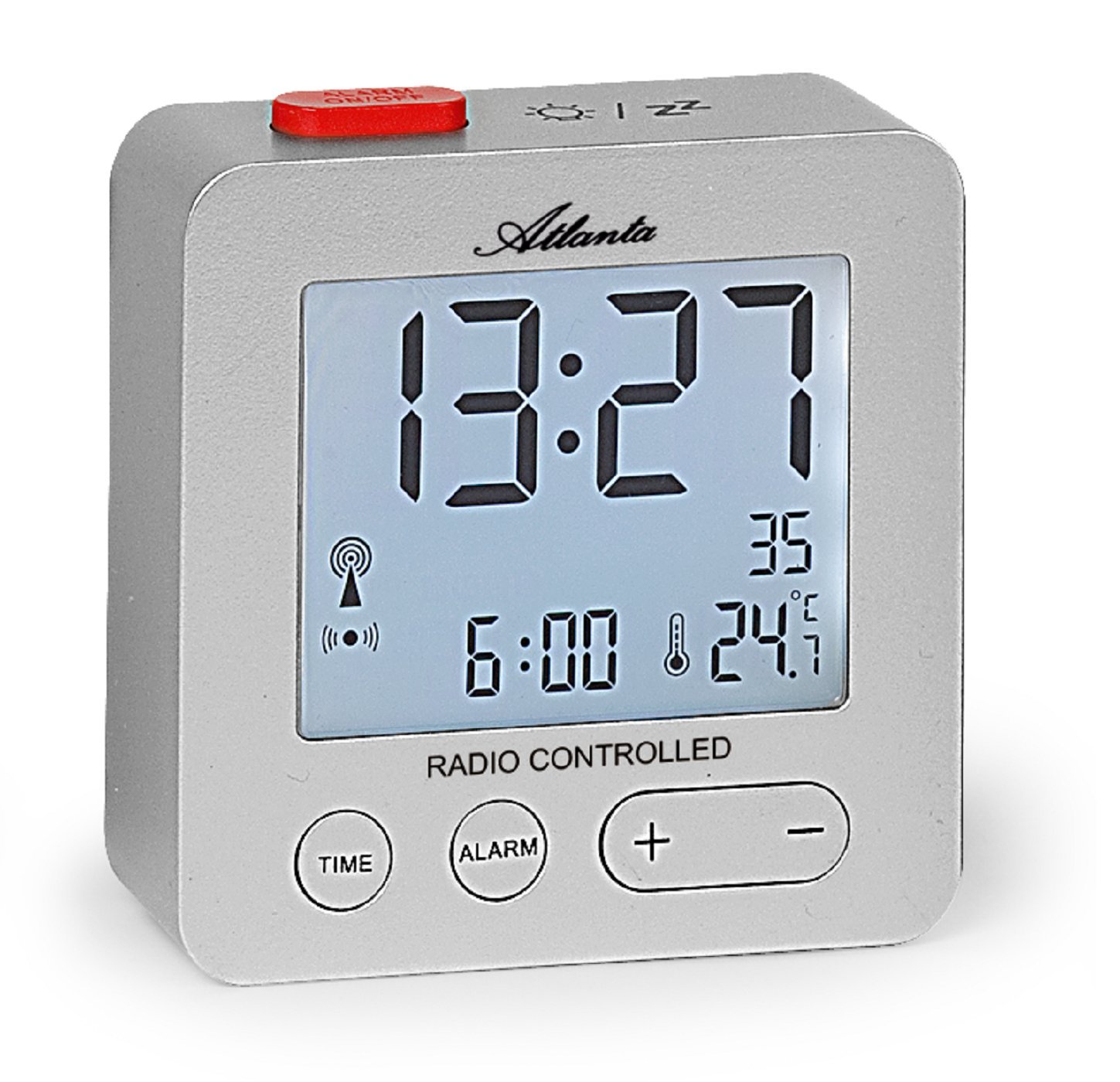
Rajah 1: Depan view of the Atlanta 1882-19 Digital LCD Alarm Clock. The display shows the time, date, and temperature, along with a radio signal indicator. A red button for alarm on/off is visible on top.
2. Kandungan Pakej
- Atlanta 1882-19 Digital LCD Alarm Clock
- Manual Pengguna (dokumen ini)
Nota: Bateri tidak disertakan dan mesti dibeli secara berasingan.
3. Persediaan
3.1 Pemasangan Bateri
- Cari penutup petak bateri di belakang jam penggera.
- Luncurkan atau buka klip penutup untuk membuka petak.
- Insert the required batteries (typically 2x AAA, not included) according to the polarity indicators (+ and -) inside the compartment.
- Pasang semula penutup petak bateri, pastikan ia ditutup dengan selamat.

Rajah 2: belakang view of the alarm clock, illustrating the battery compartment and the 'WAVE' button for radio signal reception.
3.2 Initial Power On and Radio Signal Reception
Upon battery installation, the clock will automatically attempt to receive the DCF77 radio signal to set the time. This process may take several minutes. Ensure the clock is placed away from electronic devices that may cause interference and near a window for optimal signal reception.
- A radio signal icon will appear on the display when the clock is attempting to receive the signal.
- Once the signal is successfully received, the time will automatically set, and the icon will stabilize.
- If the signal is not received after a prolonged period, try relocating the clock or manually setting the time (refer to section 4.1).
4. Arahan Operasi
4.1 Setting Time Manually
In areas with poor radio signal reception, the time can be set manually.
- Tekan dan tahan butang MASA button (located on the front) for a few seconds until the time display starts flashing.
- Gunakan + dan - butang untuk melaraskan jam.
- Tekan ke MASA button again to switch to minutes adjustment. Use + dan - untuk menetapkan minit.
- Teruskan menekan MASA untuk kitaran melalui tetapan tahun, bulan dan hari, melaraskan setiap satu dengan + dan -.
- Tekan MASA one last time or wait a few seconds for the settings to be saved.
4.2 Menetapkan Penggera
- Tekan dan tahan butang PENGGERA button (located on the front) for a few seconds until the alarm time display starts flashing.
- Gunakan + dan - butang untuk melaraskan waktu penggera.
- Tekan ke PENGGERA button again to switch to alarm minutes adjustment. Use + dan - untuk menetapkan minit.
- Tekan PENGGERA one last time or wait a few seconds for the alarm setting to be saved.
- To activate or deactivate the alarm, briefly press the red ALARM ON / OFF button on the top of the clock. An alarm icon will appear on the display when the alarm is active.
4.3 Fungsi Tunda
When the alarm sounds, press the red ALARM ON / OFF button on the top of the clock to activate the snooze function. The alarm will temporarily stop and sound again after a few minutes (typically 5-10 minutes, depending on the model's default setting).
4.4 Paparan Lampu Belakang
To illuminate the display with a blue backlight, briefly touch the top of the clock. The backlight will remain on for a few seconds, providing temporary visibility in the dark.
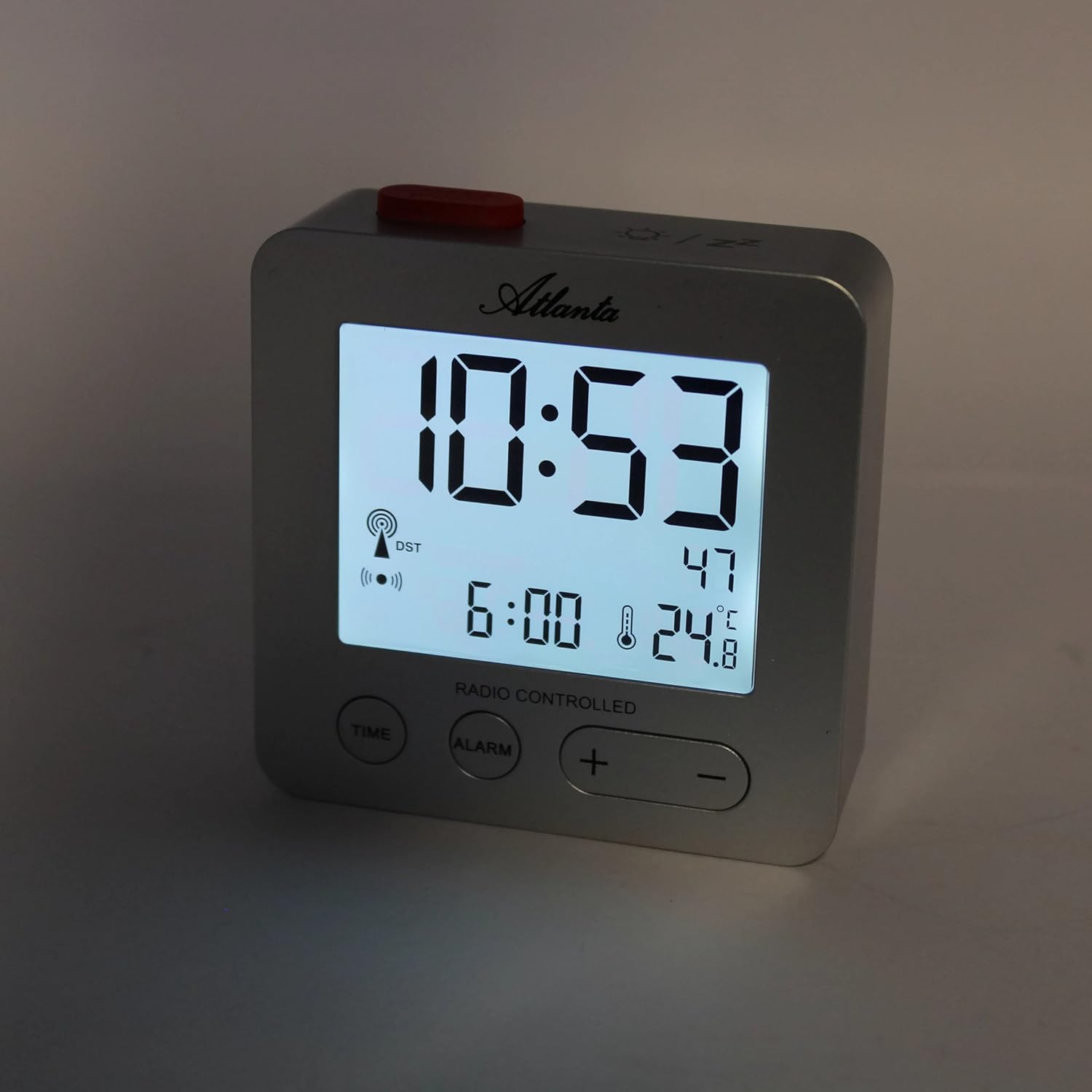
Rajah 3: The alarm clock display with the blue backlight activated, enhancing readability in low light.
4.5 Temperature and Date Display
The clock continuously displays the indoor temperature and the current date alongside the time. No specific action is required to view these details.
5. Penyelenggaraan
- Pembersihan: Lap jam dengan kain lembut dan kering. Jangan gunakan pembersih atau pelarut yang kasar.
- Penggantian Bateri: Replace batteries when the display dims or the clock functions become unreliable. Always replace all batteries at the same time with new ones of the same type.
- Storan: Jika menyimpan jam untuk tempoh yang lama, tanggalkan bateri untuk mengelakkan kebocoran.
6. Penyelesaian masalah
- Jam tidak menetapkan masa secara automatik:
Ensure the clock is placed in an open area, away from electronic interference (e.g., TVs, computers, mobile phones). Try placing it near a window. If the issue persists, manually set the time as described in section 4.1. - Penggera tidak berbunyi:
Verify that the alarm is activated (alarm icon visible on display). Check battery levels and replace if necessary. - Paparan malap atau kosong:
Replace the batteries. Ensure batteries are inserted with correct polarity. - Bacaan suhu tidak betul:
Ensure the clock is not exposed to direct sunlight or placed near heat sources/vents, which can affect the sensor.
7. Spesifikasi
| Nombor Model | 1882/19 |
| Jenama | Atlanta |
| Jenis Paparan | LCD Digital |
| Ciri Khas | Temperature Display, Alarm, Snooze, Radio-Controlled (DCF77), Backlight |
| Dimensi (L x W x H) | 7 x 3.81 x 7 cm (lebih kurang 2.76 x 1.5 x 2.76 inci) |
| Berat badan | 65 gram (lebih kurang 2.3 auns) |
| Sumber Kuasa | Dikuasakan oleh Bateri (Bateri tidak termasuk) |
| bahan | Plastik (Acrylonitrile Butadiene Styrene) |
| warna | Perak |
8. Waranti dan Sokongan
This product comes with a standard manufacturer's warranty. For detailed warranty information, please refer to the packaging or contact Atlanta customer support. For technical assistance or further inquiries, please visit the official Atlanta webtapak atau hubungi bahagian perkhidmatan pelanggan mereka.