
ILIFE V5s Pro
ILIFE V5s Pro Robot Vacuum and Mop Combo User Manual
Model: V5s Pro
pengenalan
This manual provides essential information for the safe and efficient operation, maintenance, and troubleshooting of your ILIFE V5s Pro Robot Vacuum and Mop Combo. Please read it thoroughly before using the appliance and retain it for future reference.

The ILIFE V5s Pro Robot Vacuum and Mop Combo.
Persediaan
1. Menyahkotak dan Semakan Komponen
Keluarkan semua komponen dari pembungkusan dengan berhati-hati. Pastikan semua item yang disenaraikan di bawah ada:
- 1 ILIFE V5s Pro Robot Vacuum (Vacuum & Mop)
- 1 Tangki air
- 1 Mop Cloth
- 1 Tong sampah
- 1 Alat Kawalan Jauh
- 2 Bateri AAA (untuk alat kawalan jauh)
- 2 Penapis
- 1 AC Adapter (approx. 1.5m length)
- 1 Pangkalan Pengecasan
- 1 Berus Pembersih
- 2 Berus Sisi
- 1 User's Quick Guide
- Manual Pengguna 1
2. Penempatan Tapak Pengecasan
Place the charging base against a wall in an open area, ensuring there are no obstacles within 1 meter (3 feet) to the sides and 2 meters (6 feet) in front. Connect the AC adapter to the charging base and plug it into a power outlet. Ensure the power indicator on the charging base is illuminated.
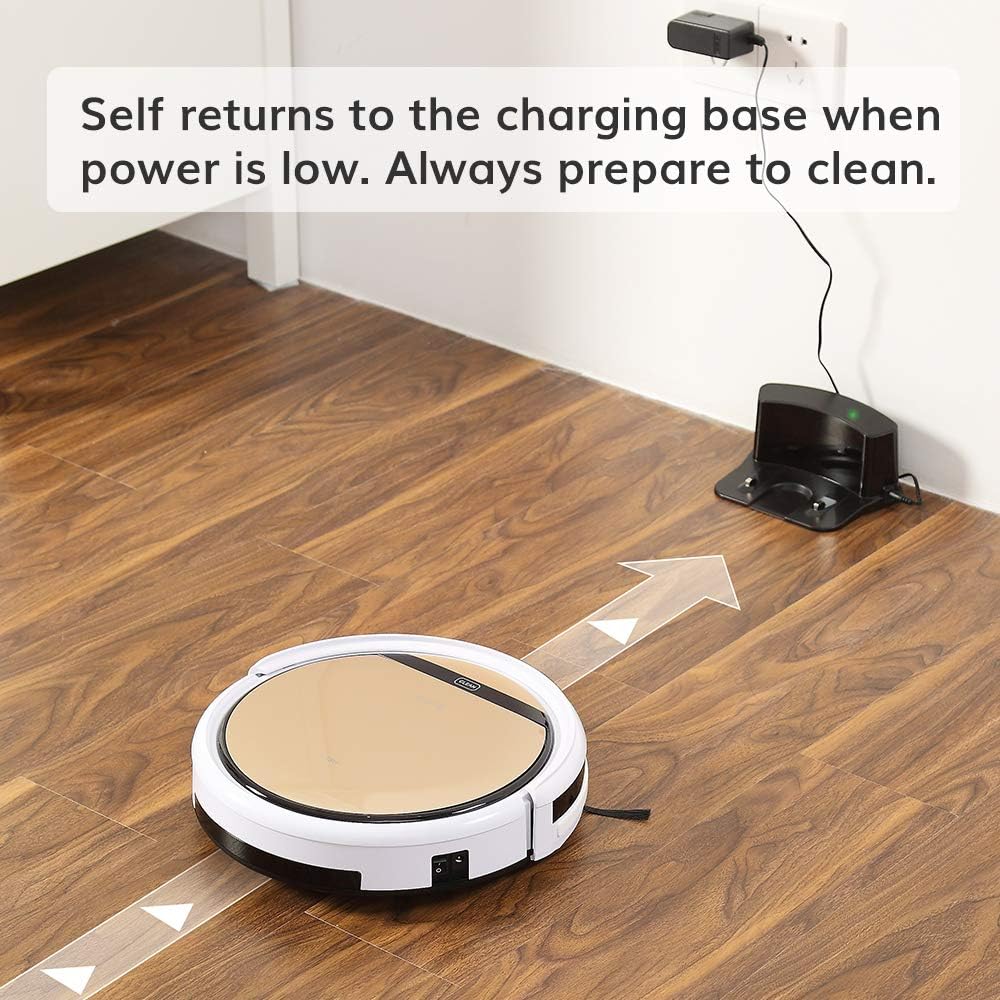
The robot vacuum returning to its charging base.
3. Pengecasan Awal
Before first use, fully charge the robot. You can either place the robot manually onto the charging base, ensuring the charging contacts align, or connect the AC adapter directly to the robot's charging port. The 'CLEAN' button will flash during charging and turn solid when fully charged. A full charge takes approximately 4-5 hours.
4. Memasang Berus Sisi
Attach the two side brushes to the posts on the underside of the robot. Press firmly until they click into place.

Underside of the robot showing side brush attachment points.
5. Installing Dustbin or Water Tank
The ILIFE V5s Pro supports both vacuuming and mopping. For vacuuming, ensure the dustbin is installed. For mopping, replace the dustbin with the water tank and attach the mop cloth.

Removing the dustbin.

Inserting the water tank.
Operasi
1. Hidupkan/Mati Kuasa
To power on, press the 'CLEAN' button on the robot or the power button on the remote control. To power off, press and hold the 'CLEAN' button for a few seconds or use the remote.
2. Mod Pembersihan
The ILIFE V5s Pro offers multiple cleaning modes:
- Mod Auto: The robot automatically cleans the area, maximizing coverage.
- Mod Spot: The robot focuses on a specific small area for intensive cleaning.
- Mod Maks: Provides intensive cleaning with increased suction power.
- Mod Tepi: The robot cleans along walls and corners.
Select your desired mode using the remote control.

The robot vacuum cleaning a low-pile carpet.
3. Penjadualan
You can set a daily cleaning schedule using the remote control. Refer to the remote control section in the User's Quick Guide for detailed instructions on setting the time and schedule.
4. Vacuuming and Mopping Functions
The robot automatically detects whether the dustbin (for vacuuming) or water tank (for mopping) is installed and operates accordingly. Ensure the correct tank is in place for the desired cleaning function.

The robot vacuum operating quietly near a sleeping dog, demonstrating its quiet operation.
5. Automatic Docking
When the battery is low, the robot will automatically return to its charging base to recharge. Ensure the charging base is accessible and plugged in.

The robot vacuum intelligently navigating around furniture, showcasing its anti-collision sensors.
Penyelenggaraan
Penyelenggaraan tetap memastikan prestasi optimum dan memanjangkan jangka hayat vakum robot anda.
1. Mengosongkan Tong Sampah
Empty the dustbin after each use. Press the 'PUSH' button on the top cover to open, remove the dustbin, and discard collected debris. Clean the dustbin with the provided cleaning brush or rinse with water (ensure it is completely dry before re-inserting).
2. Membersihkan Penapis
The robot uses two filters. Clean the primary filter and the high-performance filter regularly. Tap them to remove dust or use the cleaning brush. Replace filters every 3-6 months, depending on usage.
3. Membersihkan Berus Sisi
Periodically remove and clean the side brushes. If they are worn or damaged, replace them with new ones.
4. Cleaning the Suction Inlet
The V5s Pro features a unique suction inlet designed to prevent hair tangles. Regularly check and clean the inlet to ensure efficient debris collection, especially for pet owners.
5. Water Tank and Mop Cloth Maintenance
After mopping, empty any remaining water from the tank and allow it to air dry. Remove and wash the mop cloth. Ensure the water tank is completely dry before storage.
6. Membersihkan Penderia dan Mengecas Kenalan
Wipe the anti-drop sensors, anti-collision sensors, and charging contacts on both the robot and the charging base with a soft, dry cloth to ensure proper function.
Menyelesaikan masalah
If your ILIFE V5s Pro encounters an issue, refer to the following common solutions:
- Robot tidak bermula: Ensure the robot is fully charged and the main power switch (usually on the side) is turned on.
- Robot tidak mengecas: Verify the charging base is plugged in and the power indicator is on. Clean the charging contacts on both the robot and the base.
- Robot kerap tersangkut: Clear obstacles like loose cables, small rugs, or furniture that are too low for the robot to pass under.
- Prestasi pembersihan yang lemah: Empty the dustbin, clean or replace filters, and clean the side brushes and suction inlet.
- Fungsi mengemop tidak berfungsi: Ensure the water tank is filled and correctly installed, and the mop cloth is attached.
Untuk isu yang berterusan, rujuk manual pengguna penuh atau hubungi khidmat pelanggan.
Spesifikasi
| Ciri | Spesifikasi |
|---|---|
| Jenama | ILIFE |
| Nama Model | ILFV5SPRO2RB |
| Syor Permukaan | Lantai Keras, Permaidani |
| Ciri Khas | Kombo Vakum Robot dan Mop |
| warna | V5s Pro |
| Jenis Pengawal | Alat Kawalan Jauh |
| Jenis Penapis | Kartrij |
| Hayat Bateri | 110 minit |
| Jenis Bateri | Litium Ion |
| Voltage | 14.4 Volt |
| Capacity (Dustbin) | 300 mililiter |
| Sumber Kuasa | Dikuasakan Bateri |
| Dimensi Item L x W x H | 11.8"L x 11.8"W x 3"H |
| Berat Barang | 4.9 paun |
| Tahap Kebisingan | 58 Desibel |
| Penggunaan Luar Dalaman | Dalaman |
| Nombor Model | ILIFEV5SP01 |
| UPC | 768571855510 |
Waranti dan Sokongan
Maklumat Waranti
A new ILIFE V5s Pro Robot Vacuum is provided with a Waranti 12 bulan. Refurbished or used robots are provided with a Waranti 3 bulan. Sila simpan bukti pembelian anda untuk tuntutan waranti.
Sokongan Pelanggan
For technical assistance, warranty inquiries, or replacement parts, please contact ILIFE customer support through their official webtapak atau maklumat hubungan yang diberikan dalam pembungkusan produk anda.
Ask a question about this manual
Ask about setup, troubleshooting, compatibility, parts, safety, or missing instructions. Manuals+ will review the question and use this page’s manual context to help answer it.