
1. Produk Lebihview
The Force1 U34W Dragonfly is a compact, high-definition FPV mini drone designed for beginners and indoor flying. It features a 720p HD camera for live video streaming and photo capture, offering an immersive First-Person View (FPV) experience. Its small size and stable flight characteristics make it ideal for learning drone piloting.

Image: The Force1 U34W Dragonfly Mini Drone, showcasing its compact design and integrated camera.
Ciri-ciri Utama:
- Kamera HD 720p: Records crisp 720p HD video and captures high-resolution photos.
- WiFi FPV Capability: Connects to a mobile app for live video streaming and FPV flying.
- Tahan Ketinggian: Maintains a consistent altitude for stable flight.
- Mod Tanpa Kepala: Simplifies controls by eliminating the need to adjust drone orientation.
- Mod Graviti: Allows control by tilting your smartphone.
- 1-Key Lift/Land: Simplifies takeoff and landing with a single button press.
- 360 Balik: Performs aerial stunts with ease.
- Pengawal Kipas: Integrated guards protect propellers during indoor flight.
2. Apa yang ada di dalam Kotak
Before starting, please ensure all components are present in the package:
- U34W Dragonfly Wi-Fi FPV RC Quadcopter Drone
- 720p HD Drone Camera (integrated)
- 2.4Ghz Transmitter (Remote Control)
- Extra Propellers (4)
- 7.4v 350mAh Li-Po Battery (2)
- Pengecas USB
- Pemutar skru
- Manual Pengguna (dokumen ini)
3. Panduan Persediaan
3.1 Mengecas Bateri
- Connect the Li-Po battery to the provided USB charger.
- Plug the USB charger into a compatible USB power source (e.g., computer, USB wall adapter).
- The indicator light on the charger will show the charging status. Refer to the charger's specific instructions for light indications (typically red for charging, green for fully charged).
- Charging time is approximately 60-90 minutes. Do not overcharge the battery.
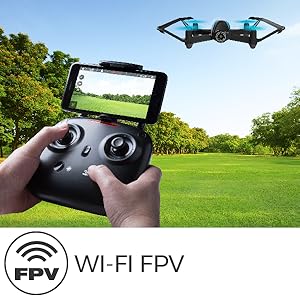
Image: The drone battery, highlighting the importance of charging for extended flight time.
3.2 Memasang Bateri Dron
- Pastikan suis kuasa dron berada dalam kedudukan MATI.
- Carefully insert the fully charged Li-Po battery into the drone's battery compartment.
- Selamatkan penutup petak bateri.
3.3 Persediaan Pemancar
- Install 4 AA batteries (not included) into the 2.4Ghz transmitter. Ensure correct polarity.
- Tutup penutup bateri.
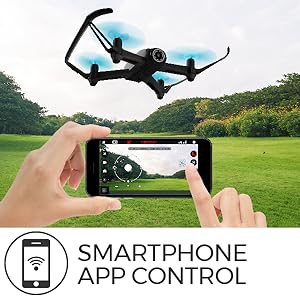
Image: The U34W Dragonfly drone alongside its 2.4 GHz transmitter, ready for control.
3.4 Pairing Drone and Transmitter
- Letakkan drone di permukaan rata dan rata.
- Hidupkan suis kuasa dron. Lampu penunjuk dron akan berkelip.
- Hidupkan pemancar.
- Tolak kayu bedik kiri (pendikit) sepenuhnya ke atas, kemudian sepenuhnya ke bawah. Lampu dron akan berhenti berkelip dan menjadi pekat, menunjukkan pasangan yang berjaya.
3.5 Mobile App Installation (for FPV and VR)
- Scan the QR code in the quick start guide or search for the "UDIRC FPV" app in your smartphone's app store (iOS/Android).
- Muat turun dan pasang apl.
- Turn on the drone and connect your smartphone to the drone's Wi-Fi network (usually named "UDIRC-XXXXXX").
- Open the app to access live FPV feed and advanced controls.
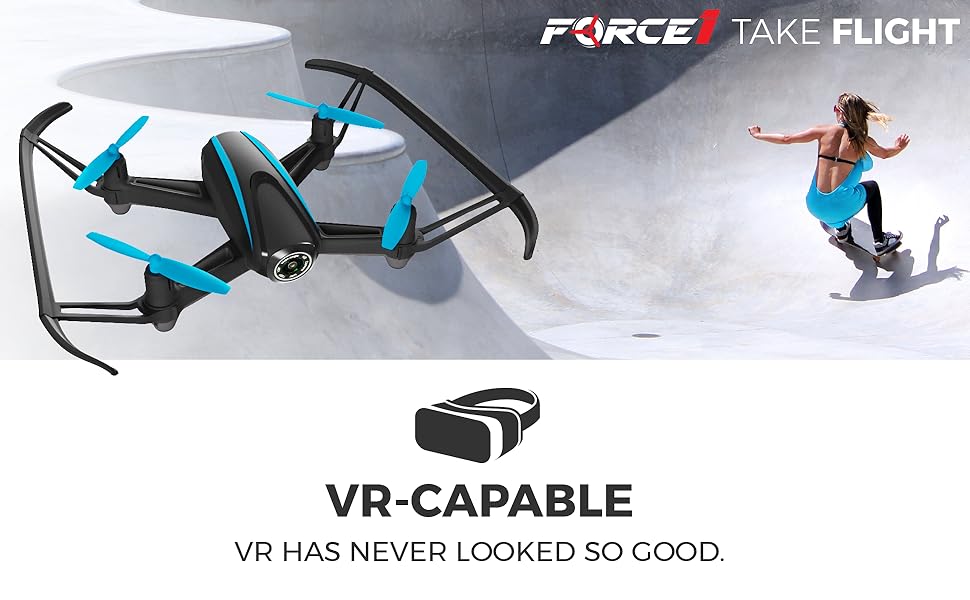
Image: A father and son enjoying live video feed from the drone on a smartphone, demonstrating the FPV feature.
4. Arahan Operasi
4.1 Kawalan Asas Penerbangan
- Berlepas/Mendarat: Press the 1-Key Lift/Land button on the transmitter or app. Alternatively, push both joysticks down and out to start motors, then slowly push the left joystick up to ascend.
- Naik/Turun: Use the left joystick (throttle) up or down.
- Maju/Mundur: Use the right joystick up or down.
- Left/Right Sideways Flight: Use the right joystick left or right.
- Belok Kiri/Kanan (Yaw): Use the left joystick left or right.
4.2 Special Flight Modes
- Tahan Ketinggian: The drone automatically maintains its current altitude. Use the left joystick only for ascending/descending.
- Mod Tanpa Kepala: Press the Headless Mode button. The drone will orient itself relative to the pilot, regardless of its actual front direction. Press again to exit.
- Gravity Mode (via App): In the app, select Gravity Mode. Tilt your smartphone to control the drone's direction.
- Path Mode (via App): In the app, draw a flight path on your screen, and the drone will follow it automatically.

Image: A smartphone screen displaying the 'Path Mode' feature, allowing users to draw a flight path for the drone.
4.3 Operasi Kamera
- Ambil Foto: Press the photo button on the transmitter or in the app.
- Rakam Video: Press the video button on the transmitter or in the app to start/stop recording.
- FPV Viewing: Ensure your smartphone is connected to the drone's Wi-Fi and the app is open for live video feed.
- VR Capability: For an immersive experience, place your smartphone into a compatible VR headset while using the FPV app.
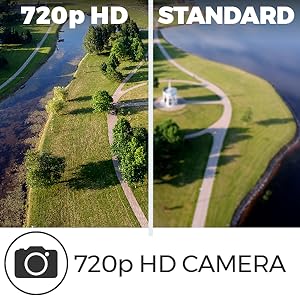
Image: A person wearing a VR headset, experiencing real-time FPV flight with the U34W Dragonfly drone.
4.4 Flight Safety Tips
- Always fly in open areas, away from people, animals, and obstacles.
- Jangan terbang dalam keadaan angin kencang atau keadaan cuaca buruk.
- Kekalkan garis penglihatan dengan dron pada setiap masa.
- Pastikan bateri dicas sepenuhnya sebelum setiap penerbangan.
- Respect local drone regulations and privacy laws.
Video: Tamatview of the Force1 U34W Dragonfly Drone's features, including Altitude Hold, 1-Key Lift/Land, and its 720p HD camera.
5. Penyelenggaraan
5.1 Penggantian Baling-Baling
If a propeller is damaged, replace it with a new one from the spare parts kit. Ensure the correct propeller (A or B) is installed on the corresponding motor. Use the included screwdriver for removal and installation.
5.2 Pembersihan
Gunakan kain lembut dan kering untuk membersihkan dron. Elakkan menggunakan air atau bahan kimia yang keras, yang boleh merosakkan komponen elektronik.
5.3 Penjagaan Bateri
- Simpan bateri di tempat yang sejuk dan kering.
- Do not leave batteries fully charged or fully discharged for extended periods.
- If the drone will not be used for a long time, remove the batteries from both the drone and the transmitter.
6. Penyelesaian masalah
| Masalah | Kemungkinan Punca | Penyelesaian |
|---|---|---|
| Drone does not respond to transmitter. | Not paired; low battery in drone or transmitter. | Re-pair the drone and transmitter. Charge drone battery; replace transmitter batteries. |
| Drone terbang tidak menentu atau hanyut. | Uncalibrated gyroscope; damaged propeller. | Calibrate the gyroscope (refer to quick start guide). Replace damaged propellers. |
| Tiada suapan video FPV. | Tidak disambungkan ke Wi-Fi dron; aplikasi tidak dibuka. | Ensure phone is connected to drone's Wi-Fi. Open the UDIRC FPV app. |
| Masa penerbangan yang singkat. | Bateri tidak dicas sepenuhnya; bateri lama. | Fully charge the battery. Consider replacing old batteries. |
7. Spesifikasi
| Ciri | Perincian |
|---|---|
| Jenama | Angkatan1 |
| Nama Model | Dragonfly (U34W) |
| Ciri Khas | App-controlled, FPV-capable, Integrated-camera, Wi-Fi |
| Julat Umur (Perihalan) | nak |
| warna | Hitam |
| Resolusi Tangkapan Video | 720p (1280x720 pixels) |
| Teknologi Ketersambungan | USB, Wi-Fi |
| Tahap Kemahiran | pemula |
| Berat Barang | 1.6 paun |
| Kapasiti Bateri | 350 Miliamp Hours (7.4v Li-Po) |
| Format Tangkapan Video | MP4 |
| Jenis Kawalan | Kawalan Jauh, Kawalan Apl |
| Teknologi Komunikasi Tanpa Wayar | Wi-Fi |
| Komposisi Sel Bateri | Polimer Litium |
| Format Gambar yang Disokong | JPEG |
| Teknologi Penderia Optik | CMOS |
| bahan | Nilon, Plastik |