
1. Pengenalan
Thank you for choosing the Hbada Ergonomic Office Chair HDNY115BM. This manual provides essential information for the proper assembly, operation, and maintenance of your new office chair. Designed for comfort and support, this chair features an ergonomic backrest, adjustable lumbar support, height adjustment, and a reclining system to enhance your sitting experience.
Untuk sebarang pertanyaan atau bantuan, sila rujuk bahagian penyelesaian masalah atau hubungi khidmat pelanggan.

Imej: Depan view of the Hbada Ergonomic Office Chair HDNY115BM. This image displays the chair's overall design, including the mesh backrest, padded seat, armrests, and wheeled base.
2. Maklumat Keselamatan
- This chair has a maximum weight capacity of 136 kilogram (kira-kira 300 paun)Jangan melebihi had ini untuk mengelakkan kerosakan atau kecederaan.
- Improper use of adjustable lumbar and height features may result in injury. Always adjust slowly and ensure stability.
- Use the reclining mechanism responsibly to prevent tip-over or stability issues. Ensure the chair is stable before reclining fully.
- Keep this chair in an indoor environment. Exposure to extreme temperatures or moisture can damage materials.
- Refer to the included assembly instructions and user manual for detailed safety information and proper usage guidelines.
3. Persediaan dan Pemasangan
Your Hbada Ergonomic Office Chair HDNY115BM requires assembly. Please follow the detailed assembly instructions provided in the separate assembly guide included with your packaging. Ensure all parts are present before beginning assembly.
Langkah-langkah utama secara amnya termasuk:
- Membuka semua komponen dan mengesahkannya dengan senarai bahagian.
- Memasang roda pada tapak kerusi.
- Memasukkan silinder pengangkat gas ke dalam tapak.
- Assembling the seat, backrest, and armrests.
- Connecting the assembled seat and backrest to the gas lift.
It is recommended to have a second person assist with certain steps to ensure stability and ease of assembly.
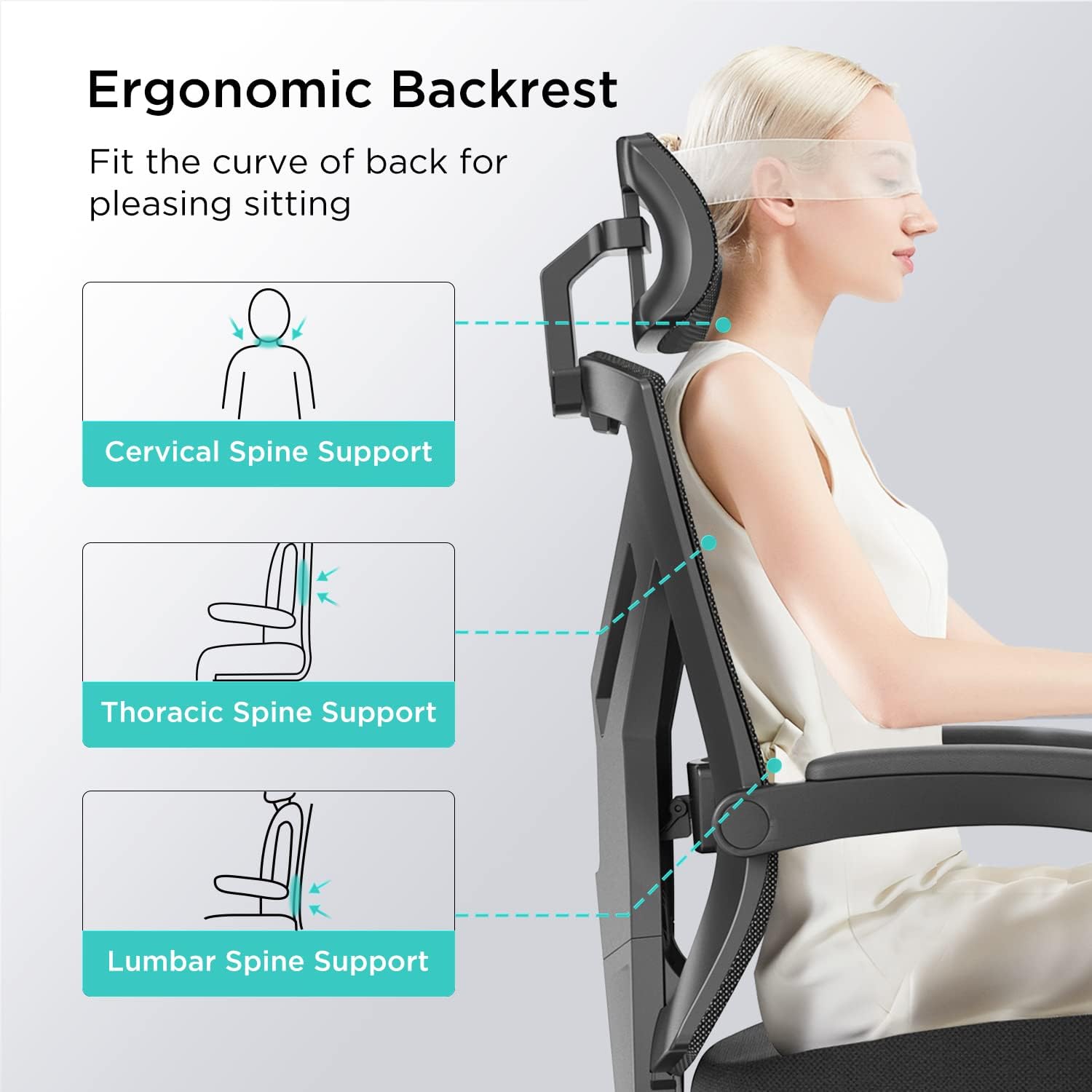
Image: The fully assembled Hbada Ergonomic Office Chair HDNY115BM, ready for use. This image highlights the chair's complete structure after successful assembly.
4. Arahan Operasi
4.1. Pelarasan Ketinggian Tempat Duduk
To adjust the seat height, locate the lever on the right side, beneath the seat. While seated, pull the lever up to lower the seat. To raise the seat, stand up and pull the lever up. Release the lever at the desired height to lock it in place.
4.2. Pelarasan Sokongan Lumbar
The chair features an adjustable lumbar support designed to conform to your spine's natural curve. The Y-shaped backrest frame provides stable support with elastic mesh. The liftable lumbar support can be adjusted vertically to ease pressure on your lower back.

Imej: Jarak dekat view of the Y-shaped design and adjustable lumbar support mechanism. An inset shows a hand adjusting the lumbar support vertically, indicating a 1-inch adjustment range.
4.3. Reclining System
The synchronized tilt mechanism allows for smooth, effortless reclining. You can lock the backrest at any angle between 90 and 150 degrees. This feature supports both an upright work mode and a fully reclined rest mode. Use the lever on the left side, beneath the seat, to engage or disengage the recline lock and adjust the angle.

Image: The Hbada office chair demonstrating its 155-degree reclining function. The image shows the chair tilted back, with an arrow indicating the range of motion and an inset showing the control lever for reclining.
4.4. Pelarasan Tempat Letak Kepala
The 2D adjustable headrest helps relieve neck pressure. It can be rotated by 30 degrees and lifted by 7cm (approximately 2.7 inches) to provide optimal support for your head and neck, whether sitting upright or leaning back.

Image: A user demonstrating the 2D adjustable headrest. Insets show the 30-degree rotatable and 7cm liftable features of the headrest.
4.5. Pelarasan Tempat Letak Tangan
The linkage armrests adjust smoothly with the backrest when reclining, ensuring continuous arm support. The armrests feature a PU surface for a comfortable touch, supporting your elbows during use.

Image: The Hbada office chair showcasing its linkage armrests. An inset highlights the PU surface for comfortable elbow support.
5. Penyelenggaraan
Proper maintenance ensures the longevity and performance of your Hbada Ergonomic Office Chair HDNY115BM.
- Pembersihan: Lap bersih dengan iklanamp cloth. Avoid harsh chemicals or abrasive cleaners that may damage the mesh, fabric, or plastic components.
- Mesh Back: The breathable mesh back allows air circulation. Periodically dust or gently vacuum the mesh to prevent accumulation of dirt.
- Bantal Tempat Duduk: The soft foam seat cushion with a skin-friendly mesh cover can be spot cleaned as needed.
- Bahagian bergerak: Periodically check all screws and bolts to ensure they are tight. Re-tighten if necessary. Avoid over-tightening.
- Kastor: Pastikan roda roda bersih daripada rambut dan serpihan untuk memastikan pergerakan yang lancar.

Imej: A terperinci view of the thickened high-density cushion and skin-friendly mesh cover, illustrating the materials used for comfort and durability.
6. Penyelesaian masalah
If you encounter any issues with your Hbada Ergonomic Office Chair HDNY115BM, please refer to the following common troubleshooting tips:
- Kerusi Berdentum atau Berkeriut: Check all assembly bolts and screws. Tighten any loose connections. Applying a small amount of silicone lubricant to moving parts (e.g., gas lift, tilt mechanism) can also help.
- Kesukaran Melaraskan Ketinggian: Ensure the gas lift lever is fully engaged or disengaged. If the chair does not raise or lower, the gas lift cylinder may need replacement.
- Kerusi Terasa Tidak Stabil: Verify that all components are correctly assembled and tightened according to the assembly instructions. Ensure the chair is on a flat, even surface.
- Pemutus Tidak Berguling dengan Lancar: Inspect casters for trapped debris (hair, lint, etc.) and clean them thoroughly.
If the problem persists after attempting these solutions, please contact Hbada customer support for further assistance.
7. Spesifikasi
| Ciri | Perincian |
|---|---|
| Jenama | Hbada |
| Nama Model | HDNY115BM |
| warna | Hitam |
| Dimensi Produk | 17"D x 20"W x 19"H |
| Berat Barang | 34.4 paun |
| Cadangan Berat Maksimum | 136 Kilogram (300 lbs) |
| bahan | Nylon, Iron, Environment-friendly Original Foam |
| Ciri Khas | Adjustable Height, Adjustable Lumbar, Ergonomic, Head Support, Reclining (90-150 degrees) |
| Gaya Belakang | Solid Back with Breathable Mesh |
| Gaya Lengan | With-arms (Linkage Armrests) |
| Pergerakan Pangkalan Perabot | Pusing, Roda |
| Penggunaan yang Disyorkan | Pejabat |
| UPC | 680580340033 |
8. Waranti dan Sokongan
Hbada provides a jaminan tiga tahun for this product. This warranty covers manufacturing defects and ensures that any issues encountered during normal use will be processed efficiently.
For warranty claims, technical support, or any product-related inquiries, please contact Hbada customer service. Details for contacting support are typically found on the Hbada official webtapak atau melalui platform pembelian anda.
Sila simpan bukti pembelian anda untuk pengesahan waranti.