
pengenalan
The SteelSeries Apex 100 Gaming Keyboard is designed for optimal gaming performance, featuring Quick Tension Switches for fast reaction times, tactile feedback, and quiet operation. It includes blue LED backlighting, advanced anti-ghosting, and is built with splash resistance for durability.
Persediaan
1. Menyambung Papan Kekunci
Connect the keyboard's USB-A cable to an available USB port on your computer. The keyboard is plug-and-play, and your operating system should automatically detect and install the necessary drivers.

Imej: Atas view of the SteelSeries Apex 100 Gaming Keyboard, showing the full QWERTY layout with blue LED backlighting and the attached USB cable.
2. Pemasangan Perisian (Pilihan)
For advanced customization, including macro programming and backlighting adjustments, download and install the SteelSeries Engine 3 software from the official SteelSeries webtapak (steelseries.com/enjin). Ikut arahan pada skrin untuk pemasangan.
Mengendalikan Papan Kekunci
Ciri-ciri Utama
- Quick Tension Switches: Designed to mimic mechanical switches, providing a tactile feel and fast actuation.
- Lampu Latar LED Biru: Offers brilliant ground effects backlighting. Intensity can be adjusted via SteelSeries Engine 3.
- Advanced Anti-Ghosting: Memastikan semua tekanan kekunci direkodkan dengan tepat semasa sesi permainan yang sengit.
- Kawalan Media: Integrated media control functions are accessible via function keys (F7-F12) in combination with the Fn key.
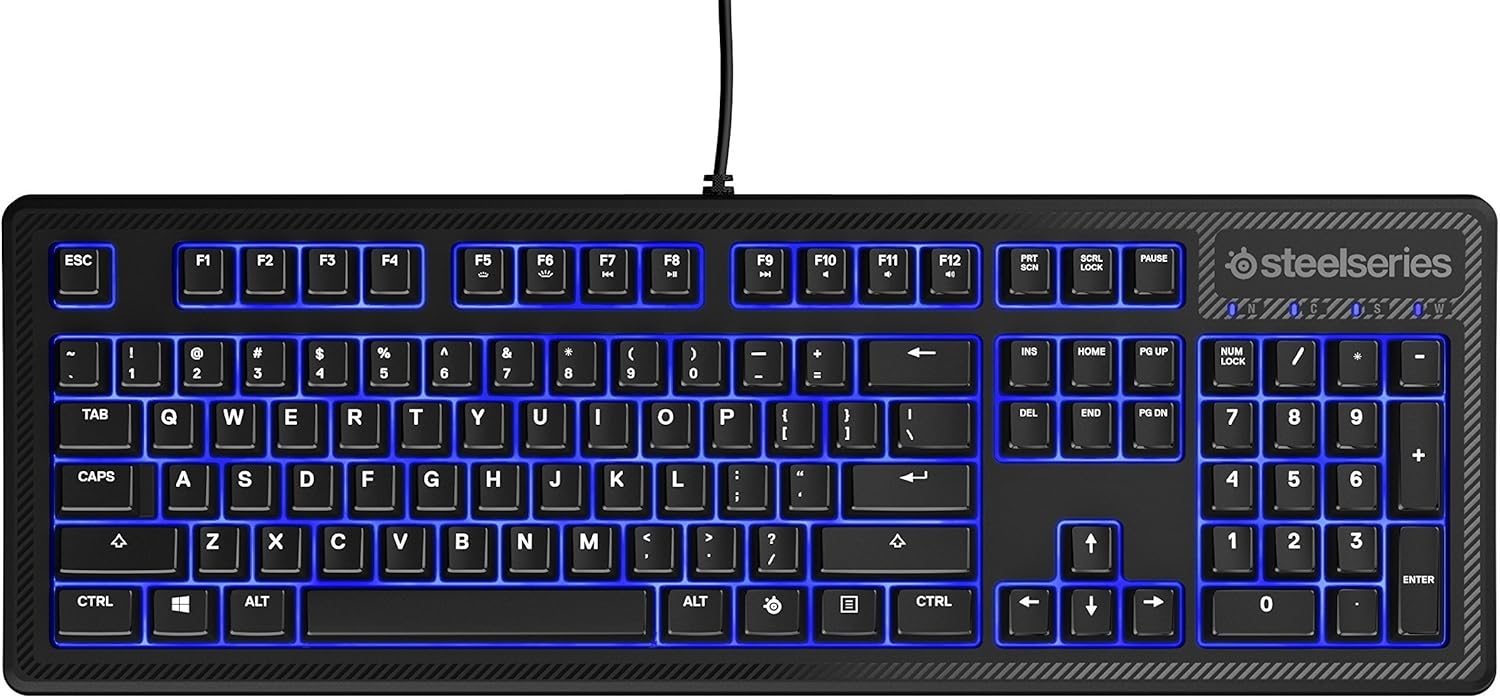
Imej: Sisi view of the SteelSeries Apex 100 Gaming Keyboard, highlighting its ergonomic design and keycap profile.
Customization with SteelSeries Engine 3
The SteelSeries Engine 3 software allows you to:
- Create and assign macros to any key.
- Adjust the intensity of the blue LED backlighting.
- Configure polling rates and other performance settings.
Penyelenggaraan
Pembersihan
To clean your keyboard, disconnect it from your computer. Use a soft, dry cloth to wipe down the keys and chassis. For stubborn dirt, a slightly damp cloth with mild soap can be used, ensuring no liquid enters the key switches or internal components. The keyboard is splash resistant, but not waterproof; avoid submerging it or exposing it to excessive liquids.
Ketahanan
The Apex 100 keyboard features a guaranteed 20-million click lifespan for its switches, ensuring long-term reliability under heavy use.

Imej: Bawah view of the SteelSeries Apex 100 Gaming Keyboard, showing the drainage channels and adjustable feet.
Menyelesaikan masalah
Papan Kekunci Tidak Membalas
- Pastikan kabel USB disambungkan dengan selamat ke kedua-dua papan kekunci dan komputer.
- Cuba sambungkan papan kekunci ke port USB lain.
- Mulakan semula komputer anda.
- Jika menggunakan hab USB, cuba sambungkan terus ke komputer.
Backlighting Issues
- Check the backlighting settings within the SteelSeries Engine 3 software.
- Ensure the keyboard's brightness level is not set to minimum.
Kunci Tidak Mendaftar
- Bersihkan sekeliling kunci yang terjejas untuk mengeluarkan sebarang serpihan.
- If the issue persists, consider reinstalling the SteelSeries Engine 3 software or updating your USB drivers.
For further assistance, please refer to the SteelSeries support webtapak.
Spesifikasi
| Ciri | Perincian |
|---|---|
| Jenama | SteelSeries |
| Nama Model | Puncak 100 |
| Nombor Model | 64435 |
| Teknologi Ketersambungan | USB-A |
| Penerangan Papan Kekunci | Permainan |
| Penggunaan yang Disyorkan | Permainan |
| Ciri Khas | Lampu belakang |
| warna | Biru |
| Sokongan Warna Lampu Latar Papan Kekunci | Single Color (Blue) |
| Gaya | Whisper Quiet – Tactile & Silent |
| Dimensi Produk | 18.21"L x 6.13"W x 1.58"H |
| Sumber Kuasa | USB |
| Jenis Suis | Tactile (Quick Tension Switches) |
| Susun atur papan kekunci | QWERTY |
| Kuantiti Butang | 104 |
| Keluarga Sistem Pengendalian yang Serasi | Windows |
| Bilangan Kunci | 100 |
| Bahan Kepungan | plastik |
| Berat Barang | 2.42 paun |
| UPC | 813682020101 |
Maklumat Waranti
According to product information, this item comes with tiada jaminan. Please check with your retailer for their return or exchange policies.
Sokongan
For additional support, driver downloads, or frequently asked questions, please visit the official SteelSeries support webtapak: