pengenalan
This manual provides comprehensive instructions for the installation, operation, and maintenance of your CURRENT USA Orbit Marine IC LED Aquarium Light (72-inch model). This advanced lighting system is designed to provide brilliant color and brightness for your saltwater reef aquarium, offering dynamic environmental effects controlled via the integrated LOOP system.
Apa yang Termasuk
Sahkan bahawa semua komponen hadir sebelum memulakan pemasangan:
- Orbit IC LED Light (IP65 water resistant) with sliding docking mounts
- LOOP Light & Wave Pump Controller with mounting bracket
- LOOP Light HUB with mounting bracket (controls two lights)
- Wireless IR Remote Control
- Penderia IR Jauh
- 12VDC UL Approved Power Supply
- Manual Arahan (dokumen ini)

Persediaan dan Pemasangan
Proper installation ensures optimal performance and longevity of your Orbit Marine IC LED light. Follow these steps carefully.
Pemasangan Fizikal
- Pasang Lekapan Lampu: Use the sliding docking mounts to position the 72-inch LED light fixture securely over your aquarium. Ensure the fixture is centered and stable. The extendable brackets allow for flexible placement.
- Install the LOOP Controller: Mount the LOOP Light & Wave Pump Controller in a dry, accessible location near your aquarium. Use the provided mounting bracket.
- Install the LOOP Light HUB: Mount the LOOP Light HUB using its bracket. This HUB is essential for connecting the LED light to the controller.
- Sambungkan Komponen:
- Connect the Orbit IC LED Light to the LOOP Light HUB.
- Connect the LOOP Light HUB to the LOOP Controller.
- Connect the Remote IR Sensor to the LOOP Controller. Position the sensor where it has a clear line of sight to where you will use the IR remote.
- Connect the 12VDC UL Approved Power Supply to the LOOP Controller and then plug it into a suitable power outlet.

Arahan Operasi
The Orbit Marine IC LED system is controlled via the LOOP controller and the wireless IR remote. The LOOP system allows for advanced programming of lighting cycles and integration with eFlux wave pumps.
LOOP Controller Overview
The LOOP controller is the central hub for managing your lighting and wave pump accessories. Its display shows current time, light intensity, and wave pump settings.
Wireless IR Remote Control
The included IR remote provides immediate control over various functions. Ensure the remote has fresh batteries and a clear line of sight to the IR sensor.

- Tetapkan Jam: Use the "SET CLOCK" button to adjust the current time on the LOOP controller.
- ON/OFF Time: Program the desired ON and OFF times for the daily lighting cycle.
- Pelarasan Warna: Utilize the color buttons (red, green, blue, white, actinic) to fine-tune the light spectrum.
- Kesan Cuaca: Activate dynamic weather effects such as clouds, lightning, and storm modes.
- Wave Pump Control: If eFlux wave pumps are connected, use the "STREAM", "SURGE", and "WAVE" buttons to control water flow patterns.
- Mod Suapan: Temporarily pauses lighting or wave pumps for feeding.
- Mod Bersih: Temporarily pauses wave pumps for tank maintenance.
Lighting Modes and Features
- 24-Hour Biorhythmic Cycle: The system includes a built-in program that mimics a natural 24-hour cycle, including gradual sunrise, intense daylight, dimming sunset, and soothing moonlight phases. This cycle assists in acclimating fish and corals.
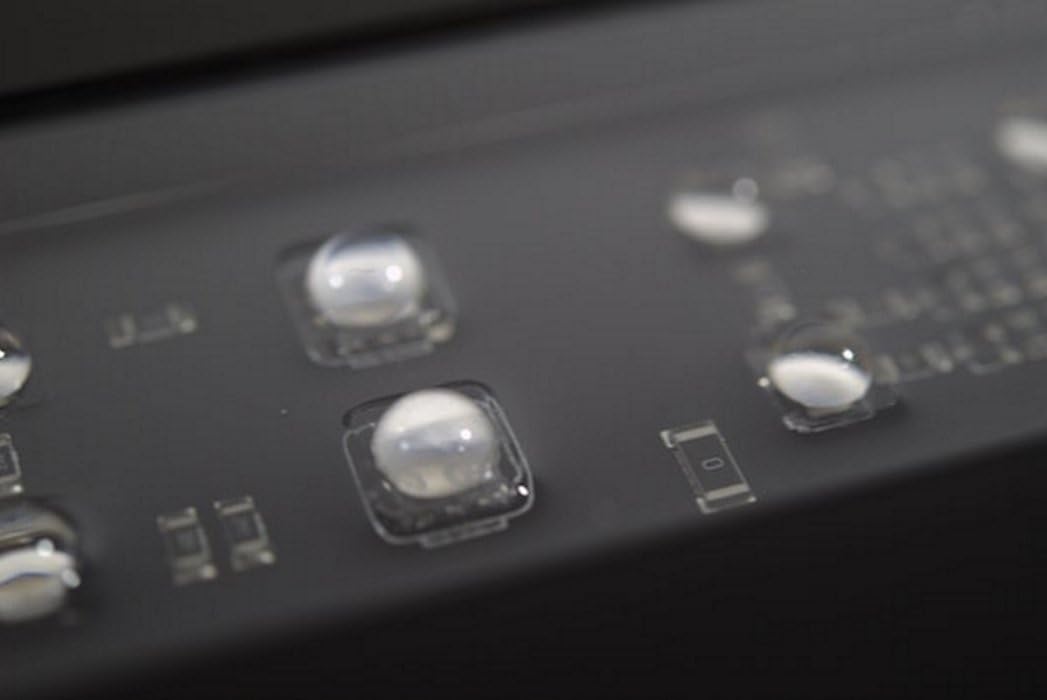
- Full Spectrum Control: The light provides full spectrum control, allowing users to create specific color spectra for reef environments. It utilizes a blend of Dual Actinic blue (445nm/460nm), Dual Daylight white (6,700K/10,000K), and RGB LEDs, combined with 90° spherical optical lenses, to deliver light suitable for coral growth and fluorescence.
- Dynamic Weather Effects: On-demand or programmed weather effects include random cloud cover and lightning strikes, offering dynamic visual effects that can be activated on-demand or integrated into a daily schedule.
- eFlux Wave Pump Integration: The LOOP controller can manage up to three eFlux accessory wave pumps, allowing for synchronized water flow patterns like streams, surges, and waves.
- Kebolehbagaian: The LOOP system is designed for expansion. Additional Orbit Marine IC Accessory LED lights and other LOOP accessories (e.g., eFlux DC return pumps) can be connected to your existing network.
Penyelenggaraan
Regular maintenance ensures the optimal performance and longevity of your aquarium lighting system.
- Membersihkan Perlawanan: Periodically wipe the LED fixture and lenses with a soft, damp cloth to remove salt creep, dust, and water spots. Ensure the fixture is unplugged before cleaning. Do not use abrasive cleaners.
- Controller and Sensor: Keep the LOOP controller and IR sensor clean and free from obstructions. Ensure the IR sensor has a clear line of sight to the remote for proper function.
- Bekalan Kuasa: Inspect the power supply and cables for any signs of damage or wear. Replace immediately if damage is found.
- Tahan Air: The Orbit IC LED Light is IP65 water resistant, meaning it is protected against low-pressure water jets. However, it is not designed for submersion. Avoid direct water spray onto the controller or power supply.
Menyelesaikan masalah
This section addresses common issues you might encounter with your Orbit Marine IC LED system.
| Masalah | Kemungkinan Punca | Penyelesaian |
|---|---|---|
| Cahaya tidak menyala. |
|
|
| IR Remote is unresponsive. |
|
|
| Light colors or intensity are incorrect. |
|
|
| Wave pumps (if connected) are not working. |
|
|
Spesifikasi
| Ciri | Perincian |
|---|---|
| Nombor Model | 4108 |
| Saiz | 72 inci |
| Jenis Sumber Cahaya | LED (Dual Actinic blue 445nm/460nm, Dual Daylight white 6,700K/10,000K, RGB) |
| Voltage | 12 Volt (DC) |
| Sumber Kuasa | Elektrik Bertali |
| bahan | aluminium |
| Berat Barang | 3.7 paun |
| Dimensi Produk (LxWxH) | 73.6 x 17 x 10.7 inci |
| Tahan Air | IP65 (Light Fixture) |
| UPC | 842959041082 |
Waranti dan Sokongan
CURRENT-USA products carry a one-year limited warranty from the date of purchase. Lamps carry a three-month limited warranty. If your product is within warranty and you require a replacement part or service, please contact CURRENT-USA customer support.
For further assistance or to report issues, please refer to the contact information provided on the official CURRENT-USA webtapak atau dokumentasi pembelian anda.