
pengenalan
This manual provides detailed instructions for the SHARP EL-5160T-X scientific calculator, an expert model designed for advanced mathematical and scientific calculations. It features 710 functions, a formula memory for frequently used calculations, and a clear display with expression input capabilities. Please read this manual thoroughly to ensure proper use and to maximize the calculator's potential.

Image: The SHARP EL-5160T-X scientific calculator, black in color, shown at an angle with its display and keypad visible.
Persediaan
Sumber Kuasa
The EL-5160T-X calculator operates on both solar power and a single alkaline button battery (included). The solar panel provides power in well-lit environments, while the battery ensures operation in low-light conditions.
Penggunaan Awal
- Membongkar: Carefully remove the calculator from its packaging.
- Hidupkan kuasa: Tekan ke HIDUP/C key to turn on the calculator. If the display does not appear, ensure sufficient lighting for the solar panel or check the battery.
- Pelarasan Paparan: If the display contrast is not optimal, refer to the "Display Settings" section in the full manual for adjustment instructions.
Arahan Operasi
General Calculation
Perform basic arithmetic operations using the number keys and operator keys (+, -, ×, ÷). Tekan = untuk memaparkan hasilnya.
Formula Memory Function
The formula memory function allows you to register frequently used calculations and formulas. These can then be recalled and executed quickly, saving time for repetitive tasks.

Image: A close-up of the calculator display showing "数式記憶機能" (Formula Memory Function) and the F1, F2, F3, F4 keys used for memory registration and recall.
To use: Press the SETUP key, then select the memory function. Use keys like F1 kepada F4 to store and retrieve formulas. Refer to the full manual for detailed steps on registering and recalling formulas.
Japanese Display
The EL-5160T-X calculator supports displaying mode selections and settings in Japanese, which can improve user comprehension and ease of navigation for Japanese speakers. You can switch between Japanese and English display languages.

Image: The calculator display showing "日本語表示" (Japanese Display) with menu options in Japanese, and below it, the same menu in English, demonstrating the language switch feature.
To switch display language: Access the MODE settings and navigate to the language option. Select your preferred language (Japanese or English).
Expression Input Display
This feature allows you to input and display complex mathematical expressions exactly as they are written in textbooks. This includes fractions, square roots, and pi, making it easier to verify input and understand results.

Image: The calculator display showing "式通り入力表示" (Expression Input Display) with an example of a complex fraction and square root expression input, and its calculated result displayed in a similar format.
The display of calculation results can be chosen between fractional/square root/pi forms and decimal forms, depending on the usage scenario.
CHANGE Key
The PERUBAHAN key provides a convenient way to convert calculation results that include fractions or square roots into their numerical (decimal) equivalents with a single press.
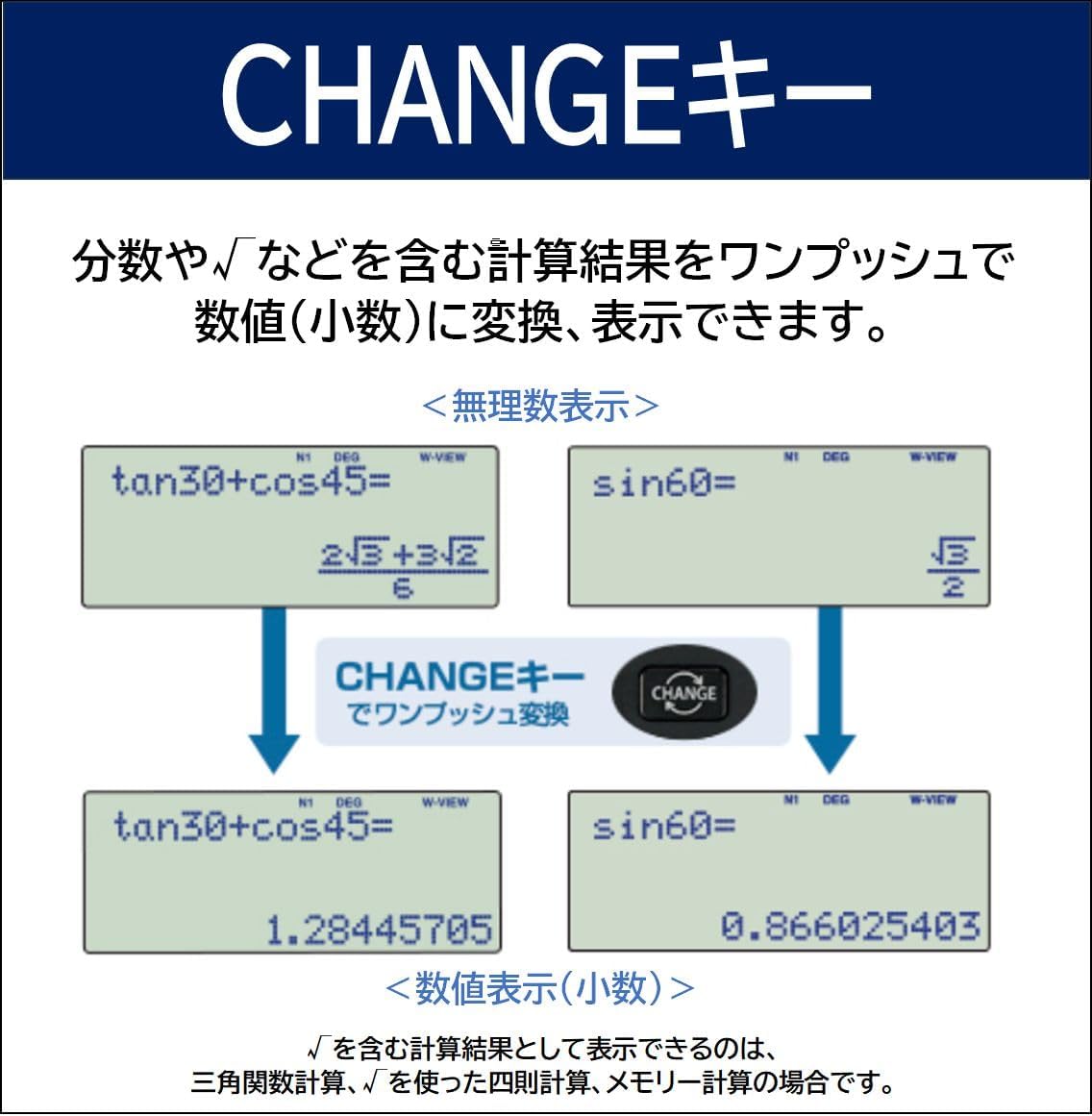
Image: The calculator display illustrating the use of the CHANGE key, showing a result in fractional/square root form being converted to its decimal equivalent with a single press.
This function is particularly useful for trigonometric calculations, four-arithmetic operations involving square roots, and memory calculations.
Kunci RUMAH
The RUMAH key allows you to quickly return to the initial screen of the general calculation mode from any other mode with a single press, streamlining navigation.

Image: The calculator display showing a complex number calculation result, and an arrow pointing from the HOME key to the general mode initial screen, demonstrating its function.
Panel Akrilik
The calculator is equipped with a clear acrylic display panel designed to protect the LCD screen from damage and ensure clear visibility of calculations and results.
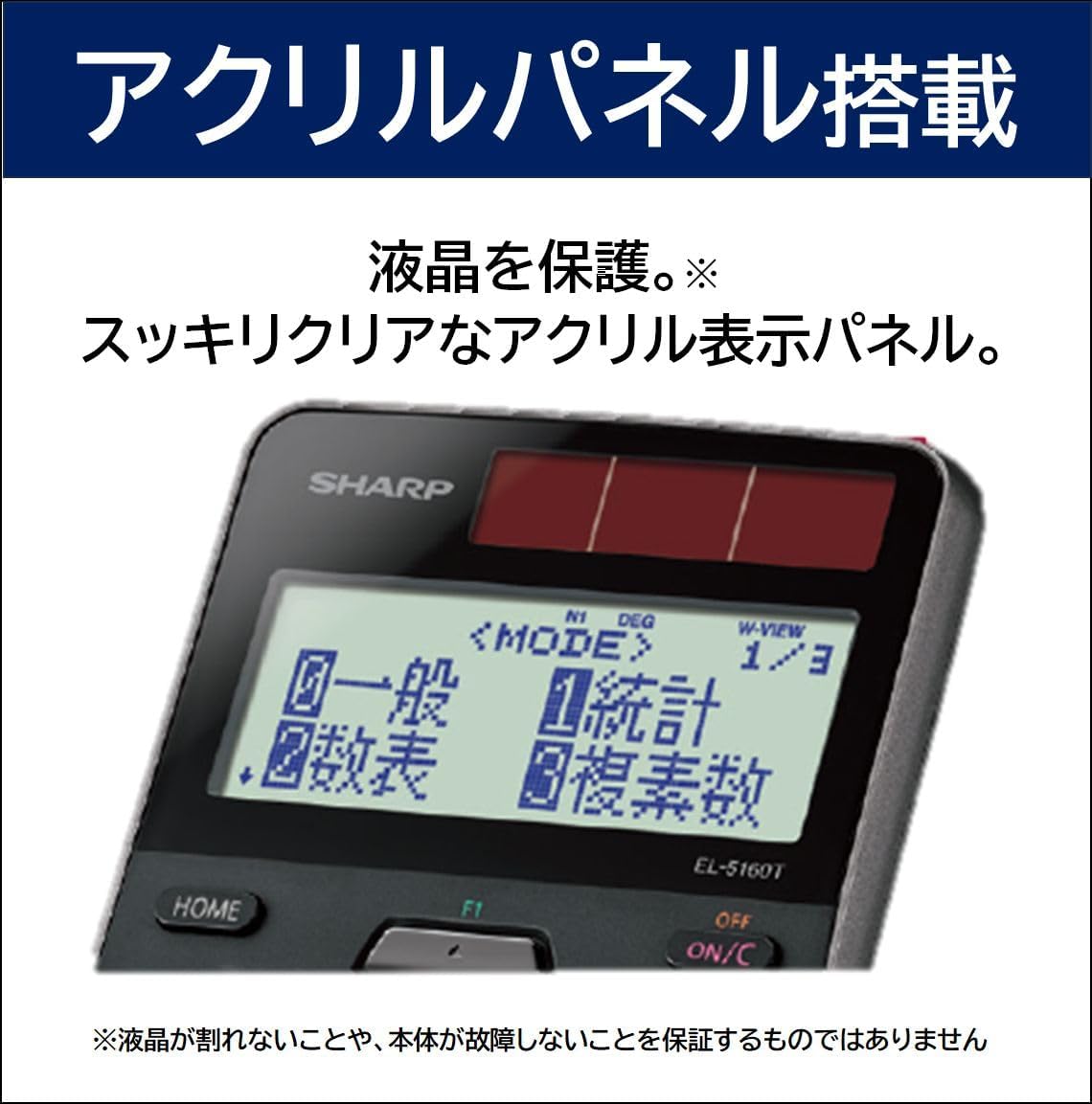
Image: A close-up of the SHARP EL-5160T-X calculator display, highlighting the clear acrylic panel protecting the screen, with "アクリルパネル搭載" (Acrylic Panel Equipped) text.
Note: The acrylic panel protects the screen, but it does not guarantee against LCD breakage or main unit malfunction.
Penyelenggaraan
Pembersihan
To clean the calculator, gently wipe the surface with a soft, dry cloth. Do not use abrasive cleaners, solvents, or wet cloths, as these may damage the casing atau komponen dalaman.
Penggantian Bateri
When the display becomes dim or unresponsive even in bright light, the battery may need replacement. The calculator uses one alkaline button battery. Refer to the full user manual for specific instructions on how to safely replace the battery.
Penyimpanan
Store the calculator in a cool, dry place away from direct sunlight, extreme temperatures, and high humidity. Avoid placing heavy objects on top of the calculator to prevent damage.
Menyelesaikan masalah
- Paparan kosong atau tidak responsif:
Ensure the calculator is in a well-lit area for solar power. If the issue persists, the battery may be depleted. Try pressing the reset button located on the back of the unit with a thin object (e.g., a straightened paper clip). If still unresponsive, replace the battery.
- Keputusan pengiraan yang salah:
Check the input values and the selected mode (e.g., DEG/RAD/GRAD). Ensure all previous calculations are cleared by pressing HIDUP/C. A full reset might be necessary if the problem persists.
- Kekunci tidak bertindak balas:
Clean the keypad area to remove any dust or debris. If individual keys are stuck, gently try to free them. If multiple keys are unresponsive, a reset or battery replacement may resolve the issue.
Spesifikasi
| Jenama | TAJAM |
| Nombor Model | EL-5160T-X |
| Bilangan Fungsi | 710 |
| Bilangan Digit | 10 digit |
| Dimensi (W×D×H) | 80 × 166 × 15 mm |
| Berat badan | 108 g |
| Sumber Kuasa | Battery, Solar |
| Jenis Bateri | 1 Alkaline button battery (included) |
| Anggaran Hayat Bateri | lebih kurang 3,000 jam |
| Jenis Paparan | LCD |
| Bahan Luaran | plastik |
Waranti dan Sokongan
Maklumat Waranti
This SHARP EL-5160T-X scientific calculator comes with a Waranti 1 tahun dari tarikh pembelian. Sila simpan bukti pembelian anda untuk tuntutan waranti. Waranti melindungi kecacatan pembuatan di bawah keadaan penggunaan biasa.
Sokongan Pelanggan
For further assistance, technical support, or warranty inquiries, please visit the official SHARP brand store or contact their customer service. You can find more information at the SHARP Store on Amazon.co.jp.