
1. Pengenalan
This manual provides comprehensive instructions for the installation, operation, and maintenance of your ALC AWF61 SightHD 1080p Full HD Outdoor Wi-Fi Camera. Designed for outdoor security, this camera delivers crystal-clear 1080p video, robust night vision, and reliable Wi-Fi connectivity, allowing you to monitor your property remotely via your smartphone or tablet.
Sila baca manual ini dengan teliti sebelum menggunakan produk ini bagi memastikan persediaan yang betul dan prestasi yang optimum.
2. Produk Lebihview
2.1 Ciri-ciri Utama
- Video HD Penuh 1080p: Captures high-definition video at 1280 x 1080 resolution for clear streaming, playback, and recording.
- Bidang Luas View: Offers a 90-degree field of view to cover a broad area.
- Penglihatan Malam Lanjutan: Equipped with 6 surface-mounted high-power infrared LEDs, providing sharp black and white contrast up to 65 feet (20 meters) in low-light or total darkness. Infrared (IR-cut) filters ensure accurate colors during daylight.
- Reka Bentuk Kalis Cuaca: Features IP66-rated durable metal housing, designed to withstand various inclement weather conditions.
- Kesambungan Wi-Fi: Connects wirelessly to your home network for remote access.
- Pengesanan Pergerakan: Smart motion detection triggers alerts and recording.
- Pilihan Storan Fleksibel: Supports on-camera recording (microSD card not included) and free cloud storage integration with Google Drive and Dropbox.
- Pemantauan Jauh: Accessible via smartphone and tablet applications (Android and Apple compatible).
2.2 Kandungan Pakej
Pastikan semua item ada dalam pakej:
- ALC AWF61 SightHD 1080p Full HD Outdoor Wi-Fi Camera
- Penyesuai Kuasa (AC/DC)
- Perkakasan Pemasangan
- Manual Arahan (dokumen ini)
2.3 Komponen Kamera
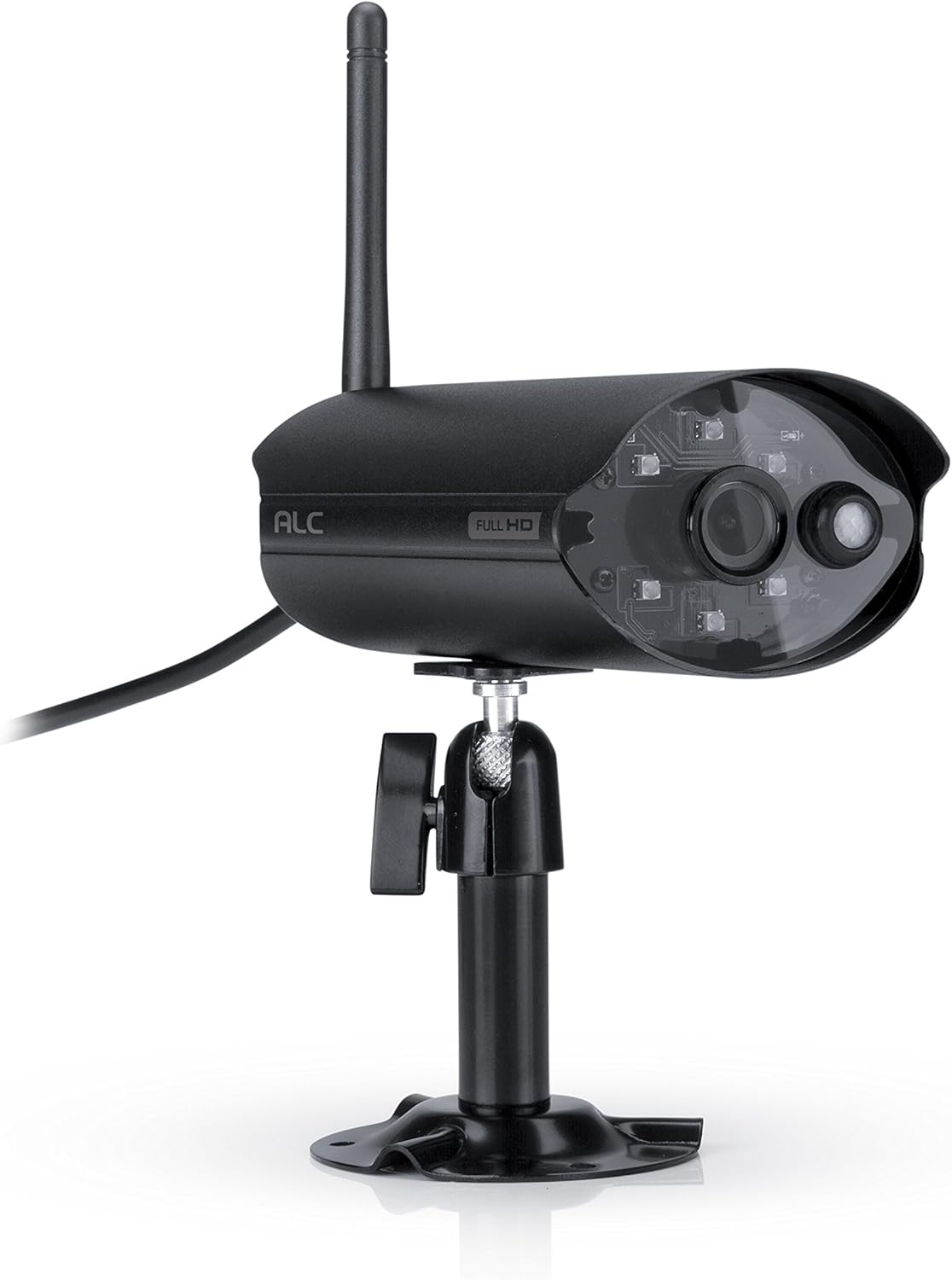
Rajah 2.3.1: Depan view of the ALC AWF61 camera, showing the lens, infrared LEDs, and antenna. This image displays the camera's main body, mounted on its stand, with the antenna extending upwards and the power cable visible.
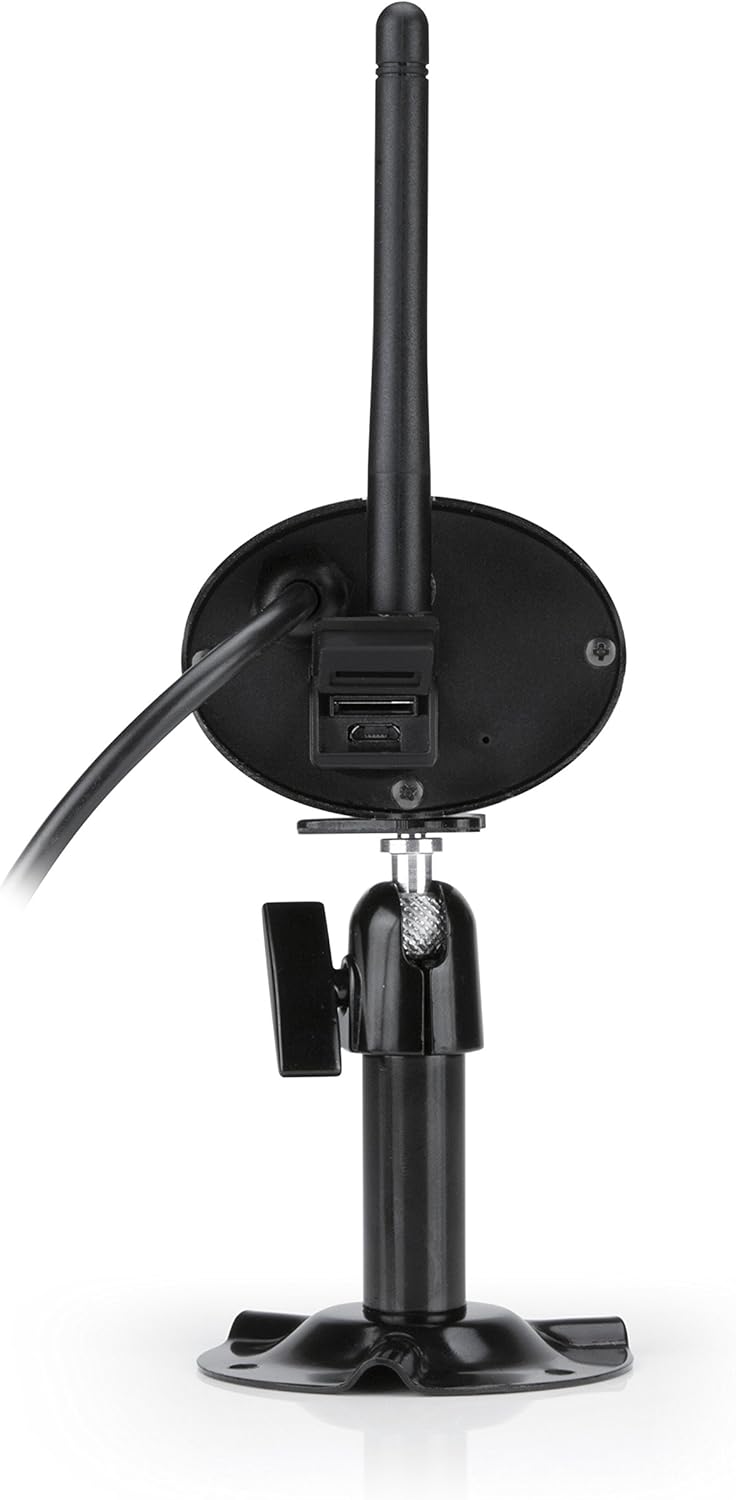
Rajah 2.3.2: belakang view of the ALC AWF61 camera, showing the power input and possibly a microSD card slot (if applicable). This image highlights the back of the camera unit, including the base and connection points.
3. Persediaan dan Pemasangan
3.1 Sebelum Anda Bermula
- Ensure you have a stable Wi-Fi network with good signal strength at the camera's intended installation location.
- Have your Wi-Fi network name (SSID) and password ready.
- A smartphone or tablet (Android or iOS) is required for setup and operation.
3.2 Muat Turun Apl dan Pembuatan Akaun
- Muat turun ALC SightHD aplikasi daripada Apple App Store (untuk peranti iOS) atau Google Play Store (untuk peranti Android).
- Pasang aplikasi pada telefon pintar atau tablet anda.
- Buka aplikasi dan ikut arahan pada skrin untuk membuat akaun pengguna baharu atau log masuk jika anda sudah mempunyainya.
3.3 Camera Connection and Pairing
- Connect the camera to the power adapter and plug it into a power outlet. The camera will power on and initiate its startup sequence.
- Within the ALC SightHD app, select the option to add a new camera or device.
- Follow the app's instructions to connect the camera to your Wi-Fi network. This typically involves scanning a QR code on the camera or entering your Wi-Fi credentials into the app.
- Once connected, the camera will be paired with your account and ready for live viewing.
3.4 Memasang Kamera
The ALC AWF61 camera is designed for surface mounting. Choose a location that provides the desired field of view and has access to a power outlet. Ensure the mounting surface is stable and can support the camera's weight.
- Use the provided mounting hardware to securely attach the camera's base to the chosen surface.
- Adjust the camera's angle and orientation using the adjustable mount to achieve the optimal viewkawasan ing.
- Ensure the camera's antenna is positioned for best Wi-Fi signal reception.
4. Arahan Operasi
4.1 Langsung View dan Main semula
- Open the ALC SightHD app on your smartphone or tablet.
- Select the AWF61 camera from your device list to access the live video feed.
- Use the app's interface to initiate manual recordings, take snapshots, or review dirakam footage daripada kad microSD atau storan awan anda.
4.2 Pengesanan Gerakan dan Makluman
- Navigate to the camera settings within the ALC SightHD app.
- Enable and configure motion detection sensitivity and detection zones.
- Ensure push notifications are enabled in the app and on your device's operating system to receive alerts when motion is detected.
4.3 Penglihatan Malam
The camera automatically switches to night vision mode in low-light conditions. The infrared LEDs will illuminate, providing clear black and white video up to 65 feet. No manual intervention is typically required for this feature.
4.4 Cloud Storage Integration
The ALC AWF61 supports free cloud storage integration with Google Drive and Dropbox. To utilize this feature:
- Ensure you have an active Google Drive or Dropbox account.
- Within the ALC SightHD app settings for your camera, link your preferred cloud storage account.
- Recordings can then be automatically transferred from the camera's microSD card (if installed) to your linked cloud account.
5. Penyelenggaraan
5.1 Membersihkan Kamera
- Bersihkan kanta dan perumah kamera secara berkala dengan lembut, damp kain.
- Do not use harsh chemicals or abrasive cleaners, as these can damage the camera's finish or lens.
- Pastikan kamera dimatikan sebelum membersihkannya.
5.2 Kemas Kini Perisian Tegar
From time to time, ALC may release firmware updates to improve camera performance or add new features. Check the ALC SightHD app regularly for notifications regarding available firmware updates and follow the in-app instructions to apply them.
6. Penyelesaian masalah
| Masalah | Kemungkinan Punca | Penyelesaian |
|---|---|---|
| Camera not connecting to Wi-Fi or frequently disconnects. | Weak Wi-Fi signal; incorrect Wi-Fi credentials; network interference. |
|
| ALC SightHD app freezes or crashes. | App software glitch; outdated app version; insufficient device memory. |
|
| Motion alerts are delayed or not received. | Network latency; incorrect app notification settings; device power saving modes. |
|
| Cannot access camera from a PC. | Had reka bentuk produk. | The ALC AWF61 camera is primarily designed for control and viewing via smartphone and tablet applications. Direct PC access is not supported. |
7. Spesifikasi
| Ciri | Perincian |
|---|---|
| Nombor Model | AWF61 |
| Resolusi Tangkapan Video | 1080p (1280 x 1080) |
| Bidang View | 90 Darjah |
| Julat Penglihatan Malam | 60 Kaki |
| Teknologi Ketersambungan | Wayarles (Wi-Fi) |
| Penggunaan Dalaman/Luar | Luar |
| Penilaian Perlindungan Antarabangsa | IP66 (kalis cuaca) |
| Sumber Kuasa | AC/DC |
| Peranti Serasi | Smartphone, Tablet (Android, iOS) |
| bahan | logam |
| Dimensi Item (L x W x H) | 2 x 5 x 2.5 inci |
| Berat Barang | 1.95 paun |
| Kadar Bingkai | 30 bingkai sesaat |
| Jenis Makluman | Gerak Sahaja |
| UPC | 857067005222 |
8. Waranti dan Sokongan
For warranty information, technical support, or service inquiries regarding your ALC AWF61 SightHD camera, please refer to the official ALC website or contact their customer support directly. Details for contacting support are typically found on the manufacturer's webtapak atau pada pembungkusan produk.
It is recommended to have your product model number (AWF61) and purchase date available when contacting support.