
pengenalan
Thank you for choosing the LogiLink PA0132 Universal Solar Power Bank. This device is designed to provide portable power for your electronic devices, featuring a built-in 5000 mAh battery and solar charging capabilities. Please read this manual carefully before using the product to ensure proper operation and longevity.
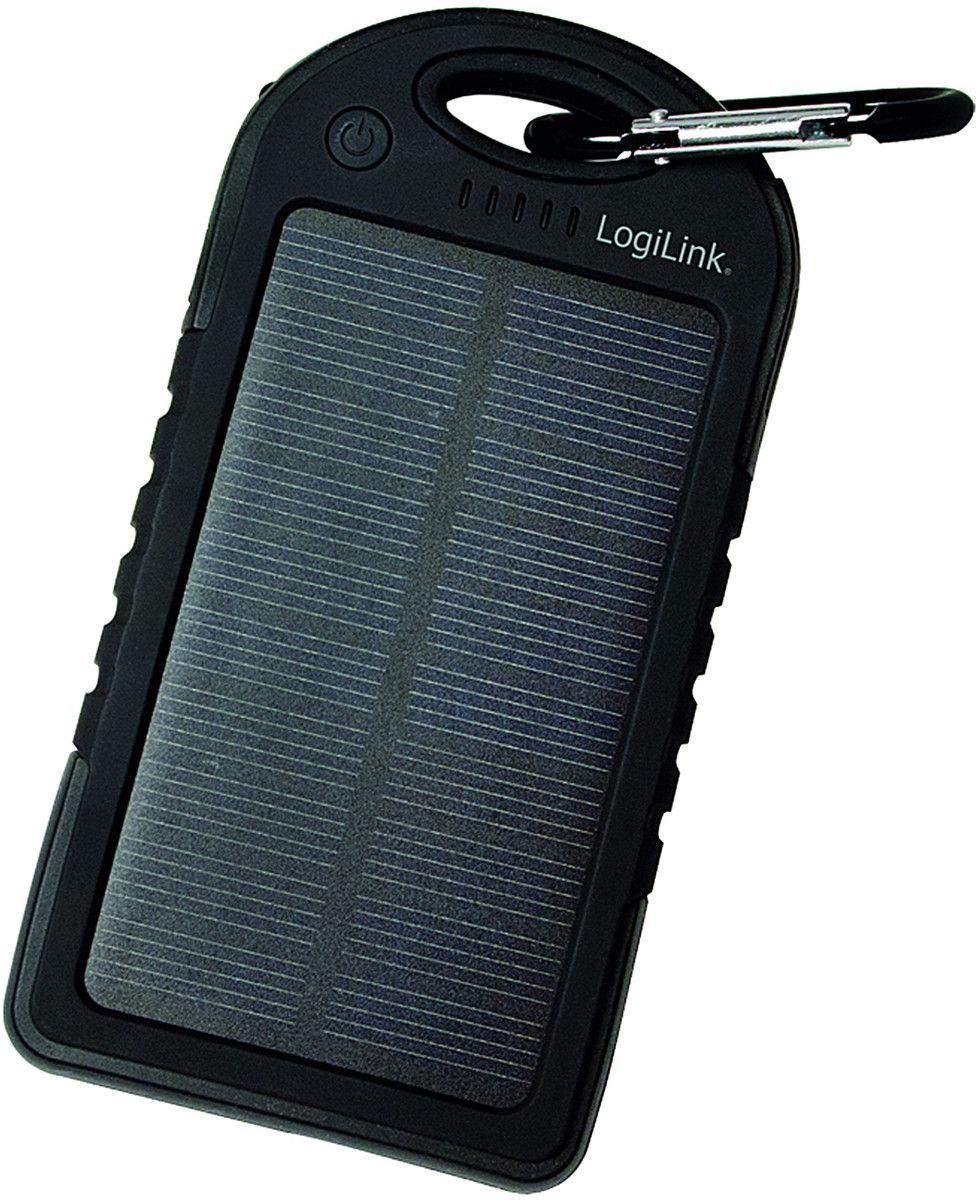
Image: LogiLink PA0132 Universal Solar Power Bank, black, showing its front with solar panel and ports.
Arahan Keselamatan
- Jangan dedahkan power bank kepada suhu yang melampau (melebihi 45°C atau di bawah -10°C).
- Elakkan daripada menjatuhkan atau meletakkan peranti kepada kesan yang kuat.
- Do not disassemble, repair, or modify the power bank yourself. Contact qualified service personnel.
- Keep away from water and high humidity. Although splash-resistant, it is not waterproof.
- Jangan gunakan bank kuasa jika ia rosak atau bengkak.
- Jauhkan daripada kanak-kanak.
Kandungan Pakej
- 1 x LogiLink PA0132 Solar Power Bank
- 1 x USB Charging Cable (for charging the power bank)
- 1 x Manual Pengguna
Produk Selesaiview
The LogiLink PA0132 features a robust design suitable for outdoor use. It includes a solar panel for emergency charging and multiple ports for connecting devices.
- Panel Suria: For supplementary charging under direct sunlight.
- Port Output USB (x2): To charge your electronic devices.
- Port Input USB Mikro: To charge the power bank via a wall adapter or computer.
- LED Indicators (x5): To display battery charge status and charging activity.
- Butang Kuasa: To check battery status or initiate charging.
Persediaan
Pengecasan Awal Bank Kuasa
Before first use, fully charge the power bank using the included USB cable and a wall adapter (not included) or a computer USB port. Solar charging is primarily for emergency use and is significantly slower than wall charging.
- Connect the micro USB end of the charging cable to the power bank's input port.
- Connect the standard USB end to a USB wall charger or a computer's USB port.
- The LED indicators will light up, showing the charging progress. When all 5 LEDs are solid, the power bank is fully charged.
Pengecasan Suria
Place the power bank with the solar panel facing direct sunlight. The LED indicators will show charging activity. Note that solar charging is slow and intended for emergency power replenishment, not as a primary charging method.
Beroperasi
Mengecas Peranti Luaran
The LogiLink PA0132 can charge two devices simultaneously.
- Sambungkan kabel pengecas peranti anda ke salah satu port output USB pada power bank.
- Sambungkan hujung kabel yang lain ke peranti anda.
- The power bank should automatically begin charging your device. If not, press the power button once to initiate charging.
- Penunjuk LED akan menunjukkan baki paras bateri power bank.
- Putuskan sambungan peranti anda setelah ia dicas sepenuhnya.
Menyemak Status Bateri
Press the power button once to check the remaining battery capacity. The 5 LED indicators will light up to show the charge level:
- 1 LED: Caj 0-20%.
- 2 LED: Caj 20-40%.
- 3 LED: Caj 40-60%.
- 4 LED: Caj 60-80%.
- 5 LED: Caj 80-100%.
Penyelenggaraan
- Clean the power bank with a soft, dry cloth. Do not use harsh chemicals or abrasive cleaners.
- Store the power bank in a cool, dry place away from direct sunlight when not in use.
- For optimal battery life, fully charge the power bank at least once every three months if not used regularly.
Menyelesaikan masalah
- Problem: Power bank is not charging.
-
- Pastikan kabel pengecasan disambungkan dengan selamat ke bank kuasa dan sumber kuasa.
- Cuba kabel USB atau penyesuai dinding yang lain.
- If using solar charging, ensure the solar panel is exposed to direct, strong sunlight. Note that solar charging is very slow.
- Problem: Device is not charging from the power bank.
-
- Pastikan bank kuasa mempunyai cas yang mencukupi (periksa penunjuk LED).
- Tekan butang kuasa pada bank kuasa untuk mengaktifkan pengecasan.
- Cuba port keluaran USB lain pada bank kuasa.
- Cuba kabel pengecasan lain untuk peranti anda.
- Ensure your device is compatible with 5V USB charging.
- Problem: Solar charging seems ineffective.
-
- Solar charging is a supplementary feature and is significantly slower than wall charging. It is designed for emergency use.
- Ensure the solar panel is clean and directly exposed to strong sunlight without obstructions.
Spesifikasi
| Ciri | Spesifikasi |
|---|---|
| Model | PA0132 |
| Jenama | LogiLink |
| Jenis Bateri | Litium polimer (LiPo) |
| Kapasiti Bateri | 5000 mAh (3.7 V, 18.5 Wh) |
| Sumber Kuasa | Solar powered, USB input |
| Input Voltage | 5 V |
| Port Output | 2 x USB |
| Peranti Serasi | Universal (smartphones, tablets, GPS, cameras, etc.) |
| Dimensi (L x W x H) | 14.5 x 7.5 x 1.5 cm |
| Berat badan | 190 g |
| Ciri-ciri | Splash-proof, shock-resistant, 5 LED status indicators |
Waranti dan Sokongan
For warranty information and technical support, please refer to the documentation provided with your purchase or contact your retailer. LogiLink products typically come with a manufacturer's warranty against defects in materials and workmanship.
You may also visit the official LogiLink website for further assistance or to find contact information for customer support.