
1. Pengenalan
Thank you for choosing the ACCUWEIGHT Digital Personal Scale. This manual provides essential information for the safe and effective use of your new scale. Designed for accuracy and ease of use, this scale helps you monitor your weight with precision. Please read this manual thoroughly before operation and keep it for future reference.

Imej 1.1: Atas-bawah view of the ACCUWEIGHT Digital Personal Scale, showcasing reka bentuk anggun dan paparan digitalnya.
2. Maklumat Keselamatan
Untuk memastikan operasi yang selamat dan memanjangkan hayat penimbang anda, sila patuhi langkah berjaga-jaga berikut:
- Always place the scale on a hard, flat, and stable surface for accurate measurements. Avoid carpets or uneven floors.
- Do not use the scale if the surface is wet or covered with water droplets, as this poses a risk of slipping. Wipe the surface dry before use.
- Jangan melompat ke atas penimbang. Naik dan turunkan penimbang dengan perlahan.
- Jauhkan penimbang daripada suhu ekstrem, cahaya matahari langsung dan kelembapan tinggi.
- This scale is designed for personal use only. Do not use for commercial or medical purposes requiring certified precision.

Image 2.1: Visual comparison highlighting the safety features of the ACCUWEIGHT scale, including its skid-proof surface and rounded corners, compared to typical scales.
3. Kandungan Pakej
Sila tandai kotak untuk item berikut:
- 1x ACCUWEIGHT Digital Personal Scale
- 1x User Manual (this guide)
- 2x Bateri AAA
4. Ciri-ciri Produk
The ACCUWEIGHT Digital Personal Scale is equipped with several features designed for convenience and accuracy:
- Keselamatan dan Keselesaan: Constructed from durable 5mm ABS material, featuring a large 32x30cm non-slip platform and rounded corners for enhanced safety and user comfort.
- Smart Auto-Activation Technology: Provides immediate weight readings as soon as you step on the scale.
- Ketepatan Tinggi: Utilizes 4 high-precision sensors for consistent and accurate measurements.
- Julat Pengukuran Luas: Supports a maximum weight capacity of 400 lb (180 kg) with graduation increments of 0.2 lb (0.1 kg).
- Paparan Mudah Dibaca: Features a large 3.6-inch LCD screen with a blue backlight and large font numbers for clear visibility from any angle.
- Penukaran Unit: Easily switch between measurement units: pounds (lb), kilograms (kg), and stones (st).
- Fungsi Automatik: Dimatikan secara automatik selepas 10 saat tidak aktif untuk menjimatkan hayat bateri.

Image 4.1: An illustration detailing the practical features of the scale, including its skid-proof surface, backlit LCD, and high-precision sensors.

Image 4.2: A diagram illustrating the internal structure and placement of the four advanced precision sensors within the scale, ensuring accurate measurements.
5. Persediaan
Follow these steps to set up your ACCUWEIGHT Digital Personal Scale:
- Pasang Bateri: Open the battery compartment on the underside of the scale. Insert the two AAA batteries, ensuring correct polarity (+/-). Close the compartment securely.
- penempatan: Place the scale on a hard, flat, and stable surface. Avoid placing it on soft surfaces like carpets, rugs, or uneven flooring, as this can affect accuracy.
- Initial Calibration (First Use or After Moving): For the first use, or if the scale has been moved, gently step on the scale until the display shows '0.0' or a reading, then step off. The scale will calibrate itself to zero. This ensures accurate readings for subsequent uses.
6. Arahan Operasi
Using your ACCUWEIGHT Digital Personal Scale is simple:
- Langkah ke atas: Gently step onto the center of the scale's platform with bare feet. The scale will automatically turn on and display your weight.
- Baca Pengukuran: Stand still on the scale until the weight reading stabilizes on the LCD screen.
- Melangkah keluar: Once your weight is displayed, you can step off the scale. The scale will automatically turn off after approximately 10 seconds to save battery life.
- Tukar Unit: To switch between measurement units (lb, kg, st), locate the unit button on the underside of the scale. Press it to cycle through the available units until your desired unit is displayed.
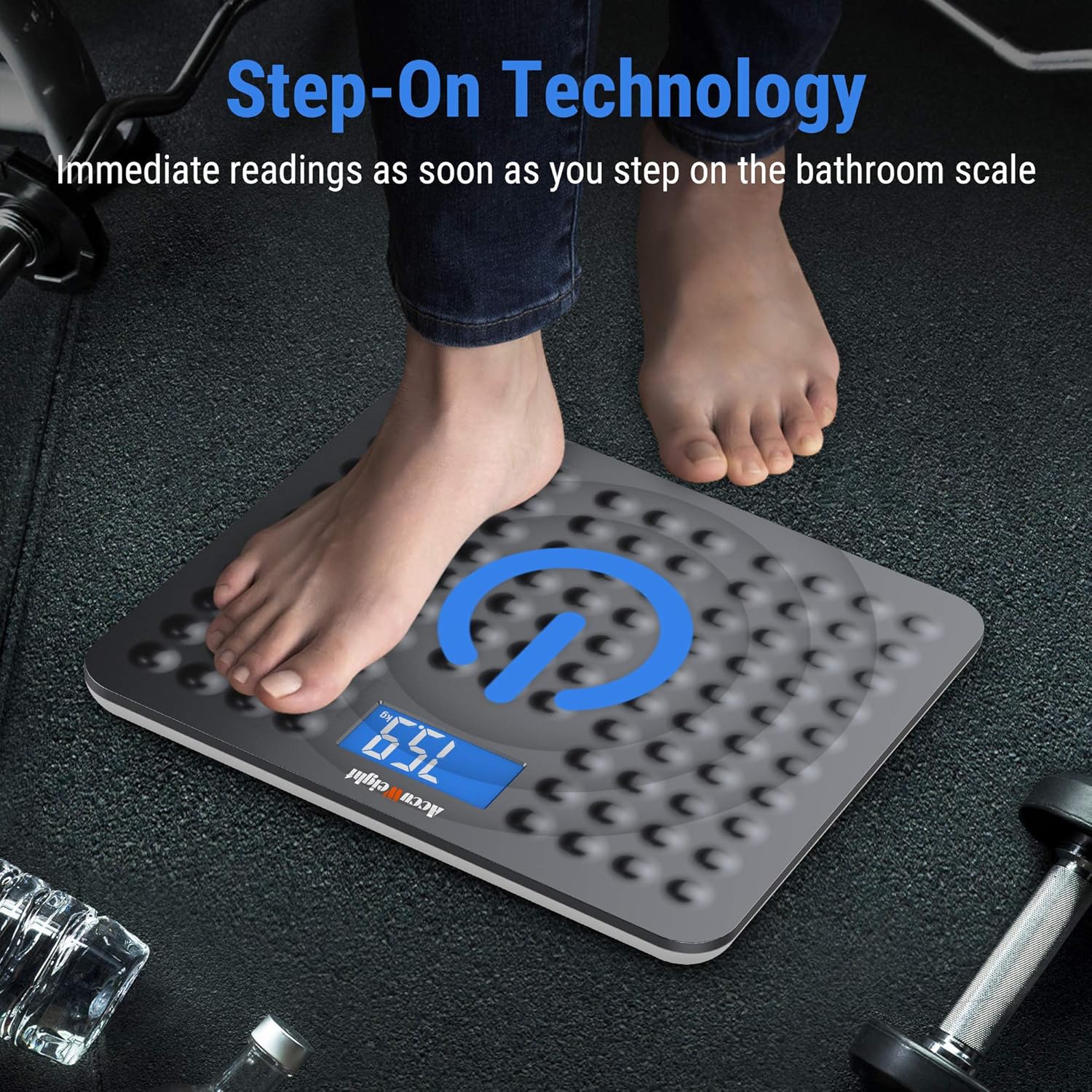
Image 6.1: A visual representation of the 'Step-On Technology' in action, showing a user stepping onto the scale for an immediate weight reading.

Image 6.2: An illustration demonstrating the ease of switching between different measurement units (pounds, kilograms, and stones) on the scale's backlit display.
7. Penyelenggaraan
Proper maintenance will ensure the longevity and accuracy of your scale:
- Pembersihan: Lap permukaan skala dengan lembut, damp kain. Jangan gunakan pembersih yang kasar atau rendam kerak di dalam air.
- Storan: Store the scale in a cool, dry place. Avoid storing it vertically or placing heavy objects on it.
- Penggantian Bateri: If the display shows a 'Lo' indicator or becomes dim, it's time to replace the batteries. Use only AAA batteries.
8. Penyelesaian masalah
Jika anda menghadapi masalah dengan penimbang anda, rujuk masalah dan penyelesaian biasa berikut:
| Masalah | Kemungkinan Punca | Penyelesaian |
|---|---|---|
| No display / Scale does not turn on | Bateri mati atau tidak dipasang dengan betul. | Periksa polariti bateri. Gantikan bateri jika perlu. |
| Bacaan yang tidak tepat atau tidak konsisten | Scale on uneven surface; not calibrated; weight fluctuations throughout the day. | Ensure scale is on a hard, flat surface. Perform initial calibration (step on, then off). Note that body weight naturally fluctuates by 4-6 lb throughout the day. |
| Paparan menunjukkan 'Lo' | Kuasa bateri rendah. | Gantikan bateri. |
| Paparan menunjukkan 'Err' | Lebihan beban atau ralat dalaman. | The scale's maximum capacity is 180 kg (400 lb). Step off the scale. If the error persists, try removing and reinserting batteries. |
9. Spesifikasi
Detailed technical specifications for the ACCUWEIGHT Digital Personal Scale:
| Spesifikasi | Perincian |
|---|---|
| Nombor Model | AW-BS002WHU |
| Julat Pengukuran | 5 kg hingga 180 kg (11 lb hingga 400 lb) |
| Graduation Increments | 0.1 kg (0.2 lb) |
| Unit Pengukuran | lb, kg, st |
| Jenis Paparan | LCD dengan Lampu Latar Biru |
| Saiz Skrin LCD | 3.8 x 7.6 cm (1.5 x 3.0 inci) |
| Bahan Pelantar | ABS Plastic (5mm thick) |
| Dimensi Platform | 30.5 x 33 x 2.0 cm (12.0 x 13.0 x 0.8 inci) |
| Sumber Kuasa | 2 x Bateri AAA (termasuk) |
| Masa Automatik | lebih kurang 10 saat |
| warna | Kelabu Gelap |

Image 9.1: A diagram illustrating the physical dimensions of the ACCUWEIGHT Digital Personal Scale.
10. Waranti dan Sokongan
ACCUWEIGHT products are manufactured to high-quality standards. For any questions, technical support, or warranty claims, please contact ACCUWEIGHT customer service through the retailer's platform or the official ACCUWEIGHT webtapak. Sila simpan bukti pembelian anda untuk tujuan waranti.