
pengenalan
Terima kasih kerana membeliasing the HORI Nintendo Switch Wireless HORIPAD (Zelda). This controller is officially licensed by Nintendo and designed to enhance your gaming experience on the Nintendo Switch. This manual provides essential information for setting up, operating, and maintaining your new controller. Please read it thoroughly before use and keep it for future reference.
Ciri-ciri Produk
- Bluetooth wireless connectivity with a 32-foot range.
- Built-in rechargeable lithium-ion battery offering up to 15 hours of playtime per charge.
- Lightweight and ergonomic design for comfortable extended play sessions.
- Equipped with accelerometer and gyroscope for full-motion control.
- Officially Licensed by Nintendo, ensuring compatibility and quality.
Kandungan Pakej
- HORI Nintendo Switch Wireless HORIPAD (Zelda) Controller
- Kabel Pengecas USB-C
- Manual Arahan
Susun atur Pengawal
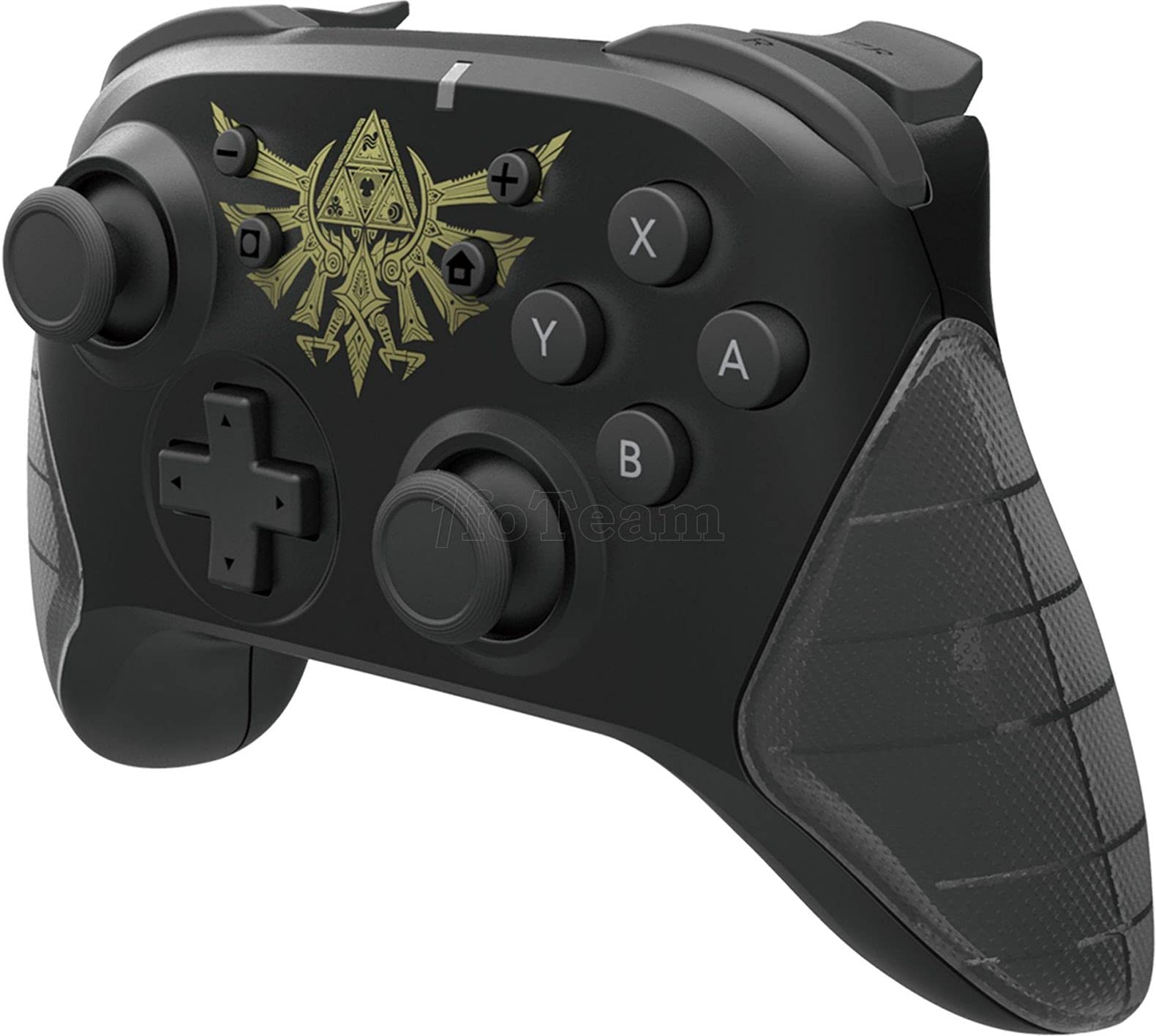
Rajah 1: Depan view of the HORI Nintendo Switch Wireless HORIPAD (Zelda) controller, featuring the Triforce emblem.

Rajah 2: Sisi view of the HORI Nintendo Switch Wireless HORIPAD (Zelda) controller, showing shoulder buttons and ergonomic grip.
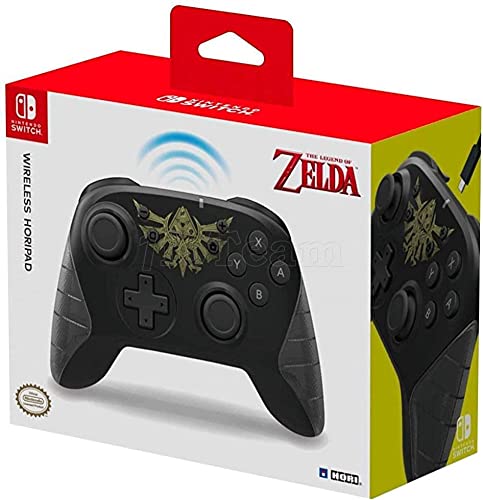
Rajah 3: Belakang view of the HORI Nintendo Switch Wireless HORIPAD (Zelda) controller, showing the USB-C charging port.
The controller features standard Nintendo Switch button layouts, including two analog sticks, a D-pad, A/B/X/Y buttons, L/R/ZL/ZR shoulder buttons, and Home/Capture/Plus/Minus buttons. The USB-C charging port is located on the top edge of the controller.
Persediaan
Berpasangan dengan Nintendo Switch
- Pastikan konsol Nintendo Switch anda dihidupkan dan dikemas kini kepada perisian sistem terkini.
- Dari Menu HOME, pilih 'Controllers', kemudian 'Change Grip/Order'.
- On the HORI Wireless HORIPAD, press and hold the Butang SYNC (located on the top edge, next to the USB-C port) for a few seconds until the Player LED lights begin to flash.
- Once the controller is successfully paired, the Player LED corresponding to its player number will remain lit.
- Tekan ke Satu butang on the controller to confirm and exit the pairing screen.
Mengecas Pengawal
The HORI Wireless HORIPAD features a built-in rechargeable battery. To charge:
- Connect the included USB-C charging cable to the USB-C port on the top of the controller.
- Connect the other end of the USB-C cable to a USB power source (e.g., Nintendo Switch Dock, USB wall adapter, computer USB port).
- The charging indicator LED on the controller will illuminate during charging and turn off when fully charged. A full charge typically takes approximately 2-3 hours and provides up to 15 hours of playtime.
Arahan Operasi
Kawalan Asas
- Hidupkan kuasa: Tekan butang Utama.
- Matikan: Hold the Home button for several seconds until the controller powers down, or disconnect it from the Switch.
- Pergerakan: Use the Left Analog Stick or D-pad.
- Camera/Aiming: Use the Right Analog Stick.
- Butang Tindakan: A, B, X, Y buttons for in-game actions.
- Butang Bahu: L, R, ZL, ZR for various in-game functions.
- Butang Sistem: Plus (+) for options, Minus (-) for menu, Home for HOME Menu, Capture for screenshots/video clips.
Kawalan Pergerakan
The controller supports motion controls via its built-in accelerometer and gyroscope. These functions are automatically enabled for compatible games. Ensure the controller is held steadily for accurate motion input.
Penyelenggaraan
- Pembersihan: Use a soft, dry cloth to clean the controller. Do not use liquid cleaners or solvents.
- Storan: Simpan pengawal di tempat yang sejuk dan kering jauh dari cahaya matahari langsung dan suhu yang melampau.
- Penjagaan Bateri: To prolong battery life, avoid fully discharging the battery frequently. Charge the controller regularly, even if not in constant use.
- Elakkan Kesan: Do not drop or subject the controller to strong impacts, as this may damage internal components.
Menyelesaikan masalah
- Pengawal tidak bersambung:
- Pastikan pengawal dicas.
- Verify the Nintendo Switch is updated to the latest system software.
- Attempt to re-pair the controller following the 'Pairing with Nintendo Switch' steps.
- Move closer to the Nintendo Switch console to ensure you are within the 32-foot Bluetooth range.
- Check for any wireless interference from other devices.
- Buttons or sticks not responding:
- Pastikan pengawal disambungkan dan dicas dengan betul.
- Mulakan semula konsol Nintendo Switch.
- Test the controller in a different game or application to determine if the issue is game-specific.
- Hayat bateri pendek:
- Pastikan pengawal dicas sepenuhnya sebelum digunakan.
- Prestasi bateri mungkin merosot dari semasa ke semasa dengan penggunaan yang meluas.
Spesifikasi
| Jenama | HORI |
| Nama Model | HORIPAD tanpa wayar |
| Peranti Serasi | Nintendo Switch |
| Jenis Pengawal | Pad permainan |
| Teknologi Ketersambungan | USB, Wireless (Bluetooth) |
| Ciri-ciri Tambahan | Ergonomic, Wireless, Accelerometer, Gyroscope |
| Kuantiti Butang | 15 |
| Sumber Kuasa | Dikuasakan Bateri (Litium-ion Boleh Dicas Semula) |
| Berat Barang | 305 Gram |
| Dimensi Item | 3.15 x 7.01 x 5.71 inci |
| warna | Black (Zelda design) |
Waranti dan Sokongan
For warranty information and customer support, please refer to the official HORI webtapak atau hubungi peruncit anda. Simpan bukti pembelian anda untuk sebarang tuntutan waranti.