
1. Pengenalan
Thank you for choosing the TAYLOR 755841933B Glass Digital Scale. This manual provides essential information for the safe and effective use of your new scale. Please read it thoroughly before operation and retain it for future reference.
2. Maklumat Keselamatan
- Always place the scale on a hard, flat surface. Using it on soft surfaces like carpet may result in inaccurate readings.
- The glass platform can be slippery when wet. Ensure the surface is dry before stepping on the scale.
- Jangan melebihi kapasiti berat maksimum 400 lbs (180 kg).
- Elakkan menjatuhkan penimbang atau menyebabkannya terkena hentaman kuat, kerana ini boleh merosakkan platform kaca atau komponen dalaman.
- This scale is intended for personal use only and is not a medical device.
- Jauhkan bateri daripada kanak-kanak.
3. Kandungan Pakej
Sahkan bahawa semua item terdapat dalam pakej anda:
- TAYLOR 755841933B Glass Digital Scale
- Bateri AAA (2)
- Manual Arahan (dokumen ini)
4. Persediaan
4.1 Pemasangan Bateri
- Cari petak bateri di bahagian bawah penimbang.
- Buka penutup petak bateri.
- Insert the two AAA batteries, ensuring the correct polarity (+ and -) as indicated inside the compartment.
- Tutup penutup petak bateri dengan selamat.
4.2 Penempatan Awal dan Penentukuran
For accurate readings, the scale must be placed on a hard, flat, and stable surface. Avoid carpets or uneven flooring.
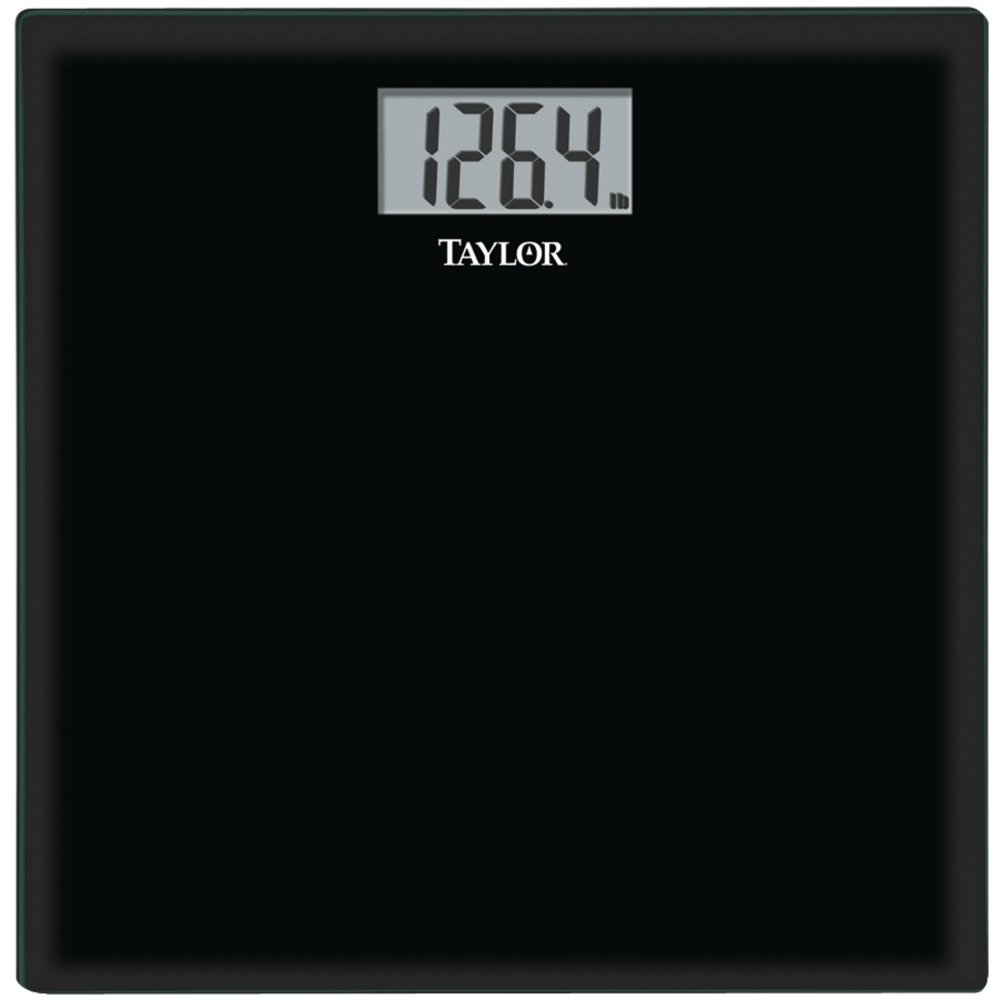
Image: The TAYLOR 755841933B Glass Digital Scale, featuring a black tempered glass platform and an LCD display. The scale is rectangular with rounded corners.
Before first use or after moving the scale, perform an initial calibration:
- Gently step onto the scale, then immediately step off.
- The display will show '0.0' or a similar reading, then turn off. This indicates the scale has calibrated.
4.3 Unit Selection (Pounds/Kilograms)
If your scale supports unit conversion, a switch or button is typically located on the underside of the scale, near the battery compartment. Press this button to toggle between pounds (lb) and kilograms (kg).
5. Arahan Operasi
5.1 Mengambil Pengukuran
- Ensure the scale is on a hard, flat surface and has been calibrated (see Section 4.2).
- Step onto the scale with bare feet, standing still and centered on the platform.
- Your weight will appear on the LCD display. The reading will flash or stabilize to indicate the final measurement.
- Step off the scale. The scale will automatically turn off after a few seconds to conserve battery life.
For consistent results, weigh yourself at the same time of day, under similar conditions.
6. Penyelenggaraan
6.1 Pembersihan
Untuk membersihkan penimbang, lap permukaan dengan iklanamp cloth and mild detergent. Do not use abrasive cleaners or immerse the scale in water. Dry thoroughly after cleaning.
6.2 Penggantian Bateri
When the display shows 'Lo' or becomes dim, it is time to replace the batteries. Follow the battery installation steps in Section 4.1.
6.3 Penyimpanan
Simpan penimbang di tempat yang sejuk dan kering. Elakkan menyimpannya secara menegak untuk tempoh yang lama, kerana ini boleh menjejaskan ketepatan.
7. Penyelesaian masalah
- No Display / Scale Not Turning On: Periksa sama ada bateri dipasang dengan betul dan tidak habis. Gantikan bateri jika perlu.
- Bacaan Tidak Tepat: Ensure the scale is on a hard, flat surface. Recalibrate the scale by stepping on and off. Avoid moving the scale between measurements.
- 'Lo' on Display: Indicates low battery. Replace the AAA batteries.
- 'Err' or 'O-Ld' on Display: Indicates the scale is overloaded. The weight capacity has been exceeded. Step off the scale immediately.
8. Spesifikasi
| Model | 755841933B |
| Kapasiti | 400 paun (180 kg) |
| Kenaikan | 0.2 paun (0.1 kg) |
| Paparan | 3.23" x 1.6" LCD |
| Bahan Pelantar | Kaca Terbaja |
| Dimensi Platform | 12" x 12" x 0.3" |
| kuasa | 2 x Bateri AAA (termasuk) |
| Ciri-ciri | Auto-zero, Auto-off |
9. Maklumat Waranti
TAYLOR products are manufactured to the highest quality standards. This scale is backed by a manufacturer's warranty against defects in materials and workmanship. Please refer to the warranty card included with your purchase or visit the manufacturer's webtapak untuk terma dan syarat waranti tertentu.
10. Sokongan Pelanggan
For further assistance, troubleshooting, or warranty claims, please contact TAYLOR customer support. Contact information can typically be found on the product packaging or the official TAYLOR webtapak.