
1. Pengenalan
This manual provides instructions for the RadioShack Wired Indoor/Outdoor Thermometer and Hygrometer, Model FBA_14145452. This device is designed to simultaneously display indoor temperature, outdoor temperature, and indoor relative humidity. It features a large LCD display for easy reading and a durable outdoor sensor for accurate external measurements.
Ciri-ciri Utama:
- Simultaneous display of indoor temperature, outdoor temperature, and indoor humidity.
- Water-resistant outdoor sensor with a 9.8-foot (3-meter) cable.
- Records and displays minimum and maximum temperature and humidity readings.
- Selectable temperature units: Fahrenheit (°F) or Celsius (°C).
- Versatile placement: integrated stand for flat surfaces or wall-mountable.
2. Kandungan Pakej
- RadioShack Indoor/Outdoor Thermometer and Hygrometer Unit
- Wired Outdoor Sensor (attached)
- Manual Pengguna (dokumen ini)
3. Persediaan
3.1 Pemasangan Bateri
- Locate the battery compartment cover on the back of the main unit.
- Luncurkan penutup.
- Insert one (1) AAA battery, ensuring the correct polarity (+ and -) as indicated inside the compartment.
- Replace the battery compartment cover. The display should now activate.
3.2 Penempatan Sensor
The outdoor sensor is attached to the main unit via a 9.8-foot (3-meter) cable. For accurate outdoor temperature readings:
- Route the cable through a window or door frame, ensuring it is not pinched or damaged.
- Place the outdoor sensor in a shaded area, away from direct sunlight, rain, or other heat sources (e.g., vents, walls that absorb heat). Direct sunlight will cause inaccurate high readings.
- Ensure the sensor is positioned where it can accurately measure ambient outdoor temperature.
3.3 Pilihan Pemasangan
The main unit offers two placement options:
- Berdiri: Extend the integrated stand on the back of the unit to place it on any flat surface, such as a desk or shelf.
- Pemasangan Dinding: Use a screw (not included) to hang the unit on a wall via the keyhole slot on its back.
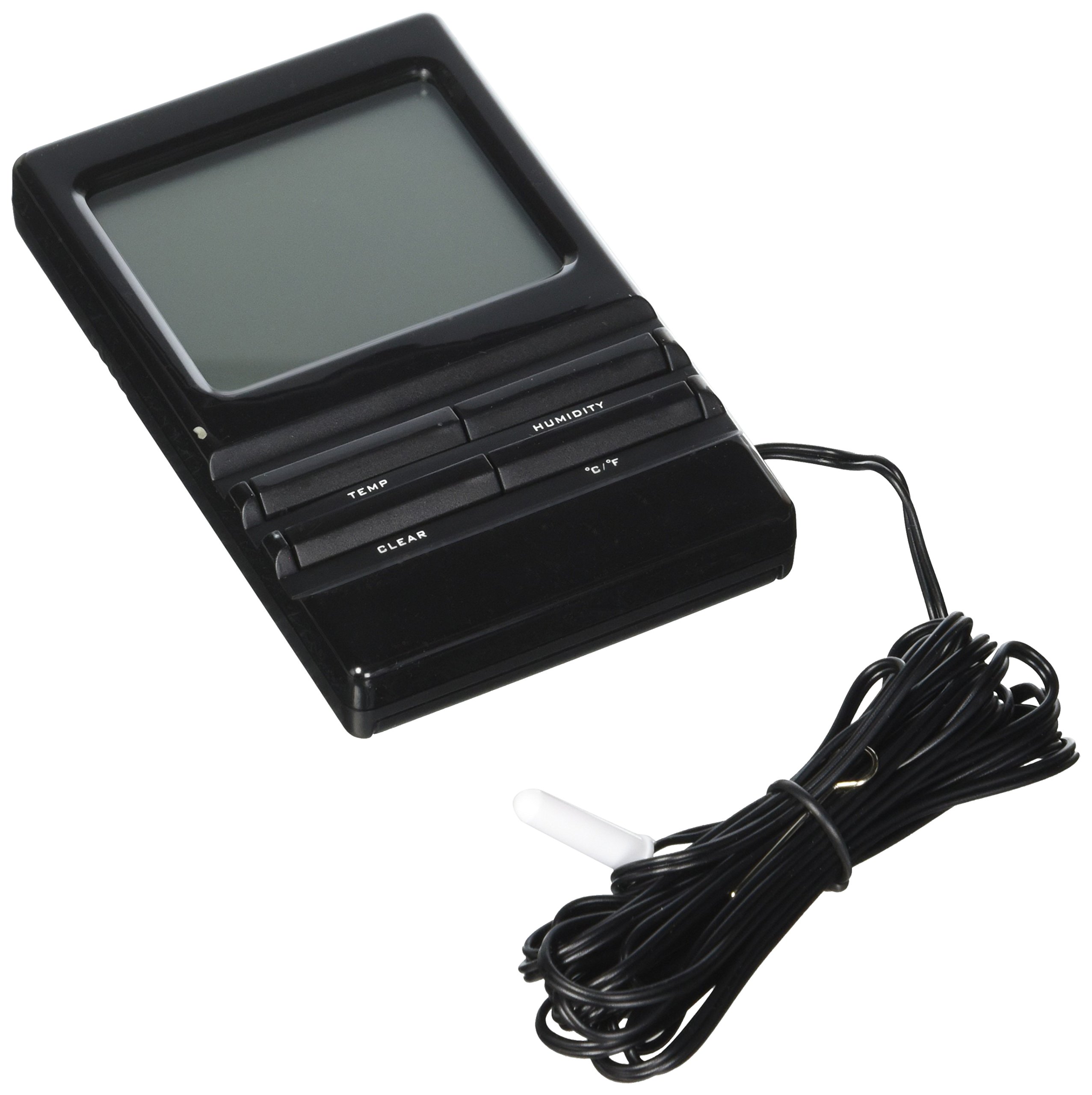
Image: The RadioShack Wired Indoor/Outdoor Thermometer and Hygrometer unit, showing its display and the attached outdoor sensor cable.
4. Arahan Operasi
4.1 Paparan Terlaluview
The large LCD display shows three main readings:
- Suhu Dalaman: Typically displayed at the top or a prominent section.
- Suhu Luaran: Displayed separately, usually below the indoor temperature.
- Indoor Relative Humidity: Displayed alongside the indoor temperature or in its own section.
4.2 Selecting Temperature Units (°F/°C)
Untuk bertukar antara Fahrenheit (°F) dan Celsius (°C):
- Locate the °F/°C button, usually on the back or side of the unit.
- Press the button to toggle between the two temperature scales. The display will update accordingly.
4.3 Viewing Minimum/Maximum Readings
The unit automatically records the minimum and maximum temperature and humidity values over a period. To view ini:
- Locate the MIN/MAX button, usually on the front or side of the unit.
- Press the MIN/MAX button once to display the maximum recorded values (MAX).
- Press the MIN/MAX button again to display the minimum recorded values (MIN).
- Press it a third time to return to current readings.
4.4 Resetting Minimum/Maximum Readings
To clear the recorded minimum and maximum values and start a new recording cycle:
- manakala viewing the MIN or MAX readings, press and hold the MIN/MAX button for approximately 3 seconds.
- The display will reset, and new minimum/maximum values will begin to be recorded from the current readings.
5. Penyelenggaraan
5.1 Membersihkan Unit
To clean the main unit and sensor:
- Lap permukaan dengan lembut, damp kain.
- Do not use abrasive cleaners, solvents, or harsh chemicals, as these can damage the display or casing.
- Ensure no moisture enters the battery compartment or internal components.
5.2 Penggantian Bateri
When the display becomes dim or the unit stops functioning, it is time to replace the battery:
- Ikuti langkah pemasangan bateri dalam Bahagian 3.1.
- Sentiasa gunakan bateri AAA yang baharu.
- Buang bateri lama secara bertanggungjawab mengikut peraturan tempatan.
5.3 Penjagaan Sensor
While the outdoor sensor is water-resistant, prolonged exposure to extreme weather conditions (heavy rain, snow, direct ice) can affect its lifespan. Periodically check the sensor and its cable for any signs of damage or wear.
6. Penyelesaian masalah
If you encounter issues with your thermometer and hygrometer, please refer to the following common problems and solutions:
| Masalah | Kemungkinan Punca | Penyelesaian |
|---|---|---|
| Paparan kosong atau malap. | Bateri rendah atau mati; pemasangan bateri yang salah. | Gantikan bateri AAA dengan yang baru, memastikan kekutuban yang betul. |
| Outdoor temperature reading is inaccurate or not displayed. | Outdoor sensor exposed to direct sunlight or heat source; sensor cable damaged; sensor malfunction. | Relocate the outdoor sensor to a shaded area. Check the sensor cable for kinks or damage. If the issue persists, the sensor may be faulty. |
| Indoor temperature/humidity reading is inaccurate. | Unit placed near a heat source (e.g., window, appliance) or in an area with poor air circulation. | Move the main unit to a location with stable ambient temperature and good air circulation, away from direct heat or cold sources. |
| Unit tidak bertindak balas terhadap tekanan butang. | Gangguan perisian sementara; bateri lemah. | Remove and reinsert the battery to perform a soft reset. Replace the battery if it's low. |
7. Spesifikasi
- Nombor Model: FBA_14145452
- Jenama: RadioShack
- Julat Suhu Dalaman: 0°C hingga 50°C (32°F hingga 122°F)
- Julat Suhu Luaran: -50°C hingga 70°C (-58°F hingga 158°F)
- Julat Kelembapan Relatif: 20% hingga 95%
- Panjang kabel: 9.8 kaki (3 meter)
- Sumber Kuasa: 1 x Bateri AAA (tidak termasuk)
- warna: Hitam
- Dimensi Pakej: 21.59 x 11.18 x 1.78 cm (8.5 x 4.4 x 0.7 inci)
- Berat: 45.35 g (1.6 auns)
- UPC: 040293027162
8. Waranti dan Sokongan
RadioShack products are manufactured to high-quality standards. For specific warranty information, please refer to the warranty card included with your purchase or contact RadioShack customer support. Keep your purchase receipt as proof of purchase.
For technical assistance or further inquiries, please visit the official RadioShack webtapak atau hubungi bahagian perkhidmatan pelanggan mereka.