
pengenalan
The ThermoPro TP06S Digital Grill Meat Thermometer is designed to help you achieve perfectly cooked meals every time. This professional-grade thermometer features preset temperatures for various meat types and doneness levels, a versatile timer, and a clear, colored backlight display. Its durable stainless steel probe ensures accurate and fast temperature readings, making it ideal for grilling, smoking, baking, and deep frying.

Figure 1: ThermoPro TP06S Digital Grill Meat Thermometer with probe.
Persediaan
1. Membongkar dan Komponen
Keluarkan semua komponen dari pembungkusan dengan berhati-hati. Pastikan anda mempunyai item berikut:
- 1 x ThermoPro TP06S Digital Meat Thermometer Unit
- 1 x Food Grade Stainless Steel Temperature Probe with Cable
- 2 x Bateri AAA (termasuk)
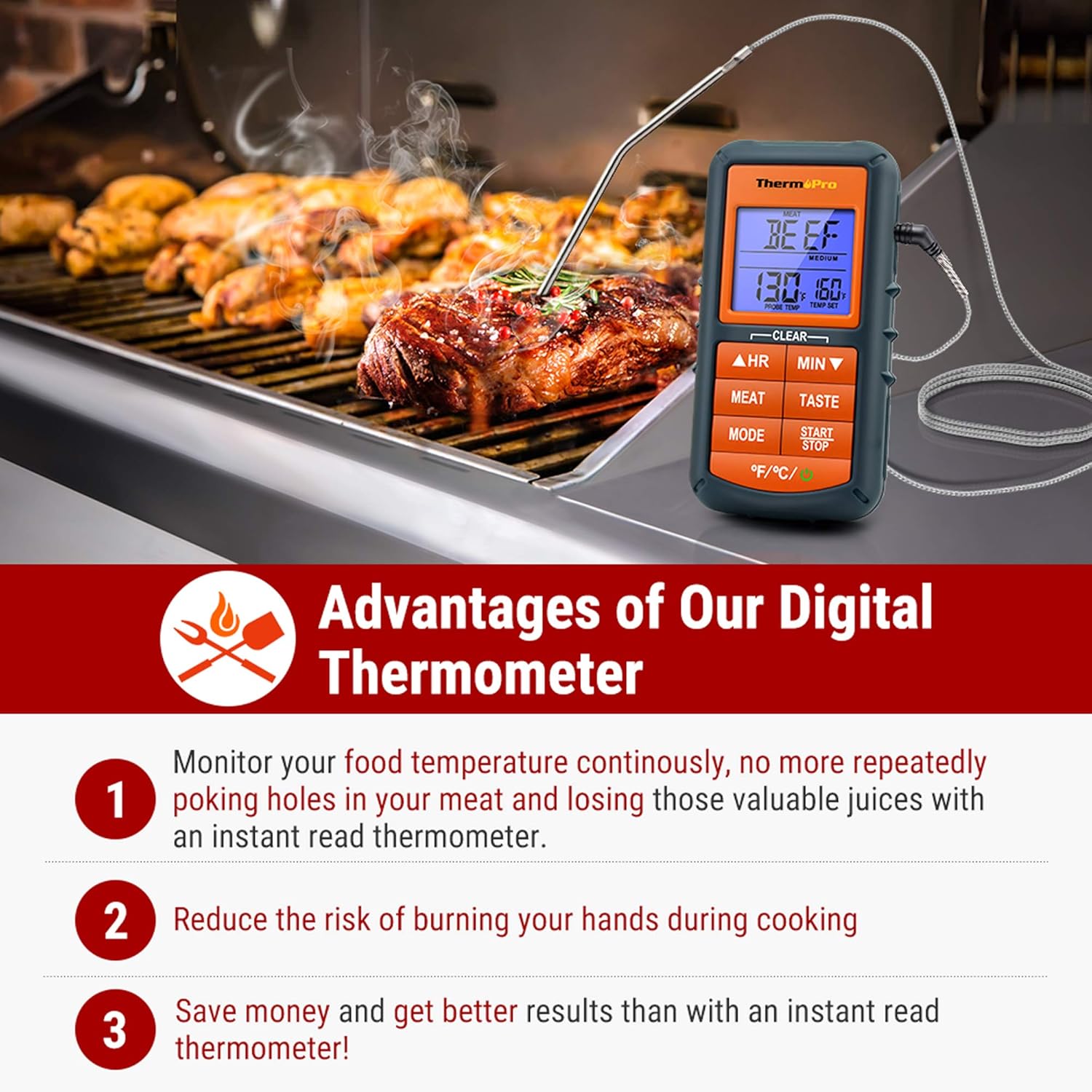
Figure 2: The ThermoPro TP06S thermometer in use on a grill, highlighting its benefits.
2. Pemasangan Bateri
The ThermoPro TP06S requires 2 AAA batteries for operation. To install the batteries:
- Cari petak bateri di belakang unit termometer.
- Geser buka penutup petak bateri.
- Masukkan 2 bateri AAA, pastikan kekutuban (+ dan -) yang betul seperti yang ditunjukkan di dalam petak.
- Tutup penutup petak bateri dengan selamat.
3. Sambungan Probe
Connect the stainless steel temperature probe to the jack located on the side of the main thermometer unit. Ensure the connection is firm.

Rajah 3: Terperinci view of the food-grade stainless steel probe, emphasizing its accuracy and heat resistance.
Arahan Operasi
1. Hidupkan/Mati Kuasa
Tekan ke KUASA button (located at the bottom right) to turn the unit ON or OFF.
2. Pemilihan Unit Suhu
Tekan ke °F/°C button (located at the bottom left) to switch between Fahrenheit and Celsius temperature readings.
3. Preset Meat Settings
The thermometer comes with preset temperatures for 9 types of meat recommended by USDA. Press the DAGING button to cycle through the different meat types:
- Ground Beef (Gbeef)
- Ground Poultry (Gpoult)
- daging lembu
- anak lembu
- Chicken (Chcke)
- daging babi
- Poultry (Poult)
- kambing
- ikan
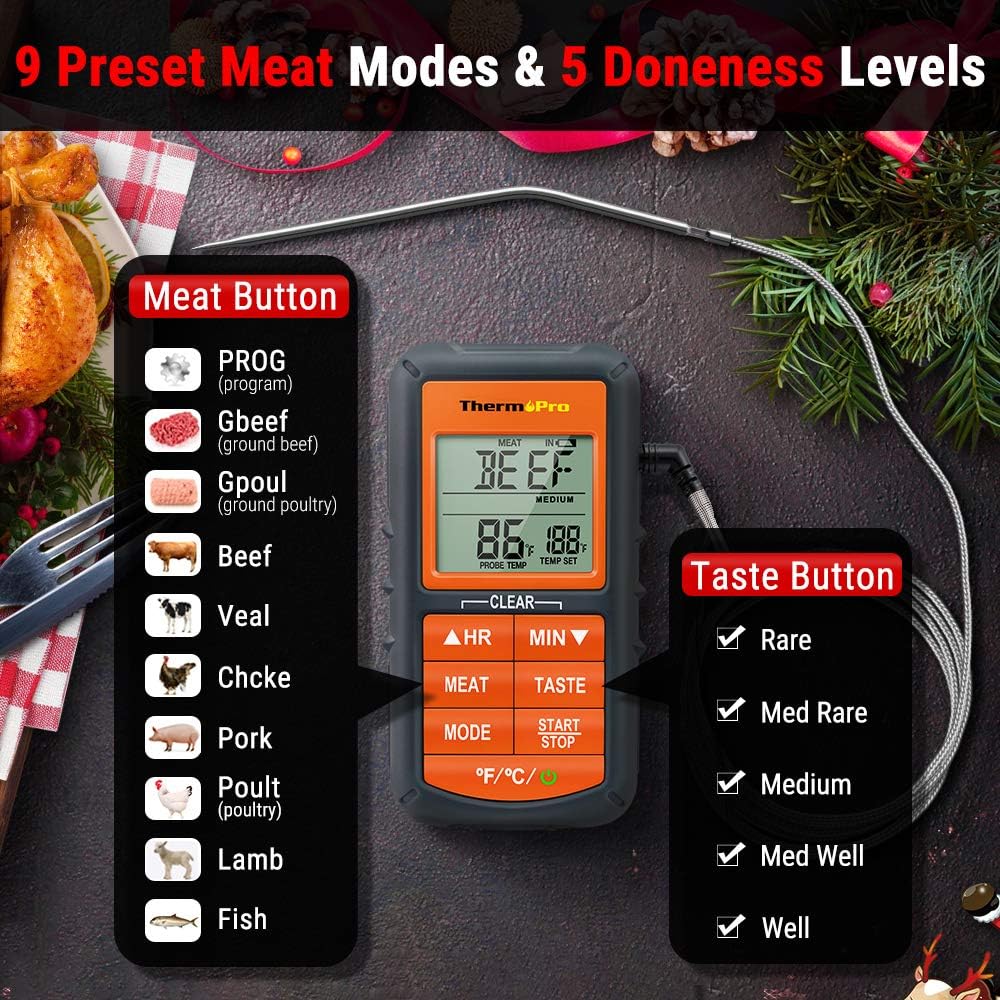
Figure 4: Display showing the 9 preset meat modes and 5 doneness levels available on the TP06S.
4. Doneness Level Selection
After selecting a meat type, press the RASA button to choose your desired doneness level (e.g., Rare, Medium Rare, Medium, Medium Well, Well Done). The target temperature will adjust accordingly.
5. Custom Temperature Setting (PROG Mode)
To set a custom target temperature:
- Tekan ke MODE button until "PROG" appears on the display.
- Gunakan HR (Jam) dan MIN (Minute) buttons to adjust the target temperature up or down.
- Tekan MULA/BERHENTI to confirm your custom setting.
6. Fungsi Pemasa
The TP06S includes a count-up and countdown timer. To use the timer:
- Tekan ke MODE butang untuk bertukar kepada mod Pemasa.
- Gunakan HR dan MIN buttons to set the desired countdown time (up to 23 hours, 59 minutes).
- Tekan MULA/BERHENTI to begin or pause the timer.
- Untuk menetapkan semula pemasa, tekan dan tahan kedua-duanya HR dan MIN butang serentak.
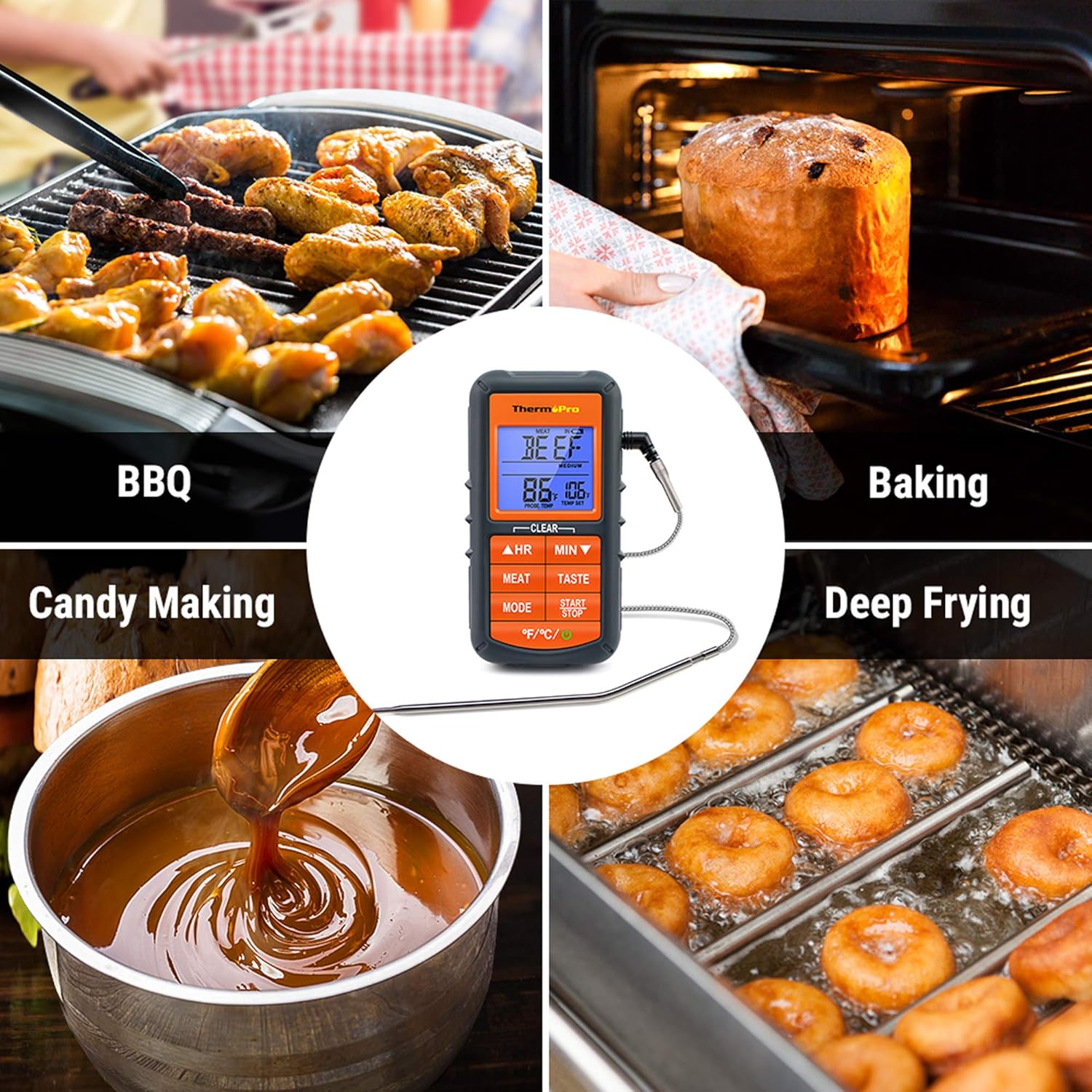
Figure 5: The TP06S unit showing both the current temperature and the countdown timer on its display.
7. Smart Backlight and Alarm
The display backlight changes color to indicate temperature progression:
- Biru: Temperature increases by 10°F.
- hijau: Temperature is within 15°F of the set target temperature.
- merah: Current temperature reaches the set target temperature, and an alarm sounds.

Figure 6: Visual representation of the smart backlit LCD, indicating temperature status with different colors.
Penyelenggaraan
1. Pembersihan
The stainless steel probe can be cleaned with warm soapy water. Wipe the main thermometer unit with a damp kain. JANGAN immerse the main unit in water or place it in a dishwasher, as this can damage the electronic components.
2. Penyimpanan
Store the thermometer and probe in a dry place at room temperature when not in use. Ensure the probe tip protector is in place to prevent damage.
Menyelesaikan masalah
1. Bacaan Suhu Tidak Tepat
- Ensure the probe is fully inserted into the thickest part of the meat, avoiding bones or gristle.
- Check that the probe cable is securely connected to the main unit.
- Verify that the probe cable is not damaged or frayed. A damaged probe may need replacement.
- Test the probe in boiling water (212°F / 100°C at sea level) or ice water (32°F / 0°C) to check its accuracy.
2. Display Not Working / No Power
- Periksa sama ada bateri dipasang dengan betul dengan kekutuban yang betul.
- Gantikan bateri dengan bateri AAA yang baru.
- Pastikan butang kuasa ditekan dengan kuat.
3. Penggera Tidak Berbunyi
- Confirm that a target temperature has been set.
- Check if the unit's volume is not set to mute (if applicable, though this model typically has a fixed alarm sound).
Spesifikasi
| Jenama: | ThermoPro |
| Nama Model: | Digital Grill Meat Thermometer with Probe for Smoker Grilling Food |
| Nombor Model Item: | TP06S |
| Sumber Kuasa: | Dikuasakan oleh Bateri (2 x bateri AAA disertakan) |
| Julat Suhu: | Sehingga 482°F (250°C) |
| Bahan Probe: | Keluli Tahan Karat Gred Makanan |
| Probe Wire Rating: | Rated for 716°F (380°C) |
| Jenis Paparan: | LCD with Smart Backlight |
| Ciri Khas: | Alarm, Preset Temperatures, Timer |
| Pensijilan: | NSF Diperakui |

Figure 7: Certifications for the ThermoPro TP06S, including NSF, CE, and RoHS compliance.
Waranti dan Sokongan
For warranty information, technical support, or to purchase replacement parts, please visit the official ThermoPro website or contact their customer service. You can also refer to the detailed user guides available online: