
1. Pengenalan
The JBL Boost TV is an ultra-compact TV speaker designed to significantly enhance your television's audio experience with JBL signature sound. Measuring only 15 inches (380mm) in length, it delivers high-quality sound suitable for various room sizes. This soundbar features deep bass, virtual surround sound, and Dolby Digital support for HD movies. It also supports Bluetooth audio streaming from wireless mobile devices and includes JBL SoundShift™ technology, allowing seamless switching between TV audio and a connected mobile device.
2. Apa yang ada di dalam Kotak
- JBL Boost TV Soundbar
- Alat Kawalan Jauh
- Kabel Audio Analog 3.5mm
- Kabel Audio Optik
- Kabel Kuasa
- Panduan Mula Pantas
- Kad Waranti
- Lembaran Keselamatan
3. Produk Lebihview
3.1 Depan View
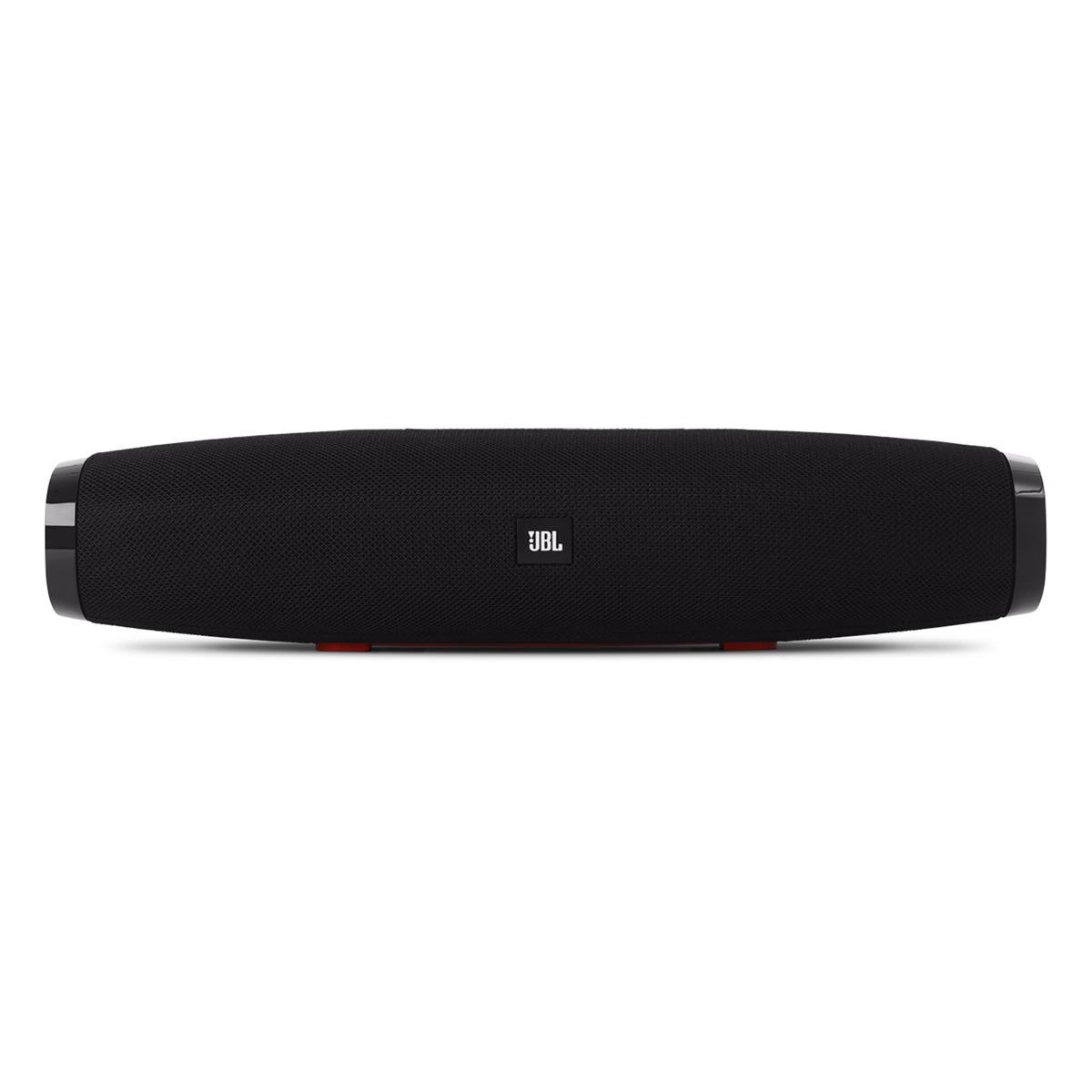
Imej 1: Depan view of the JBL Boost TV soundbar, showcasing its compact design and JBL logo.
The JBL Boost TV features a sleek, compact design, approximately 15 inches (380mm) long and 4 inches wide, making it ideal for placement beneath most televisions without obstructing the screen. The front grille covers the main speaker drivers, and the JBL logo is prominently displayed.
3.2 Sambungan Panel Belakang

Imej 2: Rear panel of the JBL Boost TV, showing the various input ports.
The rear panel, highlighted in orange, provides the following connectivity options:
- Input Optik: For connecting to your TV using the included optical cable, providing high-quality digital audio.
- AUX In (3.5mm): For connecting external audio devices via a 3.5mm analog cable.
- Input Kuasa: For connecting the power cable to supply electricity to the soundbar.
- Software Update Port: A micro-USB port for potential future software updates (typically for manufacturer use).
3.3 Kawalan Panel Atas

Imej 3: Top panel controls of the JBL Boost TV soundbar.
The top panel features intuitive controls for easy operation:
- Butang Bluetooth: Initiates Bluetooth pairing mode for connecting wireless devices.
- SoundShift Button: Allows switching between connected devices (e.g., TV and Bluetooth).
- Perlahankan suara (-): Mengurangkan kelantangan audio.
- Butang Kuasa: Menghidupkan atau mematikan bar bunyi.
- Kelantangan Naik (+): Meningkatkan kelantangan audio.
- Harman Display Surround Button: Activates or deactivates the virtual surround sound mode for an expanded audio experience.
- TV Sound Mode Button: Optimizes audio for TV viewing, enhancing dialogue clarity and overall TV viewpengalaman dalam.
4. Persediaan
4.1 Penempatan
Place the JBL Boost TV soundbar on a stable, flat surface directly in front of your television. Ensure there are no obstructions blocking the sound from the front or the side-firing ports.
4.2 Menyambung ke TV Anda
- Sambungan Optik (Disyorkan):
- Sambungkan satu hujung kabel optik ke port OPTICAL OUT pada TV anda.
- Connect the other end to the OPTICAL IN port on the rear of the JBL Boost TV.
- Ensure your TV's audio output settings are configured to "Optical" or "External Speaker."
- Sambungan Analog:
- Connect one end of the 3.5mm analog cable to the AUDIO OUT (headphone jack) or RCA L/R audio output on your TV (using an adapter if necessary).
- Connect the other end to the AUX IN port on the rear of the JBL Boost TV.
4.3 Sambungan Kuasa
Connect the power cable to the Power Input port on the soundbar, then plug the other end into a wall outlet.
4.4 Berpasangan Bluetooth
- Press the Bluetooth button on the top panel of the soundbar or on the remote control. The Bluetooth indicator light will begin to flash.
- Pada peranti mudah alih anda (telefon pintar, tablet, dll.), dayakan Bluetooth dan cari peranti yang tersedia.
- Select "JBL Boost TV" from the list of devices. Once connected, the Bluetooth indicator light will turn solid.
4.5 Programming Your TV Remote (SoundShift™)
The JBL Boost TV can learn volume and power commands from your existing TV remote control. This allows you to control the soundbar's basic functions with a single remote.
- Masukkan Mod Pembelajaran: Press and hold the SoundShift button (the one with the headphone icon) on the soundbar for 5 seconds until the indicator light flashes orange.
- Kuasa Program: Press the Power button on the soundbar once. Then, point your TV remote at the soundbar and press its Power button. The indicator light will flash white once to confirm.
- Program Volume Up: Press the Volume Up (+) button on the soundbar once. Then, point your TV remote at the soundbar and press its Volume Up button. The indicator light will flash white once to confirm.
- Program Volume Down: Press the Volume Down (-) button on the soundbar once. Then, point your TV remote at the soundbar and press its Volume Down button. The indicator light will flash white once to confirm.
- Keluar dari Mod Pembelajaran: The soundbar will automatically exit learning mode after a short period of inactivity, or you can press the SoundShift button again.
5. Arahan Operasi
5.1 Hidupkan/Mati Kuasa
Tekan butang Kuasa (①) on the top panel or the remote control to turn the soundbar on or off.
5.2 Kawalan Kelantangan
Gunakan Kelantangan Naik (+) dan Kelantangan Turun (-) buttons on the top panel or the remote control to adjust the audio level.
5.3 Source Selection (SoundShift™)
The SoundShift™ feature allows you to seamlessly switch between your TV audio and a connected Bluetooth device. When a Bluetooth device starts playing, the soundbar will automatically switch to that source. When the Bluetooth audio stops, it will switch back to the TV audio. You can also manually switch sources using the SoundShift button (⑁) on the top panel or remote.
5.4 Harman Display Surround
Press the Harman Display Surround button (⏴) on the top panel or remote to activate or deactivate the virtual surround sound mode. This feature expands the soundstage, providing a more immersive audio experience without additional speakers.
5.5 TV Sound Mode
Press the TV Sound Mode button (📺) on the top panel or remote to optimize the soundbar's audio for television content, enhancing dialogue clarity and overall TV viewpengalaman dalam.
6. Penyelenggaraan
- Pembersihan: Gunakan kain lembut dan kering untuk membersihkan permukaan bar bunyi. Jangan gunakan pembersih cecair atau bahan yang melelas.
- Storan: Jika menyimpan bar bunyi untuk tempoh yang lama, cabut bekalan elektrik dan simpan di tempat yang sejuk dan kering.
- Elakkan halangan: Ensure the speaker grilles and ports are free from dust and debris to maintain optimal sound performance.
7. Penyelesaian masalah
| Masalah | Kemungkinan Punca | Penyelesaian |
|---|---|---|
| Tiada kuasa | Kabel kuasa tidak disambungkan atau soket tidak aktif. | Pastikan kabel kuasa disambungkan dengan kukuh pada bar bunyi dan soket kuasa yang berfungsi. |
| Tiada bunyi | Incorrect input source selected, TV audio settings incorrect, or volume too low. | Verify the correct input source is selected (Optical, AUX, or Bluetooth). Check your TV's audio output settings. Increase the volume on both the soundbar and your TV. |
| Penggandingan Bluetooth gagal | Bar bunyi tidak berada dalam mod berpasangan, peranti terlalu jauh atau gangguan. | Ensure the soundbar's Bluetooth indicator is flashing. Move your device closer to the soundbar. Try restarting both the soundbar and your Bluetooth device. |
| Alat kawalan jauh tidak berfungsi | Batteries depleted or line of sight blocked. | Replace the remote control batteries. Ensure there are no obstructions between the remote and the soundbar. |
8. Spesifikasi
| Ciri | Perincian |
|---|---|
| Jenama | JBL |
| Nombor Model | Tingkatkan TV |
| Kuasa Output Maksimum Pembesar Suara | 60 Watt |
| Respons Kekerapan | 20 KHz (Upper limit, lower limit not specified) |
| Teknologi Ketersambungan | 1 Analog, 1 Optical, Bluetooth |
| Mod Keluaran Audio | Stereo |
| Jenis Pemasangan | Pemasangan Atas Meja |
| Jenis Pembesar Suara | Bar bunyi |
| Ciri-ciri Tambahan | Display, Dolby Enabled |
| Jenis Pengawal | Elektrik Bertali |
| warna | Hitam |
| Kaedah Kawalan | Jauh |
| Berat Barang | 4.25 paun |
| Teknologi Tanpa Wayar | Bluetooth |
| Bilangan Saluran Audio | 2.0 |
| Nisbah Isyarat-ke-Bunyi | 60 dB |
| Peranti Serasi | Komputer Riba, Telefon Pintar, Televisyen |
| Sumber Kuasa | Elektrik Bertali |
9. Waranti & Sokongan
The JBL Boost TV comes with a limited warranty. Please refer to the included Warranty Card in your product packaging for detailed terms and conditions, including warranty period and coverage. For technical support, product registration, or further assistance, please visit the official JBL webtapak atau hubungi bahagian perkhidmatan pelanggan mereka.
Sokongan dalam talian: www.jbl.com/support