
pengenalan
This manual provides comprehensive instructions for the setup, operation, maintenance, and troubleshooting of your Proscan PSVR62 Hi-Fi Stereo 4-Head VHS VCR Plus Player. Please read this manual thoroughly before using the device to ensure proper functionality and longevity.
Maklumat Keselamatan
Sentiasa ikuti langkah berjaga-jaga keselamatan asas apabila menggunakan produk ini untuk mengurangkan risiko kebakaran, kejutan elektrik dan kecederaan kepada orang.
- Jangan dedahkan unit kepada hujan atau lembapan.
- Jangan buka casing; refer all servicing to qualified service personnel.
- Pastikan pengudaraan yang betul di sekeliling unit.
- Cabut palam unit semasa ribut petir atau apabila tidak digunakan untuk tempoh yang lama.
Kandungan Pakej
Sahkan bahawa semua item terdapat dalam pakej:
- Proscan PSVR62 VHS VCR Player
- Alat Kawalan Jauh
- Audio/Video (RCA) Cables
- Manual Arahan (dokumen ini)
Produk Selesaiview

Rajah 1: Depan view of the Proscan PSVR62 VHS VCR player. The image shows the main unit with its front panel controls (Power, Stop/Eject, REC/XPR, Pause, Play, Reverse, Forward) and the VHS tape slot. A remote control and RCA audio/video cables are visible on top of the unit.
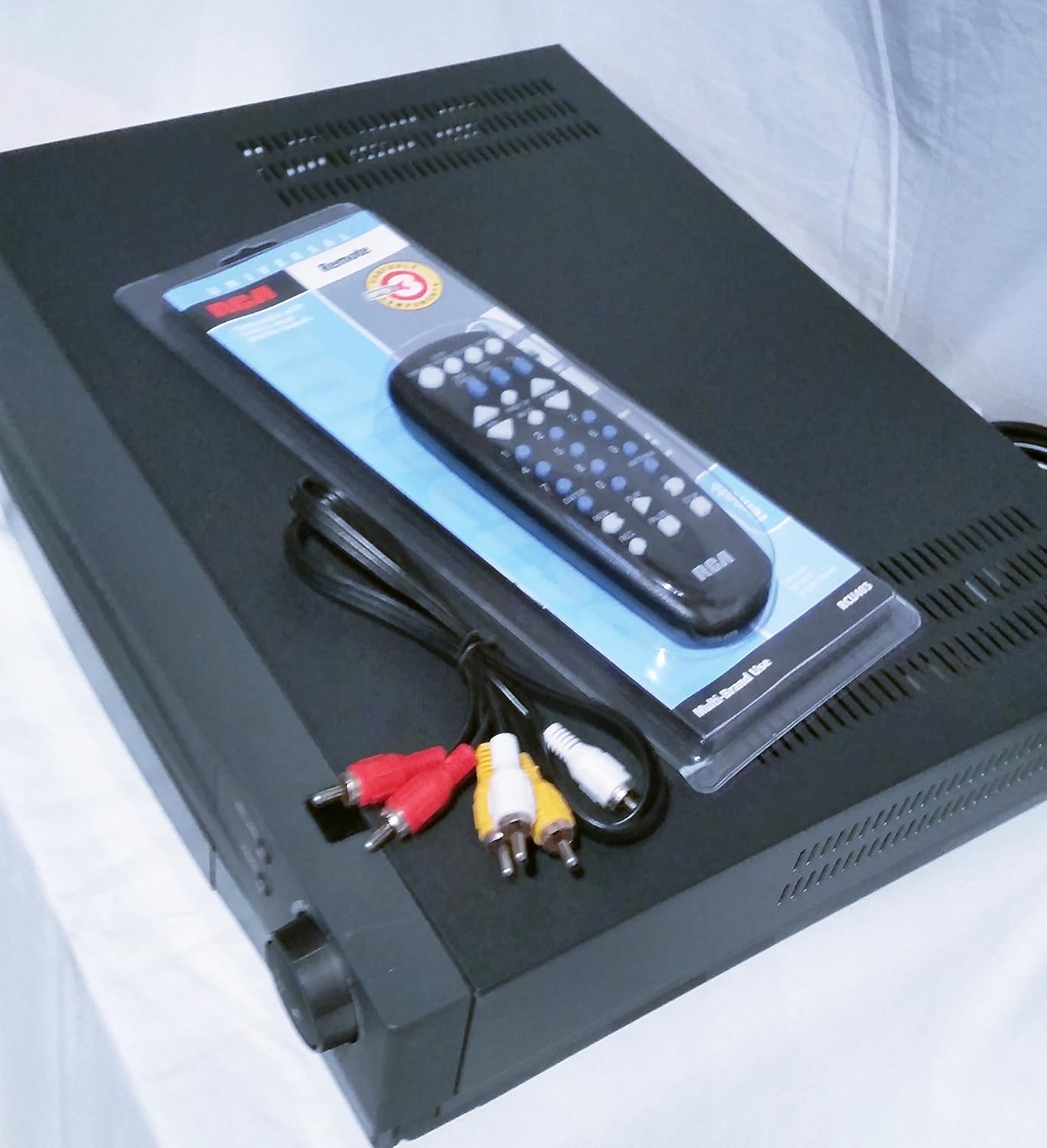
Rajah 2: Atas-bawah view of the Proscan PSVR62 VHS VCR player. This perspective highlights the top surface of the VCR, with the included remote control and RCA cables placed beside it, showing the multi-brand use label on the remote packaging.
Kawalan Panel Depan:
- KUASA: Menghidupkan atau mematikan VCR.
- BERHENTI/EJECT: Stops playback/recording or ejects the VHS tape.
- REC/XPR: Initiates recording or activates Express Recording.
- Jeda: Pauses playback or recording.
- MAIN: Memulakan main balik pita.
- TERBALIK: Menggulung semula pita itu.
- KE HADAPAN: Maju pantas pita itu.
Sambungan Panel Belakang:
Panel belakang biasanya merangkumi:
- Audio/Video (RCA) Input/Output jacks (Yellow for Video, White for Left Audio, Red for Right Audio).
- RF Coaxial Input/Output (for antenna/cable connection).
- Power Cord input.
Persediaan
1. Membongkar dan Meletakkan:
Carefully remove the VCR from its packaging. Place the unit on a stable, flat surface with adequate ventilation. Avoid placing it near heat sources or in direct sunlight.
2. Connecting to a Television:
- Using RCA Cables (Recommended for best quality):
- Connect the yellow video output jack on the VCR to the yellow video input jack on your TV.
- Connect the white audio output jack on the VCR to the white audio input jack on your TV.
- Connect the red audio output jack on the VCR to the red audio input jack on your TV.
- Set your TV's input source to the corresponding AV input (e.g., Video 1, AV1, Input 1).
- Using RF Coaxial Cable (Alternative):
- Connect an RF coaxial cable from the VCR's RF OUT jack to your TV's ANTENNA IN jack.
- Connect your antenna or cable TV signal to the VCR's RF IN jack.
- Tune your TV to channel 3 or 4 (depending on the VCR's output setting) to receive the VCR signal.
3. Sambungan Kuasa:
Plug the VCR's power cord into a standard AC outlet.
4. Persediaan Alat Kawalan Jauh:
Insert two AAA batteries (not included) into the remote control, observing the correct polarity (+/-).
Arahan Operasi
Playing a VHS Tape:
- Turn on the VCR and your television.
- Select the correct input source on your TV (e.g., AV1, Video 1).
- Insert a VHS tape into the tape slot with the label facing up. The VCR will automatically load the tape.
- Tekan ke BERMAIN button on the VCR or remote control.
- Untuk menghentikan main semula, tekan BERHENTI/EJECT.
- Untuk menjeda, tekan JEDA. Tekan sekali lagi untuk menyambung semula.
- To fast forward or rewind, press KE HADAPAN or TERBALIK.
Recording a Program:
The Proscan PSVR62 features a 4-head system for high-quality recording and playback.
- Ensure a blank or recordable VHS tape is inserted.
- Tune the VCR to the desired channel you wish to record (if using RF input).
- Tekan ke REC/XPR button. Recording will begin immediately.
- Untuk berhenti merakam, tekan BERHENTI/EJECT.
Setting the Program Timer (8 Event, 1 Year):
The VCR allows you to program up to 8 recording events over a 1-year period.
- Access the VCR's menu system using the remote control. (Specific menu navigation will vary by remote, refer to remote's manual if needed).
- Navigate to the "Timer Recording" or "Program" section.
- Set the start time, end time, channel, and recording date/frequency for each event.
- Ensure the VCR is powered on or in standby mode and a recordable tape is inserted at the scheduled time.
Penyelenggaraan
Membersihkan Unit:
- Wipe the exterior of the VCR with a soft, dry cloth.
- Jangan gunakan pembersih cecair atau semburan aerosol, kerana ia boleh merosakkan kemasan atau komponen dalaman.
- Avoid blocking ventilation slots.
Pembersihan Kepala Pita:
Over time, dust and tape residue can accumulate on the VCR's heads, affecting picture and sound quality. If you notice distorted playback, consider using a dry-type VHS head cleaning tape. Follow the instructions provided with the cleaning tape.
Note: Excessive use of wet-type cleaning tapes can damage the heads.
Menyelesaikan masalah
| Masalah | Kemungkinan Punca | Penyelesaian |
|---|---|---|
| Tiada kuasa | Power cord unplugged; outlet not active. | Periksa sambungan kord kuasa; cuba outlet lain. |
| Tiada gambar/bunyi | Incorrect TV input; loose AV cables; VCR not on. | Select correct TV input (AV1, Video 1); ensure AV cables are securely connected; turn on VCR. |
| Poor picture quality (snowy/distorted) | Dirty VCR heads; damaged tape; weak signal. | Use a VHS head cleaning tape; try a different tape; check antenna/cable connection. |
| Tape won't eject | Power off; mechanical issue. | Ensure VCR is powered on; if problem persists, do not force, seek professional service. |
| Alat kawalan jauh tidak berfungsi | Bateri mati; sensor terhalang. | Replace batteries; ensure clear line of sight to VCR's IR sensor. |
Spesifikasi
- model: Proscan PSVR62
- Jenis: Hi-Fi Stereo 4-Head VHS VCR Plus Player
- Ketua: 4 VHS Heads
- Pemasa Program: 8 Event, 1 Year
- warna: Hitam
- Dimensi (lebih kurang): 42.42 x 33.02 x 9.91 cm (16.7 x 13.0 x 3.9 inci)
- Berat (lebih kurang): 4.33 kg (9.55 lbs)
- Bekalan Kuasa: AC 120V, 60Hz (standard for North America)
Maklumat Waranti
Proscan products are manufactured to high quality standards. For specific warranty terms and conditions, please refer to the warranty card included with your product or visit the official Proscan webtapak. Simpan resit pembelian anda sebagai bukti pembelian untuk tuntutan waranti.
Sokongan Pelanggan
For technical assistance, service, or general inquiries, please contact Proscan customer support. Contact information can typically be found on the manufacturer's webtapak atau dalam pembungkusan produk.
Nota: Spesifikasi dan rupa produk tertakluk kepada perubahan tanpa notis.