
1. Pengenalan
The Sony SBH54 is a versatile Stereo Bluetooth Headset designed for wireless communication and audio playback. It offers both handset and headset functionalities, allowing you to take and make calls, view messages, listen to music, and tune into FM radio directly from its display. Crafted from premium metal with a splash-proof design, it combines elegance with durability.
Key features include Bluetooth Wireless 3.0, NFC technology for easy pairing, an OLED display, and built-in noise cancellation for clear audio during calls. The headset supports A2DP profile and can connect to two devices simultaneously.
2. Produk Lebihview
The SBH54 features a compact design that fits comfortably in your hand. It includes an OLED display for information at a glance and physical controls for media and call management.
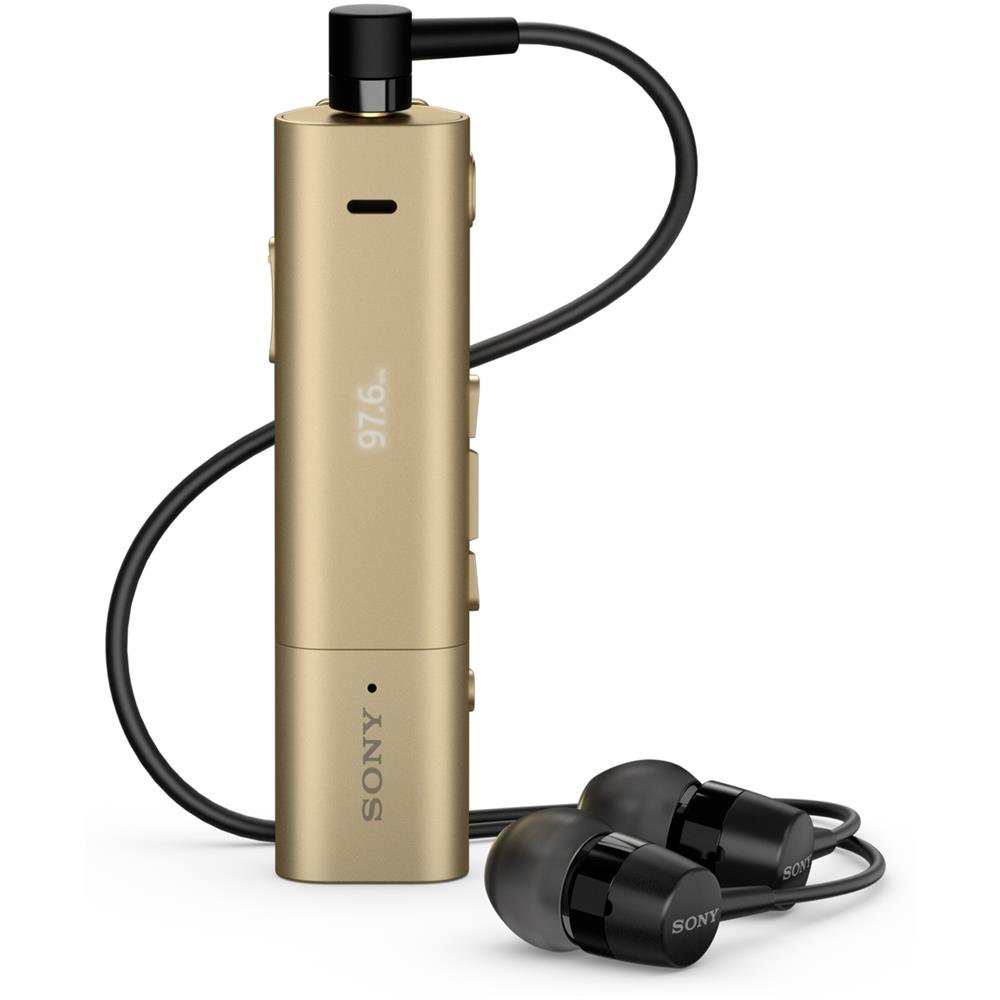
Image: Sony SBH54 Gold Stereo Bluetooth Headset. This image displays the compact, gold-colored headset with its integrated clip and display screen.
Kawalan dan Penunjuk:
- Paparan OLED: Shows caller ID, messages, music track information, and FM radio frequency.
- Butang pelbagai fungsi: For call answering/ending, play/pause music.
- Butang Kelantangan: Laraskan kelantangan audio.
- Butang Navigasi: For menu navigation and track skipping.
- mikrofon: Integrated for voice calls.
- Jack fon kepala: 3.5mm port for connecting the included premium headphones.
- Port Pengecasan: Port mikro USB untuk mengecas peranti.
3. Persediaan
3.1 Mengecas Alat Dengar
- Connect the supplied USB cable to the headset's charging port and to a USB power adapter or a computer's USB port.
- Penunjuk bateri pada paparan akan menunjukkan status pengecasan.
- Cas set kepala sepenuhnya sebelum penggunaan pertama.
3.2 Pairing with a Device (Bluetooth)
- Pastikan set kepala dicas dan dimatikan.
- Press and hold the power button until the headset enters pairing mode (indicated by a specific light pattern or message on the display).
- Pada telefon pintar anda atau peranti berdaya Bluetooth lain, dayakan Bluetooth dan cari peranti yang tersedia.
- Select "SBH54" from the list of found devices.
- Jika digesa, masukkan kod laluan "0000" (empat sifar).
- Setelah dipasangkan, set kepala akan menunjukkan sambungan yang berjaya.
3.3 Pairing with a Device (NFC)
For devices with NFC (Near Field Communication):
- Ensure NFC is enabled on your smartphone and the screen is unlocked.
- Touch the NFC detection area of your smartphone to the NFC detection area on the SBH54 headset.
- Ikuti mana-mana gesaan pada skrin untuk melengkapkan proses berpasangan.
4. Mengendalikan Alat dengar
4.1 Hidupkan/Mati Kuasa
- Untuk Menghidupkan: Tekan dan tahan butang kuasa sehingga paparan menyala.
- Untuk Mematikan: Tekan dan tahan butang kuasa sehingga paparan dimatikan.
4.2 Membuat dan Menerima Panggilan
- Menjawab Panggilan: When a call comes in, press the multi-function button.
- Menamatkan Panggilan: During a call, press the multi-function button.
- Menolak Panggilan: Press and hold the multi-function button when a call comes in.
- Membuat Panggilan: Dial the number on your phone. The call will automatically route to the headset. You can also use voice commands if supported by your phone.
- Handset Function: The compact SBH54 can be used as an unobtrusive handset for calls.
- Pembatalan Bunyi: The headset features echo, wind, and noise cancellation for clear voice transmission.
- Suara HD: Enhances voice clarity for both parties during a call.
4.3 Main balik Muzik
- Main/Jeda: Tekan butang berbilang fungsi.
- Lagu Seterusnya: Press the forward navigation button.
- Trek Sebelumnya: Press the backward navigation button.
- Kawalan Kelantangan: Gunakan butang kelantangan naik/turun.
4.4 Radio FM
- Aktifkan Radio FM: Navigate through the headset menu to select the FM Radio function.
- Stesen-stesen Tala: Use the navigation buttons to scan or manually tune to FM frequencies.
- Simpan Pratetap: The headset may allow saving favorite stations (refer to on-screen prompts).
5. Penyelenggaraan
- Pembersihan: Wipe the headset with a soft, dry cloth. Avoid using harsh chemicals or abrasive materials.
- Tahan Air: The SBH54 has a splash-proof design. This means it can withstand light splashes of water but should not be submerged or exposed to heavy rain. Ensure the charging port cover is securely closed.
- Storan: Simpan alat dengar di tempat yang sejuk dan kering jauh dari cahaya matahari langsung dan suhu yang melampau.
- Penjagaan Bateri: Untuk memanjangkan hayat bateri, elakkan daripada kerap mencas sepenuhnya bateri. Caskannya secara berkala.
6. Penyelesaian masalah
Isu dan Penyelesaian Biasa:
- Headset does not power on: Pastikan bateri dicas. Sambungkan ke sumber kuasa dan cuba lagi.
- Cannot pair with a device:
- Pastikan set kepala berada dalam mod berpasangan.
- Pastikan Bluetooth didayakan pada peranti anda.
- Gerakkan set kepala lebih dekat dengan peranti anda.
- Mulakan semula kedua-dua set kepala dan peranti anda.
- Kosongkan sambungan Bluetooth sebelumnya pada peranti anda dan cuba pasangkan semula.
- Tiada audio atau kualiti audio yang lemah:
- Semak tahap kelantangan pada kedua-dua set kepala dan peranti anda yang disambungkan.
- Ensure the headset is within range of your device.
- Putuskan sambungan dan sambung semula sambungan Bluetooth.
- Ensure the headphones are properly plugged into the 3.5mm jack.
- Radio FM tidak berfungsi: Ensure you are in an area with good FM signal reception.
7. Spesifikasi
| Ciri | Perincian |
|---|---|
| Jenama | Sony |
| Nombor Model | SBH54GD |
| warna | emas |
| Penempatan Telinga | Di Telinga |
| Faktor Bentuk | Di Telinga |
| Kawalan Bunyi | Pembatalan Bunyi Aktif |
| Berat Barang | 0.1 Kilogram |
| Jenis Pemacu Audio | Pemandu Dinamik |
| Julat Kekerapan | 20 Hz - 20,000 Hz |
| Bahan Kepungan | logam |
| Peranti Serasi | Smartphones, Laptops, Tablets, Bluetooth-enabled Devices |
| Tahap Ketahanan Air | Water Resistant (Splash-proof) |
| Teknologi Ketersambungan | Bluetooth, NFC |
| Teknologi Tanpa Wayar | Bluetooth, NFC |
| Versi Bluetooth | 3.0 |
| Jenis Kawalan | Kawalan Media |
| Kaedah Kawalan | Jauh |
8. Waranti dan Sokongan
Untuk maklumat waranti dan sokongan pelanggan, sila rujuk dokumentasi yang disertakan dengan pembelian anda atau lawati sokongan rasmi Sony webtapak. Syarat jaminan tertentu mungkin berbeza mengikut wilayah dan peruncit.
Sokongan dalam talian: www.sony.com/electronics/support