
pengenalan
Terima kasih kerana membeliasing the Madison FREESOUND-VR40R Vintage Portable Radio. This device combines a classic retro design with modern audio technology, offering versatile listening options. This manual provides detailed instructions on how to set up, operate, and maintain your radio to ensure optimal performance and longevity.
The FREESOUND-VR40R is a portable, USB-rechargeable radio designed for those who appreciate a vintage aesthetic combined with modern audio technologies. It features an analog dial tuner, Bluetooth, USB, AUX, and FM connectivity, bass enhancement, and a convenient dual metal handle for portability.
Arahan Keselamatan
Sila baca arahan keselamatan ini dengan teliti sebelum menggunakan peranti dan simpannya untuk rujukan masa hadapan. Penggunaan yang salah boleh mengakibatkan renjatan elektrik, kebakaran atau bahaya lain.
- Jangan dedahkan peranti kepada hujan atau lembapan untuk mengelakkan kebakaran atau kejutan elektrik.
- Jangan dedahkan peranti kepada cahaya matahari langsung atau suhu yang melampau.
- Jangan buka casing. Tiada bahagian yang boleh diservis pengguna di dalamnya. Rujuk semua servis kepada kakitangan yang berkelayakan.
- Use only the specified power adapter/charging cable.
- Jauhkan peranti daripada medan magnet yang kuat.
- Clean the device only with a dry, soft cloth. Do not use liquid cleaners.
- Pastikan pengudaraan yang betul di sekitar peranti. Jangan halang sebarang bukaan pengudaraan.
Produk Selesaiview
Familiarize yourself with the components and features of your Madison FREESOUND-VR40R radio.

Rajah 1: Depan View. Shows the analog dial tuner, speaker grille, Madison logo, and control knobs for volume and source selection.
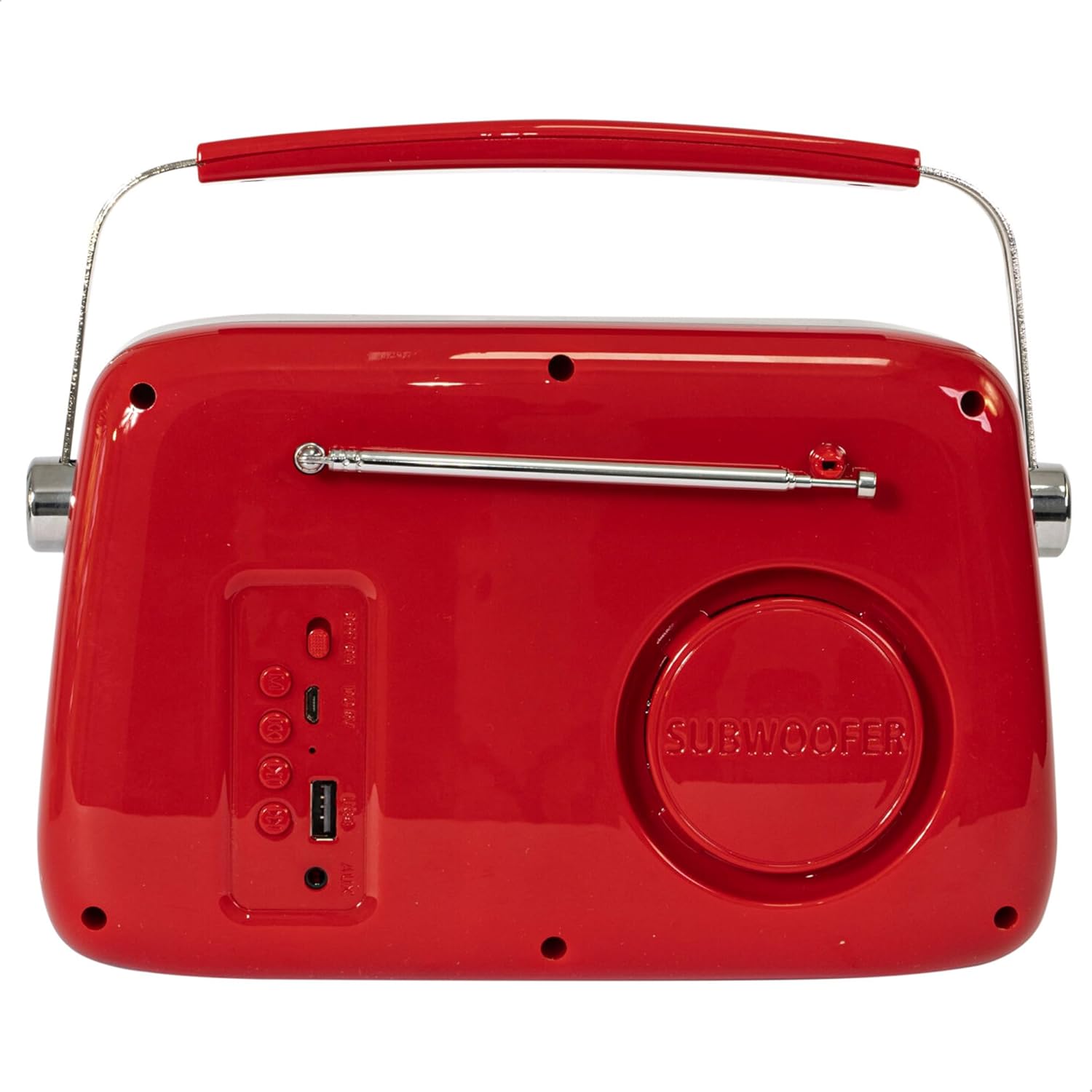
Rajah 2: Belakang View. Displays the subwoofer, USB port, AUX input, and power/mode buttons.
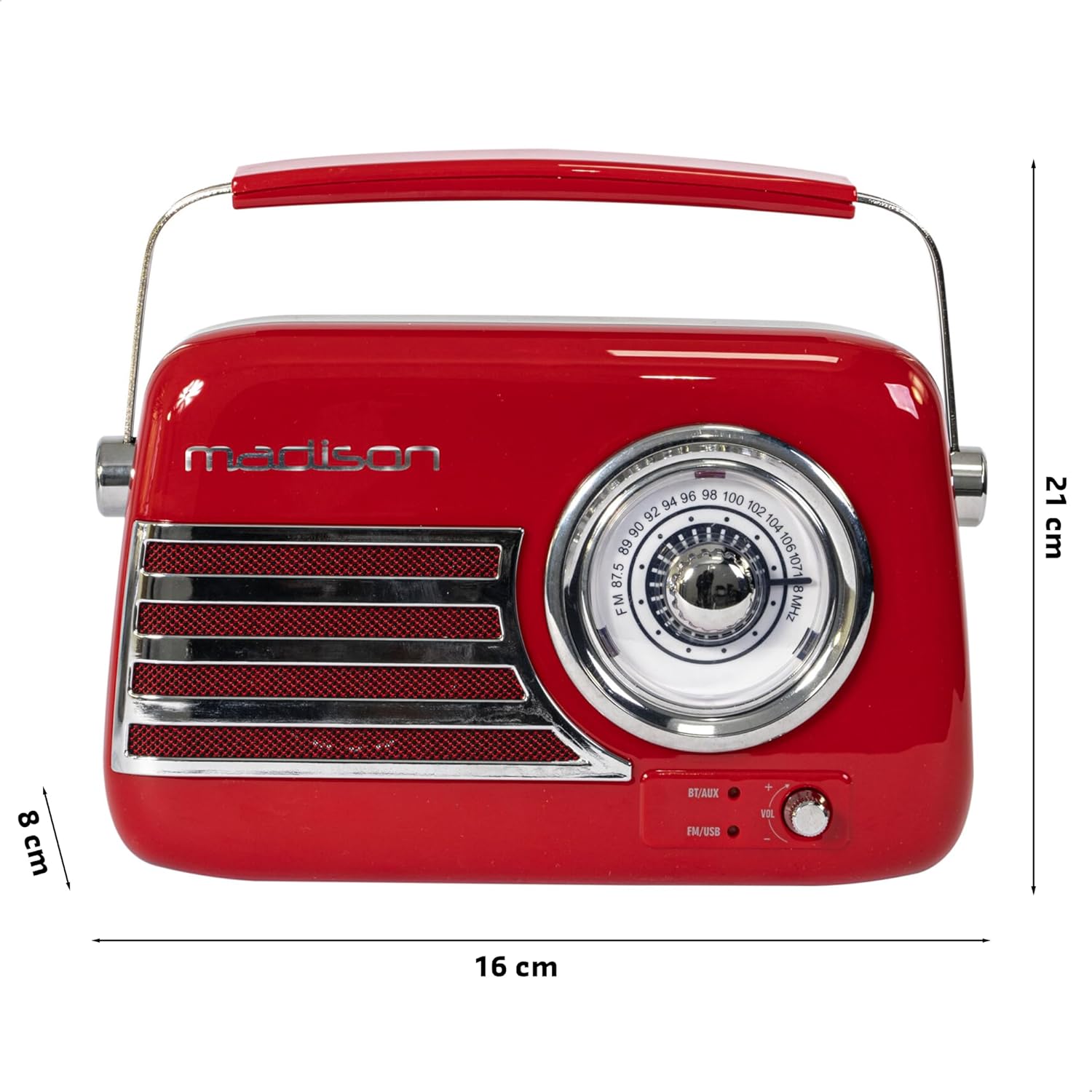
Rajah 3: Dimensi Produk. Illustrates the radio's approximate dimensions: 21 cm length, 8 cm width, and 16 cm height.

Rajah 4: Belakang View with Antenna Extended. Shows the telescopic antenna fully extended for improved FM reception.
Ciri-ciri Utama:
- Analog Dial Tuner: For classic FM radio tuning.
- Kesambungan Bluetooth: Stream audio wirelessly from your smartphone or tablet.
- Main balik USB: Play music directly from a USB drive.
- Input AUX: Sambungkan peranti audio luaran melalui kabel audio 3.5mm.
- Radio FM: Enjoy your favorite FM stations with the retractable antenna.
- Peningkatan Bass: Integrated subwoofer for richer bass sound.
- Bateri boleh dicas semula: Built-in long-lasting battery for portable use.
- Reka Bentuk Mudah Alih: Lightweight with a dual metal handle for easy carrying.
Persediaan
Mengecas Bateri:
- Locate the USB charging port on the rear of the radio.
- Connect the provided USB charging cable to the radio's USB port.
- Sambungkan hujung kabel USB yang satu lagi ke penyesuai kuasa USB yang serasi (tidak disertakan) atau port USB komputer.
- Lampu penunjuk pengecasan akan menyala. Setelah dicas sepenuhnya, lampu mungkin berubah warna atau padam, bergantung pada model.
- Pengecasan penuh biasanya mengambil masa beberapa jam.
Kuasa Awal Hidup:
- Ensure the radio is sufficiently charged.
- Press and hold the Power/Mode button (usually located on the rear or front panel) to turn on the radio.
- The front indicator lights will show the currently selected source.
Arahan Operasi
Kawalan Kelantangan:
Putar Kelantangan knob (VOL) on the front panel to adjust the sound level. Turn clockwise to increase volume, counter-clockwise to decrease.
Selecting a Source:
Tekan ke Sumber/Mod button (often labeled BT/AUX or FM/USB) repeatedly to cycle through the available input modes: Bluetooth, AUX, FM Radio, and USB.
- Mod Bluetooth:
- Switch the radio to Bluetooth mode. The Bluetooth indicator light will blink, indicating it's ready for pairing.
- Pada telefon pintar atau tablet anda, dayakan Bluetooth dan cari peranti yang tersedia.
- Select "FREESOUND-VR40R" (or similar name) from the list.
- Once paired, the Bluetooth indicator light will become solid, and you can stream audio from your device.
- Mod Radio FM:
- Switch the radio to FM mode.
- Panjangkan antena teleskopik sepenuhnya untuk penerimaan yang optimum.
- Putar Dail Penalaan on the front panel to manually select your desired FM radio station.
- Mod Main Semula USB:
- Masukkan pemacu kilat USB yang mengandungi audio MP3 files into the USB port on the rear of the radio.
- Switch the radio to USB mode. The radio will automatically begin playing the audio files.
- Use the playback controls (if available, usually on the rear panel) to skip tracks or pause/play.
- Mod Input AUX:
- Connect one end of a 3.5mm audio cable (not included) to the AUX input port on the rear of the radio.
- Connect the other end of the cable to the headphone jack or audio output of your external device (e.g., MP3 player, CD player).
- Switch the radio to AUX mode. Audio from your external device will now play through the radio.
Penyelenggaraan
Pembersihan:
To maintain the appearance and functionality of your radio:
- Lap permukaan luar dengan kain lembut, kering dan tidak berbulu.
- Jangan gunakan pembersih, lilin atau pelarut yang melelas kerana ia boleh merosakkan kemasan.
- Elakkan menyembur cecair terus ke radio.
Storan:
If you plan to store the radio for an extended period:
- Cas bateri sepenuhnya sebelum disimpan.
- Simpan radio di tempat yang sejuk dan kering, jauh daripada cahaya matahari langsung dan suhu yang melampau.
- For optimal battery health, recharge the battery every 3-6 months, even if not in use.
Menyelesaikan masalah
| Masalah | Kemungkinan Punca | Penyelesaian |
|---|---|---|
| Tiada bekalan elektrik / Radio tidak dapat dihidupkan. | Bateri habis. | Charge the radio using the provided USB cable. |
| Tiada bunyi. | Kelantangan terlalu rendah atau diredamkan. Sumber yang salah dipilih. | Increase the volume. Ensure the correct input source (Bluetooth, FM, USB, AUX) is selected. |
| Sambutan FM yang lemah. | Antenna not extended. Weak signal. | Fully extend the telescopic antenna. Try repositioning the radio for better signal. |
| Peranti Bluetooth tidak boleh berpasangan. | Radio not in pairing mode. Device too far. Bluetooth disabled on source device. | Ensure radio is in Bluetooth pairing mode (blinking light). Move device closer. Enable Bluetooth on your smartphone/tablet. |
| Main balik USB tidak berfungsi. | USB drive not inserted correctly. Unsupported file format. | Ensure USB drive is fully inserted. Check if audio files dalam format MP3. |
Spesifikasi
| Nombor Model: | 10-5567MA |
| Dimensi Produk (L x W x H): | 21 x 8 x 16 cm |
| Berat: | 635 gram |
| warna: | merah |
| Bahan: | plastik |
| Sumber Kuasa: | Internal Rechargeable Battery (via USB) |
| Jenis Bateri: | 1 Litium-polimer (termasuk) |
| Ketersambungan: | Bluetooth, USB, Auxiliary (AUX) |
| Pancaragam Radio: | FM |
| Ciri Khas: | Telescopic antenna, Analog dial tuner, Bass enhancement |
| Komponen yang Disertakan: | Kabel Pengecas USB |
| Pengeluar: | Lotronic S.A. |
| Negara Asal: | China |
Waranti dan Sokongan
For warranty information and customer support, please refer to the warranty card included with your product or visit the official Madison webtapak. Simpan bukti pembelian anda untuk sebarang tuntutan waranti.
For technical assistance or troubleshooting beyond this manual, please contact Madison customer service.
Note: Availability of spare parts is not specified in the product information.