
pengenalan
Thank you for choosing the Luminous Pro UPS 2250VA/24V. This Uninterruptible Power Supply (UPS) is designed to provide reliable power backup for your home or office appliances. Please read this manual carefully before installation and operation to ensure proper use and to maximize the lifespan of your unit. Keep this manual for future reference.
Arahan Keselamatan Penting
- Baca semua arahan: Before operating the UPS, read all safety and operating instructions.
- Penggunaan dalaman sahaja: This UPS is designed for indoor use in a controlled environment. Do not expose to rain, snow, or direct sunlight.
- Pengudaraan yang betul: Pastikan pengudaraan yang mencukupi di sekitar UPS. Jangan halang bukaan pengudaraan.
- Keselamatan elektrik: Connect the UPS to a properly grounded outlet. Do not remove the grounding prong.
- Pengendalian bateri: Batteries can present a risk of electrical shock and high short-circuit current. Observe proper precautions.
- Servis: Refer all servicing to qualified service personnel. Do not attempt to service the UPS yourself.
Kandungan Pakej
Sahkan bahawa semua item yang disenaraikan di bawah disertakan dalam pakej anda:
- Luminous Pro UPS 2250VA/24V Unit
- Manual Pengguna
- Kad Waranti
- Battery Connection Cables (if applicable)
Produk Selesaiview
Panel Depan
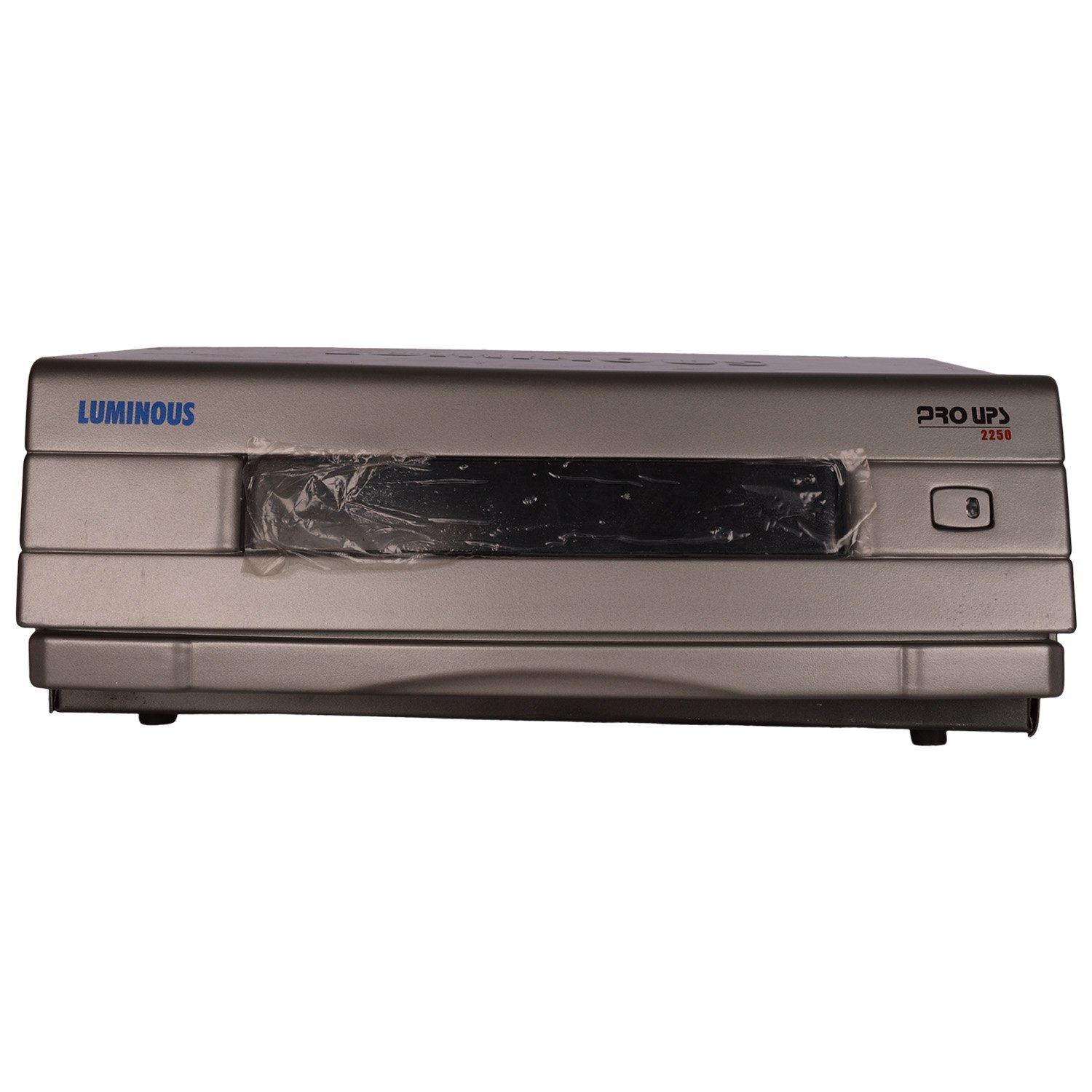
The front panel features the main power switch and indicator lights (not explicitly visible in the image but standard for UPS units) that show the operational status of the UPS, such as Mains On, Battery Mode, Overload, and Battery Low.
Panel Belakang

The rear panel provides all necessary connections for the battery, mains input, and output to your appliances. It also includes a cooling fan for thermal management and a circuit breaker for protection.
- Terminal Bateri: Connect to external 24V battery bank.
- Soket Output: For connecting loads (appliances).
- Input Utama: Connect to the utility power supply.
- Mains MCB: Main Circuit Breaker for overload protection.
- ECO/UPS Switch: Selects between ECO mode (energy saving) and UPS mode (priority to power backup).
- Battery Type Selector: Switch for selecting between Tubular, Flat Plate, or Local battery types.
Arahan Persediaan
- Membongkar: Buka bungkusan UPS dengan berhati-hati dan periksa sebarang kerosakan penghantaran.
- penempatan: Place the UPS in a cool, dry, well-ventilated area, away from direct sunlight, heat sources, and moisture. Ensure sufficient clearance around the unit for airflow.
- Sambungan Bateri:
- Ensure the UPS is OFF and disconnected from the mains supply.
- Connect the positive (+) terminal of the battery to the positive (+) terminal on the UPS.
- Connect the negative (-) terminal of the battery to the negative (-) terminal on the UPS.
- Ensure connections are tight and secure.
- Pemilihan Jenis Bateri: Set the battery type selector switch on the rear panel to match your installed battery (Tubular, Flat Plate, or Local).
- Sambungan Utama: Plug the UPS mains input cable into a grounded wall outlet.
- Muatkan Sambungan: Connect your appliances (loads) to the output sockets on the rear panel of the UPS. Do not overload the UPS beyond its rated capacity.
Arahan Operasi
- Menghidupkan: Press and hold the power button on the front panel for a few seconds until the UPS powers on. The indicator lights will illuminate.
- Pengecasan Awal: Allow the UPS to charge the connected batteries for at least 10-12 hours before using it for backup, even if the battery indicator shows full.
- ECO/UPS Mode Selection:
- Mod UPS: Provides continuous power backup with minimal transfer time during power outages. Recommended for sensitive electronics.
- Mod ECO: Prioritizes energy saving by bypassing the inverter when mains power is stable. The inverter only activates during power cuts.
- Kuasa Outage: Sekiranya berlaku kuasa outage, the UPS will automatically switch to battery mode, providing power to connected appliances. An audible alarm may sound.
- Amaran Bateri Rendah: When the battery level is low, the UPS will typically emit a continuous alarm and/or show a specific indicator. Save your work and shut down connected devices.
- Matikan kuasa: To turn off the UPS, first shut down all connected appliances. Then, press and hold the power button on the front panel until the UPS powers off. Disconnect from mains if not in use for an extended period.
Penyelenggaraan
- Pembersihan tetap: Keep the UPS clean and free from dust. Use a dry cloth to wipe the exterior. Do not use liquid cleaners.
- Pengudaraan: Pastikan bukaan pengudaraan bersih daripada halangan.
- Penjagaan Bateri:
- For optimal battery life, avoid frequent deep discharges.
- If the UPS is not used for an extended period, charge the batteries every 3 months to prevent deep discharge.
- Check battery terminals periodically for corrosion and clean if necessary.
- Keadaan Persekitaran: Operate the UPS within the specified temperature and humidity ranges.
Menyelesaikan masalah
| Masalah | Kemungkinan Punca | Penyelesaian |
|---|---|---|
| UPS tidak dihidupkan. | No mains power; Battery not connected or discharged. | Check mains power supply; Ensure battery connections are secure and battery is charged. |
| UPS berbunyi bip berterusan. | Overload; Low battery. | Reduce connected load; Allow battery to charge. |
| Masa sandaran yang singkat. | Bateri tidak dicas sepenuhnya; Bateri hampir tamat hayat; Lebihan beban. | Allow battery to fully charge; Consider battery replacement; Reduce connected load. |
| No output in battery mode. | Battery deeply discharged; Internal fault. | Allow UPS to charge for several hours; Contact customer support if problem persists. |
If the problem persists after trying the above solutions, please contact Luminous customer support.
Spesifikasi
- model: B012SV06ZM
- kapasiti: 2250VA / 24V
- Input Voltage: (Typically 230V AC, range varies by model)
- Keluaran Voltage: (Typically 230V AC)
- Bateri Voltage: 24 Volts (requires two 12V batteries in series)
- Bahan: Logam, Plastik
- warna: Silver & Grey
- Berat Barang: 20 kg 200 g
- Pengeluar: Bercahaya
- Faktor Bentuk: Rack (as per specifications, though images suggest a desktop unit)
Note: Specific input/output voltage ranges and other detailed electrical specifications can be found on the product label or in the full technical datasheet.
Waranti dan Sokongan
The Luminous Pro UPS 2250VA/24V comes with a Waranti 24 bulan from the date of purchase. Please retain your purchase receipt and warranty card for any warranty claims.
For technical assistance, service, or warranty inquiries, please contact Luminous customer support. Contact details can typically be found on the Luminous official webtapak atau pada kad jaminan anda.
Pengeluar: Bercahaya
Nombor Model Item: B012SV06ZM