
Apple MC184LL/B
Manual Pengguna Papan Kekunci Wayarles Apple
Model: MC184LL/B | Brand: Apple
Produk Selesaiview
The Apple Wireless Keyboard is designed for seamless integration with your Mac devices, offering a comfortable and efficient typing experience. Its ultra-thin profile and anodized aluminum enclosure provide both durability and a sleek aesthetic. Enjoy the freedom of wireless connectivity with a range of up to 33 feet, allowing you to work from anywhere in your space.
Ciri-ciri Utama
- Reka bentuk padat: Takes up significantly less space than traditional full-size keyboards, making it ideal for various setups.
- Kesambungan Bluetooth: Effortlessly connects to your Mac via built-in Bluetooth technology for a reliable wireless experience.
- Kuasa Cekap: Operates on just two AA batteries, offering extended usage and convenience.
- Ergonomic Typing: Features comfortable, well-spaced Qwerty keys with optimal pressure for a satisfying typing feel.
Panduan Persediaan
Kandungan Pakej
- Papan Kekunci Wayarles Apple
Pemasangan Bateri
The Apple Wireless Keyboard requires two AA batteries. To install them, locate the circular battery compartment on the right side of the keyboard. Twist the cap counter-clockwise to open, insert the batteries with the correct polarity, and then twist the cap clockwise to secure it.

Imej: Sisi view of the keyboard, highlighting the battery compartment.
Berpasangan Bluetooth
- Ensure your keyboard has fresh batteries installed and is powered on. The power button is located on the right side of the keyboard.
- Pada Mac anda, pergi ke Tetapan Sistem (atau Keutamaan Sistem on older macOS versions).
- klik pada Bluetooth.
- Make sure Bluetooth is turned On.
- Your Apple Wireless Keyboard should appear in the list of nearby devices. Click Sambung or berpasangan di sebelah namanya.
- Follow any on-screen prompts to complete the pairing process. Once connected, the keyboard will automatically pair with your Mac when in range and powered on.
Arahan Operasi
Penggunaan Asas
The Apple Wireless Keyboard features a standard Qwerty layout, providing a familiar typing experience. The keys are designed for comfortable and responsive feedback. Simply begin typing after successful Bluetooth pairing.
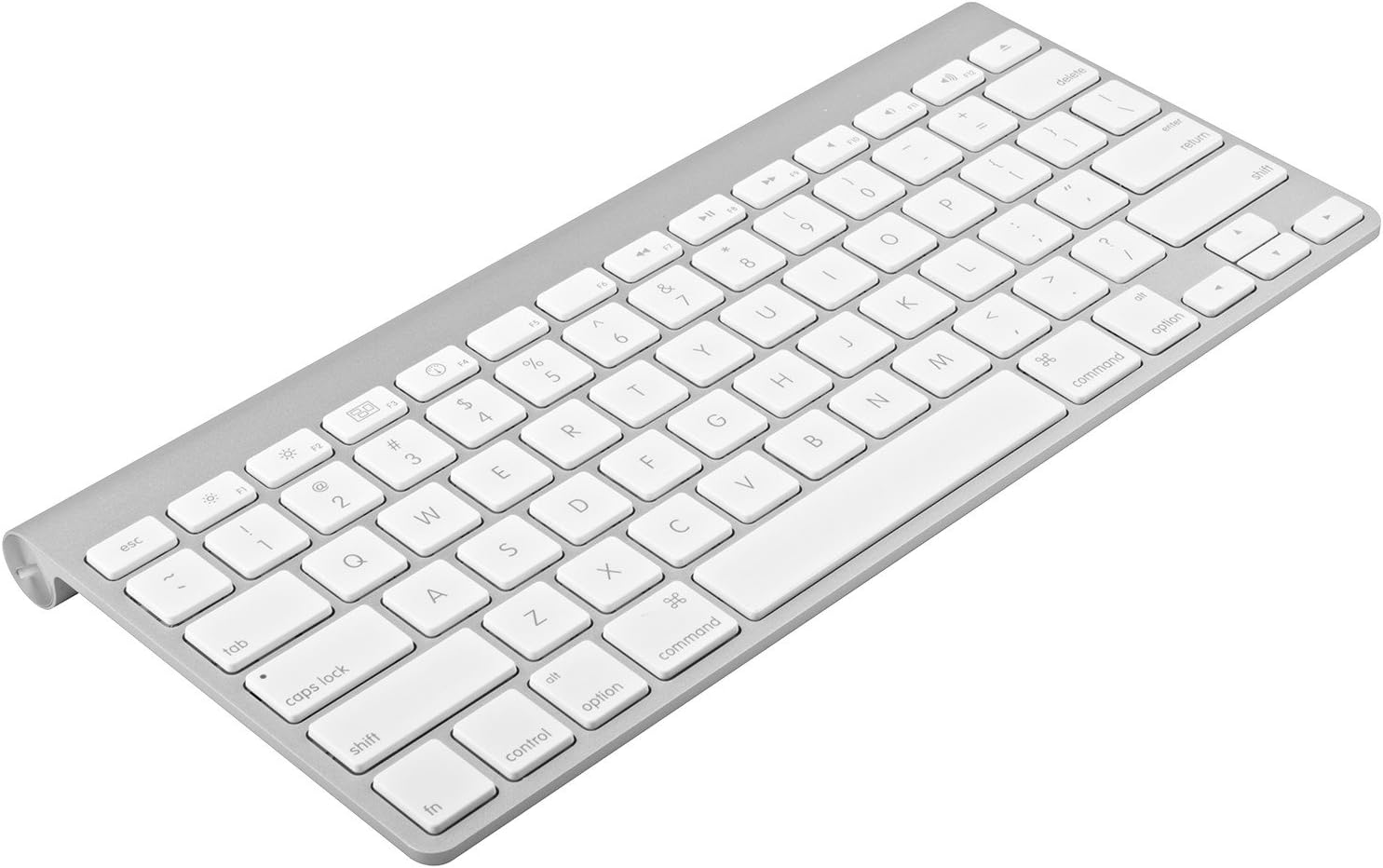
Imej: Atas ke bawah view of the Apple Wireless Keyboard layout.
Kekunci Fungsi Khas
The top row of the keyboard includes special function keys (F1-F12) that provide quick access to various system controls. These include brightness control, Mission Control, Launchpad, media playback controls, and volume adjustments. Some functions may require specific macOS settings or applications to be active.

Imej: Bersudut view of the keyboard, highlighting the function keys.
Penjagaan dan Penyelenggaraan
- Pembersihan: Gunakan kain lembut dan tidak berbulu sedikit dampened with water or an electronics cleaner to wipe down the keyboard surface. Avoid excessive moisture.
- Penyingkiran habuk: Gunakan udara termampat untuk mengeluarkan habuk dan serpihan dari antara kekunci.
- Storan: When not in use for extended periods, turn off the keyboard to conserve battery life. Store in a dry, cool place away from direct sunlight.
- Elakkan Cecair: Jauhkan cecair dari papan kekunci untuk mengelakkan kerosakan pada komponen dalaman.
Menyelesaikan masalah
| Isu | Penyelesaian yang Mungkin |
|---|---|
| Papan kekunci tidak berpasangan | Ensure Bluetooth is enabled on your Mac. Check if batteries are properly installed and charged. Try restarting both the keyboard and your Mac. |
| Kunci tidak bertindak balas | Check battery level. Ensure the keyboard is within the 33-foot wireless range. Clean any debris from under the affected keys. |
| Sambungan terputus-putus | Reduce distance between keyboard and Mac. Avoid interference from other wireless devices. Try re-pairing the keyboard. |
| Bateri cepat habis | Ensure the keyboard is turned off when not in use. Use high-quality AA batteries. |
Spesifikasi Teknikal
| Ciri | Perincian |
|---|---|
| Dimensi Produk | 12.8 x 1.4 x 7.3 inci |
| Berat Barang | 9.6 auns |
| Nombor Model | MC184LL/B |
| Teknologi Ketersambungan | Bluetooth |
| Penerangan Papan Kekunci | Tanpa wayar |
| warna | Perak |
| bahan | aluminium |
| Bilangan Butang | 78 |
| Bateri Diperlukan | 2 x bateri AA |
Waranti dan Sokongan
This Apple Wireless Keyboard (Renewed) comes with a 90-day refund/replacement policy from the date of purchase. Please retain your proof of purchase for any warranty claims.
For technical support or warranty inquiries, please refer to the Amazon Renewed program guidelines or contact the seller directly through your purchase history on Amazon.com. You may also find additional support resources on the official Apple support webtapak untuk maklumat produk am.