
1. Produk Lebihview
The UDIRC U818A-HD is a 2.4GHz 4-channel, 6-axis headless RC quadcopter equipped with an HD camera. It is designed for both beginners and experienced pilots, offering stable flight and easy control. Key features include headless mode for simplified orientation, 6-axis gyro for stability, and 360-degree eversion capabilities.

Image: The UDIRC U818A-HD quadcopter and its remote control unit.
2. Kandungan Pakej
Sahkan bahawa semua item terdapat dalam pakej:
- UDI U818A-HD RC Quadcopter
- Alat Kawalan Jauh
- LiPO Battery (2 included)
- 4GB Micro SD Memory Card
- Pengecas USB
- Baling-baling ganti
- Pemutar skru
- Manual Arahan
3. Persediaan
3.1 Pemasangan Bateri
- Open the battery compartment on the quadcopter's underside.
- Connect the LiPO battery to the quadcopter's power connector.
- Carefully place the battery inside the compartment and close the cover.
3.2 Pemasangan Baling-baling
Ensure propellers are correctly oriented. Propellers marked 'A' should be installed on motor shafts 'A', and 'B' on 'B'. Secure them with the provided screws.
3.3 Pemasangan Kamera
Attach the HD camera to the designated slot on the quadcopter's underside. Connect the camera cable to the port. Insert the 4GB Micro SD card into the camera's slot.

Imej: Bahagian bawah view of the quadcopter, highlighting the camera and LED lights.
3.4 Persediaan Kawalan Jauh
Insert 4 AA batteries (not included) into the remote control. Power on the remote control.
3.5 Binding and Calibration
- Letakkan quadcopter di atas permukaan yang rata dan rata.
- Turn on the quadcopter, then turn on the remote control.
- Move the left joystick (throttle) all the way up, then all the way down. The quadcopter's lights will stop flashing, indicating successful binding.
- To calibrate the gyroscope, move both joysticks to the bottom-right corner simultaneously until the lights flash and then become solid.

Image: The UDIRC U818A-HD quadcopter and its remote control, ready for operation.
4. Arahan Operasi
4.1 Kawalan Asas Penerbangan
- Pendikit (Pakar Bedik Kiri Atas/Bawah): Mengawal ketinggian.
- Yaw (Pakar Bedik Kiri Kiri/Kanan): Memutar quadcopter secara mendatar.
- Forward/Backward (Right Joystick Up/Down): Mengawal pergerakan ke hadapan dan ke belakang.
- Left/Right Sideward Flight (Right Joystick Left/Right): Controls sideward movement.
4.2 Headless Mode (IOC)
The Headless/IOC function allows the quadcopter to fly based on the pilot's orientation, regardless of the drone's actual front direction. This simplifies control for beginners. Activate and deactivate using the dedicated button on the remote control.
4.3 360° Eversion
Press the 360° Eversion button on the remote control, then move the right joystick in any direction to perform a continuous roll. Ensure sufficient altitude before attempting this maneuver.
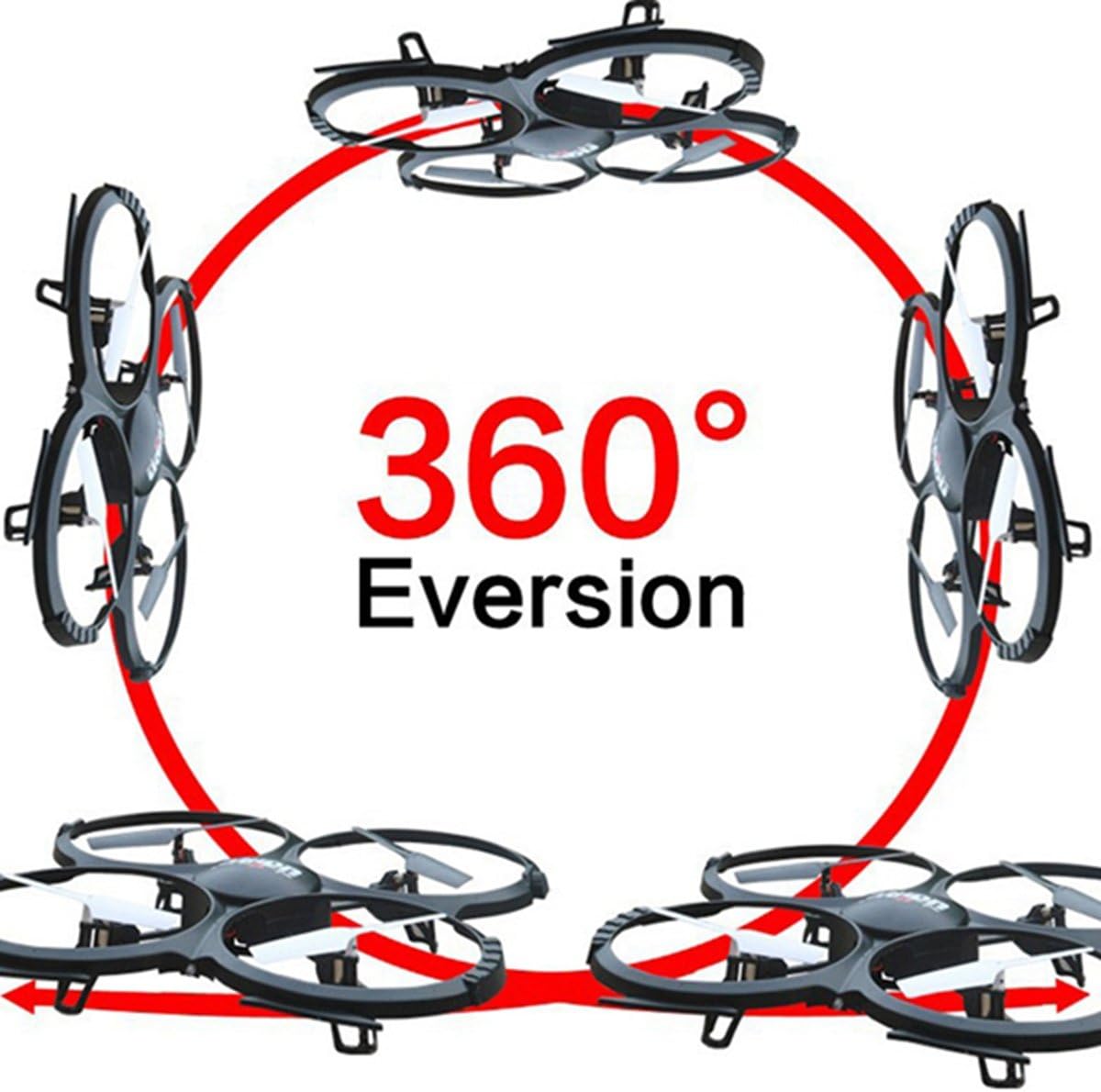
Image: Diagram showing the quadcopter performing a 360-degree eversion.
4.4 Mengambil Foto dan Video
Use the dedicated buttons on the remote control to capture photos or start/stop video recording. Ensure the Micro SD card is inserted correctly in the camera. Recorded media can be accessed by removing the SD card and inserting it into a computer.
5. Penyelenggaraan
- Penjagaan Bateri: Charge batteries using the provided USB charger. Do not overcharge. Store batteries in a cool, dry place.
- Pembersihan: Use a soft, dry cloth to clean the quadcopter. Avoid water or harsh chemicals.
- Penggantian Kipas: If propellers are damaged, replace them with spare parts. Ensure correct 'A' and 'B' propeller placement.
6. Penyelesaian masalah
- Quadcopter not responding: Ensure the battery is charged, the remote control has fresh batteries, and the quadcopter is properly bound and calibrated.
- Penerbangan tidak stabil: Recalibrate the gyroscope on a flat surface. Check for damaged propellers and replace if necessary.
- Camera not recording: Verify the Micro SD card is inserted correctly and has sufficient free space. Ensure the camera cable is securely connected.
7. Spesifikasi
| Ciri | Spesifikasi |
|---|---|
| Jenama | UDIRC |
| Nama Model | U818A |
| Jenis Kawalan | RC |
| Teknologi Ketersambungan | USB, Frekuensi Radio |
| Resolusi Tangkapan Video | 720p (1280 x 720 Pixels) |
| Resolusi Pegun Berkesan | 1 MP |
| Kapasiti Bateri | 500 Miliamp jam |
| Berat Barang | 0.41 Kilogram |
| Julat Maksimum | 100 Meter |
| bahan | plastik |
| Dimensi Item L x W x H | 13.4"L x 13"W x 2.2"H |
8. Waranti dan Sokongan
Untuk maklumat waranti dan sokongan teknikal, sila rujuk kepada pegawai pengilang webtapak atau hubungi bahagian perkhidmatan pelanggan mereka. Simpan resit pembelian anda sebagai bukti pembelian.