
pengenalan
The AC Infinity CLOUDPLATE T7-N is an intelligent fan system specifically designed for cooling audio video, DJ, server, network, and IT equipment racks. Maintaining an optimal temperature for rack-mount equipment is crucial to prevent overheating, ensure consistent performance, and extend their operational lifespan. This manual provides essential information for the proper setup, operation, and maintenance of your CLOUDPLATE T7-N unit.
Maklumat Keselamatan
- Pastikan bekalan kuasa voltage matches the requirements specified for the unit.
- Jangan kendalikan unit ini dengan kord atau palam yang rosak.
- Jauhkan unit daripada air atau kelembapan berlebihan.
- Do not block the fan intake or exhaust vents.
- Sentiasa putuskan bekalan elektrik sebelum melakukan sebarang penyelenggaraan atau pemasangan.
Kandungan Pakej
The complete kit includes the following items:
- 1 x CLOUDPLATE T7-N 2U Fan Unit
- 1 x Corded 6-ft Thermal Probe
- 1 x User’s Manual (this document)
- Rack Mount Screws
- Kacang Sangkar
- 1 x Corded 6-ft Power Supply

Image: Included accessories for the CLOUDPLATE T7-N, showing the thermal probe, power adapter, and mounting screws.
Produk Selesaiview
The CLOUDPLATE T7-N is housed in a solid anodized aluminum construction, occupying two rack units (2U) of space. It features CNC-machined detailing for a professional appearance. This model is designed for intake airflow, drawing cooler air into the rack, and should typically be positioned near the bottom.
The unit incorporates four custom-engineered dual-ball bearing fans, rated for 67,000 hours of operation and certified by CE and RoHS. These fans utilize a PWM motor and spiral-curved blade design to maximize airflow at lower speeds while minimizing noise levels.
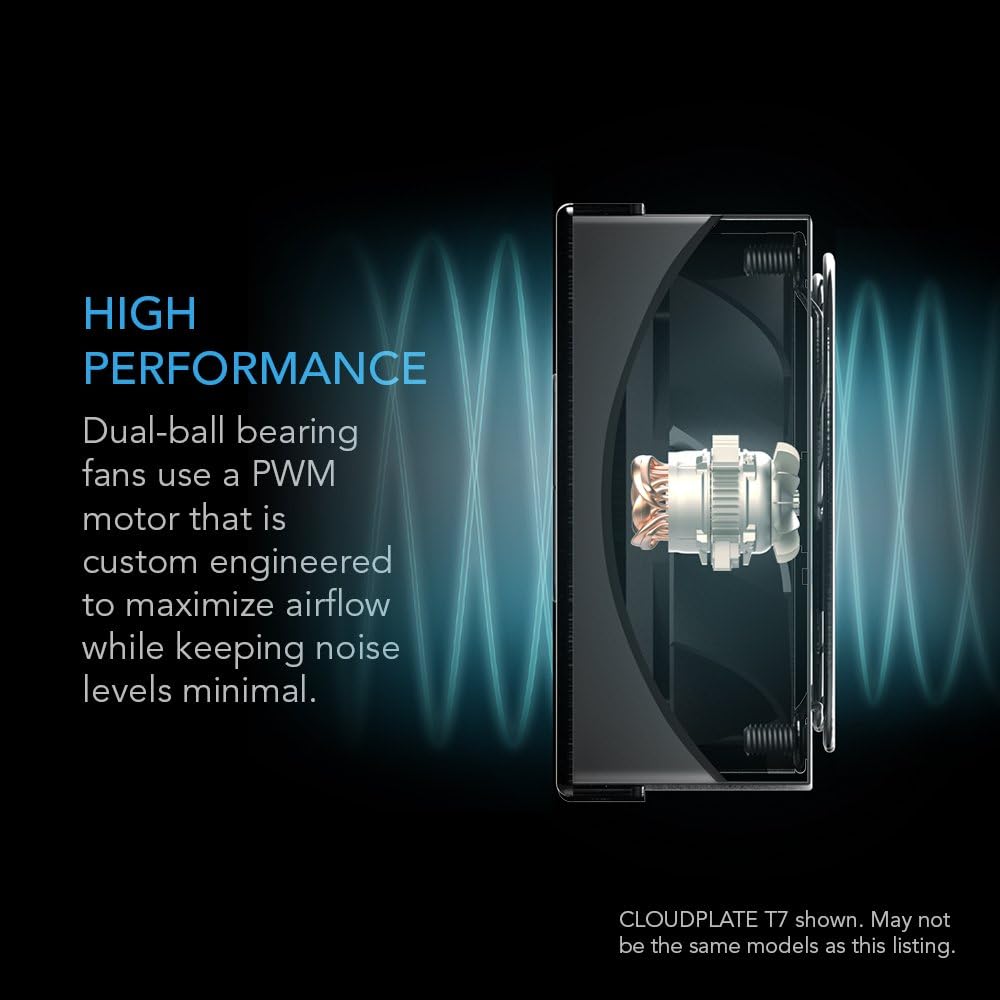
Imej: Terperinci view of a dual-ball bearing fan with PWM motor, designed for high performance and minimal noise.
Persediaan
- Pemasangan Rak: Identify a 2U space in your 19-inch equipment rack. Use the provided rack mount screws and cage nuts to securely install the CLOUDPLATE T7-N unit. Ensure the unit is flush with the rack rails.
- Thermal Probe Connection: Connect the corded 6-ft thermal probe to the designated port on the unit. Position the probe within the rack where you want to monitor the temperature, typically near heat-generating equipment.
- Sambungan Kuasa: Connect the provided 6-ft power supply to the unit and then to a standard electrical outlet.
- Hidupkan Kuasa Awal: Once all connections are secure, the unit will power on, and the LCD display will activate.

Image: The CLOUDPLATE T7-N unit seamlessly integrated into a standard equipment rack.

Image: Illustrates the intake airflow design, with cool air entering from the bottom and warm air exiting the top of the rack.
Arahan Operasi
The CLOUDPLATE T7-N features an LCD digital controller with a programmable thermostat and automated speed control. This allows the system to react to varying temperatures efficiently.
- Mod SMART: This mode automatically adjusts the fan speed based on the temperature detected by the thermal probe. You can set a target temperature and a buffer, and the fans will increase speed as the temperature rises above the target plus buffer.
- Mod Manual: Manually select one of six available fan speeds to maintain a constant airflow, regardless of temperature.
- Penggera Suhu: The controller can be set to trigger alarm warnings if the temperature exceeds a user-defined threshold.
- Fan Failure Triggers: The system monitors fan operation and can alert you in case of a fan failure.
- Tetapan Paparan: Adjust screen brightness with three available settings. The display also features a lock function to prevent accidental changes.
- Memori Sandaran: Settings are saved even if power is interrupted.
- Pelabuhan Pengembangan: An expansion port at the rear allows for daisy-chaining additional CLOUDPLATE units or AC Infinity rack roof dual-fan kits to share the same control programming for enhanced cooling.
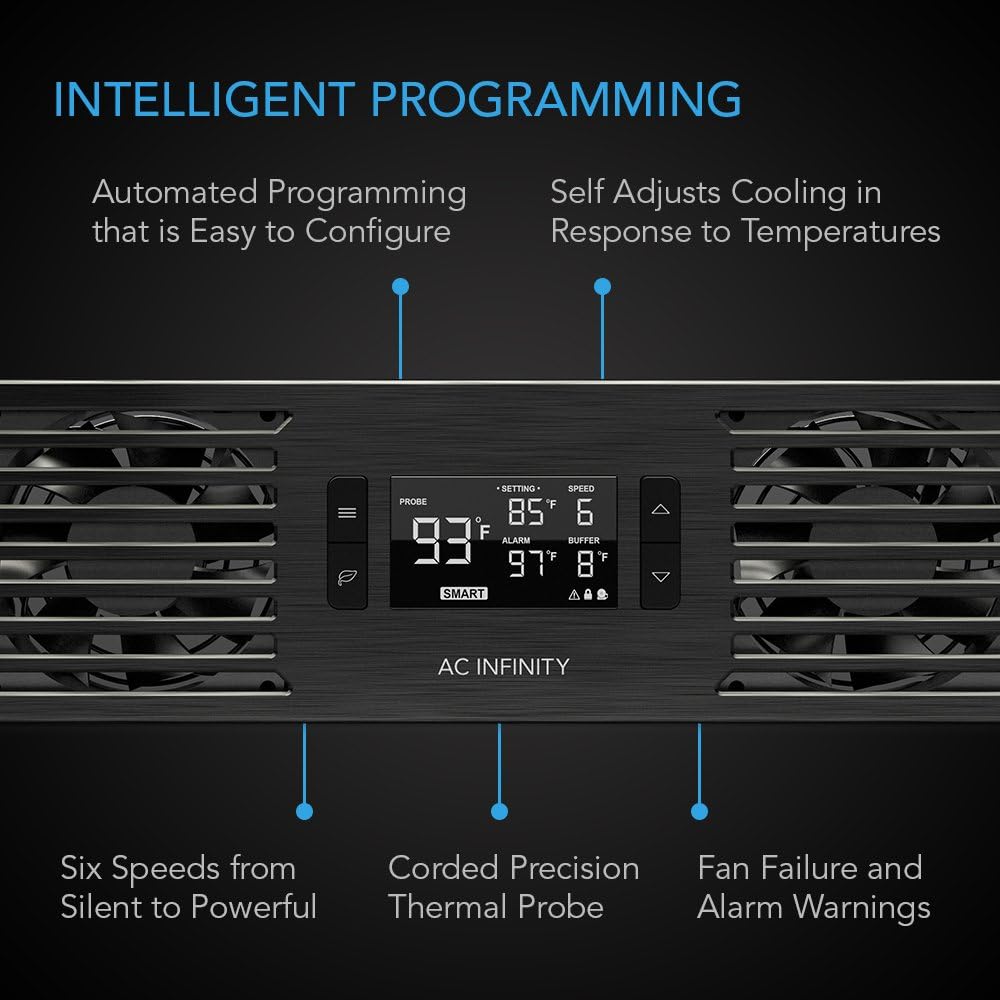
Image: The intelligent programming display showing current temperature, set temperature, fan speed, and buffer settings.
Video: An official product video demonstrating the features and functionality of the CLOUDPLATE Series rack mount cooling fan systems.
Penyelenggaraan
Regular maintenance ensures optimal performance and longevity of your CLOUDPLATE T7-N unit.
- Pembersihan: Periodically inspect the fan grilles and blades for dust accumulation. Use a soft brush or compressed air to gently clean the fans and vents. Ensure the unit is powered off and unplugged before cleaning.
- Thermal Probe: Keep the thermal probe clean and free from obstructions to ensure accurate temperature readings.
- Sambungan: Periodically check all cable connections (power, thermal probe, expansion) to ensure they are secure.
Menyelesaikan masalah
| Masalah | Kemungkinan Punca | Penyelesaian |
|---|---|---|
| Fans not spinning / Display off | No power, loose connection, power adapter issue. | Check power cable connection to unit and outlet. Ensure outlet is functional. Try a different power adapter if available. |
| Bacaan suhu tidak tepat | Thermal probe improperly placed or damaged. | Ensure thermal probe is securely connected and positioned correctly. Avoid placing it directly on hot components. Check for physical damage to the probe. |
| Fans running too fast/slow in SMART mode | Incorrect temperature settings (SET, BUFFER). | Adjust the SET temperature and BUFFER values on the controller to match your desired cooling profile. |
| Unit bising | High fan speed, dust accumulation, fan bearing issue. | Lower the fan speed setting. Clean the fan blades and grilles. If noise persists at low speeds, contact support. |
| Alarm warning displayed | Temperature exceeded alarm threshold, fan failure. | Check the current temperature. If it's too high, increase fan speed or check for obstructions. If it's a fan failure warning, inspect fans for operation. |
Spesifikasi
| Ciri | Perincian |
|---|---|
| Model | AI-CP2H |
| Ruang Rak | 2U |
| Reka bentuk | Pengambilan |
| Jumlah Aliran Udara | 50 hingga 220 CFM |
| Jumlah Kebisingan | 10 hingga 36 dBA |
| Tekanan Statik | 2.56 mm-H2O |
| Vol Operasitage | 12V DC |
| kuasa | 10 W |
| semasa | 0.83 A |
| Input Penyesuai Dinding | 100 hingga 240V AC |
| Kelembapan Operasi | 35 hingga 85% RH |
| Suhu Operasi | 0 hingga 158°F (0 hingga 70°C) |
| Galas Kipas | Dwi Bola |
| L10 Life Expectancy | 67,000 Jam |
| Jumlah Dimensi | 19.0 x 3.5 x 1.5 in. (48.3 x 8.9 x 3.8 cm) |
| bahan | aluminium |

Image: Visual representation of the unit's dimensions and core performance specifications.
Maklumat Waranti
Specific warranty details for the AC Infinity CLOUDPLATE T7-N are typically provided with the product packaging or can be found on the official AC Infinity website. Please refer to these resources for the most current and comprehensive warranty terms and conditions.
Sokongan
Untuk bantuan lanjut, sokongan teknikal, atau untuk view additional product documentation, please visit the official AC Infinity website. You may find FAQs, troubleshooting guides, and contact information for customer service there.
Infiniti AC Webtapak: www.acinfinity.com