
pengenalan
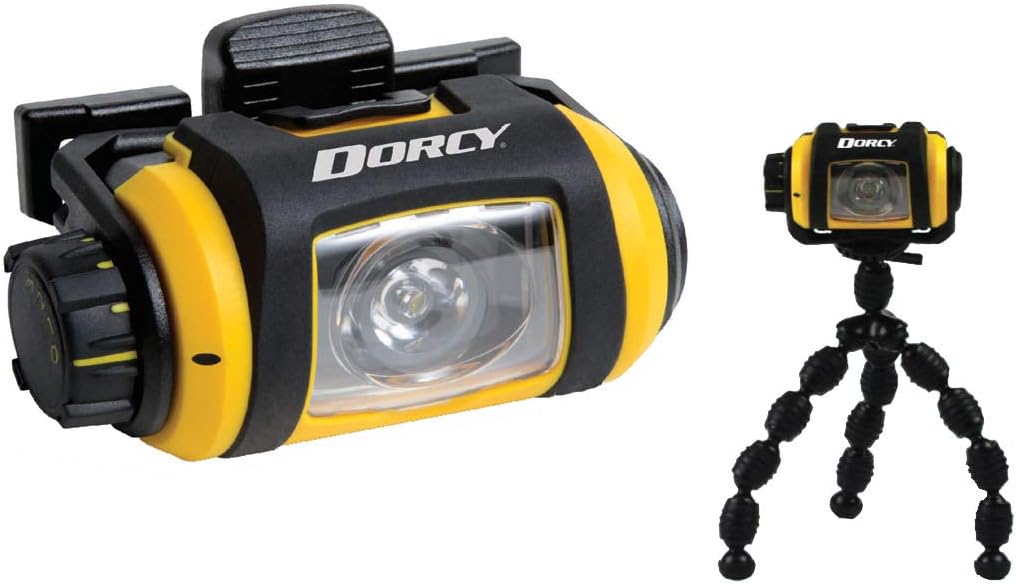
This manual provides comprehensive instructions for the safe and effective use of your Dorcy Pro Series 200-Lumen Weather Resistant LED Magnetic Headlight, Model 41-2614. Please read this manual thoroughly before operating the device and retain it for future reference.
Ciri-ciri Produk
- 200-Lumen LED Output: Provides bright illumination for various tasks.
- Tahan Cuaca (IPX4): Direka bentuk untuk menahan percikan dan hujan renyai.
- Pangkalan Magnetik: Strong magnets allow attachment to metal surfaces for hands-free use.
- Destar boleh laras: Memastikan kesesuaian yang selamat dan selesa.
- 180-Degree Swivel Head: Directs light precisely where needed.
- Tiga Tahap Kecerahan: Low, Medium, and High settings for varied lighting requirements.
- Kanta boleh tanggal: For maintenance or specific lighting needs.
- Mini Tripod Included: For stable, freestanding illumination.
- Built-in Battery Power Indicator: Memantau status bateri.
- Safety Lock/Off Feature: Mencegah pengaktifan secara tidak sengaja semasa penyimpanan.
Kandungan Pakej
- Dorcy Pro Series LED Magnetic Headlight (Model 41-2614)
- Destar boleh laras
- Tripod Mini
- 2 x Bateri Beralkali AA
Persediaan
1. Pemasangan Bateri
- Locate the battery compartment cover on the side of the headlight.
- Putar atau luncurkan penutup untuk membukanya.
- Insert two (2) AA alkaline batteries, ensuring correct polarity (+/-) as indicated inside the compartment.
- Tutup penutup petak bateri dengan selamat.
2. Headband Attachment and Adjustment
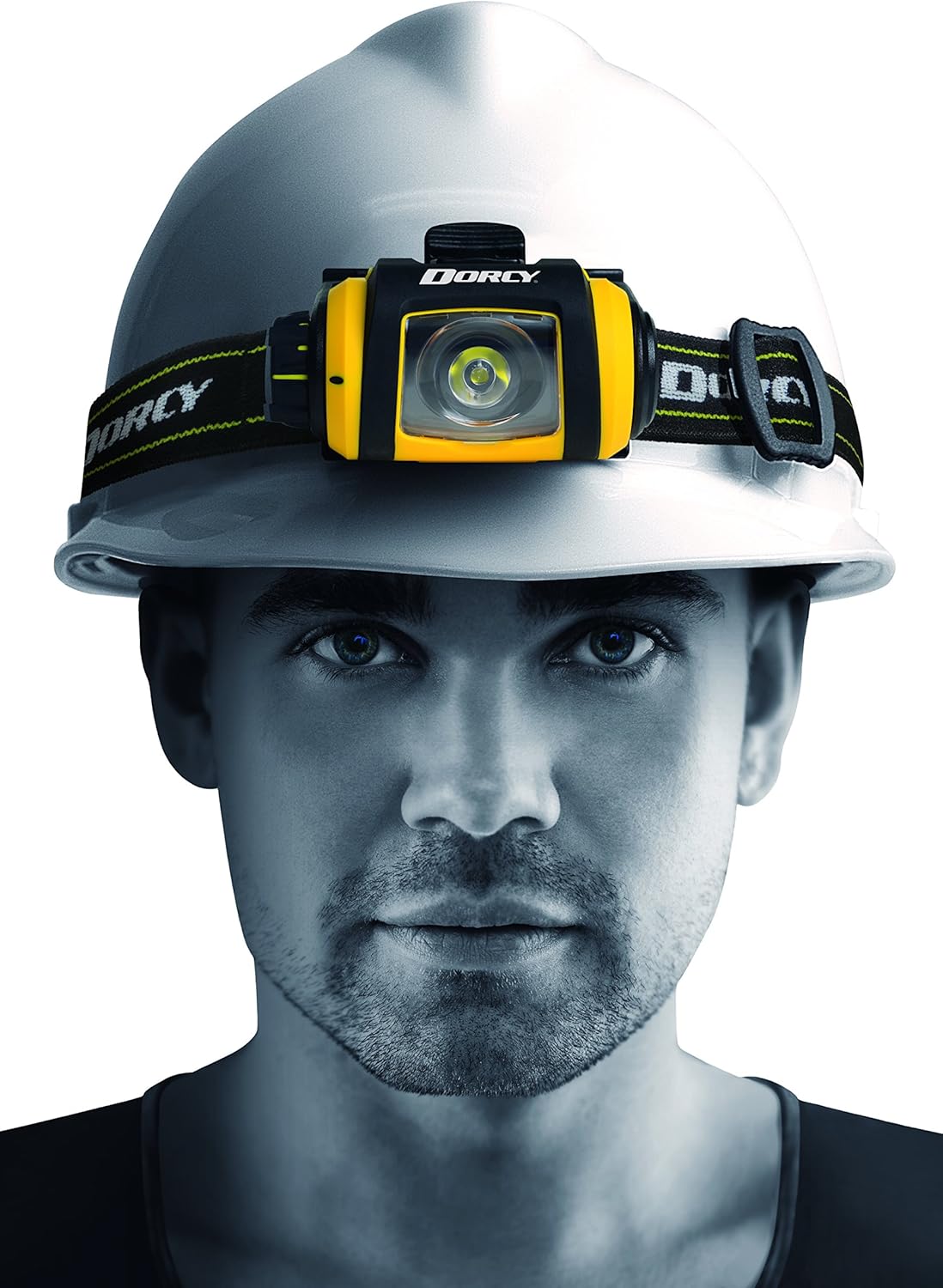
- Thread the adjustable headband through the slots on the headlight's mounting bracket.
- Adjust the strap length to ensure a snug and comfortable fit around your head or hard hat.

3. Tripod Attachment
- Locate the mounting point on the bottom of the headlight.
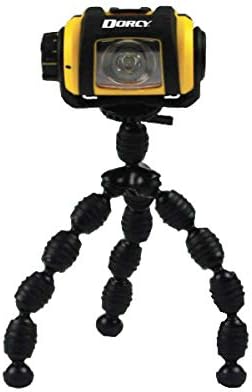
- Screw the mini tripod onto this mounting point until secure.
- Adjust the flexible legs of the tripod to position the light as desired on a flat surface or wrapped around an object.
Arahan Operasi
1. Power On/Off and Brightness Control
- To turn the headlight ON, rotate the control dial located on the side of the unit.
- Continue rotating the dial to cycle through the three brightness levels: rendah, Sederhana, dan tinggi.
- To turn the headlight DIMATIKAN, rotate the dial back to the "0" position.
- The built-in safety lock/off feature prevents accidental activation when the dial is in the "0" position.

2. Fungsi Pusing
The headlight unit can be swiveled up to 180 degrees on its mounting bracket. Gently tilt the light head to adjust the beam angle as needed.
3. Lampiran Magnetik
Utilize the strong magnets on the back of the headlight to attach it to any suitable metal surface for hands-free illumination. Ensure the surface is clean and provides a secure hold before releasing cahaya.

Penyelenggaraan
- Pembersihan: Wipe the exterior of the headlight with a soft, damp kain. Jangan gunakan pembersih atau pelarut yang melelas.
- Penggantian Bateri: Replace batteries when the light dims significantly or the battery indicator shows low power. Always use fresh AA alkaline batteries.
- Storan: When storing the headlight for extended periods, remove the batteries to prevent leakage and corrosion. Store in a cool, dry place.
- Kanta boleh tanggal: The lens can be carefully removed for cleaning if necessary. Reattach securely to maintain weather resistance.

Menyelesaikan masalah
| Masalah | Kemungkinan Punca | Penyelesaian |
|---|---|---|
| Cahaya tidak menyala. |
|
|
| Cahaya malap. |
|
|
| Headlight does not swivel smoothly. |
|
|
Spesifikasi
- model: 41-2614
- Sumber Cahaya: LED
- Kecerahan: 200 Lumens (High)
- Jarak rasuk: 100 meter
- Masa Larian:
- Tinggi: 8 jam
- Sederhana: 11 jam
- Rendah: 46 jam
- Sumber Kuasa: 2 x Bateri Alkali AA (termasuk)
- Tahan Air: IPX4 (Tahan Cuaca)
- Dimensi: Approximately 3.25" x 2" (headlight unit)
- Berat: 6.7 auns (dengan bateri)
- Ciri Khas: Adjustable, Durable, Lightweight, Portable, Removable Lens, Magnetic Base, 180-degree Swivel, Tripod Mount.
Waranti dan Sokongan
The Dorcy Pro Series 200-Lumen LED Magnetic Headlight (Model 41-2614) comes with a waranti seumur hidup against any manufacturing defects. For warranty claims or technical support, please contact Dorcy customer service through their official webtapak atau peruncit tempat produk itu dibeli.
For more information, visit the official Dorcy store: Dorcy Store on Amazon.