
1. Pengenalan
This manual provides detailed instructions for the installation, operation, and maintenance of your COMPUTHERM Q3 digital room thermostat. The Q3 thermostat is designed to regulate the temperature in your home or office, offering precise control for heating and cooling systems. It features a clear digital display and user-friendly controls for optimal comfort and energy efficiency.

Imej 1.1: Depan view of the COMPUTHERM Q3 Thermostat, showing the digital display and control buttons.
2. Persediaan dan Pemasangan
2.1 Memasang Termostat
The COMPUTHERM Q3 thermostat is designed for simple wall mounting. Choose an indoor location away from direct sunlight, drafts, or heat sources that could affect temperature readings. Ensure the chosen location allows for easy access to the controls and clear visibility of the display.

Imej 2.1: The COMPUTHERM Q3 Thermostat mounted on a wall, illustrating its compact design and integration into a living space.
2.2 Arahan Pendawaian
This thermostat uses wired connectivity and can be integrated with any boiler that has a secondary temperature connector. It operates on 250 Volts and has a maximum switching voltage of 1760W. For safety and proper function, wiring should be performed by a qualified professional.
- Ensure the main power supply to the heating/cooling system is turned off before beginning any wiring.
- Connect the thermostat to the appropriate terminals on your boiler or HVAC system as per the system's specific wiring diagram.
- The thermostat requires a wired connection for control signals.
2.3 Bekalan Kuasa
The COMPUTHERM Q3 thermostat is powered by 2 AA batteries. Ensure fresh batteries are installed correctly according to the polarity markings inside the battery compartment.
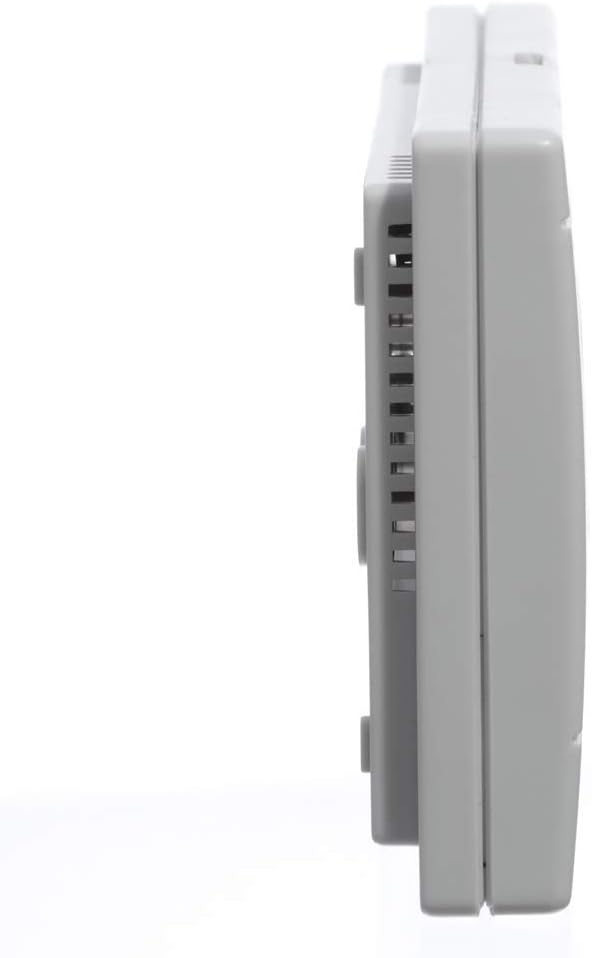
Imej 2.2: Pro sampinganfile of the COMPUTHERM Q3 Thermostat, showing its slim design and ventilation slots.
3. Arahan Operasi
3.1 Paparan Maklumat
The digital display provides real-time information about the room temperature and set temperature, along with operational indicators.

Imej 3.1: Terperinci view of the LCD display on the COMPUTHERM Q3 Thermostat, showing the current temperature, temperature unit (°C), and indicators for heating (HEAT) or air conditioning (A/C) operation, as well as room temperature (ROOM) and set temperature (SET).
- Paparan suhu: Menunjukkan suhu bilik semasa.
- Unit Suhu: Indicates degrees Celsius (°C).
- HEAT/A/C Symbol: Indicates if the system is currently heating or cooling.
- ROOM/SET: Indicates whether the displayed temperature is the current room temperature or the user-set target temperature.
3.2 Melaraskan Suhu
You can set your desired temperature between 5°C and 40°C in 0.5°C increments using the '+' and '-' buttons on the thermostat. The digital screen provides a precise temperature display.
3.3 Operating Modes (Economy/Comfort)
A selection slider on the control unit allows you to switch between two predefined temperature regimes: economy and comfort. This feature enables quick adjustment to suit your immediate needs without manually resetting the temperature.
- Mod Ekonomi: Typically sets a lower temperature for heating or a higher temperature for cooling to conserve energy.
- Mod Keselesaan: Sets a more comfortable temperature, usually higher for heating or lower for cooling.
3.4 Heating and Cooling Functionality
The COMPUTHERM Q3 thermostat supports both heating and cooling operations, ensuring a stable indoor temperature with a sensitivity of ±0.1 or 0.2 degrees Celsius.
4. Penyelenggaraan
4.1 Pembersihan
To maintain the thermostat's appearance and functionality, wipe the exterior with a soft, dry cloth. Avoid using abrasive cleaners, solvents, or chemical sprays, as these can damage the unit.
4.2 Penggantian Bateri
When the battery indicator appears on the display, replace the 2 AA batteries promptly to ensure continuous operation. Open the battery compartment, remove the old batteries, and insert new ones, observing correct polarity. Dispose of used batteries responsibly.
5. Penyelesaian masalah
If you encounter issues with your COMPUTHERM Q3 thermostat, please refer to the following common troubleshooting steps:
- Tiada Paparan: Check if the 2 AA batteries are correctly installed and have sufficient charge. Replace them if necessary.
- Bacaan Suhu yang salah: Ensure the thermostat is not exposed to direct sunlight, drafts, or heat sources. Allow time for the thermostat to stabilize after installation.
- Sistem Tidak Menjawab: Verify that the thermostat is correctly wired to your heating/cooling system. Check the power supply to your boiler or HVAC unit.
- Turun naik suhu: The thermostat has a high sensitivity. Ensure doors and windows are closed to maintain stable room conditions.
If problems persist after attempting these steps, please contact COMPUTHERM customer support or a qualified technician.
6. Spesifikasi
| Ciri | Spesifikasi |
|---|---|
| Jenama | KOMPUTER |
| Nombor Model | Q3 |
| warna | putih |
| Dimensi (L x W x H) | 11 x 8 x 2.3 cm |
| Berat badan | 150 gram |
| kuasa | 1760 Watts (Max Switching) |
| Voltage | 250 Volt |
| bahan | plastik |
| Ciri Khas | Dimmable (display) |
| Teknologi Ketersambungan | berwayar |
| Jenis Kawalan Suhu | Cooling, Heated |
| Sumber Kuasa | Dikuasakan Bateri (2 bateri AA diperlukan) |
| Julat Suhu Boleh Laras | 5°C hingga 40°C (dalam kenaikan 0.5°C) |
| Sensitiviti Suhu | ±0.1 or 0.2°C |
7. Waranti dan Sokongan
7.1 Waranti Pengilang
The COMPUTHERM Q3 Thermostat comes with a 2-year manufacturer's warranty. Please retain your proof of purchase for warranty claims. The warranty covers defects in materials and workmanship under normal use.
7.2 Sokongan Pelanggan
For technical assistance, troubleshooting, or warranty inquiries, please contact COMPUTHERM customer support. Refer to the product packaging or the official COMPUTHERM weblaman web untuk maklumat hubungan.